Add class="selected" to selected category at main menu
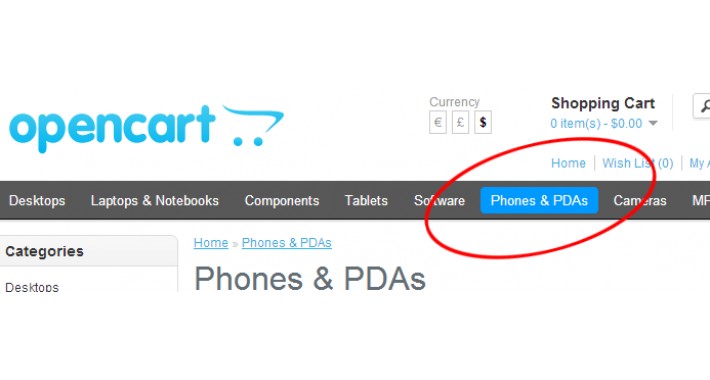
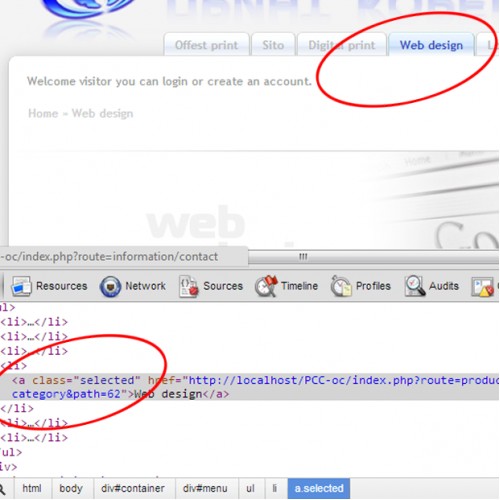
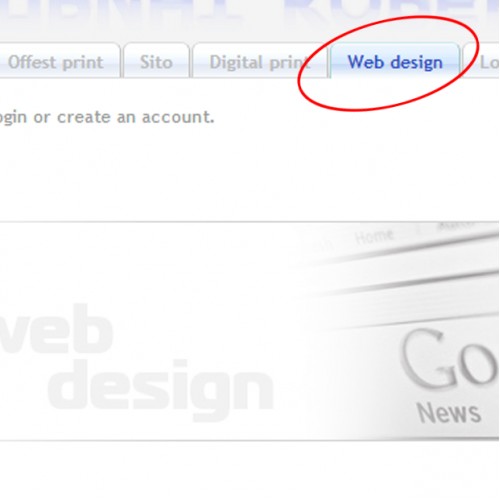
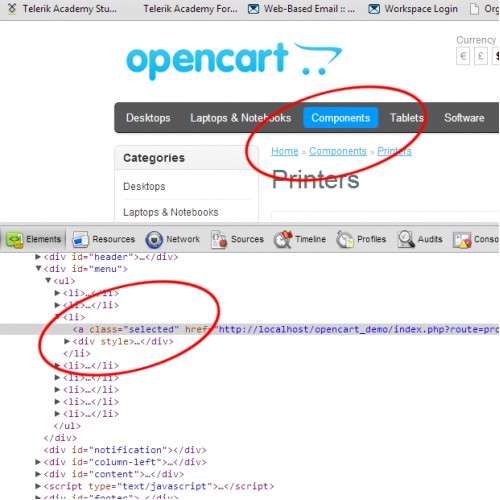
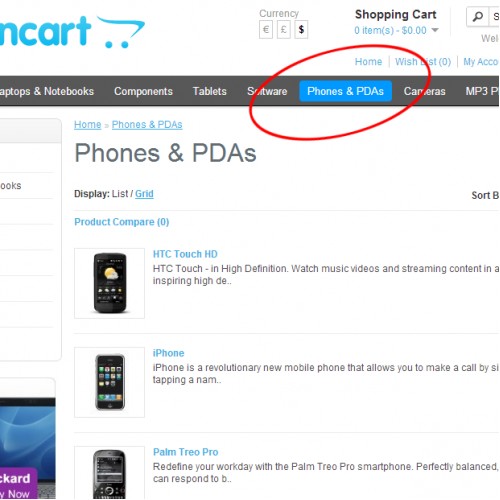
===== This modul add class="selected" to selected category at main menu ==========
This module allows to highlight or show it in different way the main category in which the client is at this time. This module is compulsory for all major online stores. The most of major design decisions are impossible without < ...class="selected" ..../> in HTML code.
CSS code
#menu > ul > li > a.selected {
< CSS code here >
}
/* sempel ===================================== */
#menu > ul > li > a.selected {
background-color:#09F;
color: #FFF;
position: relative;
border-radius:4px;
}
/* and of sempel ================================== */
/* sempel tab view ============================= */
#menu > ul > li > a.selected {
background-color:#FFF;
color: #000;
position: relative;
border-radius: 4px 4px 0px 0px;
padding-bottom:15px;
}
/* and of sempel ================================== */
For those who are not familiar with CSS put the sample code into:
catalog/view/theme/<name of template>/stylesheet/stylesheet.css
before
#menu > ul > li > a {
This sample code will implement view exactly like the view in the pictures.
========================================================================================
author: Dobri Dobrev - LoopDAD
Enjoy
This module allows to highlight or show it in different way the main category in which the client is at this time. This module is compulsory for all major online stores. The most of major design decisions are impossible without < ...class="selected" ..../> in HTML code.
CSS code
#menu > ul > li > a.selected {
< CSS code here >
}
/* sempel ===================================== */
#menu > ul > li > a.selected {
background-color:#09F;
color: #FFF;
position: relative;
border-radius:4px;
}
/* and of sempel ================================== */
/* sempel tab view ============================= */
#menu > ul > li > a.selected {
background-color:#FFF;
color: #000;
position: relative;
border-radius: 4px 4px 0px 0px;
padding-bottom:15px;
}
/* and of sempel ================================== */
For those who are not familiar with CSS put the sample code into:
catalog/view/theme/<name of template>/stylesheet/stylesheet.css
before
#menu > ul > li > a {
This sample code will implement view exactly like the view in the pictures.
========================================================================================
author: Dobri Dobrev - LoopDAD
Enjoy
Price
$20.00
- Developed by OpenCart Community
- Documentation Included
Rating
Compatibility
1.5.4, 1.5.4.1, 1.5.5, 1.5.5.1, 1.5.6, 1.5.6.1, 2.0.0.0, 2.0.1.0, 2.0.1.1, 2.0.2.0, 2.0.3.1, 2.1.0.1, 2.1.0.2, 2.2.0.0, 2.3.0.0, 2.3.0.1, 2.3.0.2, 3.0.0.0, 3.0.1.0, 3.0.1.1, 3.0.1.2, 3.0.1.3, 3.0.2.0, 4.x.x.x, 3.0.3.0, 3.0.3.1, 3.0.3.2, 3.0.3.3, 3.0.3.5, 3.0.3.6, 3.0.3.7
Last Update
24 Aug 2021
Created
20 Jan 2013
14 Sales
0 Comments

Login and write down your comment.
Login my OpenCart Account