Opencart Vendor Price Comparison Marketplace
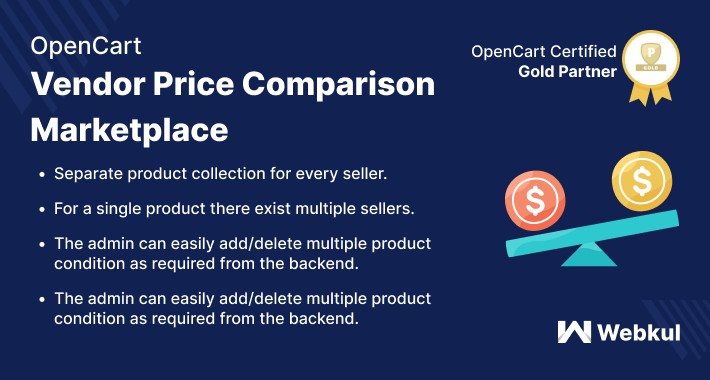
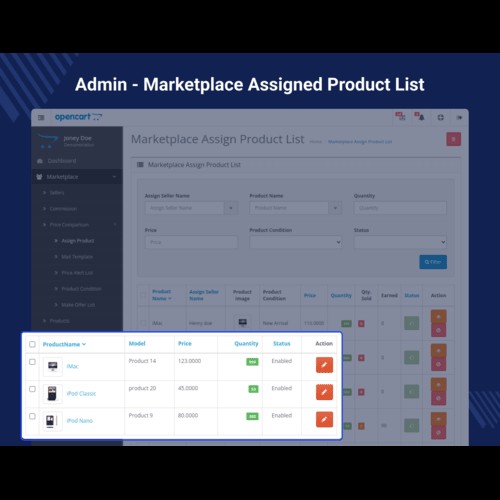
With the help of Opencart Vendor Price Comparison Marketplace module, the customers will be able to compare price among different sellers for the same product and can add the respective product to the cart to make a checkout for purchasing the product. This extension is also beneficial for the marketplace sellers as they can easily add their products in existing products with different price and quantity.
Since it’s an add-on for the Marketplace Multi-Vendor Module, so marketplace module must be installed before installing the Opencart Marketplace Price Comparison.
Note:
1. This module supports all templates and themes including the Journal theme.
2. Opencart Marketplace Price Comparision module supports the Multi-Store feature of default Opencart.



Features:
Use Case:
The customers like to compare the price of a product that is being offered by multiple sellers along with their respective price and quantity. It allows the customers to choose the lowest price for purchasing the product from a list of sellers offering competitive prices.
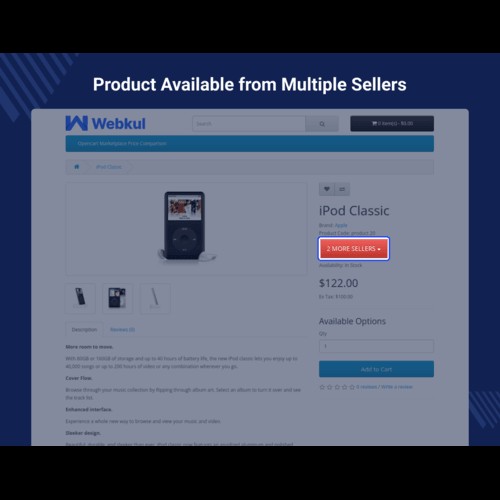
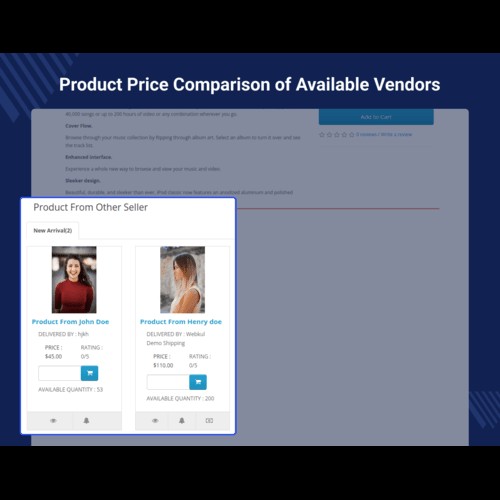
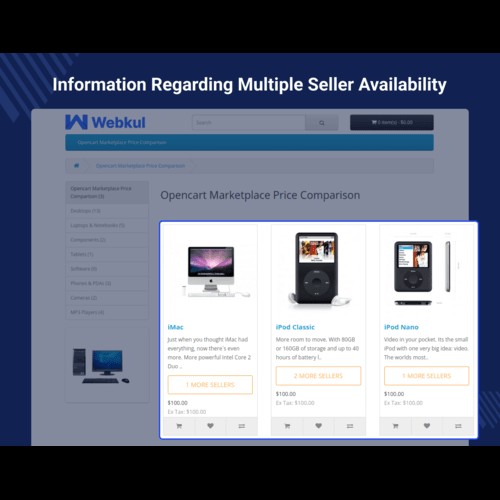
As the feature of price comparison is not available in the default system, this extension comes handy. The sellers who are selling the same product are visible to the customers on the product page itself. The customers can then easily compare the product price available from different sellers and can checkout with any seller's product as required.
Workflow:
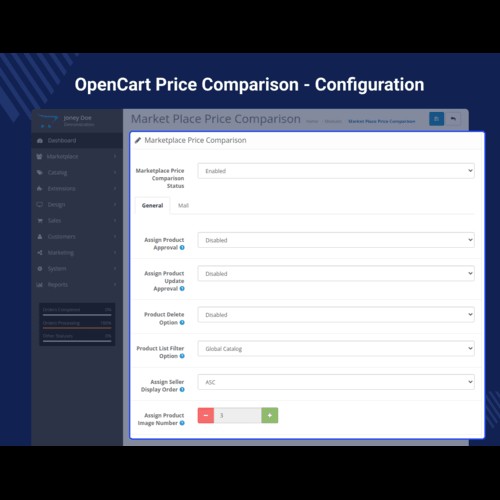
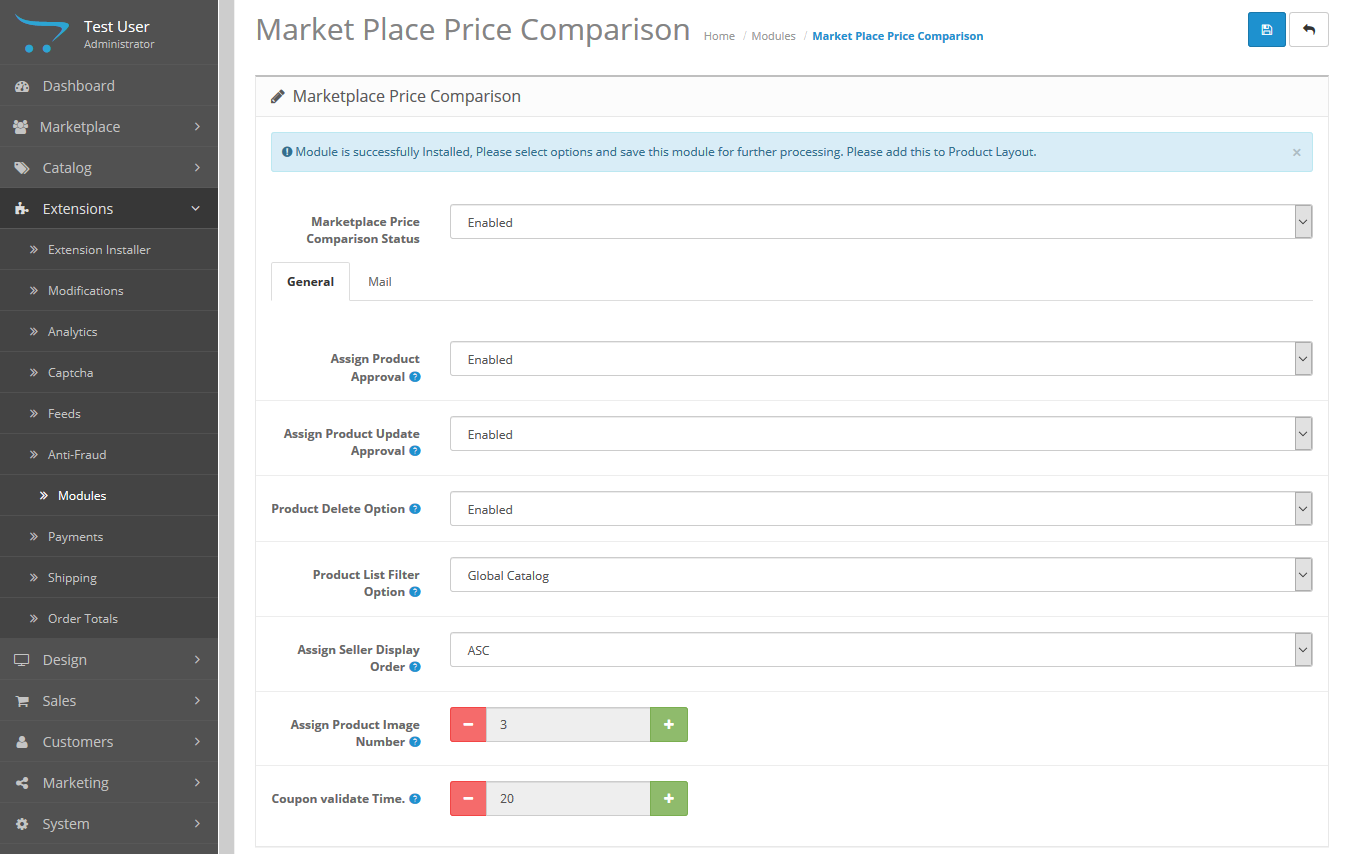
After the successful installation of the extension, the admin will be able to configure the module for use. To do so, the admin will enable the module, and make the configuration settings under the general tab.
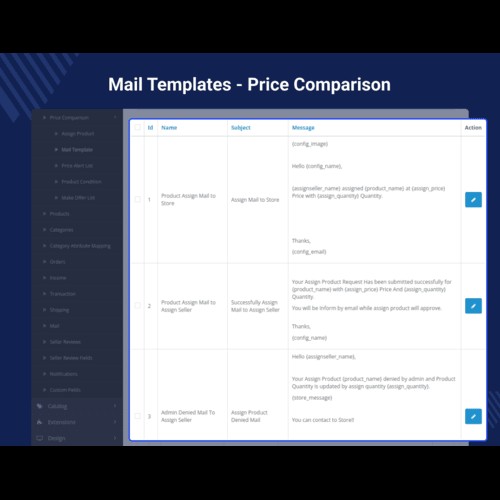
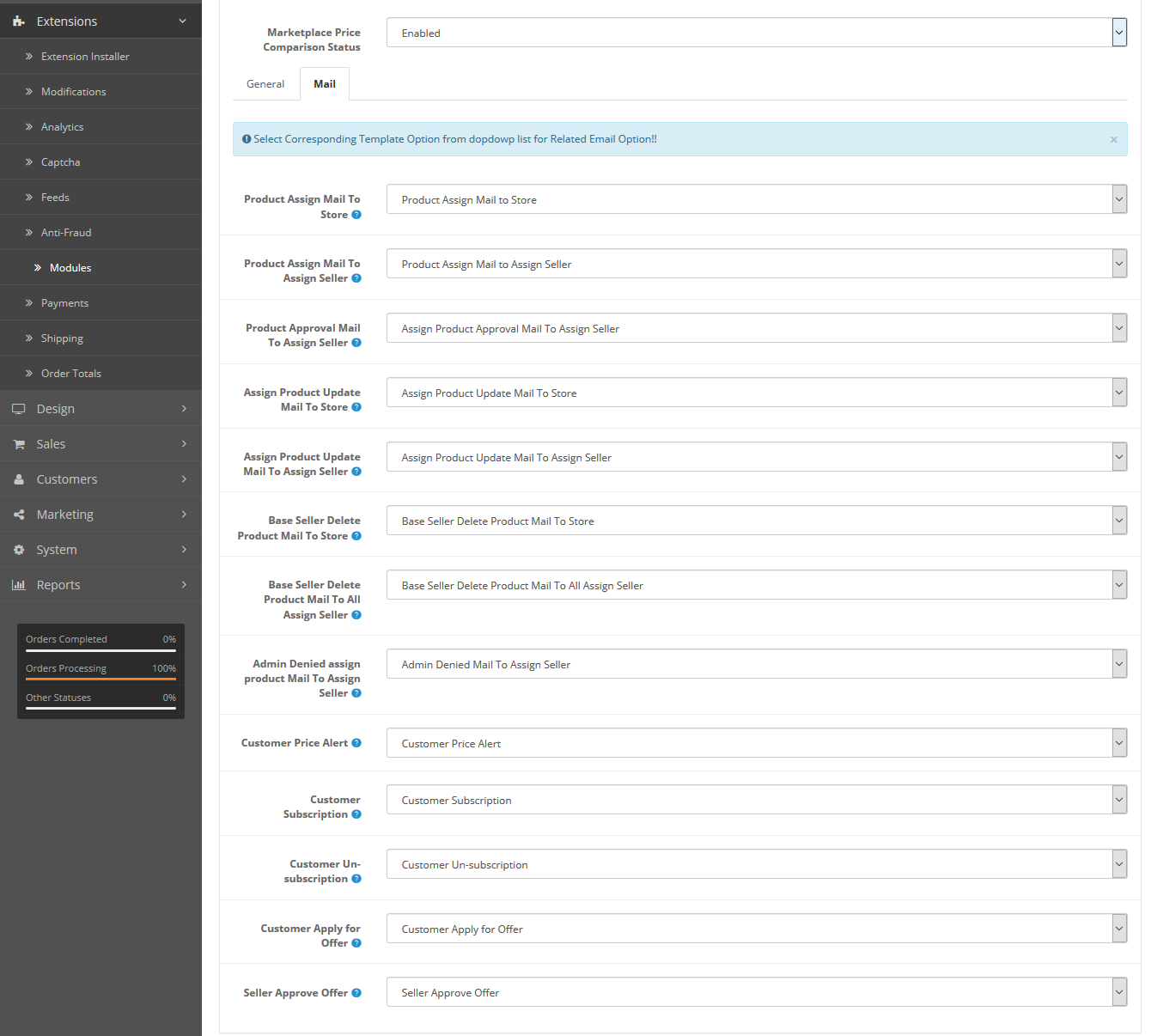
After that, the admin will have to select the corresponding template option from the drop-down list for related email options.
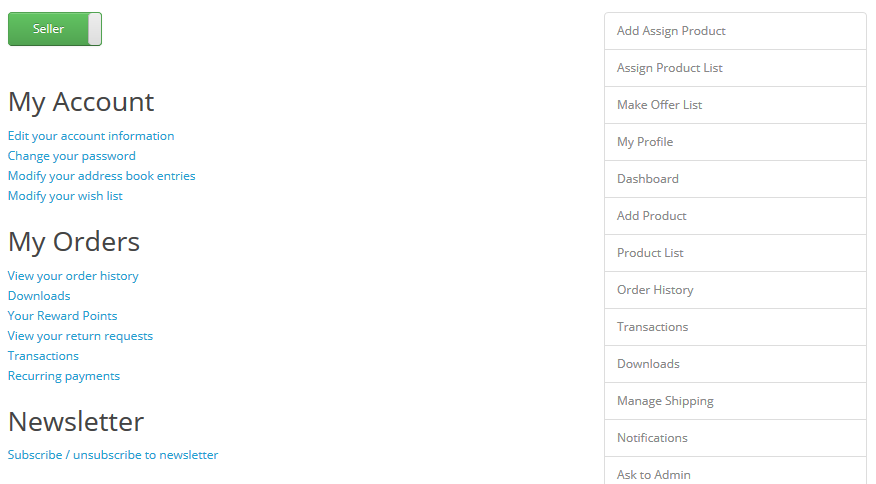
The seller has 3 menu options for management that allow the seller to assign new products, check the assigned products list, and the Make offer list.
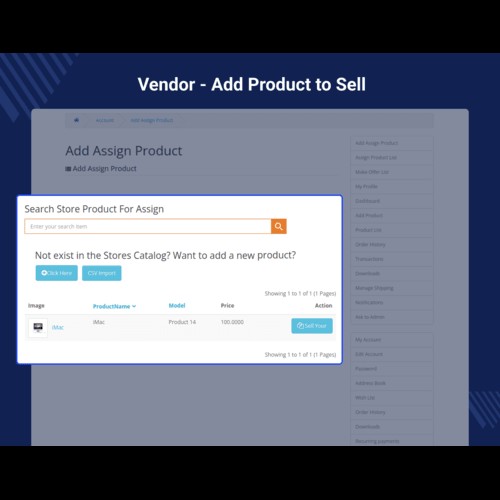
The sellers can search for the product within the global catalog.
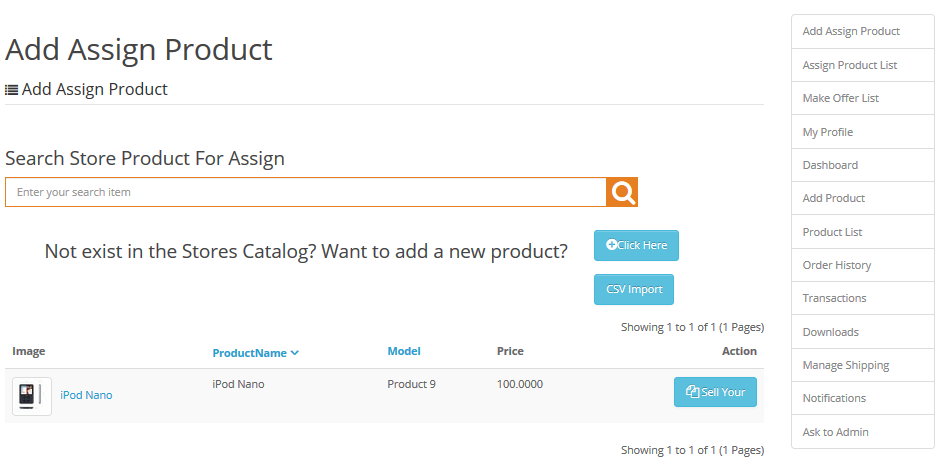
The sellers can tap on the ‘Sell Your’ button to sell their own assigned product.
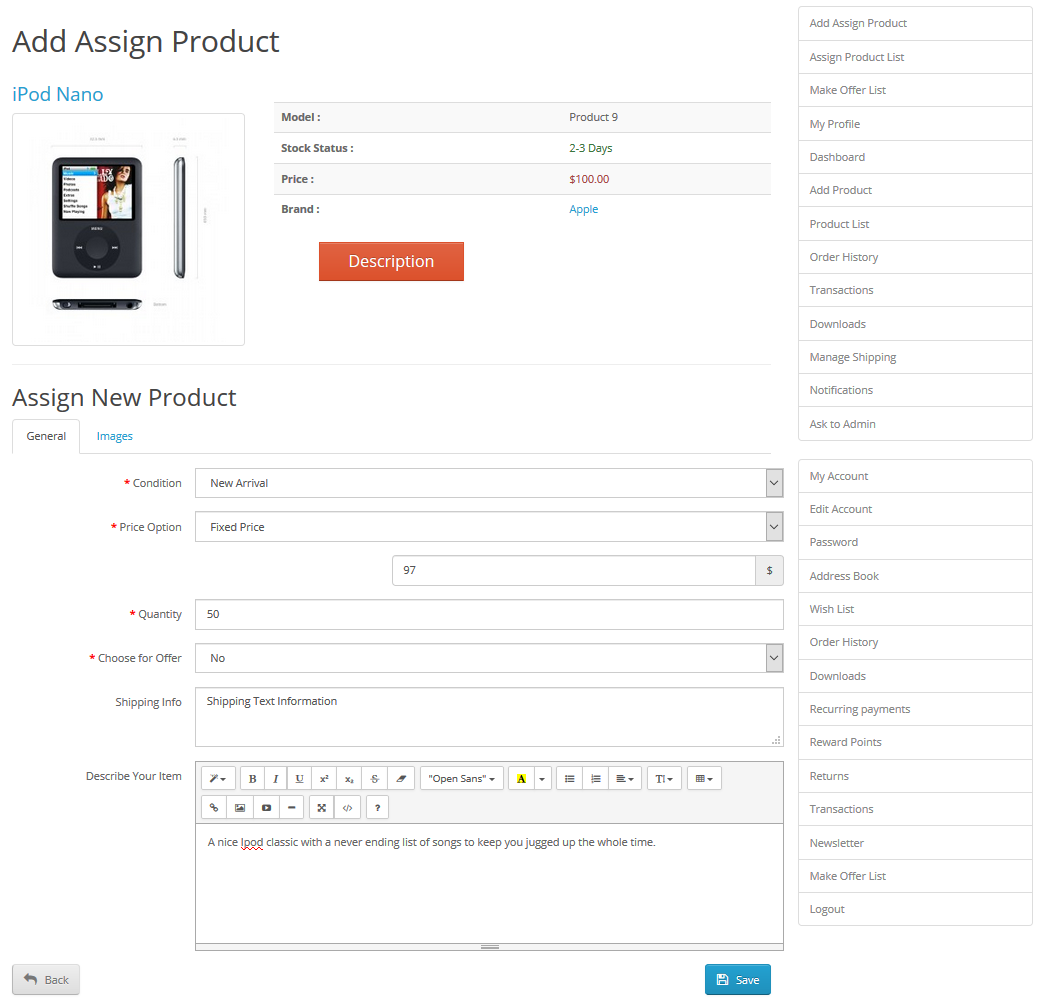
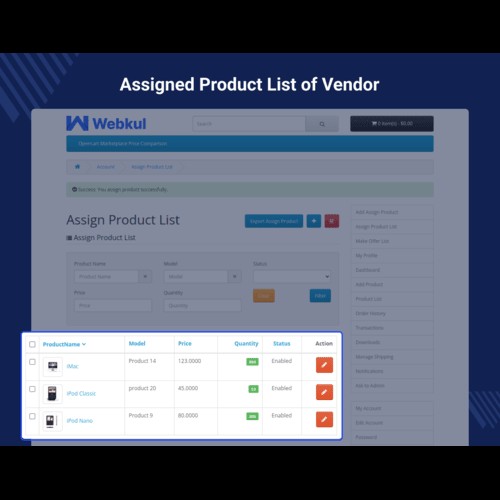
The sellers have all of their assigned product under the assigned product list menu option.

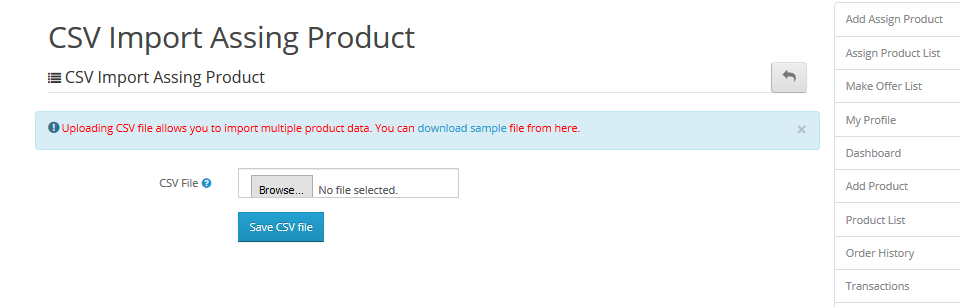
The sellers can add their assigned products in bulk as well.
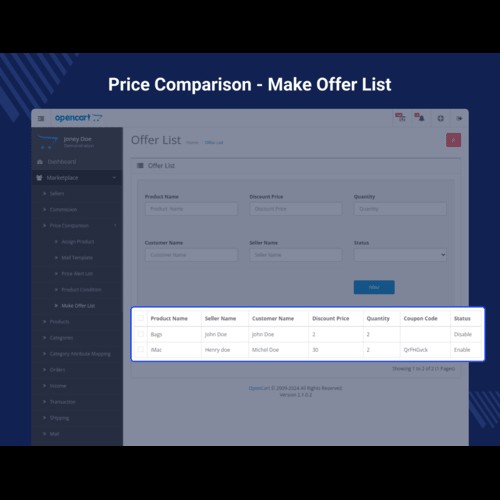
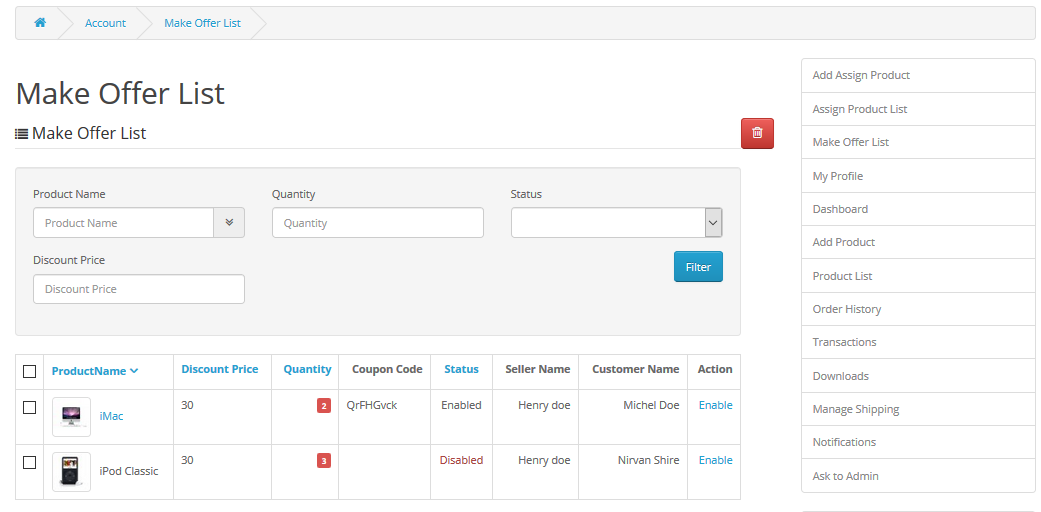
The sellers will be able to check customers who have applied for Make offer for his assigned product.
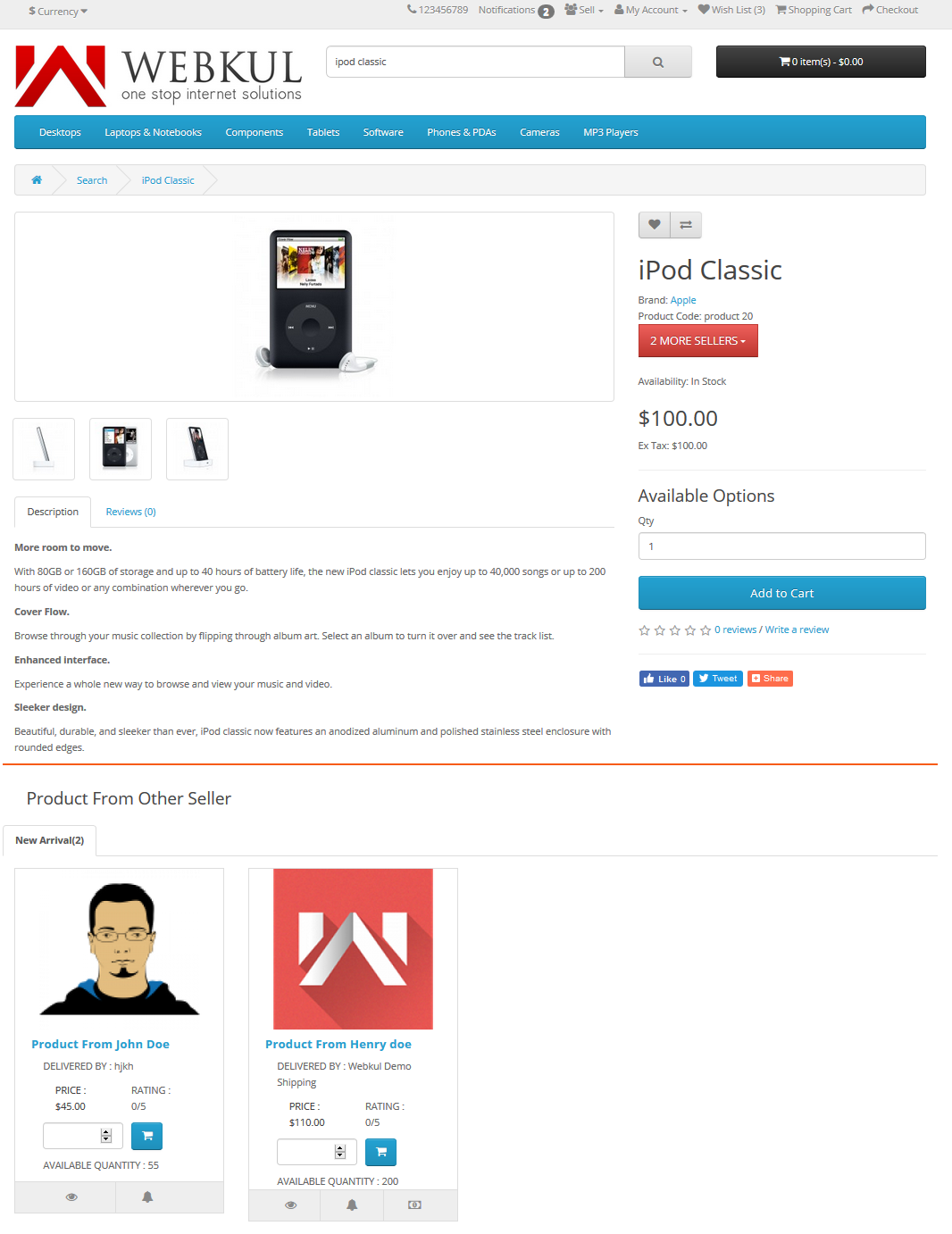
The buyer can find a product along with the same product from other sellers available on the product page. Here, the buyer can add the respective product and go for the checkout.
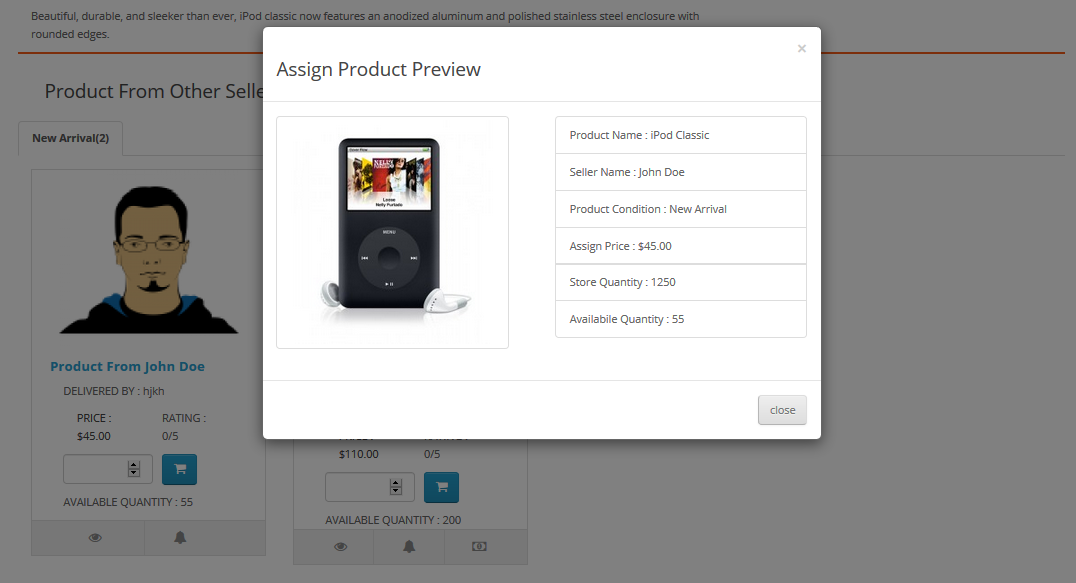
When the customer will clicks on the “View Details” button for the assigned product, then a pop-up will come up with details.
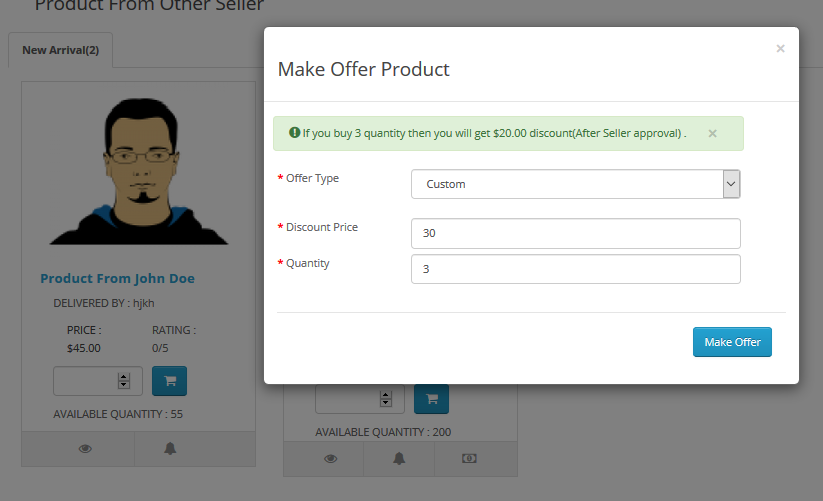
The customers can also make a custom offer and when it is enabled(approved) the customer receives a coupon code for purchasing the same product with the same quantity for which the customer has made the offer.
Apart from that, the customers can opt to subscribe to the price alert of the assigned product. When the price of the assigned product goes down a notification mail is sent to the customer.





Some Moments Of Appreciation


Support Policy
Since it’s an add-on for the Marketplace Multi-Vendor Module, so marketplace module must be installed before installing the Opencart Marketplace Price Comparison.
Note:
1. This module supports all templates and themes including the Journal theme.
2. Opencart Marketplace Price Comparision module supports the Multi-Store feature of default Opencart.
Features:
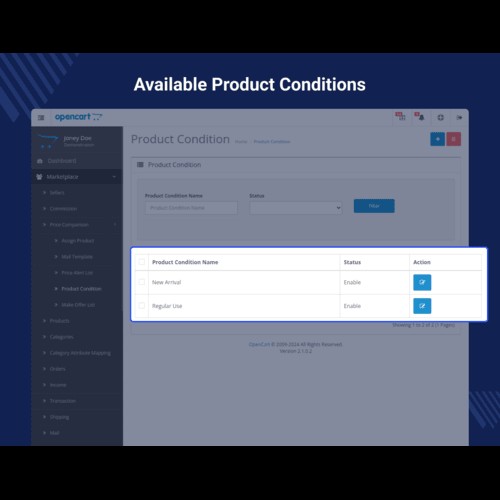
- The admin can create multiple product condition names.
- Separate product collection for every seller.
- Display different sellers on the product page with their product price, quantity available, ratings, make offer button, and the price alert button.
- The admin can approve, delete, and preview details of the assigned products.
- The admin can set the number of assigned product images to upload.
- The admin can set up the emails for the default conditions within the extension.
- The admin can set up the number of days up-till a coupon can be validated.
- The admin can view/delete the customers who have subscribed for the price alert.
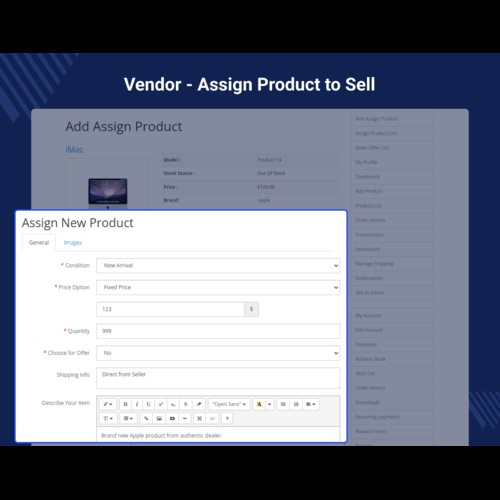
- The sellers can add the product with different price, quantity, make offer option, shipping information, description, and images.
- The sellers can add assign products in bulk using the CSV file.
- Order history gets generated with the particular seller details whose product has sold out.
- The sellers can approve the default or custom offers made by the customers.
- The base seller can update the whole information of that product but the assigned seller can only edit the price and quantity of that product.
- The customers can opt to subscribe to the price alert of the assigned product.
- The customers can filter products from other sellers on the product page using the seller name, rating, and the price of the products.
- The customers can make a default or custom offer on the assigned product.
- The customers can make a custom offer by entering the price per product & quantity.
- The customers can make use of the coupon code for purchasing the same assigned product.
Use Case:
The customers like to compare the price of a product that is being offered by multiple sellers along with their respective price and quantity. It allows the customers to choose the lowest price for purchasing the product from a list of sellers offering competitive prices.
As the feature of price comparison is not available in the default system, this extension comes handy. The sellers who are selling the same product are visible to the customers on the product page itself. The customers can then easily compare the product price available from different sellers and can checkout with any seller's product as required.
Workflow:
After the successful installation of the extension, the admin will be able to configure the module for use. To do so, the admin will enable the module, and make the configuration settings under the general tab.
After that, the admin will have to select the corresponding template option from the drop-down list for related email options.
The seller has 3 menu options for management that allow the seller to assign new products, check the assigned products list, and the Make offer list.
The sellers can search for the product within the global catalog.
The sellers can tap on the ‘Sell Your’ button to sell their own assigned product.
The sellers have all of their assigned product under the assigned product list menu option.
The sellers can add their assigned products in bulk as well.
The sellers will be able to check customers who have applied for Make offer for his assigned product.
The buyer can find a product along with the same product from other sellers available on the product page. Here, the buyer can add the respective product and go for the checkout.
When the customer will clicks on the “View Details” button for the assigned product, then a pop-up will come up with details.
The customers can also make a custom offer and when it is enabled(approved) the customer receives a coupon code for purchasing the same product with the same quantity for which the customer has made the offer.
Apart from that, the customers can opt to subscribe to the price alert of the assigned product. When the price of the assigned product goes down a notification mail is sent to the customer.
Some Moments Of Appreciation
Support Policy
Price
$119.00
- Developed by OpenCart Partner
- 3 Months Free Support
- Documentation Included
Rating
Compatibility
3.0.0.0, 3.0.1.0, 3.0.1.1, 3.0.1.2, 3.0.1.3, 3.0.2.0, 3.0.3.0, 3.0.3.1, 3.0.3.2, 3.0.3.3, 3.0.3.5, 3.0.3.6, 3.0.3.7, 3.0.3.8, 3.0.3.9, 3.0.4.1
Last Update
27 Jun 2025
Created
30 Dec 2013
16 Sales
30 Comments

Login and write down your comment.
Login my OpenCart Account