Notify When Available/Back in stock Email


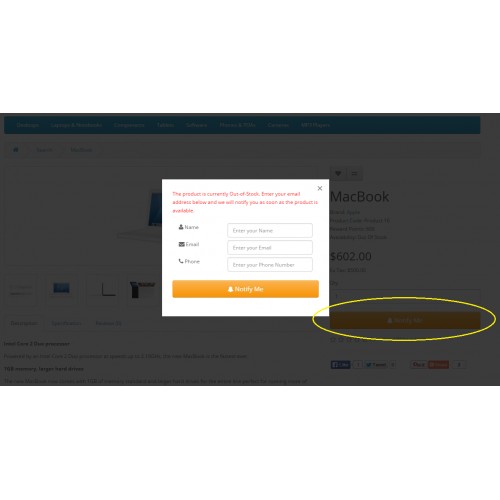

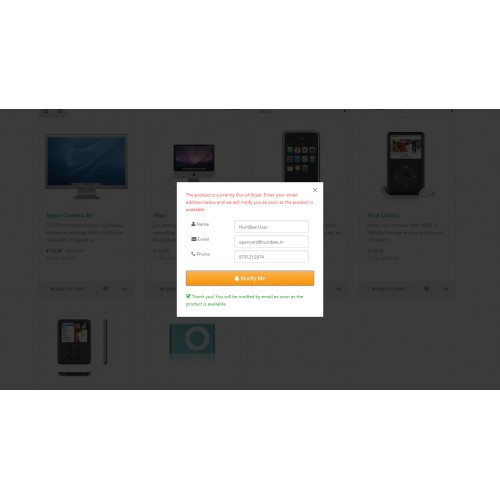
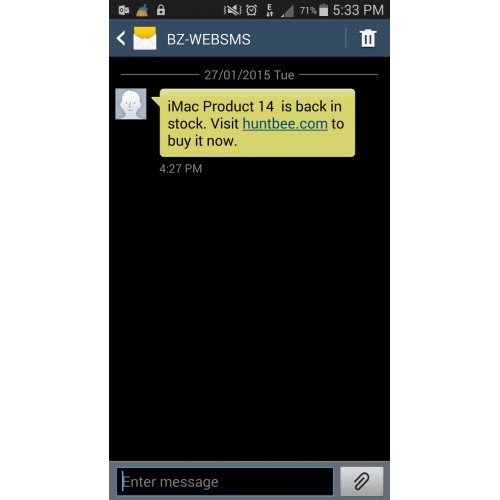
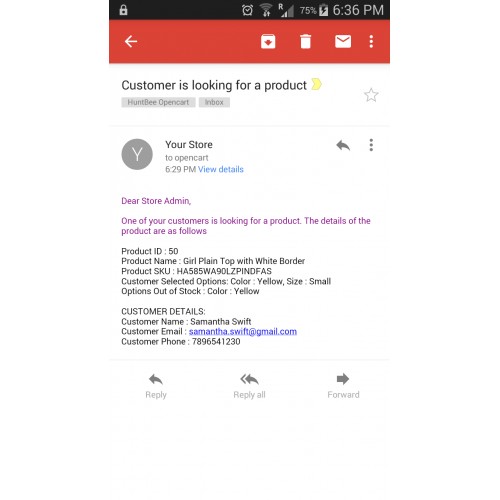
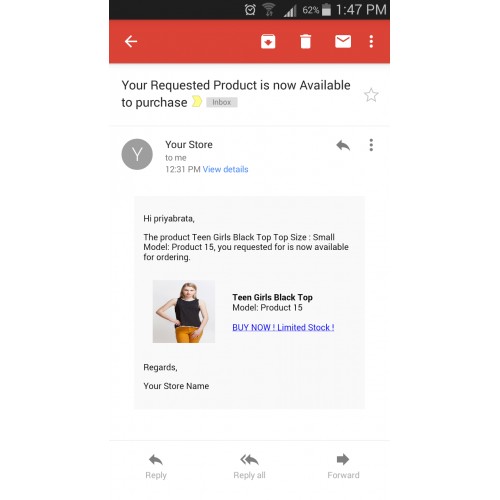




The Product Stock Notification Alert extension helps you capture lost sales by allowing customers to subscribe for restock alerts on out-of-stock products. When a product becomes available again, customers receive automatic email notifications and optional SMS alerts, encouraging them to return and complete their purchase.
Instead of losing potential buyers when a product is unavailable, your store can collect demand, notify interested customers, and increase conversion rates automatically.
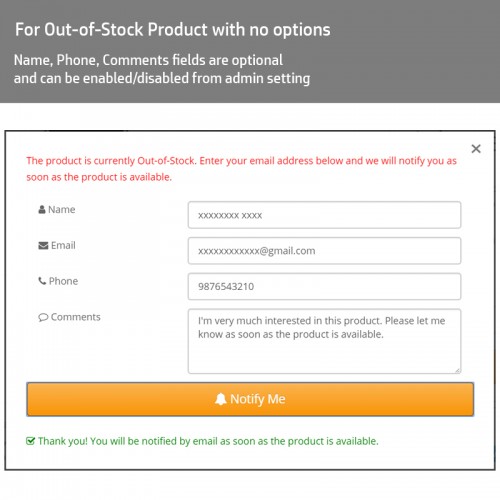
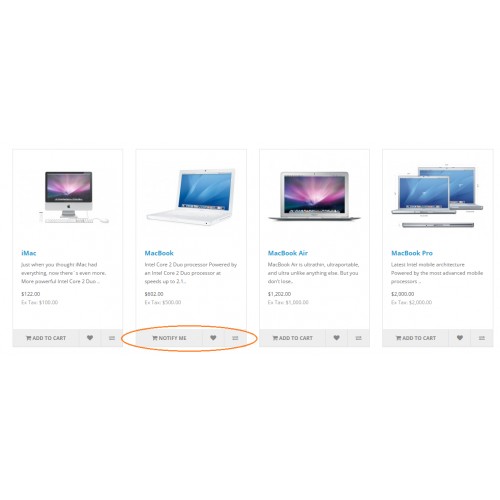
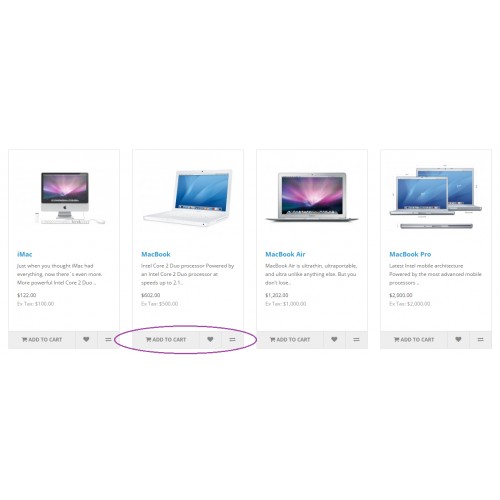
This extension intelligently replaces the "Add to Cart" button with a "Notify Me" button when a product or product option is out of stock. Customers can subscribe easily, while store owners gain valuable insights into product demand trends.
Trusted by 900+ OpenCart stores worldwide, this extension is designed to improve customer engagement, increase conversions, and provide powerful demand analytics.
If you need both Add to Cart and Notify Me functionalities for out-of-stock products, customization can be provided. Contact support for more details.
Key Features
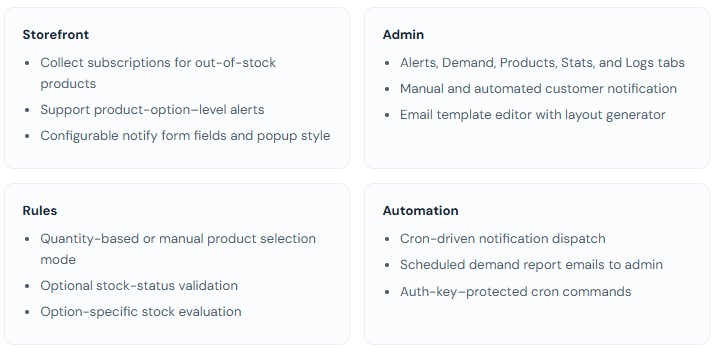
✅ Customer Subscription for Out-of-Stock Products – Allow customers to subscribe for unavailable products and product options (size, color, variation etc.).
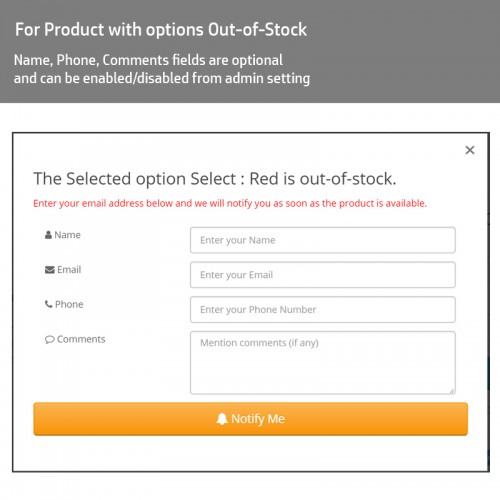
✅ Option-Level Stock Alerts – Customers can subscribe to specific product variations and receive alerts only when that selected option becomes available.
✅ Automatic Email Notifications – Customers receive back-in-stock notifications automatically using cron automation.
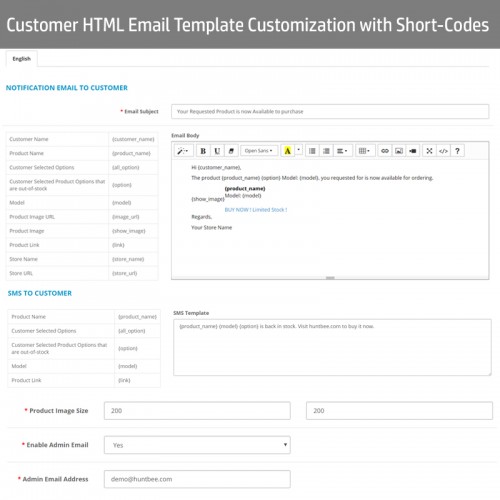
✅ Optional SMS Notifications – Send SMS alerts using supported SMS gateway API.
✅ Manual Notification Option – Send alerts manually to all subscribers or selected customers with one click.
✅ Admin Notification Alerts – Receive alerts when customers subscribe to out-of-stock products.
✅ Advanced Email Template Editor – Create professional email templates using dynamic placeholders and reusable layouts.
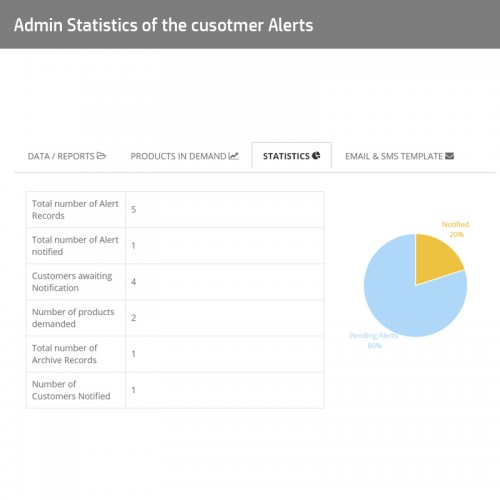
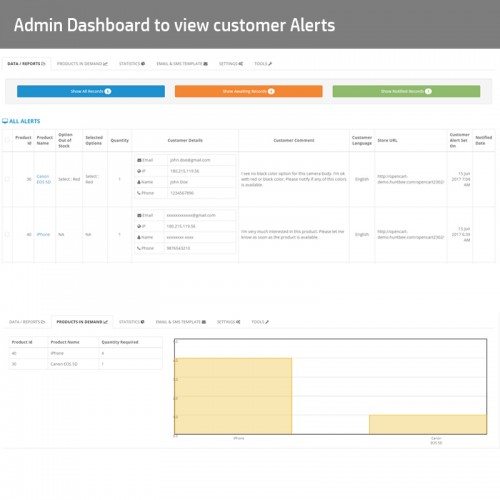
✅ Demand Analytics Dashboard – Identify most requested products, popular categories, and demand trends.
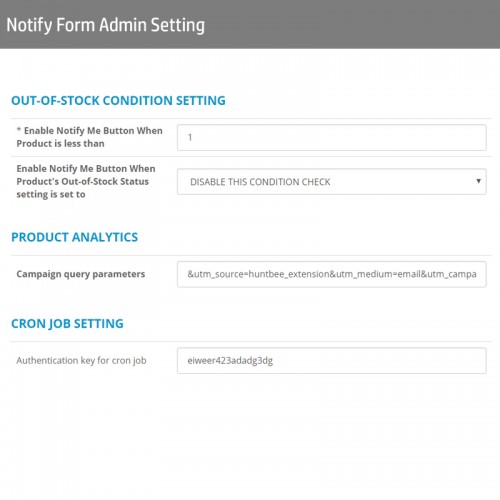
✅ Flexible Stock Validation Rules – Choose between quantity-based validation or manually select products eligible for alerts.
✅ Smart Duplicate Alert Prevention – Prevents repeated alert submissions for the same product and option.
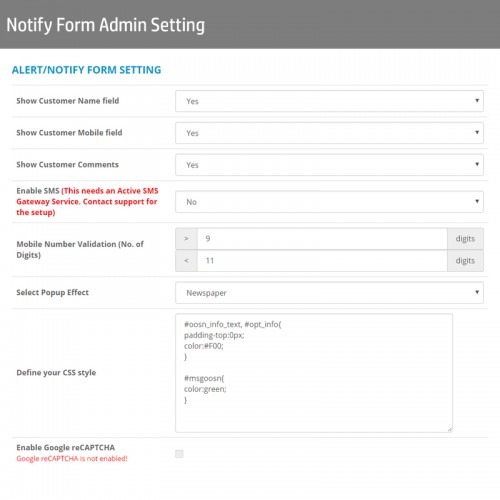
✅ Customizable Subscription Form – Enable or disable fields such as name, phone, comment and choose popup or embedded form.
✅ Cron-Based Automation – Automatically check stock availability and send notifications based on defined schedule.
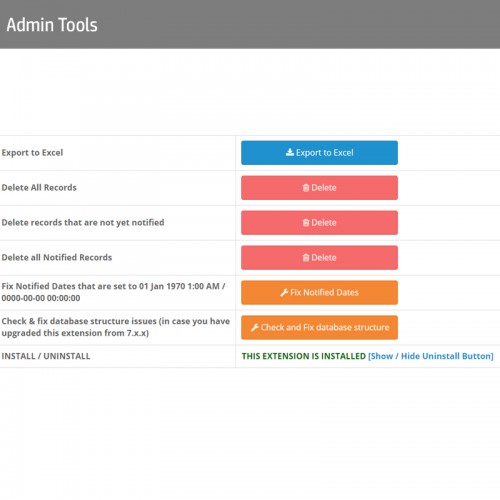
✅ Export Alerts to CSV – Export customer subscription data for reporting and analysis.
✅ Multi-Language Support – Send notifications in customer's selected language.
✅ Multi-Store Support – Manage alerts separately for multiple stores.
✅ Google Analytics Campaign Tracking – Track conversions from notification emails using UTM parameters.
✅ Journal3 Compatibility – Fully compatible with Journal3 theme layouts.
✅ Theme Compatibility Support – Assistance provided for theme integration if required.
✅ Bulk Maintenance Tools – Delete records, reset alerts, and clean data easily.
✅ Demand Reports for Inventory Planning – Identify products customers are waiting for and plan restocking effectively.
Customers can:
- View all active stock alerts
- Remove alerts directly
- Verify alerts created using guest email
- Add product to cart quickly when available
- Manage alerts without contacting store admin
This improves customer experience and reduces support requests.
Comparison with Other Stock Alert Extensions
- Supports product options alerts (many extensions only support product-level alerts)
- Advanced email template system with reusable layouts
- Flexible validation rules (quantity or manual selection)
- Detailed demand analytics dashboard
- Multi-language template support
- Cron automation for notifications and reports
- Exportable demand reports for inventory planning
- Proven reliability with 900+ stores using the extension

Why Use This Extension?
- Recover Lost Sales – Bring customers back when products become available again.
- Increase Conversion Rates – Convert demand into completed purchases.
- Understand Product Demand – Identify high-demand products using real customer data.
- Improve Customer Experience – Allow customers to subscribe easily and stay informed.
- Save Time with Automation – Cron automation handles notifications automatically.
- Improve Inventory Planning – Make better stock decisions based on demand insights.
- Build Customer Engagement – Keep customers connected with your store.
How It Works
- Install and configure the extension from your OpenCart admin panel.
- Customers see the Notify Me button when a product or option is out of stock.
- Customers subscribe using the stock alert form.
- Admin updates product stock quantity.
- Extension automatically notifies customers via email or SMS.
- Customers return to purchase the product.
- Admin reviews demand insights and plans inventory accordingly.

Note: Some features may not be available in older OpenCart versions. New features are regularly added for newer versions.


What customers say about Notify When Available/Back in stock Email

I trully recommend both the developer and the extension
~sebytim
~sebytim

Professional, fast and generous support.
~sadikleja
~sadikleja
Honestly, this is good stuff, the support is excellent, very happy with it so far no complaints.
~Vector224
~Vector224
Price
$30.00
- Developed by OpenCart Partner
- 12 Months Free Support
- Documentation Included
Rating
Compatibility
3.0.0.0, 3.0.1.0, 3.0.1.1, 3.0.1.2, 3.0.1.3, 3.0.2.0, 3.0.3.0, 3.0.3.1, 3.0.3.2, 3.0.3.3, 3.0.3.5, 3.0.3.6, 3.0.3.7, 3.0.3.8, 3.x.x.x, 3.0.3.9, 3.0.4.0, 3.0.4.1, 3.0.5.0, 4.x.x.x, 4.0.0.0, 4.0.1.0, 4.0.1.1, 4.0.2.0, 4.0.2.1, 4.0.2.2, 4.0.2.3, 4.1.0.0, 4.1.0.1, 4.1.0.2, 4.1.0.3, 4.x.x.x, 4.0.0.0, 4.0.1.0, 4.0.1.1, 4.0.2.0, 4.0.2.1, 4.0.2.2, 4.0.2.3, 4.1.0.0, 4.1.0.1, 4.1.0.2, 4.1.0.3, 2.0.0.0, 2.0.1.0, 2.0.1.1, 2.0.2.0, 2.0.3.1, 2.1.0.1, 2.1.0.2, 2.2.0.0, 2.3.0.0, 2.3.0.1, 2.3.0.2, 3.0.0.0, 3.0.1.0, 3.0.1.1, 3.0.1.2, 3.0.1.3, 3.0.2.0, 3.0.3.0, 3.0.3.1, 3.0.3.2, 3.0.3.3, 3.0.3.5, 3.0.3.6, 3.0.3.7, 3.0.3.8, 3.0.3.9, 3.0.4.0, 2.3.0.0, 2.3.0.1, 2.3.0.2, 2.0.0.0, 2.0.1.0, 2.0.1.1, 2.0.2.0, 2.0.3.1, 2.1.0.1, 2.1.0.2, 2.2.0.0
Last Update
14 Apr 2026
Created
4 May 2014
517 Sales
201 Comments

Login and write down your comment.
Login my OpenCart Account