[OCJ] Category Wall
![[OCJ] Category Wall](https://image.opencart.com/cache/64df3afcbf65d-resize-710x380.jpg "[OCJ] Category Wall")
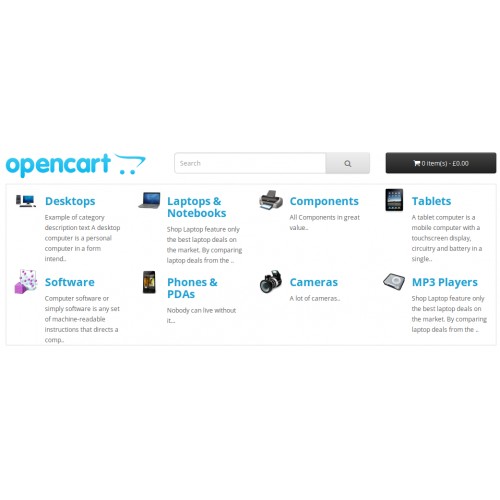
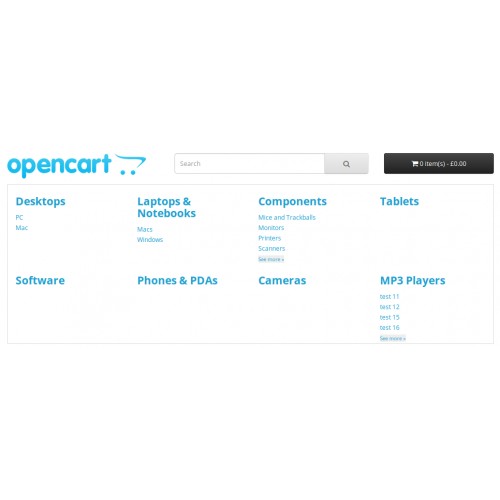
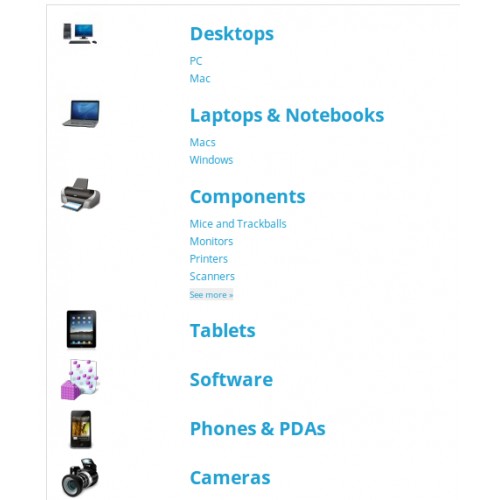
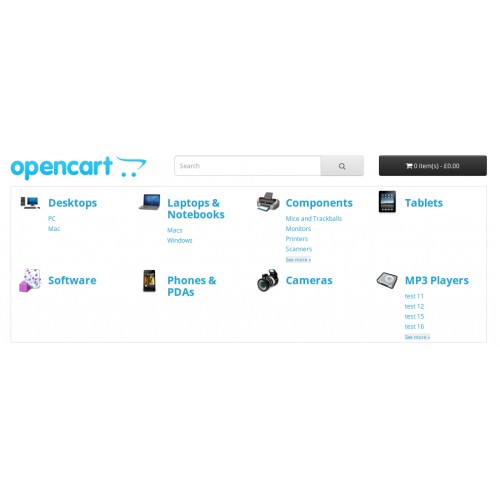

The most important part of a site is the Home Page. The visitor should very
quickly and easy find products he is searching for. The _OCJazz Category Wall_
provides the solution for that: the Category Wall. It shows a pane of top
level categories together with subcategories, images and descriptions.
The "OCJazz Category Wall" does not modify any core files. It is designed as a
widget and can be easy added to any place of the client layout using standard
Opencart admin functions.
Support
* to get support please contact us via support forum topic
http://rb.labtodo.com/forum/forum/11/support-ocj-modules-in-english/
Languages: English, Russian, Ukrainian.
Demo
http://demo.labtodo.com/cw/
Admin: http://demo.labtodo.com/cw/admin/
demo / demo
Look into "Extensions / Modules / [OCJazz] Category Wall",
then "System / Design / Layouts - Home"
Customization
The OCJazz Category Wall is customized by:
* selecting one of three predefined templates;
* changing a couple of the template options;
* modifying the template or its own `.css` file;
* developing the individual template.
Features
The OCJazz Category Wall uses the Bootstrap to adopt to any device screen.
There are three templates to provide different view:
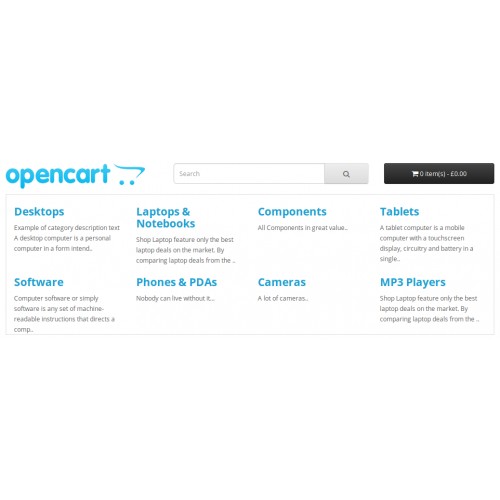
Text only
* the top-level of categories marked for using in the `Main Menu`;
* if selected, the full category description;
* if description is not selected, the list of first `N` subcategories.
Text with icon
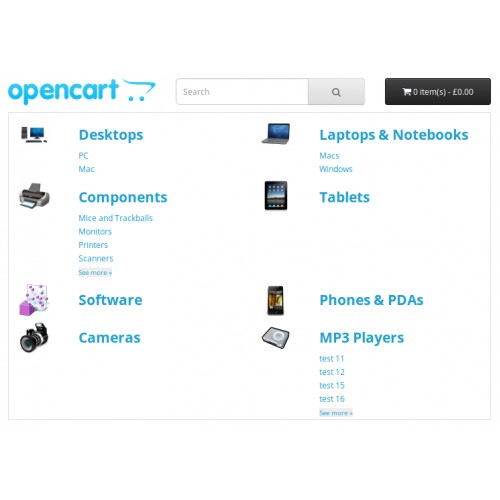
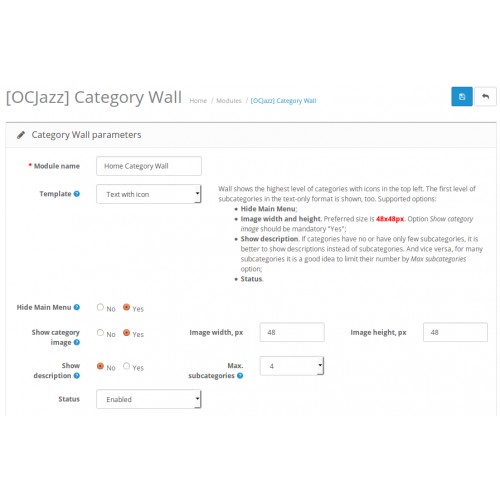
The same as _Text only_ but with an icon of a category image in the top-left corner. Admin can specify the icon dimension.
Text with big image
* the top-level of categories marked for using in the `Main Menu`;
* the category name under the category image. Admin can specify the image dimension.
Carousel
* carousel with adjusted number of items;
* the top-level of categories marked for using in the `Main Menu`;
* the category name under the category image. Admin can specify the image dimension.
Compatibility
Extension does not change core files. Therefore, it is compatible with Opencart 2.0.x.x, 2.1.x.x, 2.2.x.x
quickly and easy find products he is searching for. The _OCJazz Category Wall_
provides the solution for that: the Category Wall. It shows a pane of top
level categories together with subcategories, images and descriptions.
The "OCJazz Category Wall" does not modify any core files. It is designed as a
widget and can be easy added to any place of the client layout using standard
Opencart admin functions.
Support
* to get support please contact us via support forum topic
http://rb.labtodo.com/forum/forum/11/support-ocj-modules-in-english/
Languages: English, Russian, Ukrainian.
Demo
http://demo.labtodo.com/cw/
Admin: http://demo.labtodo.com/cw/admin/
demo / demo
Look into "Extensions / Modules / [OCJazz] Category Wall",
then "System / Design / Layouts - Home"
Customization
The OCJazz Category Wall is customized by:
* selecting one of three predefined templates;
* changing a couple of the template options;
* modifying the template or its own `.css` file;
* developing the individual template.
Features
The OCJazz Category Wall uses the Bootstrap to adopt to any device screen.
There are three templates to provide different view:
Text only
* the top-level of categories marked for using in the `Main Menu`;
* if selected, the full category description;
* if description is not selected, the list of first `N` subcategories.
Text with icon
The same as _Text only_ but with an icon of a category image in the top-left corner. Admin can specify the icon dimension.
Text with big image
* the top-level of categories marked for using in the `Main Menu`;
* the category name under the category image. Admin can specify the image dimension.
Carousel
* carousel with adjusted number of items;
* the top-level of categories marked for using in the `Main Menu`;
* the category name under the category image. Admin can specify the image dimension.
Compatibility
Extension does not change core files. Therefore, it is compatible with Opencart 2.0.x.x, 2.1.x.x, 2.2.x.x
Price
$20.00
- Developed by OpenCart Community
- 12 Months Free Support
- Documentation Included
Rating
Compatibility
2.0.0.0, 2.0.1.0, 2.0.1.1, 2.0.2.0, 2.0.3.1, 2.1.0.1, 2.1.0.2, 2.2.0.0
Last Update
18 Aug 2023
Created
10 Jun 2015
11 Sales
5 Comments

Login and write down your comment.
Login my OpenCart Account