Remove Fields From Register-Checkout-Billing-Delivery
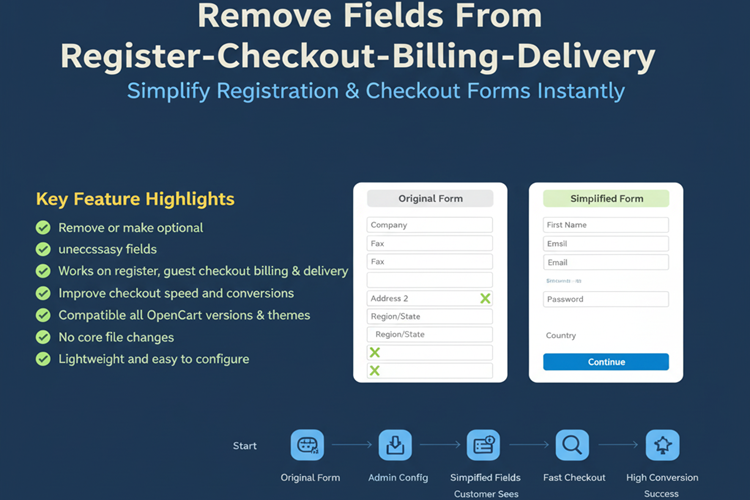

Title
Remove Fields From Register-Checkout-Billing-Delivery – OpenCart 2.x + 3.x + 4.x
Short Description
Simplify your store’s registration and checkout process by removing or making optional unnecessary fields like First Name, Last Name, City, Postcode, State, and more.
Reduce form complexity, improve user experience, and increase conversions by eliminating friction during account registration and checkout.
Fully safe, lightweight, and compatible with all OpenCart themes
Free Dedicated Support Included
We provide dedicated technical support to ensure smooth installation and usage of this module.
✔ Fast response time
✔ Installation guidance
✔ Bug fixes assistance
Email Support: opencarttools@gmail.com
WhatsApp Live Chat: Click Here
Live Demo
See the module in action before purchase.
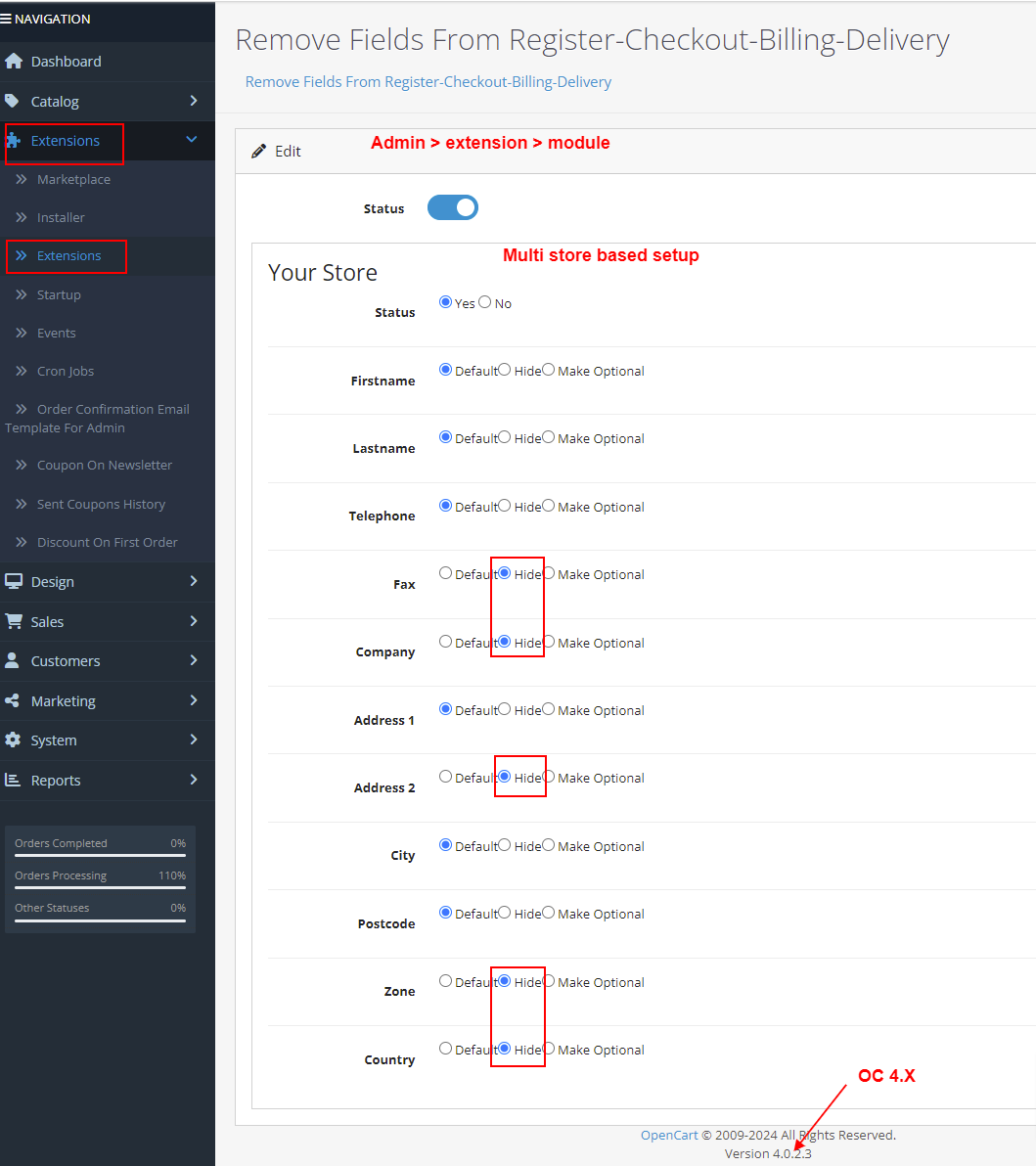
Admin:
Admin > Extension > Module
Front:
Account Register
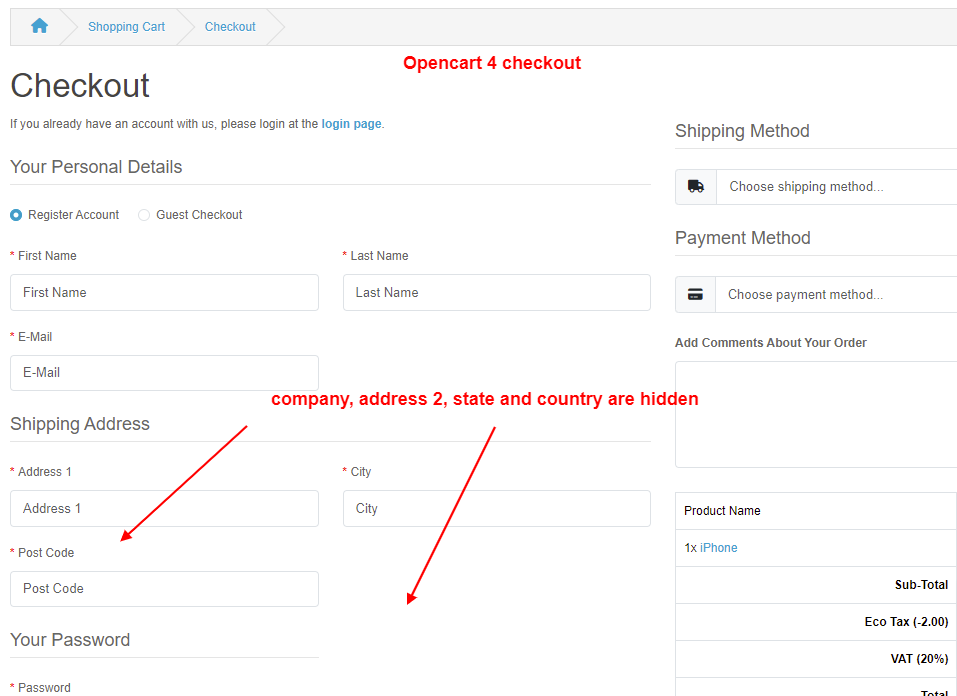
Checkout Page
Key Features
Flexible Field Control
✔ Remove Fields Completely
✔ Make Fields Optional Instead of Required
✔ Keep Only Important Fields
Supported Fields
You can remove or make optional:
✔ First Name
✔ Last Name
✔ City
✔ Postcode
✔ State / Region
✔ Country
✔ Company
✔ Address 1
✔ Address 2
✔ Fax
✔ Telephone
Apply Changes To
✔ Account Registration Page
✔ Guest Checkout
✔ Billing Address Form
✔ Delivery Address Form
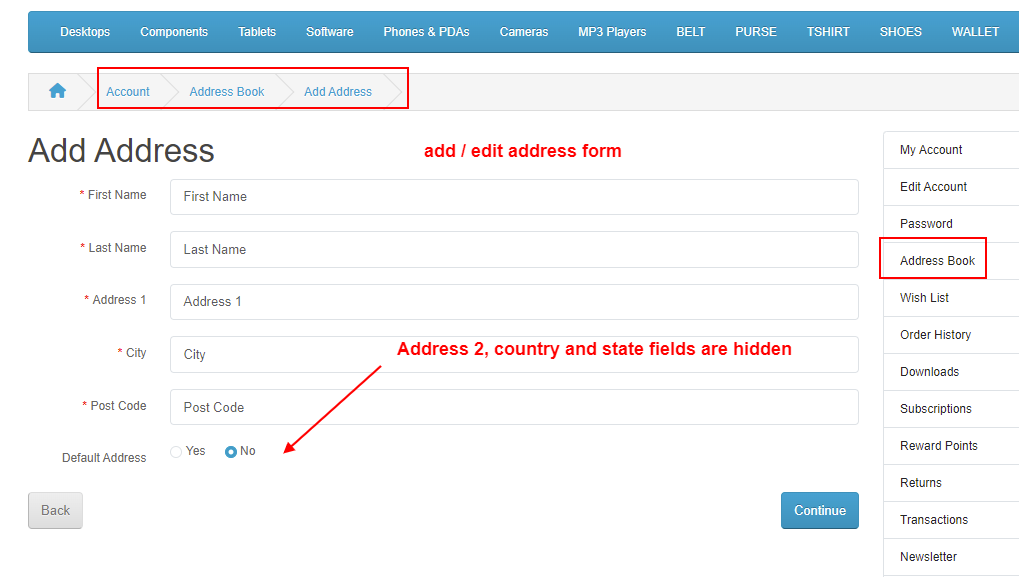
✔ Address Add/Edit Page
Benefits
✔ Simplify Registration Process
✔ Faster Checkout Experience
✔ Reduce Cart Abandonment
✔ Improve Conversion Rates
✔ Remove Unnecessary Data Collection
Technical Highlights
✔ No Core File Modification
✔ Safe OCMOD Implementation
✔ Compatible with All Themes
✔ Lightweight & Performance Friendly
✔ Built Using OpenCart Coding Standards
✔ Multi-language & Multi-store Supported
How It Works
✔ Install the extension.
✔ Go to module settings.
✔ Select which fields to remove or make optional.
✔ Save settings.
✔ Changes will apply instantly to registration and checkout pages.
✔ No coding required.
Installation Steps
1 Go to Admin → Extensions → Installer
2 Upload the extension ZIP file
3 Go to Extensions → Extensions → Modules
4 Install “Remove Fields From Register-Checkout-Billing-Delivery”
5 Configure field settings
6 Save
Why Choose This Module?
✔ Optimize Checkout Flow
✔ Reduce Form Friction
✔ Improve User Experience
✔ Increase Conversion Rate
✔ Fully Compatible with Popular Themes
✔ Easy Configuration in Minutes
Perfect for stores that want a minimal and fast checkout experience.
Money-Back Guarantee
We stand behind the quality of our module.
If the extension does not work as described or is incompatible with your supported OpenCart version, we offer a 7-Day Money-Back Guarantee.
✔ Full refund if confirmed technical issue
✔ Dedicated support before refund decision
✔ Transparent and fair resolution process
Your satisfaction and store performance are our priority.
Requirements
✔ OpenCart 2.X + 3.X + 4.X
✔ Supports PHP 5.6 – 8.3
✔ No core file changes
✔ Built using OpenCart coding standards
Ideal For
✔ Digital Product Stores
✔ One-Page Checkout Stores
✔ Minimalist Ecommerce Stores
✔ Dropshipping Stores
✔ Stores Selling Non-Physical Products
✔ Merchants Wanting Faster Checkout
Images & Screenshots View all screenshots
• Admin configuration for field control
• Register and checkout forms before & after field removal
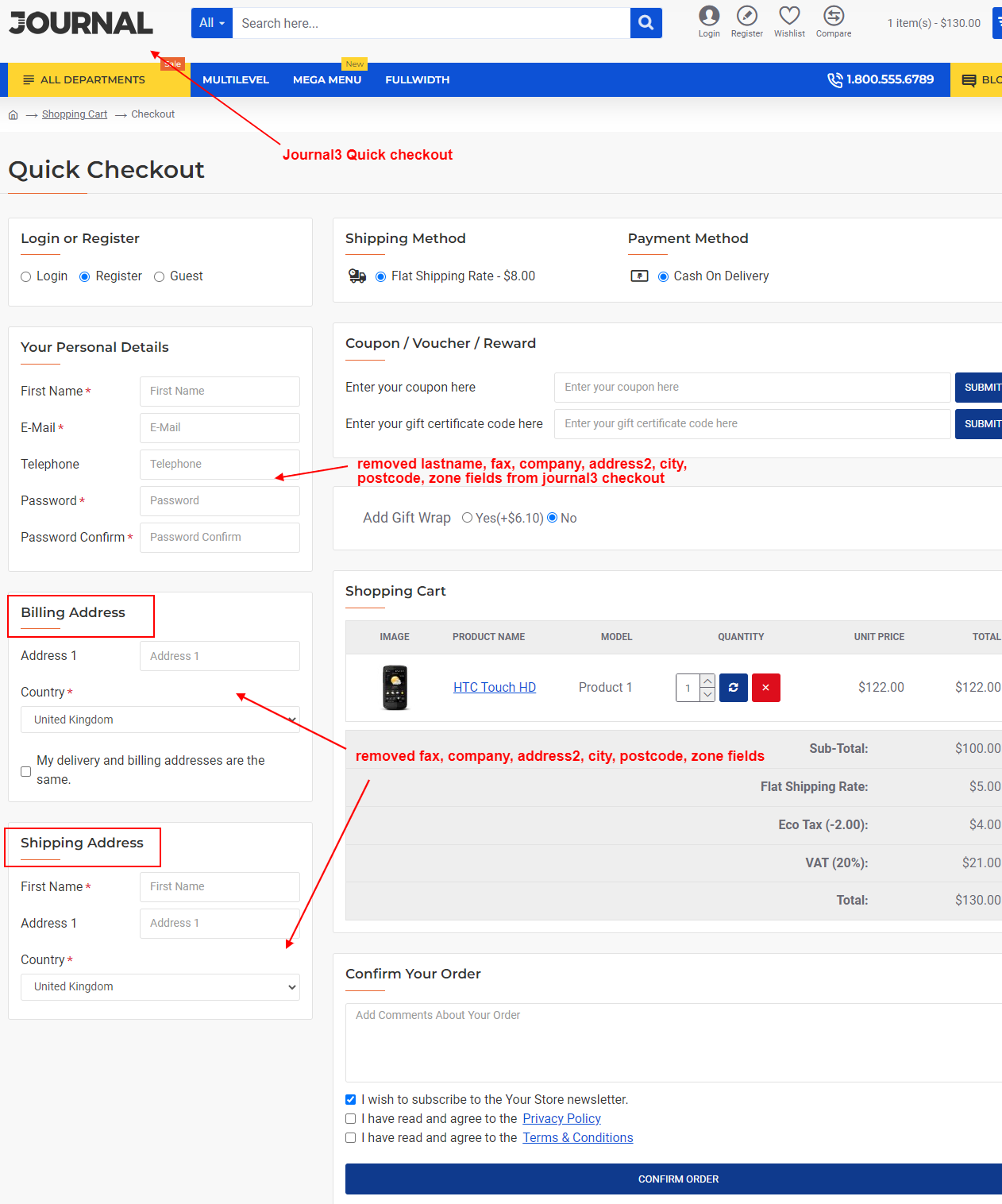
• Address form customization example
[/size]
What customers say about Remove Fields From Register-Checkout-Billing-Delivery

The fields flicker off if you disable them. Plus this only affects the surface level. I still had to go into the php files to make fields not required. you still see the forms for a split second after the page loads. Ugly implementation.
~cwayon
~cwayon
Excellent Support, Good IDea and Moduel!.
Thanks, come back soon for new modules .
~AMzone
~AMzone
Very fast and reliable support!
~GriVos
~GriVos
Price
$30.00
- Developed by OpenCart Community
- 12 Months Free Support
- Documentation Included
Rating
Compatibility
2.0.0.0, 2.0.1.0, 2.0.1.1, 2.0.2.0, 2.0.3.1, 2.1.0.1, 2.1.0.2, 2.2.0.0, 2.3.0.0, 2.3.0.1, 2.3.0.2, 3.0.0.0, 3.0.1.0, 3.0.1.1, 3.0.1.2, 3.0.1.3, 3.0.2.0, 4.x.x.x, 3.0.3.0, 3.0.3.1, 3.0.3.2, 3.0.3.3, 3.0.3.5, 3.0.3.6, 3.0.3.7, 3.0.3.8, 4.0.0.0, 4.0.1.0, 4.0.1.1, 3.x.x.x, 4.0.2.0, 4.0.2.1, 4.0.2.2, 4.0.2.3, 3.0.3.9, 3.0.4.0, 4.1.0.0, 4.1.0.1, 4.1.0.2, 4.1.0.3, 3.0.4.1, 3.0.5.0
Last Update
26 May 2026
Created
26 Jun 2015
163 Sales
12 Comments

Login and write down your comment.
Login my OpenCart Account