Product Out of Stock Sticker

Title
Product Out of Stock Sticker – OpenCart 2.x + 3.x + 4.x
Short Description
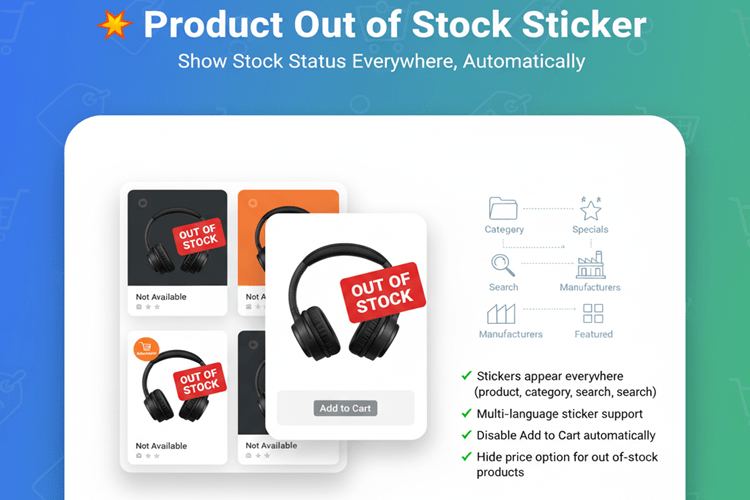
Highlight unavailable products with a professional “Out of Stock” sticker across your OpenCart store.
Automatically display stock status on product grids, detail pages, search results, specials, manufacturer listings, and featured modules — ensuring customers are always informed and reducing confusion.
Clean, lightweight, and fully customizable.
Free Dedicated Support Included
We provide dedicated technical support to ensure smooth installation and usage of this module.
✔ Fast response time
✔ Installation guidance
✔ Bug fixes assistance
Email Support: opencarttools@gmail.com
WhatsApp Live Chat: Click Here
Live Demo
See the module in action before purchase.
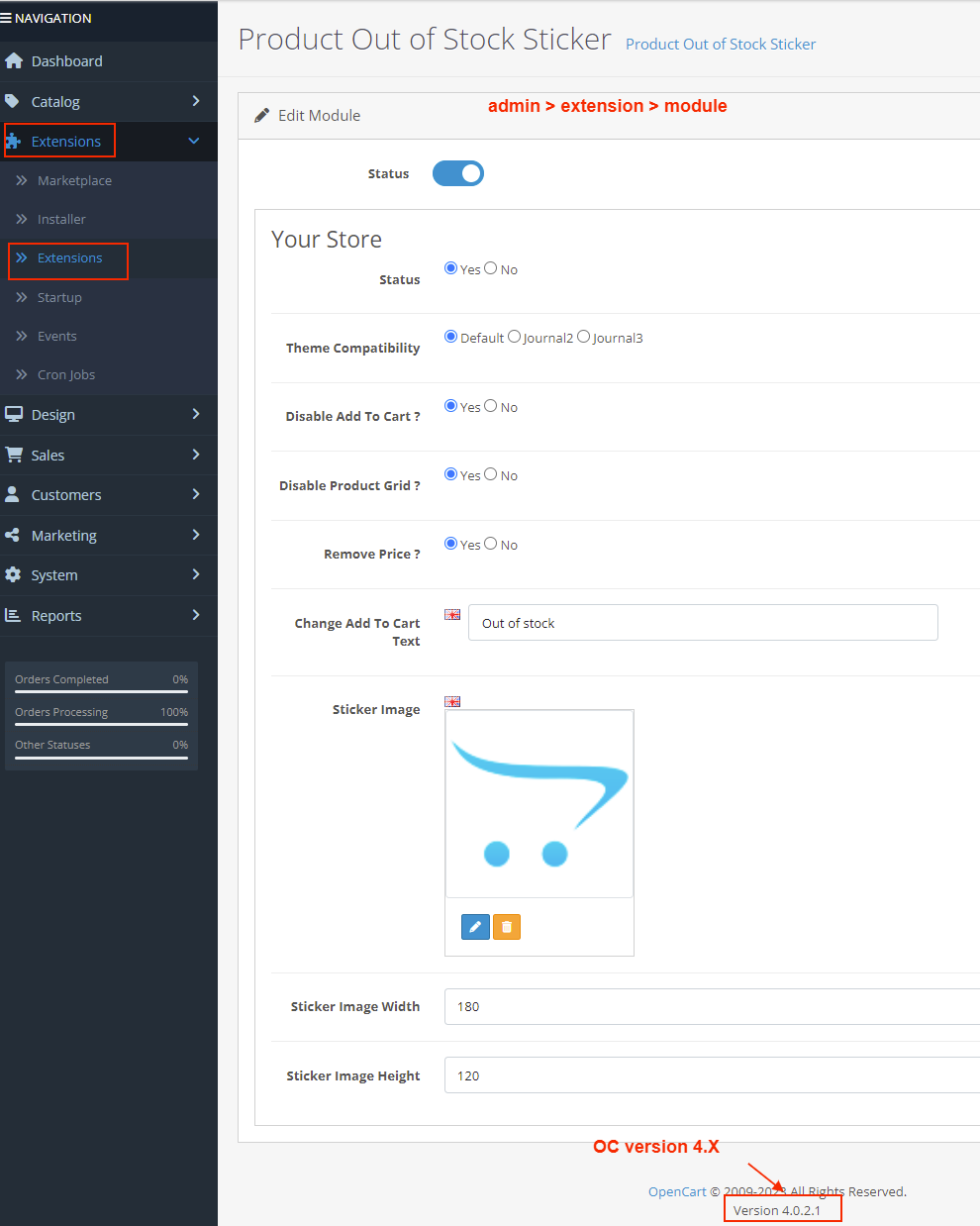
Admin
Admin > Extension > Module
Front
Category Page
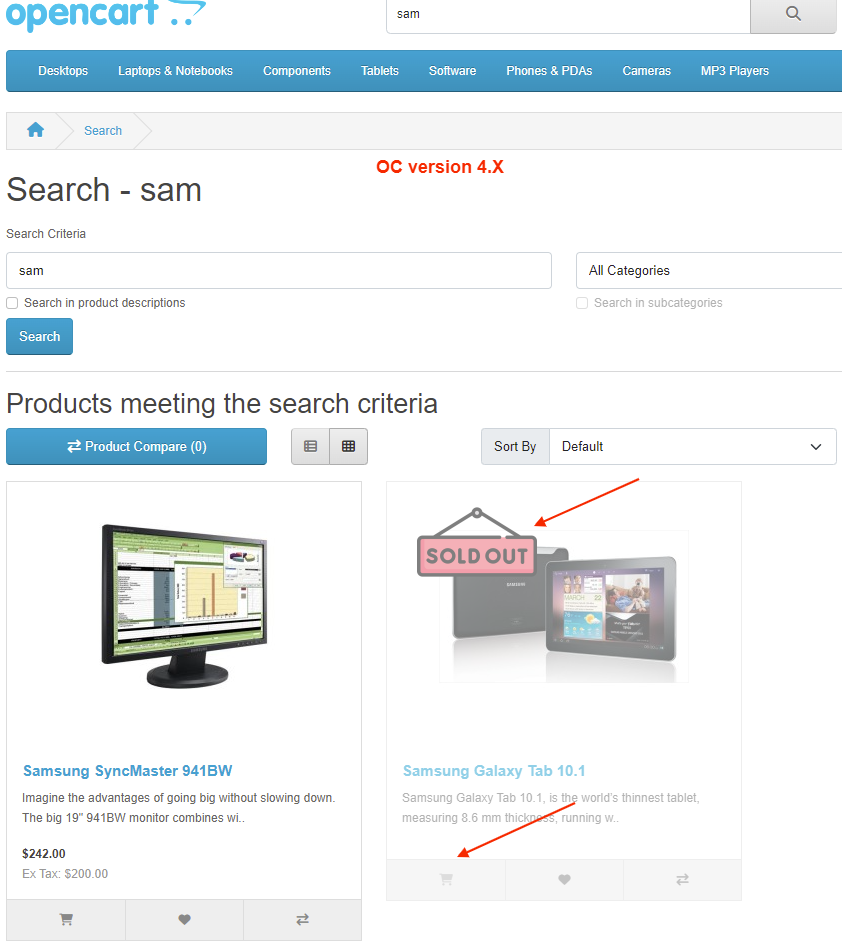
Search Page
Product Page
Key Features
Show Out of Stock Sticker Everywhere
Display stickers on:
✔ Product Details Page
✔ Category Page
✔ Search Results Page
✔ Special Offers Page
✔ Manufacturer Product Page
✔ Latest Products Module
✔ Featured Products Module
✔ Home Page Product Grid
Customers instantly know product availability.
Customizable Sticker
✔ Multi-language sticker images
✔ Customize sticker text
✔ Professional design overlay
✔ Clean UI integration
Smart Button Control
✔ Automatically disable “Add to Cart” button
✔ Replace button text with “Out of Stock”
✔ Multi-language button text support
Advanced Options
✔ Option to hide product price when out of stock
✔ Option to disable product grid/list items
✔ Control visibility and behavior easily from admin
Business Benefits
✔ Clear Stock Communication
✔ Reduce Customer Confusion
✔ Minimize Support Queries
✔ Improve Shopping Experience
✔ Maintain Professional Store Appearance
Technical Highlights
✔ OCMOD / VQMOD / Event-Based Implementation
✔ No Core File Changes
✔ Lightweight & Performance Friendly
✔ Built Using OpenCart Coding Standards
✔ Multi-language & Multi-store Supported
✔ Compatible with Most Themes
How It Works
✔ Install the extension.
✔ Enable the module.
✔ Customize sticker text and button settings.
✔ Save configuration.
Out-of-stock products will automatically display stickers and updated button states.
o coding required.
Installation Steps
✔ Go to Admin → Extensions → Installer
✔ Upload the extension ZIP file
✔ Go to Extensions → Extensions → Modules
✔ Install “Product Out of Stock Sticker”
✔ Configure display & button settings
✔ Save
Your store will now clearly highlight out-of-stock products.
Why Choose This Module?
✔ Improve Customer Experience
✔ Avoid Order Confusion
✔ Automatic Stock Status Handling
✔ Works Across Entire Store
✔ Multi-language Ready
✔ Easy Configuration & Setup
Make your store more transparent and professional with clear stock visibility.
Money-Back Guarantee
We stand behind the quality of our module.
If the extension does not work as described or is incompatible with your supported OpenCart version, we offer a 7-Day Money-Back Guarantee.
✔ Full refund if confirmed technical issue
✔ Dedicated support before refund decision
✔ Transparent and fair resolution process
Your satisfaction and store performance are our priority.
Requirements
✔ OpenCart 2.X + 3.X + 4.X
✔ Supports PHP 5.6 – 8.3
✔ No core file changes
✔ Built using OpenCart coding standards
Ideal For
✔ Fashion & Apparel Stores
✔ Electronics Stores
✔ High-Traffic Ecommerce Stores
✔ Multi-Variation Product Stores
✔ International Stores
✔ Stores with Frequently Changing Inventory
Images & Screenshots View all screenshots
✔ Product Grid View (Home Page) – showing out-of-stock stickers on some products.
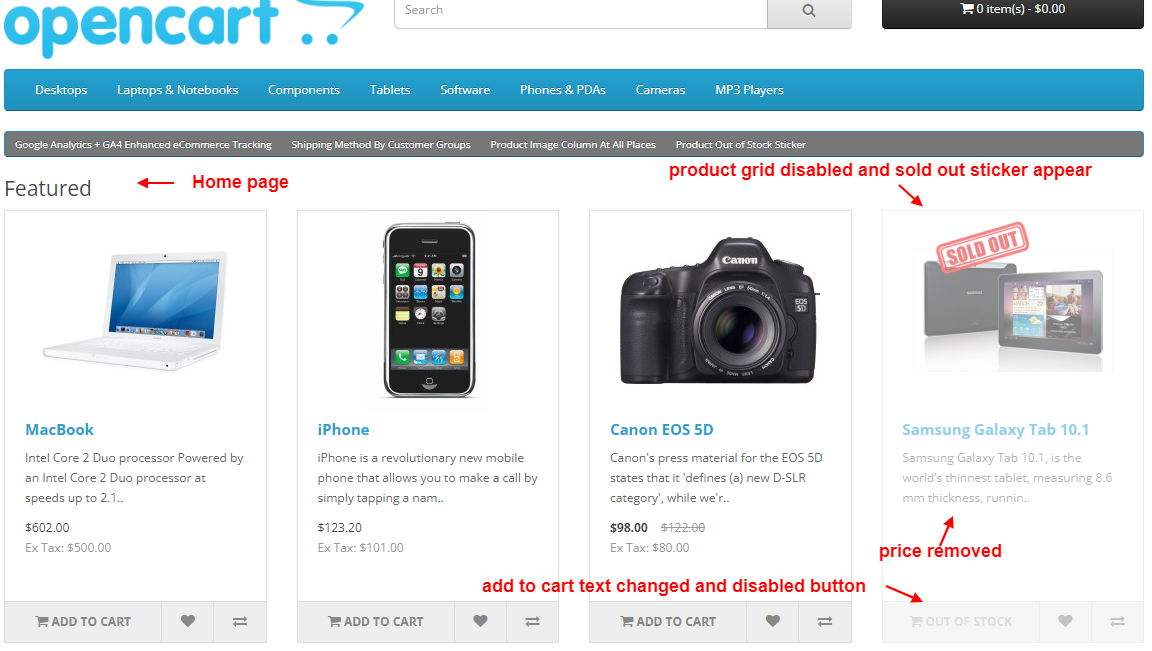
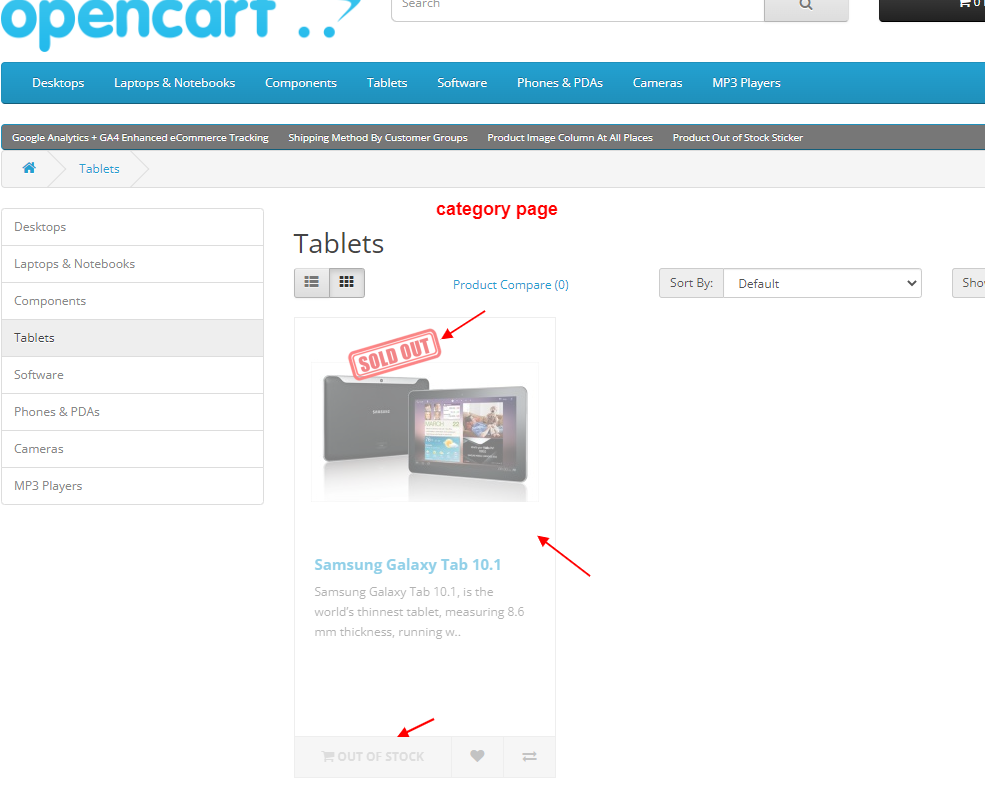
✔ Category Page – highlighting products with stickers and disabled “Add to Cart” button.
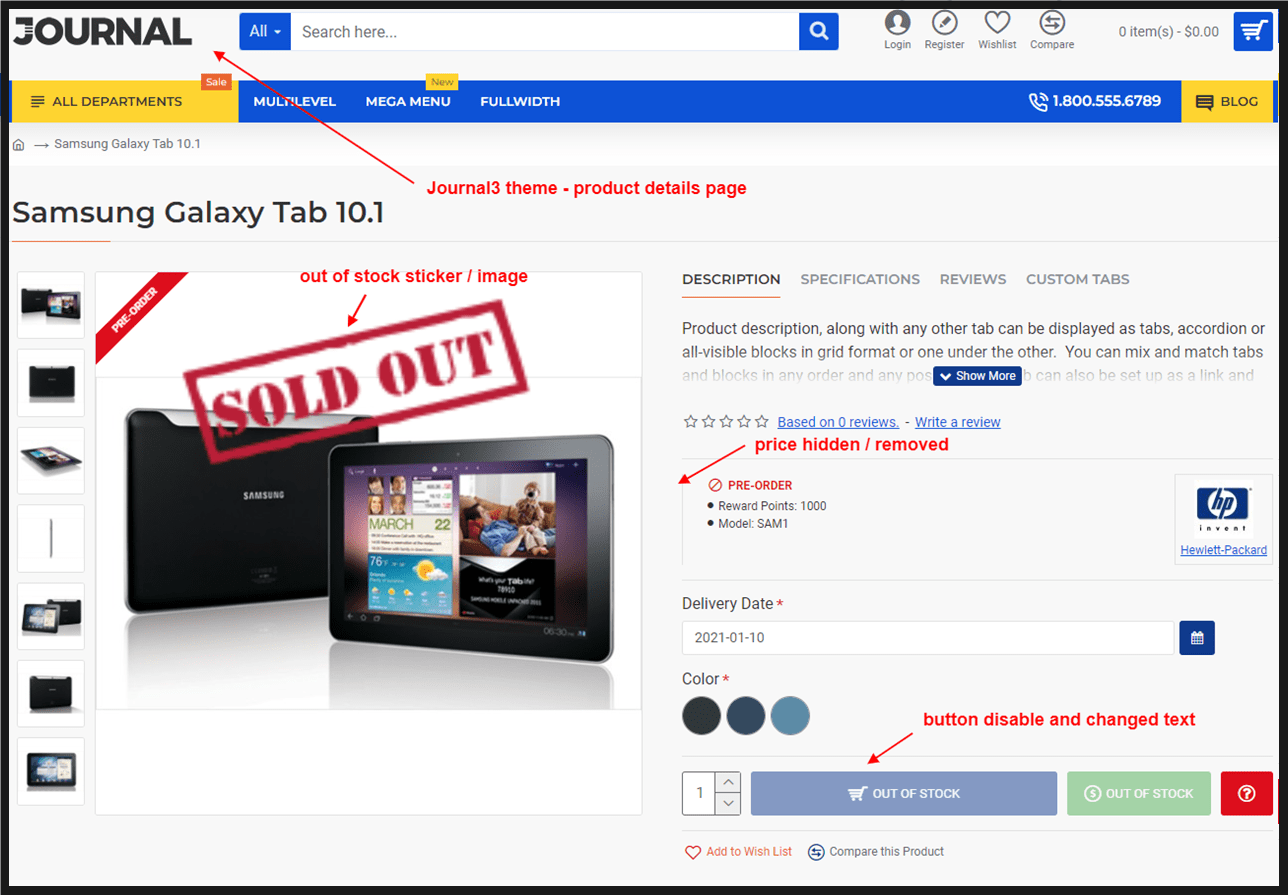
✔ Product Details Page – sticker on product image and “Out of Stock” button text.
✔ Search Results Page – multiple products with stickers.
✔ Admin - Module Settings Page
What customers say about Product Out of Stock Sticker

Very good coding, and a very responsive (and kind) group of developers, you can rest assured that your website s in good hands!
~Gridlink
~Gridlink
Price
$25.00
- Developed by OpenCart Community
- 12 Months Free Support
- Documentation Included
Rating
Compatibility
2.0.0.0, 2.0.1.0, 2.0.1.1, 2.0.2.0, 2.0.3.1, 2.1.0.1, 2.1.0.2, 2.2.0.0, 2.3.0.0, 2.3.0.1, 2.3.0.2, 3.0.0.0, 3.0.1.0, 3.0.1.1, 3.0.1.2, 3.0.1.3, 3.0.2.0, 4.x.x.x, 3.0.3.0, 3.0.3.1, 3.0.3.2, 3.0.3.3, 3.0.3.5, 3.0.3.6, 3.0.3.7, 3.0.3.8, 4.0.0.0, 4.0.1.0, 4.0.1.1, 3.x.x.x, 4.0.2.0, 4.0.2.1, 4.0.2.2, 4.0.2.3, 3.0.3.9, 3.0.4.0, 4.1.0.0, 4.1.0.1, 4.1.0.2, 4.1.0.3, 3.0.4.1, 3.0.5.0
Last Update
8 May 2026
Created
20 Aug 2015
69 Sales
15 Comments

Login and write down your comment.
Login my OpenCart Account