Opencart Ticket Helpdesk
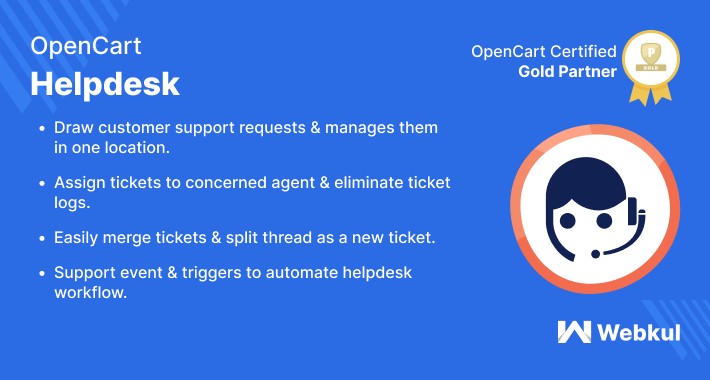
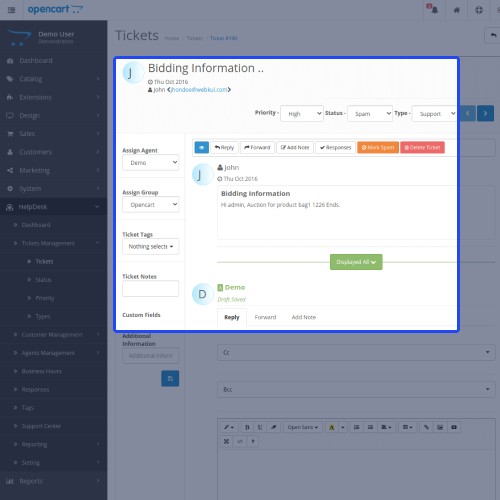
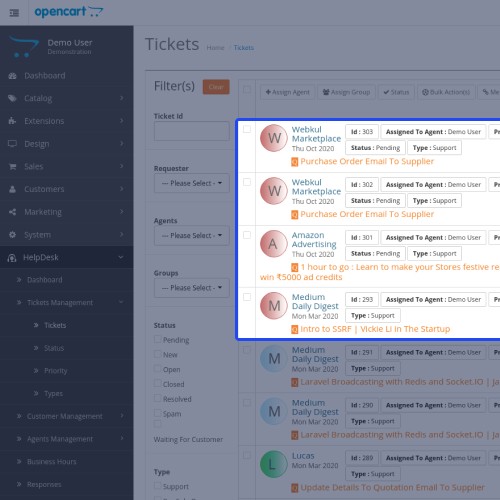
Opencart HelpDesk This extension helps the customers by providing support to their service requests. Opencart Ticket helpdesk module is a support ticket management system that offers multiple ticket management features like email piping, service level agreement(SLA), Event and Triggers, etc.



Use Case
This module is very useful to business owners to expand their business by helping the customers. It helps the customers by offering the solution to their queries and solves their problems by using the helpdesk system. It provides good customer service by solving their problems that help the business to grow even attract more customers.

Opencart Help-desk Features :
Workflow
After the module installation, the admin can easily configure the module General settings like; Can enable or disable the module and set the date format.

In the Activity configuration, the admin has to configure the settings like; Dashboard activity limit, activities that are to be generated, activity priority.

For the support center, the configurations like; show header, information limit, and category information order.

To configure the ticket settings the admin needs to add the ticket status in the helpdesk option.

After helpdesk ticket status settings, the admin has to configure the ticket settings like ticket status, default, admin ticket view, and Ticket Generate/View Settings in the module.

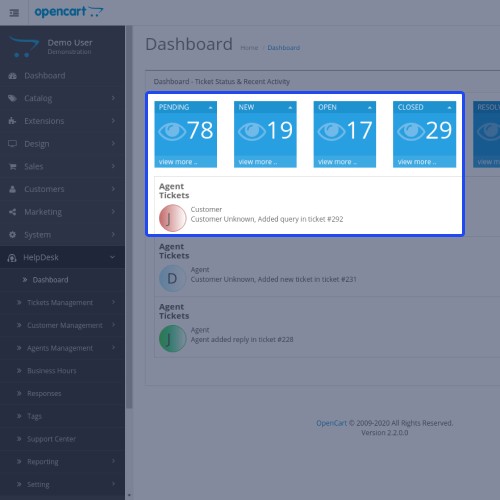
After Configuration the ticket status and recent activity will display on the dashboard of the helpdesk option.

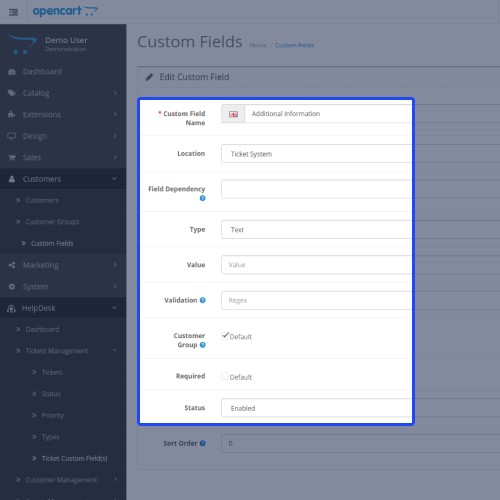
Now admin can manage the tickets from the Ticket Management option from the admin panel. The admin can manage the Tickets, ticket status, ticket priority, ticket type, and ticket custom fields.

By the Customer Management option, the admin can manage the customers and organizations.

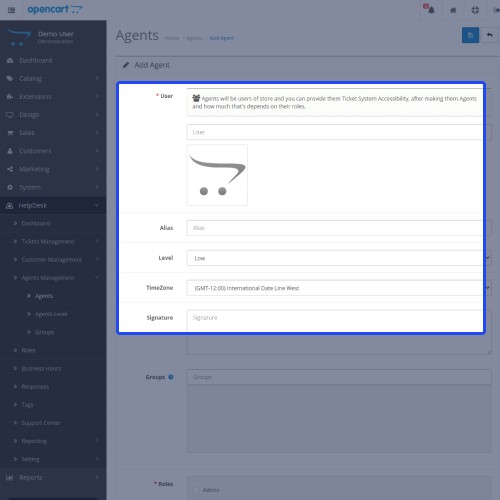
Similarly, the admin can manage the Agents, Agent Levels, and Agent Groups from the Agent Management option.
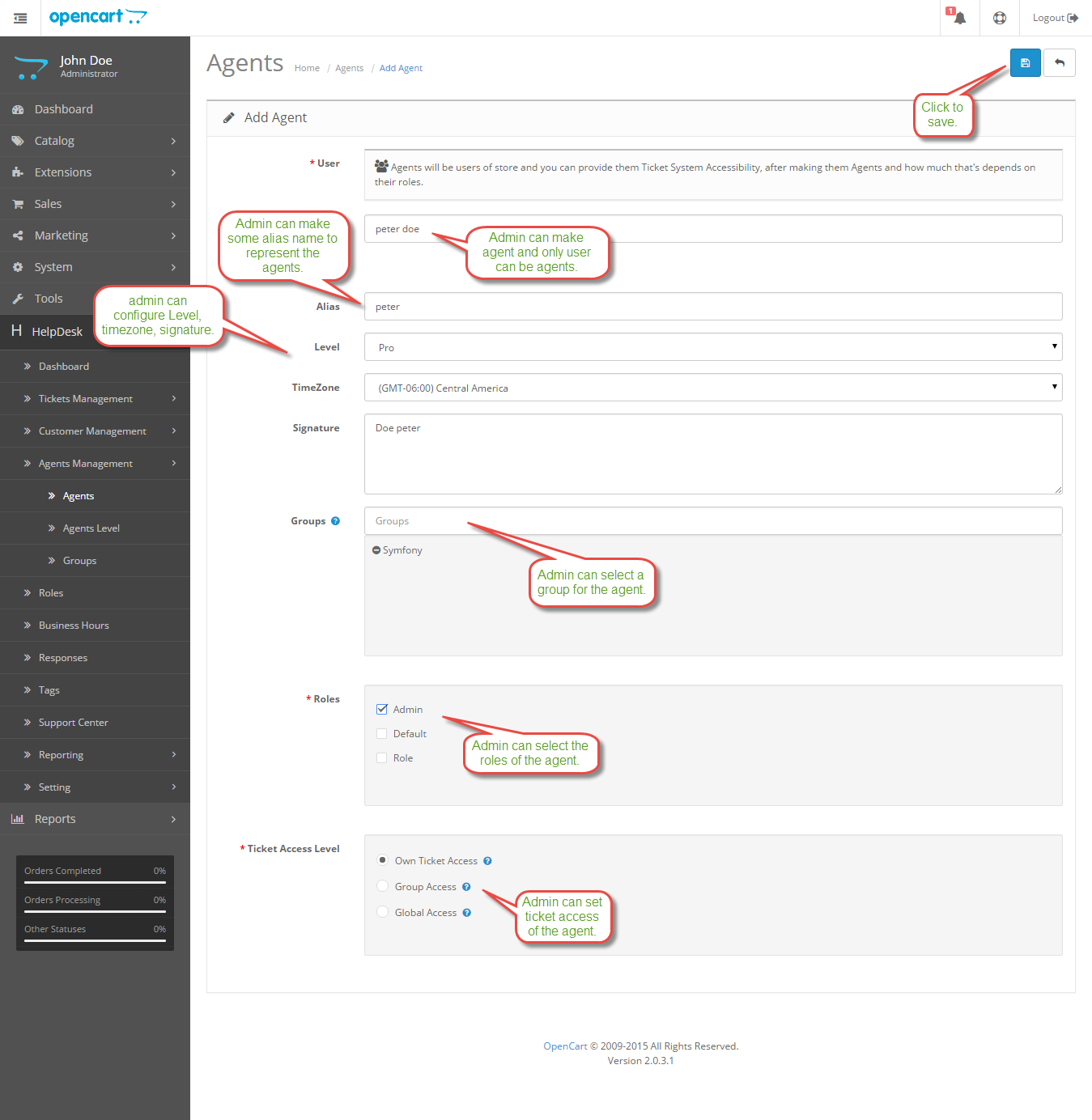
Here the admin can add or manage the roles by the settings of the roles like; Add role, ticket, agents, and admin roles.

The admin can view the business hours or even add a business hour from the Business Hour option.

Likewise, the admin can add, view, edit, and delete the response from the Response Option.

The Admin can add, view, edit, and delete the support centers from the Support Center option.

In the Reporting option, the admin can view the agent summary and the customer summary.
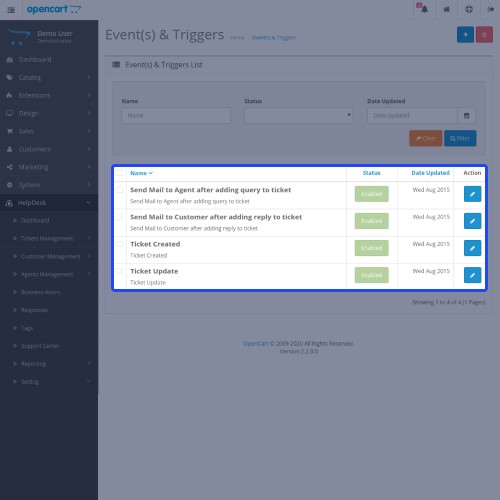
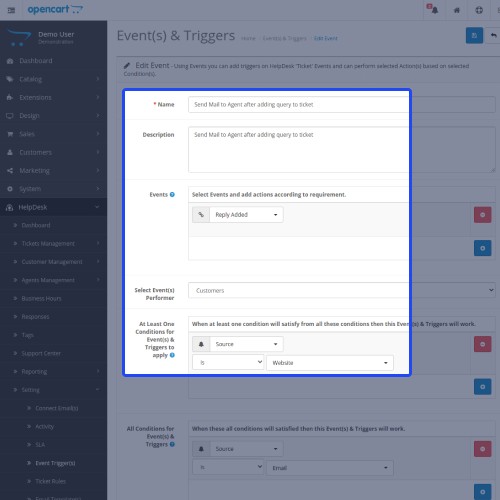
The admin can configure the settings like; connect email, Activity, SLA, Event Triggers, Ticket Rules, Email Templates from Settings.

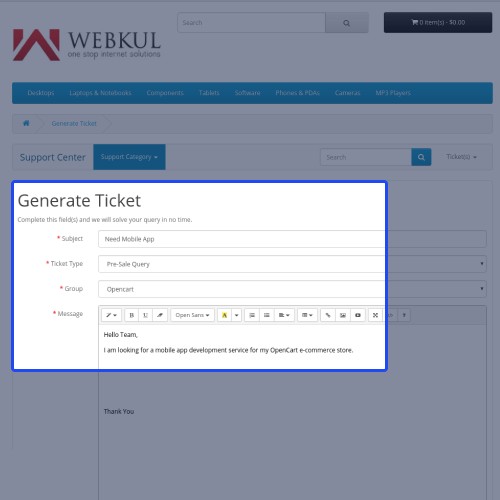
Now the customers can generate the tickets from the front-end by filling in all the details.

After generating the tickets, the customers can also view it with the status options.
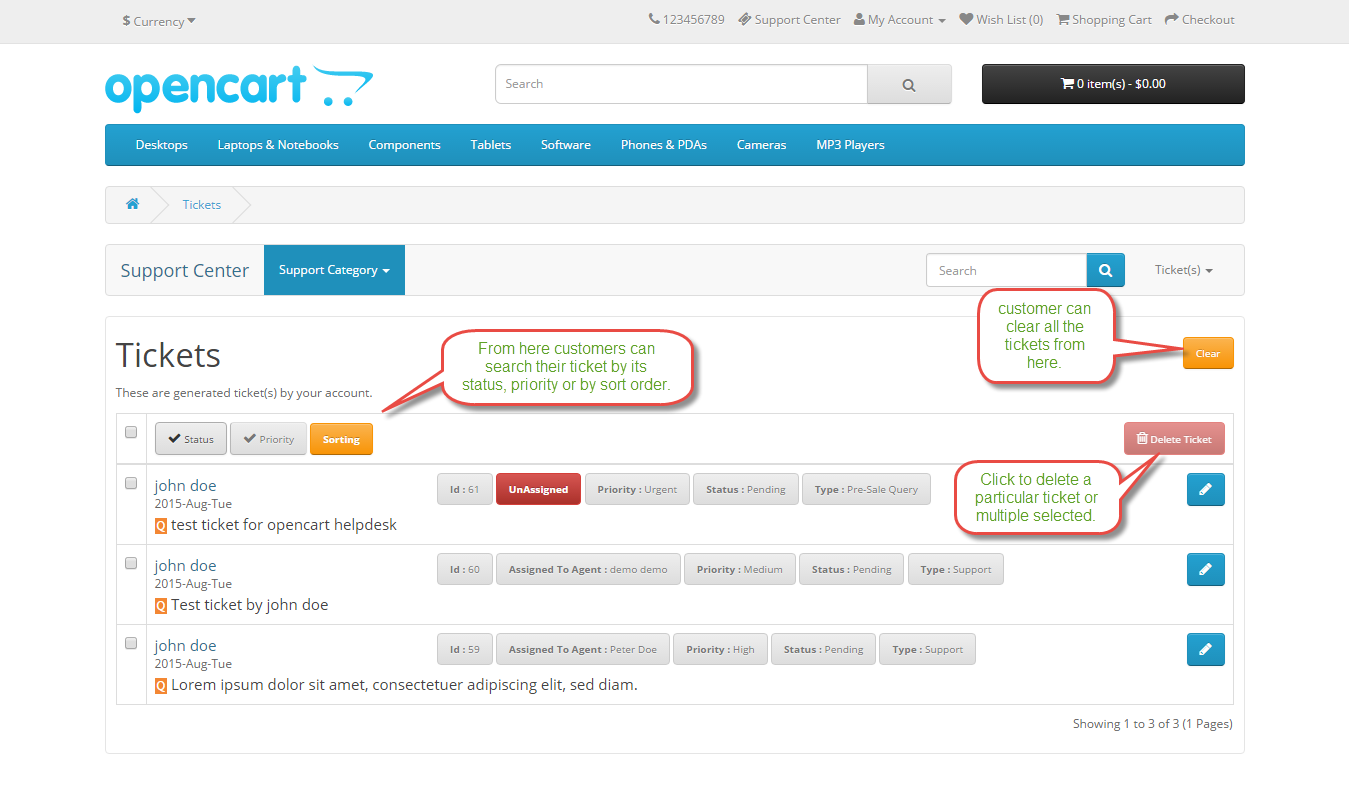
The customer can see their solved queries, support-related queries, and errors/bug from the Support Center Category option.




Some Moments Of Appreciation


Support Policy
Use Case
This module is very useful to business owners to expand their business by helping the customers. It helps the customers by offering the solution to their queries and solves their problems by using the helpdesk system. It provides good customer service by solving their problems that help the business to grow even attract more customers.
Opencart Help-desk Features :
- Working with All the Templates ( Including Responsive Themes) and source code is Open so it can be easily customized.
- Allow admin to create ticket status, ticket priority, ticket types, ticket custom field.
- Allow admin to create customers.
- Allow admin to create organization and manage tickets based on Organization level.
- Allow admin to create multiple Agents and agent levels.
- Admin can create an unlimited agent group.
- Allow admin to create roles.
- Admin can define business hours and holidays based on SLA's.
- Allow admin to prepare responses with action.
- Allow admin to create a support center category.
- Email tickets fetch support.
- Reply by email.
- Admin can create Service level agreements (SLA).
- Complete Agents management system.
- Event Triggers support found.
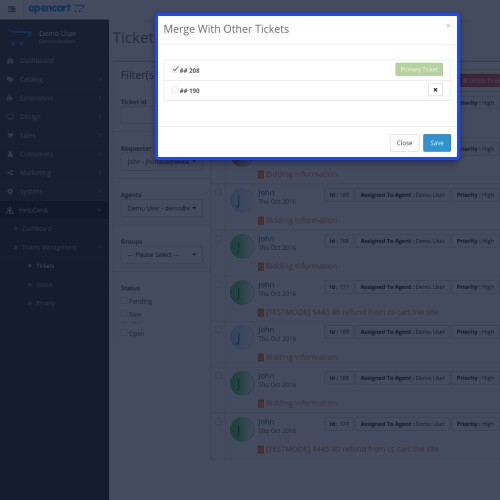
- Ticket merge and split support found.
- Custom fields support for tickets.
- Complete and flexible ACL system.
- Ticket Lock feature support.
Workflow
After the module installation, the admin can easily configure the module General settings like; Can enable or disable the module and set the date format.
In the Activity configuration, the admin has to configure the settings like; Dashboard activity limit, activities that are to be generated, activity priority.
For the support center, the configurations like; show header, information limit, and category information order.
To configure the ticket settings the admin needs to add the ticket status in the helpdesk option.
After helpdesk ticket status settings, the admin has to configure the ticket settings like ticket status, default, admin ticket view, and Ticket Generate/View Settings in the module.
After Configuration the ticket status and recent activity will display on the dashboard of the helpdesk option.
Now admin can manage the tickets from the Ticket Management option from the admin panel. The admin can manage the Tickets, ticket status, ticket priority, ticket type, and ticket custom fields.
By the Customer Management option, the admin can manage the customers and organizations.
Similarly, the admin can manage the Agents, Agent Levels, and Agent Groups from the Agent Management option.
Here the admin can add or manage the roles by the settings of the roles like; Add role, ticket, agents, and admin roles.
The admin can view the business hours or even add a business hour from the Business Hour option.
Likewise, the admin can add, view, edit, and delete the response from the Response Option.
The Admin can add, view, edit, and delete the support centers from the Support Center option.
In the Reporting option, the admin can view the agent summary and the customer summary.
The admin can configure the settings like; connect email, Activity, SLA, Event Triggers, Ticket Rules, Email Templates from Settings.
Now the customers can generate the tickets from the front-end by filling in all the details.
After generating the tickets, the customers can also view it with the status options.
The customer can see their solved queries, support-related queries, and errors/bug from the Support Center Category option.
Some Moments Of Appreciation
Support Policy
What customers say about Opencart Ticket Helpdesk

the problems were not well resolved and we were not properly informed about the repairs
~Tech-four Telecom SL
~Tech-four Telecom SL
Email piping feature doesn't work, without it the extension isn't worth the money.
~xlae24
~xlae24
Price
$75.00
- Developed by OpenCart Partner
- 3 Months Free Support
- Documentation Included
Rating
Compatibility
3.0.0.0, 3.0.1.0, 3.0.1.1, 3.0.1.2, 3.0.1.3, 3.0.2.0, 3.0.3.0, 3.0.3.1, 3.0.3.2, 3.0.3.3, 3.0.3.5, 3.0.3.6, 3.0.3.7, 3.0.3.8, 3.0.3.9, 3.0.4.0, 3.0.4.1
Last Update
30 Jun 2025
Created
20 Oct 2015
61 Sales
45 Comments

Login and write down your comment.
Login my OpenCart Account