Show Quantity Left (vQmod)


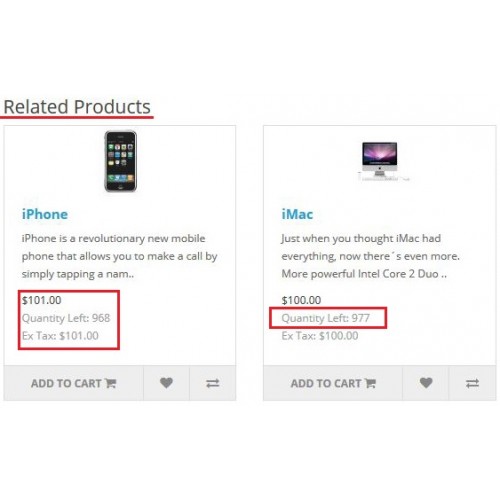
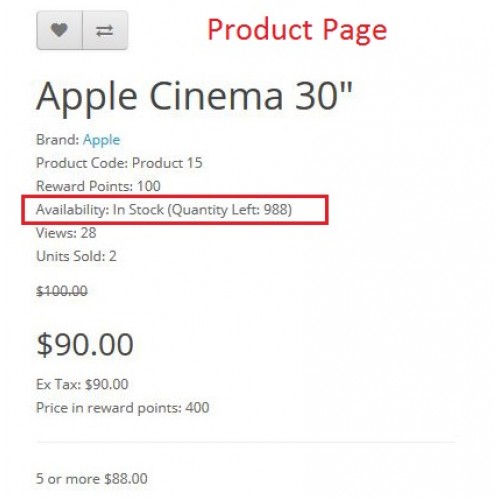
Show Quantity Left
Description:
✔ Displays the quantity left in stock for a certain item.
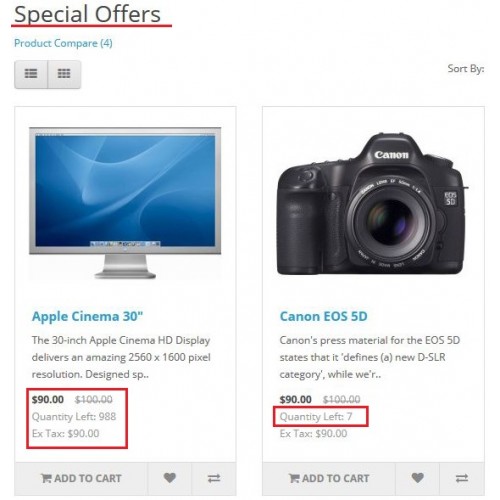
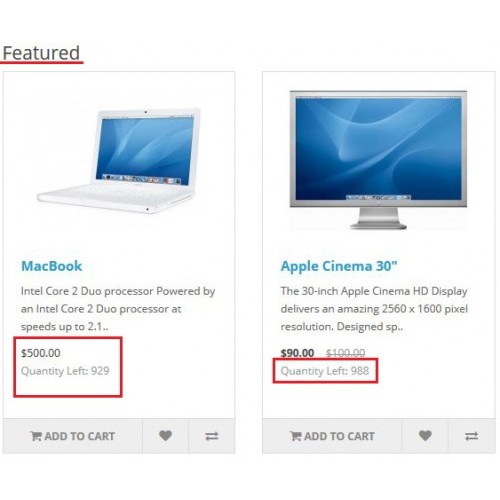
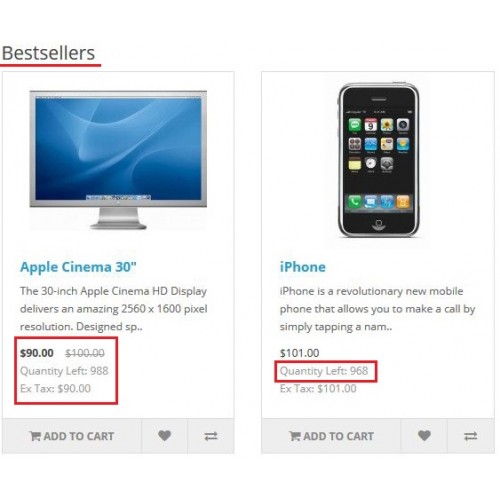
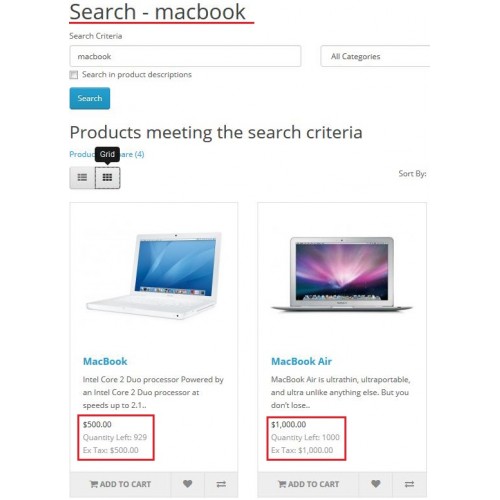
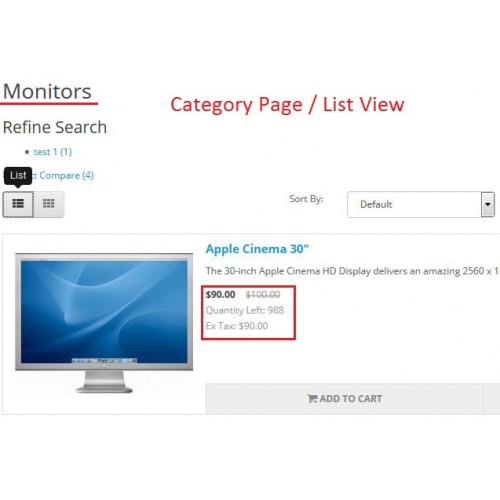
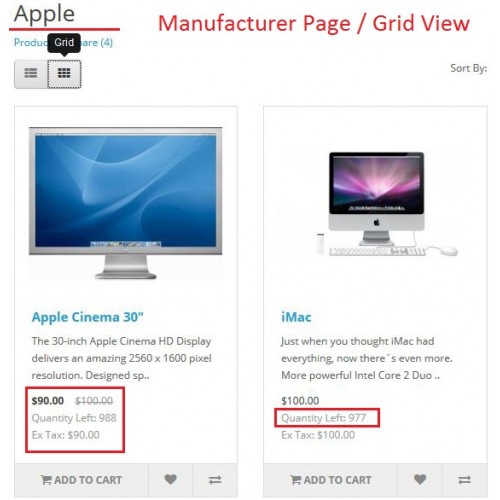
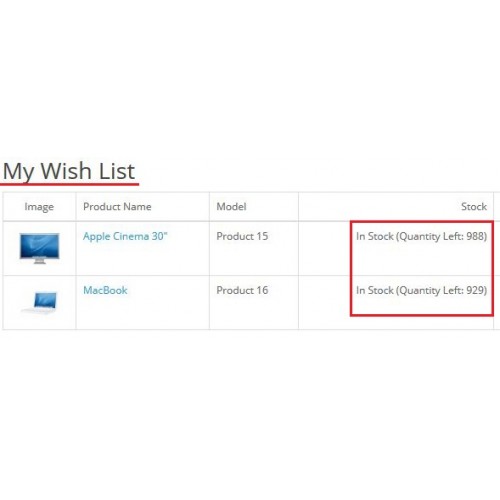
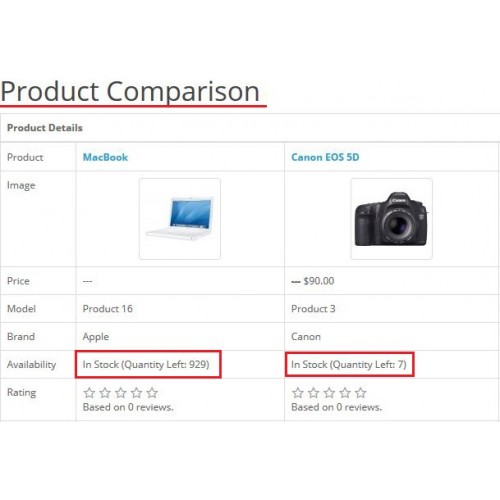
✔ The quantity left counter will appear in 11 different lists and areas.
Affected Areas:
✔ Product page.
✔ Related products.
✔ Latest list.
✔ Features list.
✔ Bestsellers list.
✔ Search results. (grid and list views).
✔ Category list. (grid and list views).
✔ Manufacturer info - Brand. (grid and list views).
✔ Special offers. (grid and list views).
✔ Wish list.
✔ Product comparison.
Features:
✔ Display more information about the product in all store pages.
✔ Let the customer buy the product before it gets out of stock.
✔ Can easily help in increasing your products sales.
✔ Alerting the customers about discounted products with low stock quantity.
✔ Push the customer to buy the item directly before exploring any other available options.
✔ Direct and easy to install.
✔ No core files overwritten.
✔ Plug and play extension.
✔ Developed with best opencart practices.
✔ No coding skills required.
Requirements:
✔ Be sure that you have installed vQmod on your website.
Installation steps:
✔ Upload show_quantity_left.xml file to your vqmod xml folder.
Notes:
✔ The vQmod finds the syntax and replaces based on the default theme.
✔ This extension is a single domain license only, If you want to use it on more than one domain, you need to purchase additional licenses.
✔ Comments, ideas and suggestions are of course welcome in the comments section below but be aware that support questions will not be answered here, So please contact the email in the attached read me file or press on the support button above.
✔ Your rating is highly appreciated.
Description:
✔ Displays the quantity left in stock for a certain item.
✔ The quantity left counter will appear in 11 different lists and areas.
Affected Areas:
✔ Product page.
✔ Related products.
✔ Latest list.
✔ Features list.
✔ Bestsellers list.
✔ Search results. (grid and list views).
✔ Category list. (grid and list views).
✔ Manufacturer info - Brand. (grid and list views).
✔ Special offers. (grid and list views).
✔ Wish list.
✔ Product comparison.
Features:
✔ Display more information about the product in all store pages.
✔ Let the customer buy the product before it gets out of stock.
✔ Can easily help in increasing your products sales.
✔ Alerting the customers about discounted products with low stock quantity.
✔ Push the customer to buy the item directly before exploring any other available options.
✔ Direct and easy to install.
✔ No core files overwritten.
✔ Plug and play extension.
✔ Developed with best opencart practices.
✔ No coding skills required.
Requirements:
✔ Be sure that you have installed vQmod on your website.
Installation steps:
✔ Upload show_quantity_left.xml file to your vqmod xml folder.
Notes:
✔ The vQmod finds the syntax and replaces based on the default theme.
✔ This extension is a single domain license only, If you want to use it on more than one domain, you need to purchase additional licenses.
✔ Comments, ideas and suggestions are of course welcome in the comments section below but be aware that support questions will not be answered here, So please contact the email in the attached read me file or press on the support button above.
✔ Your rating is highly appreciated.
Price
$20.00
- Developed by OpenCart Community
- 12 Months Free Support
- Documentation Included
Rating
Compatibility
2.0.1.0, 2.0.1.1, 2.0.2.0, 2.0.3.1, 2.1.0.1, 2.1.0.2, 2.2.0.0, 2.3.0.0, 2.3.0.1, 2.3.0.2
Last Update
25 Oct 2017
Created
21 Oct 2015
15 Sales
3 Comments

Login and write down your comment.
Login my OpenCart Account