Products RSS Feed for Google Merchant for OpenCart 2/3

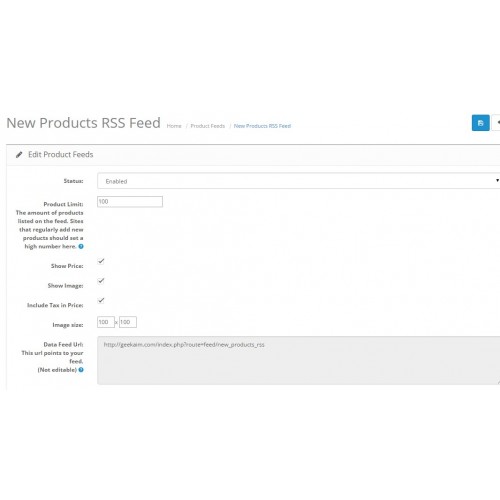
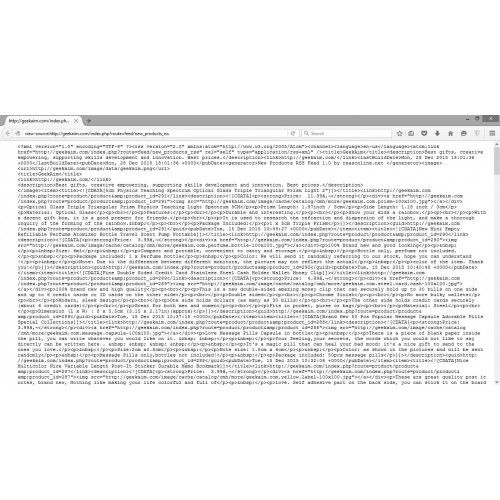

The 'Products RSS Feed for Google Merchant' feed enables your shop to publish configurable number of products in one of the most powerful and flexible RSS 2.0 XML format that supports Google Merchant Center namespace attributes.
Thanks to this extension your shop opens for wide range of product content sharing across the web. You can use it to drive syndication and affiliate programs with other sites regardless running framework (WordPress, Magento, Zen Cart and more).
Your customers can now stay updated with your offer using their favourite RSS reader on
any device. This is a great opportunity to drive SEO results of your site even higher. Register
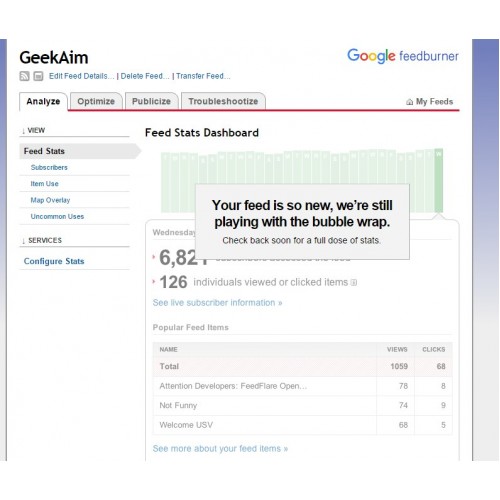
your RSS feed in any popular feeds directory services (like Google www.feedburner.com)
to receive river traffic and high search results positioning. With FeedBurner you have powerful insights
on who subscribes to your feed and what clicks on.
New features include:
+ Supporting feeds with the latest products, best sellers and popular products
+ Includes your shop logo in the Feed header.
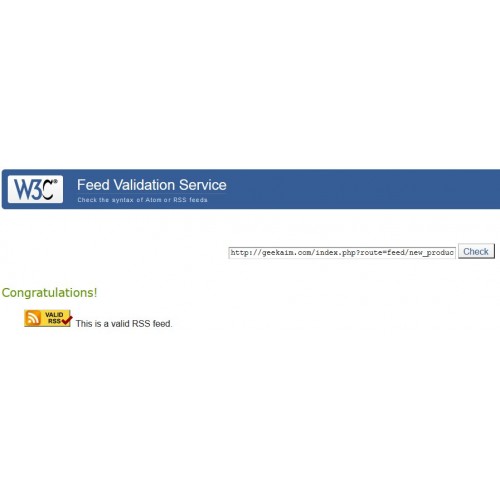
+ Feed compliant with W3C RSS 2.0 specification - check at https://validator.w3.org/feed/
+ Supporting HTTP and HTTPS
+ Feed data cleaned from xml comments.
+ Feed data formatted with HTML5
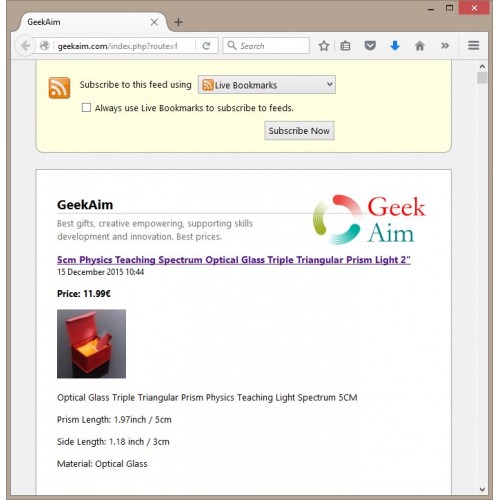
+ Feed presentation fully responsive and compatible with most popular RSS feed readers.
+ Simple installation and configuration, support for OpenCart Extension Installer.
+ Currency configurable on feed URL level.
+ Online support via email and IM.
Requirements and Limitations
============================
This tool has been successfully tested for a standard OpenCart 2/3
Don't use other OpenCart versions with this module.
Installation
============
In the OpenCart admin backend, do the following steps:
Step 1)
Go to Extensions > Extension Installer
Step 2)
Upload the zip applicable for your shop.
Step 3)
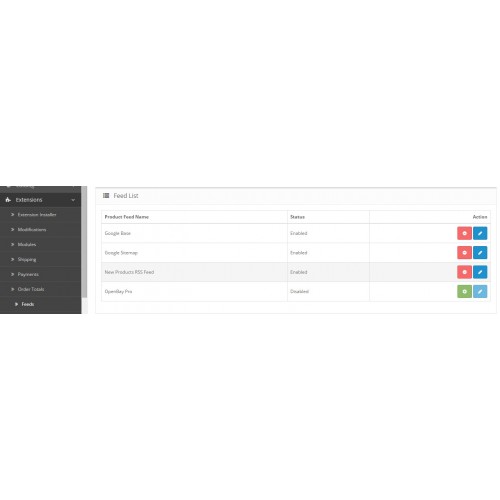
Go to Extensions > Feeds
You should find here: 'Products RSS Feed for Google Merchant' Disabled - press Install first then press Edit button and enable the module.
Find the feed url in Data Feed Url property - triple click to select all then copy. Open any RSS reader (FireFox for example) and paste the url.
You'll see the list of your products served via RSS.
That's it!
If during the install you get an error saying "Could not connect as ......"
while uploading this zipped extension via the Extension Installer,
you probably have the FTP support disabled from your hosting.
In that case you may try the following OpenCart Extension Installer fix first:
<http://www.opencart.com/index.php?route=extension/extension/info&extension_id=18892>
Further help and customised versions
------------------------------------
This tool has been successfully tested for a standard OpenCart 2.x.
Don't use other OpenCart versions with this module.
If you find any issue using the module please contact me using the website below.
If you need a customised version of this module,
let me know and we can create one for a charge.
You can contact me on Twitter @StephenDubliner
Thanks to this extension your shop opens for wide range of product content sharing across the web. You can use it to drive syndication and affiliate programs with other sites regardless running framework (WordPress, Magento, Zen Cart and more).
Your customers can now stay updated with your offer using their favourite RSS reader on
any device. This is a great opportunity to drive SEO results of your site even higher. Register
your RSS feed in any popular feeds directory services (like Google www.feedburner.com)
to receive river traffic and high search results positioning. With FeedBurner you have powerful insights
on who subscribes to your feed and what clicks on.
New features include:
+ Supporting feeds with the latest products, best sellers and popular products
+ Includes your shop logo in the Feed header.
+ Feed compliant with W3C RSS 2.0 specification - check at https://validator.w3.org/feed/
+ Supporting HTTP and HTTPS
+ Feed data cleaned from xml comments.
+ Feed data formatted with HTML5
+ Feed presentation fully responsive and compatible with most popular RSS feed readers.
+ Simple installation and configuration, support for OpenCart Extension Installer.
+ Currency configurable on feed URL level.
+ Online support via email and IM.
Requirements and Limitations
============================
This tool has been successfully tested for a standard OpenCart 2/3
Don't use other OpenCart versions with this module.
Installation
============
In the OpenCart admin backend, do the following steps:
Step 1)
Go to Extensions > Extension Installer
Step 2)
Upload the zip applicable for your shop.
Step 3)
Go to Extensions > Feeds
You should find here: 'Products RSS Feed for Google Merchant' Disabled - press Install first then press Edit button and enable the module.
Find the feed url in Data Feed Url property - triple click to select all then copy. Open any RSS reader (FireFox for example) and paste the url.
You'll see the list of your products served via RSS.
That's it!
If during the install you get an error saying "Could not connect as ......"
while uploading this zipped extension via the Extension Installer,
you probably have the FTP support disabled from your hosting.
In that case you may try the following OpenCart Extension Installer fix first:
<http://www.opencart.com/index.php?route=extension/extension/info&extension_id=18892>
Further help and customised versions
------------------------------------
This tool has been successfully tested for a standard OpenCart 2.x.
Don't use other OpenCart versions with this module.
If you find any issue using the module please contact me using the website below.
If you need a customised version of this module,
let me know and we can create one for a charge.
You can contact me on Twitter @StephenDubliner
Price
$20.00
- Developed by OpenCart Community
- Documentation Included
Rating
Compatibility
3.0.0.0, 3.0.1.0, 3.0.1.1, 3.0.1.2, 3.0.1.3, 3.0.2.0, 4.x.x.x, 3.0.3.0, 3.0.3.1, 3.0.3.2, 2.0.0.0, 2.0.1.0, 2.0.1.1, 2.0.2.0, 2.0.3.1, 2.1.0.1, 2.1.0.2, 2.2.0.0, 2.3.0.0, 2.3.0.1, 2.3.0.2
Last Update
28 Apr 2020
Created
29 Dec 2015
32 Sales
39 Comments

Login and write down your comment.
Login my OpenCart Account