Easy Login

Easy login
Updated 14-09-2016: Supported for Opencart 2.3.x
Updated 15-07-2016: Supported for Opencart 2.2
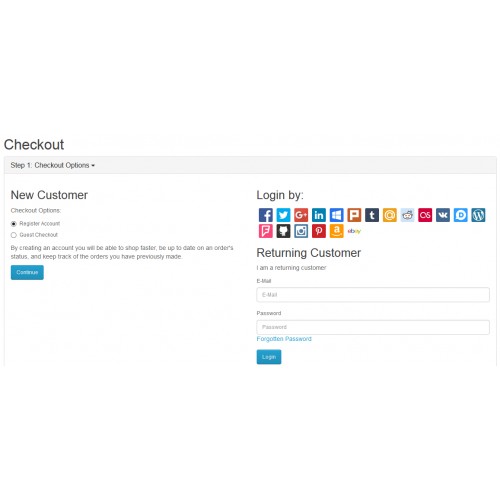
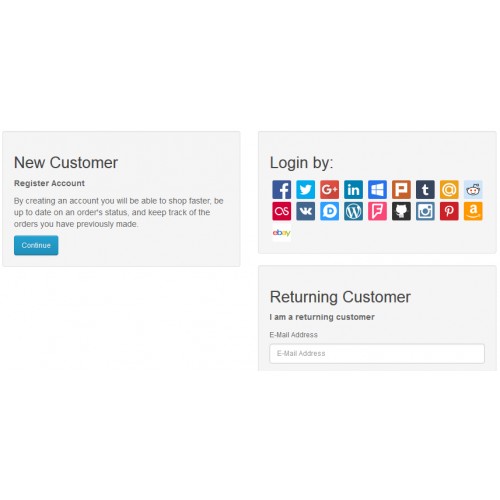
With our module, your users can easily login/register an account at your site with 19+ social networks. It’s time to skip all the complicated steps for registration.
Features:
• Your users can login/register an account at your site with their social network accounts.
• One-click login with 20+ social networks.
• You don’t need to setup anything. Just install the module and then, done!
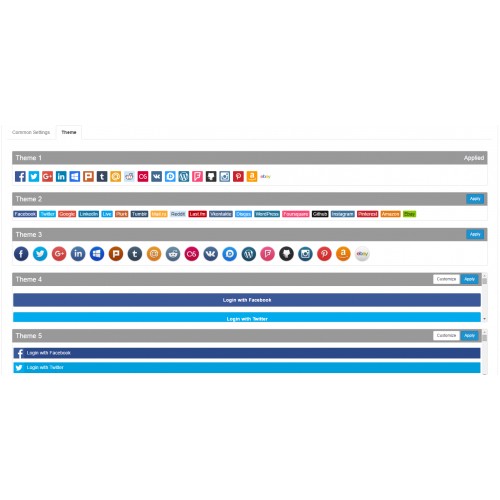
• 04 free interesting styles for login icons, which is suitable for various store designs
Forget all stupid forms that user have to fill to register an account at your site. Just one click for all procedure, and a new account is then created.
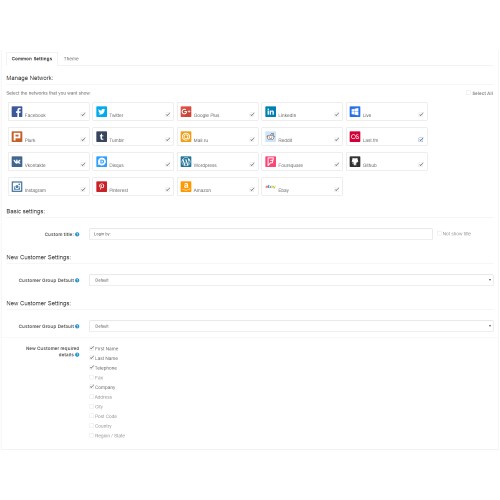
With Easy Login, you don’t need any technical skill. It is easy to install and manage. Especially, you can change the attractive styles of login icons.
Easy login not only increase conversion rate but also give you valuable data for marketing and sales activities.
Go to the market right now to download the most amazing module ever.
Demo: http://www.thebeerstores.com/index.php?route=account/login
Networks supported:
• Facebook
• Twitter
• Linkedin
• Google Plus
• Plurk
• Tumblr
• Mail.ru
• Live
• Reddit
• Last.fm
• Vkontakte
• Disqus
• Wordpress
• Foursquare
• Github
• Instagram
• Pinterest
• Amazon
• Ebay
• Yahoo!
• Twitch
• Steam
How to install Easy Login Module:
1. Unzip the zip file.
2. In the unzipped folder named "an_easy_login", upload all sub-folders into root directory of your Opencart source web.
3. Install module Easy Login in Opencart follow: Admin > Extensions > Modules > Easy Login > click "Install" button.
Compatibility
- OpenCart 2.3.x+
- OpenCart 2.2.x+
- OpenCart 2.1.x+
- This extension requires VQMod Installed!
Do you have VQMod Installed? Grab it here: https://github.com/vqmod/vqmod/releases
Any feedback or need support, please contact:
nguyenvinhanit@gmail.com.
Updated 14-09-2016: Supported for Opencart 2.3.x
Updated 15-07-2016: Supported for Opencart 2.2
With our module, your users can easily login/register an account at your site with 19+ social networks. It’s time to skip all the complicated steps for registration.
Features:
• Your users can login/register an account at your site with their social network accounts.
• One-click login with 20+ social networks.
• You don’t need to setup anything. Just install the module and then, done!
• 04 free interesting styles for login icons, which is suitable for various store designs
Forget all stupid forms that user have to fill to register an account at your site. Just one click for all procedure, and a new account is then created.
With Easy Login, you don’t need any technical skill. It is easy to install and manage. Especially, you can change the attractive styles of login icons.
Easy login not only increase conversion rate but also give you valuable data for marketing and sales activities.
Go to the market right now to download the most amazing module ever.
Demo: http://www.thebeerstores.com/index.php?route=account/login
Networks supported:
• Google Plus
• Plurk
• Tumblr
• Mail.ru
• Live
• Last.fm
• Vkontakte
• Disqus
• Wordpress
• Foursquare
• Github
• Amazon
• Ebay
• Yahoo!
• Twitch
• Steam
How to install Easy Login Module:
1. Unzip the zip file.
2. In the unzipped folder named "an_easy_login", upload all sub-folders into root directory of your Opencart source web.
3. Install module Easy Login in Opencart follow: Admin > Extensions > Modules > Easy Login > click "Install" button.
Compatibility
- OpenCart 2.3.x+
- OpenCart 2.2.x+
- OpenCart 2.1.x+
- This extension requires VQMod Installed!
Do you have VQMod Installed? Grab it here: https://github.com/vqmod/vqmod/releases
Any feedback or need support, please contact:
nguyenvinhanit@gmail.com.
Price
$20.00
- Developed by OpenCart Community
- Documentation Included
Rating
Compatibility
2.1.0.1, 2.1.0.2, 2.2.0.0, 2.3.0.0, 2.3.0.1, 2.3.0.2
Last Update
21 Sep 2016
Created
5 Feb 2016
20 Sales
28 Comments

Login and write down your comment.
Login my OpenCart Account