Chinabuye import
This module enables you to import “http://www.chinabuye.com/” Products to your opencart store with following functionalities.
Features:
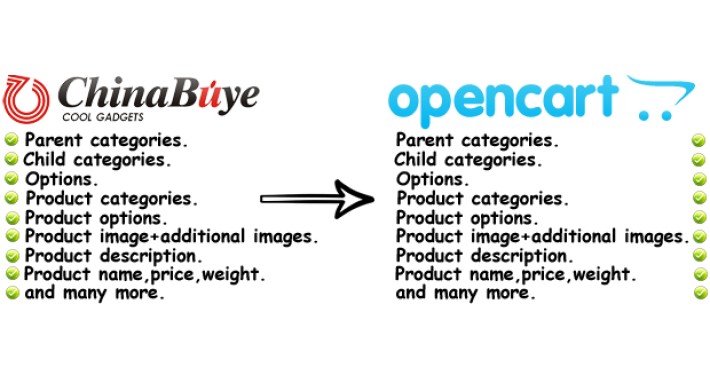
+) Import “Parent categories”.
+) Import “Child categories”.
+) Import “Options”.
+) Import “Product categories”.
+) Import “Product options”.
+) Import “Product image and additional images”.
+) Import “Product description”.
+) Import “Product name, price, weight and many more”.
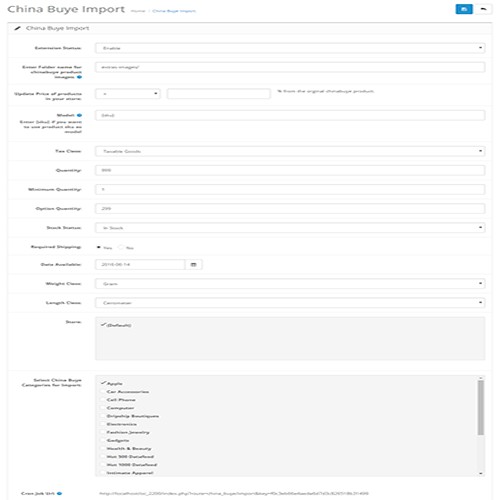
+) You can update “prices” with % of original price.
+) Set “product Quantity”.
+) Set “Product Options quantity”.
+) Set “Product Model”.
+) Create Folder for chinabuye images on your server.
+) Set “tax class”.
+) Set “Minimum Quantity” of product.
+) Set “Stock Status”.
+) Set “Shipping”.
+) Set “Date Available”.
+) Set “Weight Class”.
+) Set “Length Class”.
+) Set “store”.
+) Set “Categories” you want to import and “save” your setting.
How to use:
Once you save module settings.
Your cronjob url will enable.
Copy url. Open new window and paste url there. Press Enter to “GO”.
Products will be start to import. This Process will take some time.
Once all product will be import you will see success message.
Demo
username: demo
password: demo
No core files will change.
For any Question you can post comment here.
NOTE:
I also provide my services for files(Products, customers, orders etc) import and exports in opencart.
If you want my services then contact me via email “ adnan00733@gmail.com ” with your file and your budget.
Thank you.
Note: If you find any issue during the installation OR you need support(free) from me. You can email me with the following details
1) Extension purchase id
2) You opencart admin and FTP access.
After my support, if extension still does not work on your store then your payment will be refunded. Feel free to buy the extension.
You can find my email address in the extension OR comment here for support, I'll contact you.
Features:
+) Import “Parent categories”.
+) Import “Child categories”.
+) Import “Options”.
+) Import “Product categories”.
+) Import “Product options”.
+) Import “Product image and additional images”.
+) Import “Product description”.
+) Import “Product name, price, weight and many more”.
+) You can update “prices” with % of original price.
+) Set “product Quantity”.
+) Set “Product Options quantity”.
+) Set “Product Model”.
+) Create Folder for chinabuye images on your server.
+) Set “tax class”.
+) Set “Minimum Quantity” of product.
+) Set “Stock Status”.
+) Set “Shipping”.
+) Set “Date Available”.
+) Set “Weight Class”.
+) Set “Length Class”.
+) Set “store”.
+) Set “Categories” you want to import and “save” your setting.
How to use:
Once you save module settings.
Your cronjob url will enable.
Copy url. Open new window and paste url there. Press Enter to “GO”.
Products will be start to import. This Process will take some time.
Once all product will be import you will see success message.
Demo
username: demo
password: demo
No core files will change.
For any Question you can post comment here.
NOTE:
I also provide my services for files(Products, customers, orders etc) import and exports in opencart.
If you want my services then contact me via email “ adnan00733@gmail.com ” with your file and your budget.
Thank you.
Note: If you find any issue during the installation OR you need support(free) from me. You can email me with the following details
1) Extension purchase id
2) You opencart admin and FTP access.
After my support, if extension still does not work on your store then your payment will be refunded. Feel free to buy the extension.
You can find my email address in the extension OR comment here for support, I'll contact you.
Price
$59.99
- Developed by OpenCart Community
- Documentation Included
Rating
Compatibility
1.5.6.4, 2.0.0.0, 2.0.1.0, 2.0.1.1, 2.0.2.0, 2.0.3.1, 2.1.0.1, 2.1.0.2, 2.2.0.0
Last Update
17 Dec 2019
Created
18 Jun 2016
2 Sales
2 Comments

Login and write down your comment.
Login my OpenCart Account