New Registered Customer Group
DESCRIPTION
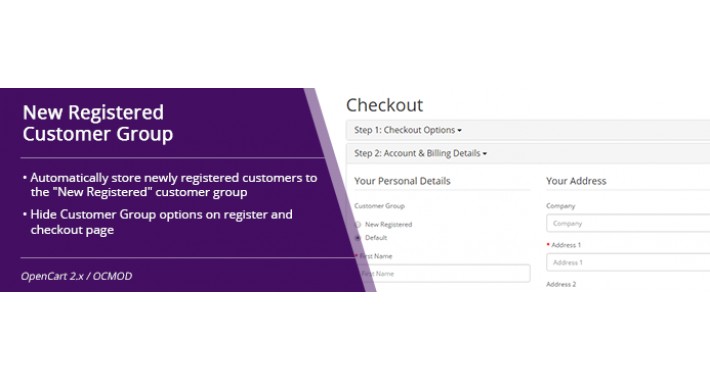
OpenCart allows to display customer groups that new customers can select to use when signing up. It allows also to set up default customer group. The problem is, that when you change the setting from Default to the "New Registered" customer group, the system takes this value also for unregistered customers (for all visitors of your eshop) so you can not use for example special price for registered users only. This extension solves this problem and has two features:
Demo: http://opencart2.hypertext.sk/
Admin username: demo
Admin password: demo

INSTALLATION

COMPATIBILITY
The extension is designed for default OpenCart template, but it should work also with other templates. No files are overwritten. Tested with OpenCart 2.2.0.0 with Default template and OpenCart 2.1.0.1, 2.1.0.2 with Journal 2 and Welldone premium templates.
SUPPORT
Look for an answer in Comments, or contact me at opencart@hypertext.sk
Please vote for this extension if you like it. Use rating on this page.

I would like to bring more free extensions for you. You can support me by sending donation with PayPal to opencart@hypertext.sk
OpenCart allows to display customer groups that new customers can select to use when signing up. It allows also to set up default customer group. The problem is, that when you change the setting from Default to the "New Registered" customer group, the system takes this value also for unregistered customers (for all visitors of your eshop) so you can not use for example special price for registered users only. This extension solves this problem and has two features:
- Automatically store newly registered customers to the "New Registered" customer group
- Hide Customer Group options on register and checkout page
Demo: http://opencart2.hypertext.sk/
Admin username: demo
Admin password: demo
INSTALLATION
- Download extension and unzip the file.
- Add a new customer group (Admin > Customers > Customer Groups - Add New)
- Remember ID of the new group - open the group for edit and look for customer_group_id in the URL request
- Change the value in ocmod.xml at line 18 (no change is required if customer_group_id is 2)
- Set the new customer group to be displayed when signing up (Admin > System > Settings > Your Store Edit > Options - Account - Customer Groups)
- Set the new customer group to be included in tax rates (Admin > System > Localization > Taxes > Tax Rates)
- Install ocmod.xml using Extension Installer
COMPATIBILITY
The extension is designed for default OpenCart template, but it should work also with other templates. No files are overwritten. Tested with OpenCart 2.2.0.0 with Default template and OpenCart 2.1.0.1, 2.1.0.2 with Journal 2 and Welldone premium templates.
SUPPORT
Look for an answer in Comments, or contact me at opencart@hypertext.sk
Please vote for this extension if you like it. Use rating on this page.
I would like to bring more free extensions for you. You can support me by sending donation with PayPal to opencart@hypertext.sk
What customers say about New Registered Customer Group

Installed on OC 2.3.0.2 - Default Theme.....works Great....Thank you
~faizsandbox
~faizsandbox
Download
- Developed by OpenCart Community
- Documentation Included
Rating
Compatibility
2.1.0.1, 2.1.0.2, 2.2.0.0, 2.3.0.2
Last Update
2 Apr 2019
Created
18 Oct 2016
261 Downloads
1 Comments

Login and write down your comment.
Login my OpenCart Account