Easyphoto - add all photo from PC Drag&Drop Sortable Rotate
Easyphoto - add all photo from PC Drag&Drop Sortable Rotate and more functionaly
We all know that filling an online store on Opencart is extremely inconvenient because of the addition of photos. First into the image manager, then search among the files and select - all this for only one image. And if the images are 10 20 ...? o_O
In good quality stores, the more photos the better for the buyer, accordingly you will have something to work with. This module simplifies.
The module easyphoto allows you to upload photos bypassing the file manager directly from your computer by just pressing one button and selecting all the files.
Easyphoto module features
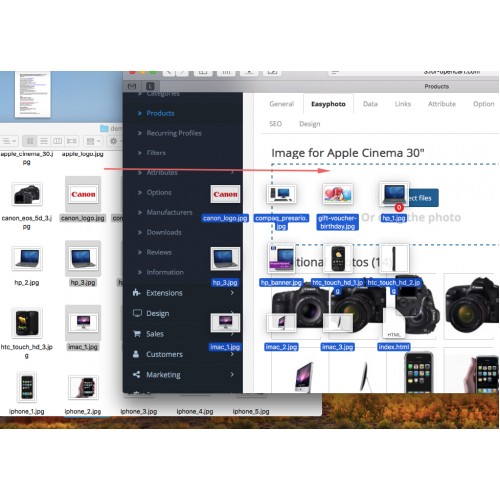
Multiupload photo in 1-2 clicks directly from the computer bypassing the standard file manager
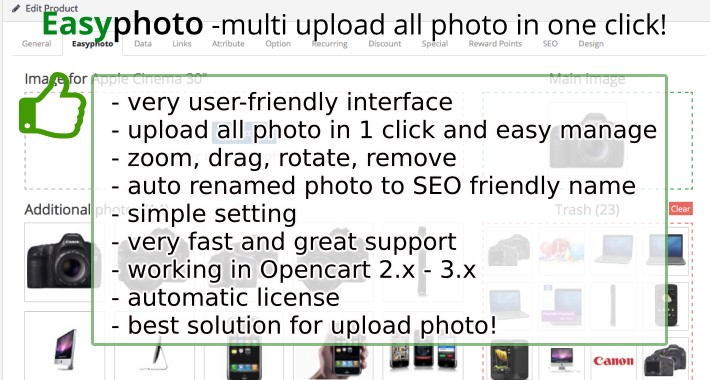
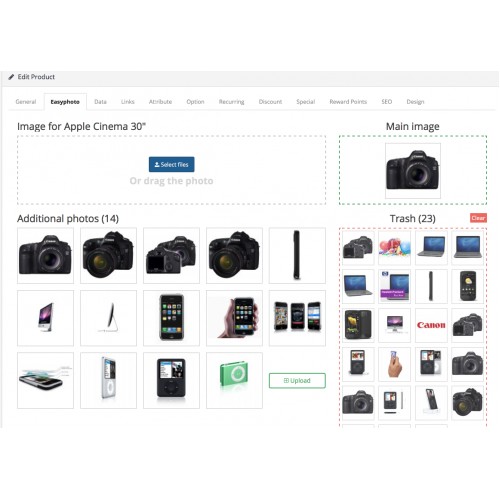
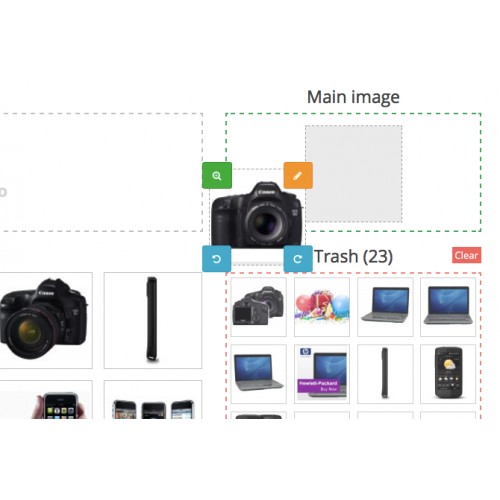
Very user-friendly interface - Field of selection / dragging the photo, the main image field, the field of additional photos and the basket field. new!
Possibility of loading by dragging into the browser Drad & Drop
It is possible to assign a download folder. And the end photos are loaded into the folder with the id of the goods - which is very convenient and logical. The files are located at image / catalog / easyphoto / 123 / ... Where easyphoto is a folder that you can configure to download, 123 is the id of the item, all pictures are put in this folder.
Automatic SEO photo title - from the name of the product. The language can be selected in the settings. For example, the Canon-ip2900 printer will have the name Photo printer-canon-ip-2900-1.jpg, printer-canon-ip-2900-2.jpg, printer-canon-ip-2900-3.jpg that is very useful for SEO . All special characters and extra characters are truncated. In version 3.0, there is a complete purge from the unnecessary. Of course, it can be customized, but it's better that the name was from the name of the product.
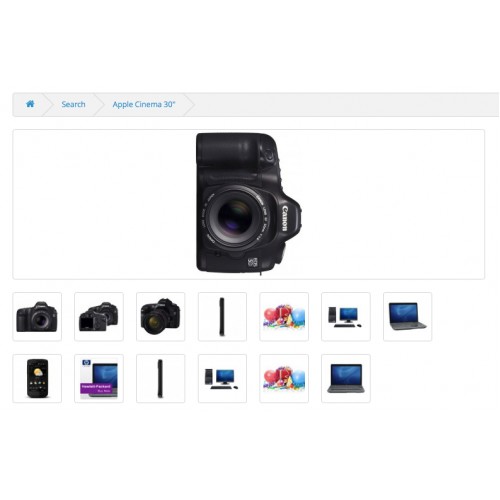
The purpose of the main photo is simply a drag of the mouse. Uploaded all the photos - dragged to the main one of them and everything is ready. new!
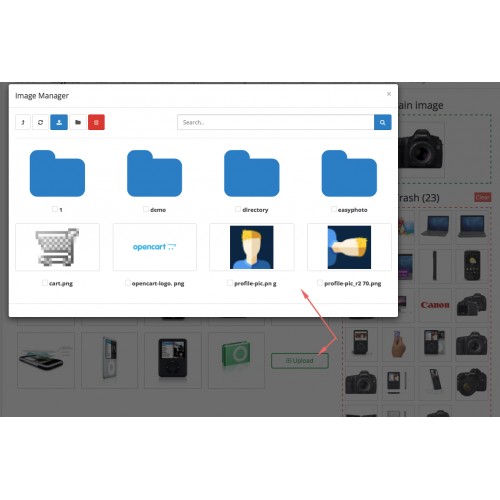
It is possible to add photos from previously downloaded photos. In version 3.0, the button for selecting a photo from the manager file was added, and also in 1 click. new!
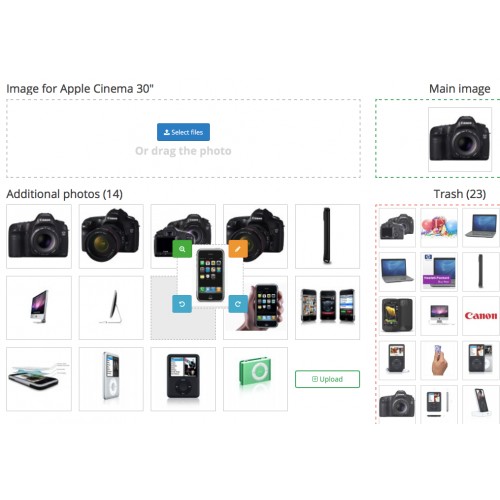
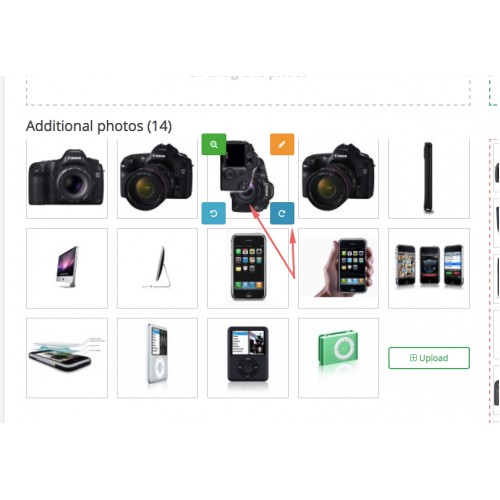
Sorting the downloaded photos by dragging the mouse.
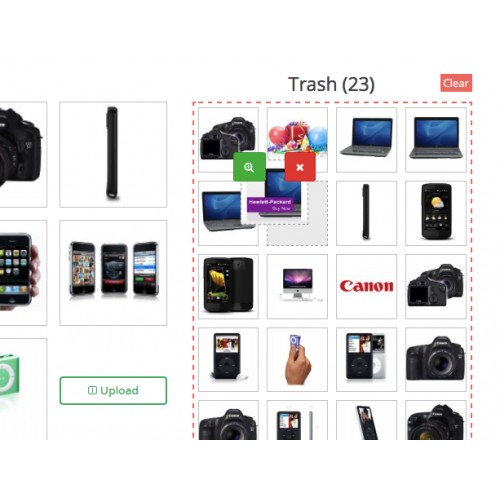
Also in the new version appeared basket. This is a necessary tool makes it easier to work with photos of the goods. When you have downloaded all the pictures, you selected the main one, sorted, rotated, and so on. and some photos were not necessary - you just drag them to the trash. The file is still on the server, but is not tied to the product. And from the basket it can be restored or deleted permanently. There is of course the same tool full of cleaning the basket. new!
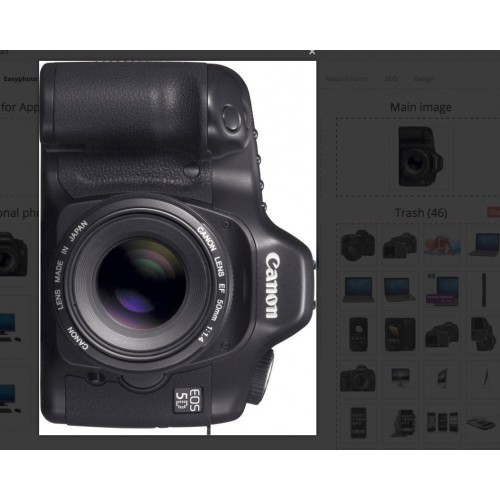
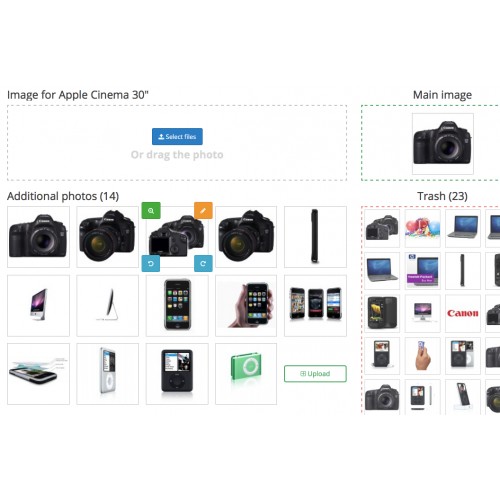
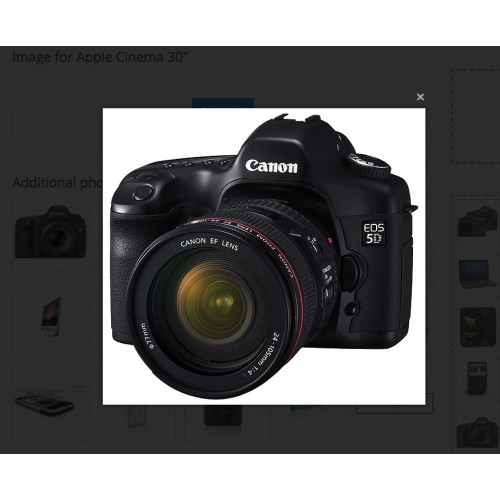
When hovering over the image there is an opportunity to enlarge the photo new! Change to another and also rotate clockwise or counterclockwise. When scrolling, the original remains and you can return it to the site. Everything is very convenient and thought out. In the same basket, you can delete the photo from the server forever.
The module creates its own tab in the form of editing the goods, where the interface for working with the photo is located.
Easyphoto does not replace store files and does not affect the operation of the site, only in the admin panel.
There is localization in Russian and English
Full information about the module https://microdata.pro/opencart-dev/easyphoto
Information about the new version 3.0 https://microdata.pro/opencart-dev/easyphoto-3-0
We all know that filling an online store on Opencart is extremely inconvenient because of the addition of photos. First into the image manager, then search among the files and select - all this for only one image. And if the images are 10 20 ...? o_O
In good quality stores, the more photos the better for the buyer, accordingly you will have something to work with. This module simplifies.
The module easyphoto allows you to upload photos bypassing the file manager directly from your computer by just pressing one button and selecting all the files.
Easyphoto module features
Multiupload photo in 1-2 clicks directly from the computer bypassing the standard file manager
Very user-friendly interface - Field of selection / dragging the photo, the main image field, the field of additional photos and the basket field. new!
Possibility of loading by dragging into the browser Drad & Drop
It is possible to assign a download folder. And the end photos are loaded into the folder with the id of the goods - which is very convenient and logical. The files are located at image / catalog / easyphoto / 123 / ... Where easyphoto is a folder that you can configure to download, 123 is the id of the item, all pictures are put in this folder.
Automatic SEO photo title - from the name of the product. The language can be selected in the settings. For example, the Canon-ip2900 printer will have the name Photo printer-canon-ip-2900-1.jpg, printer-canon-ip-2900-2.jpg, printer-canon-ip-2900-3.jpg that is very useful for SEO . All special characters and extra characters are truncated. In version 3.0, there is a complete purge from the unnecessary. Of course, it can be customized, but it's better that the name was from the name of the product.
The purpose of the main photo is simply a drag of the mouse. Uploaded all the photos - dragged to the main one of them and everything is ready. new!
It is possible to add photos from previously downloaded photos. In version 3.0, the button for selecting a photo from the manager file was added, and also in 1 click. new!
Sorting the downloaded photos by dragging the mouse.
Also in the new version appeared basket. This is a necessary tool makes it easier to work with photos of the goods. When you have downloaded all the pictures, you selected the main one, sorted, rotated, and so on. and some photos were not necessary - you just drag them to the trash. The file is still on the server, but is not tied to the product. And from the basket it can be restored or deleted permanently. There is of course the same tool full of cleaning the basket. new!
When hovering over the image there is an opportunity to enlarge the photo new! Change to another and also rotate clockwise or counterclockwise. When scrolling, the original remains and you can return it to the site. Everything is very convenient and thought out. In the same basket, you can delete the photo from the server forever.
The module creates its own tab in the form of editing the goods, where the interface for working with the photo is located.
Easyphoto does not replace store files and does not affect the operation of the site, only in the admin panel.
There is localization in Russian and English
Full information about the module https://microdata.pro/opencart-dev/easyphoto
Information about the new version 3.0 https://microdata.pro/opencart-dev/easyphoto-3-0
Price
$20.00
- Developed by OpenCart Community
- 12 Months Free Support
- Documentation Included
Rating
Compatibility
1.5.4, 1.5.4.1, 1.5.5, 1.5.5.1, 1.5.6, 1.5.6.1, 1.5.6.2, 1.5.6.3, 1.5.6.4, 2.0.0.0, 2.0.1.0, 2.0.1.1, 2.0.2.0, 2.0.3.1, 2.1.0.1, 2.1.0.2, 2.2.0.0, 2.3.0.0, 2.3.0.1, 2.3.0.2, 3.0.0.0, 3.0.1.0, 3.0.1.1, 3.0.1.2, 3.0.1.3, 3.0.2.0, 4.x.x.x
Last Update
3 Jul 2018
Created
29 Nov 2016
9 Sales
6 Comments

Login and write down your comment.
Login my OpenCart Account