Opencart Multi Seller Marketplace Advertisement System

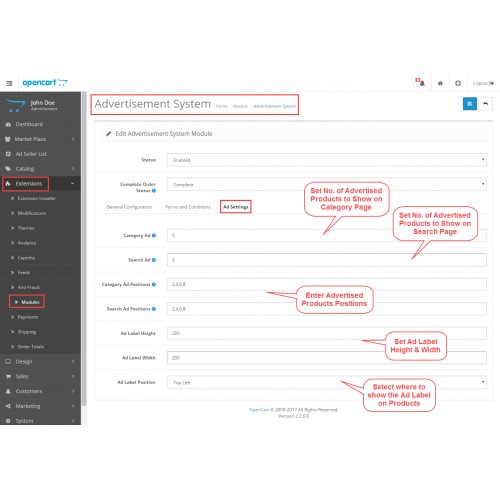
Opencart Marketplace Advertisement System System will help the sellers in promoting and advertising their products. On the category page and search page, the advertised products are shown first to the customers. The admin can set how many advertised products to show at what positions from the configuration.
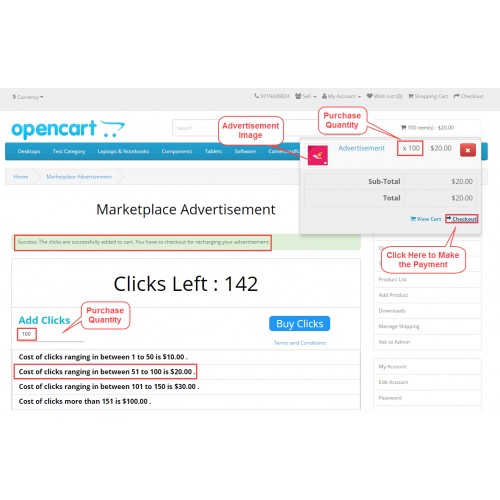
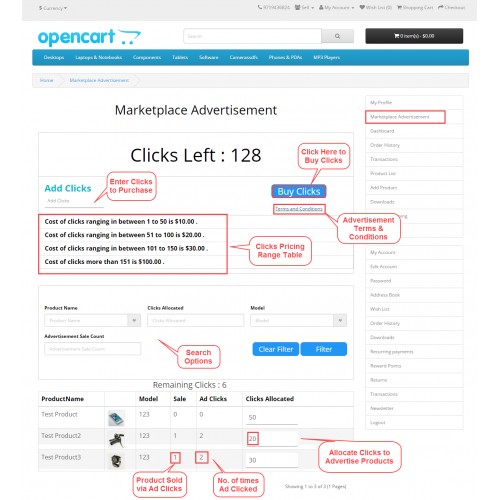
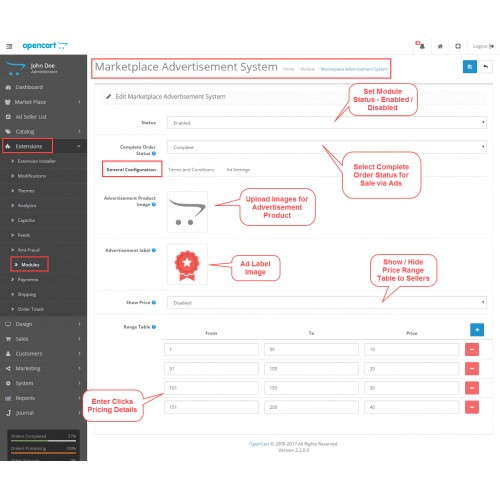
The advertisement cost is based on the pay-per-click pricing model, where a seller first purchases the number of clicks in an advance. And then assign those clicks to their products accordingly.
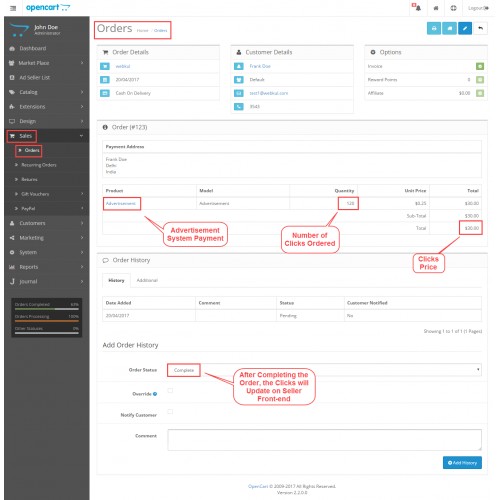
Now, whenever a customer clicks an advertised product and buys the same, this will be counted as Sale via Ads. After the completion of the order, the clicks will get adjusted in the seller’s account. The seller can manage Marketplace advertisements from their My Account page.
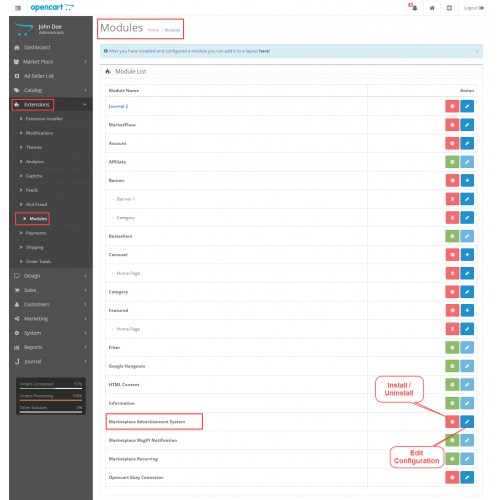
Opencart Marketplace Advertisement System module is an add-on of the Opencart Marketplace Module. To use this module you must have installed Marketplace Module.
Note:
1. This module supports all templates and themes including the Journal theme.
2. Opencart Marketplace Advertisement System supports the Multi-Store feature of default Opencart.

Features








Some Moments Of Appreciation


Support Policy
The advertisement cost is based on the pay-per-click pricing model, where a seller first purchases the number of clicks in an advance. And then assign those clicks to their products accordingly.
Now, whenever a customer clicks an advertised product and buys the same, this will be counted as Sale via Ads. After the completion of the order, the clicks will get adjusted in the seller’s account. The seller can manage Marketplace advertisements from their My Account page.
Opencart Marketplace Advertisement System module is an add-on of the Opencart Marketplace Module. To use this module you must have installed Marketplace Module.
Note:
1. This module supports all templates and themes including the Journal theme.
2. Opencart Marketplace Advertisement System supports the Multi-Store feature of default Opencart.
Features
- The admin can configure when to show or hide advertised products
- Select how many products to show on category page and search page
- Set the position of the advertised products on category page and search page
- Define Ad Label Dimensions (height & width)
- Define Ad Label Position (Top-Left, Bottom-Left, Top-Right, Bottom-Right)
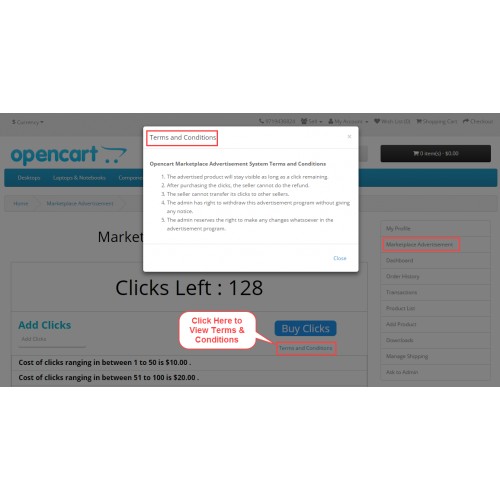
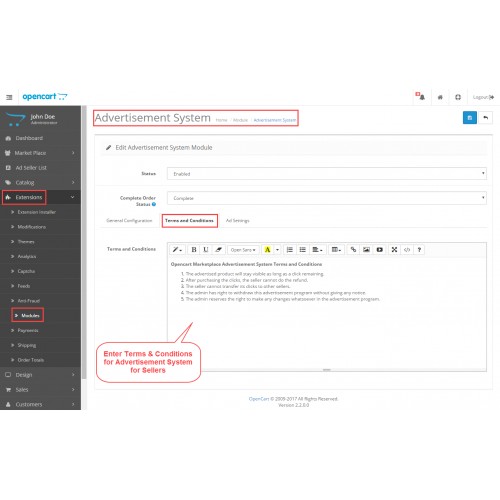
- The seller can view Advertisement System Terms & Conditions
- Sellers can view remaining clicks left to advertise the products
- The admin can show or hide the Price Range Table
- Ad Seller List for viewing Clicks Purchased, Ads Clicked, Sale via Ads
- The module source code is open for customization
- It supports multiple language translations.
Some Moments Of Appreciation
Support Policy
Price
$119.00
- Developed by OpenCart Partner
- 3 Months Free Support
- Documentation Included
Rating
Compatibility
3.0.0.0, 3.0.1.0, 3.0.1.1, 3.0.1.2, 3.0.1.3, 3.0.2.0, 3.0.3.0, 3.0.3.1, 3.0.3.2, 3.0.3.3, 3.0.3.5, 3.0.3.6, 3.0.3.7, 3.0.3.8, 3.0.3.9, 3.0.4.0, 3.0.4.1
Last Update
27 Jun 2025
Created
21 Apr 2017
10 Sales
4 Comments

Login and write down your comment.
Login my OpenCart Account