Buy Any Get Any Product Combination Pack

Email Support: opencarttools@gmail.com
WhatsApp Live Chat: Click Here
Live Demo
See the module in action before purchase.
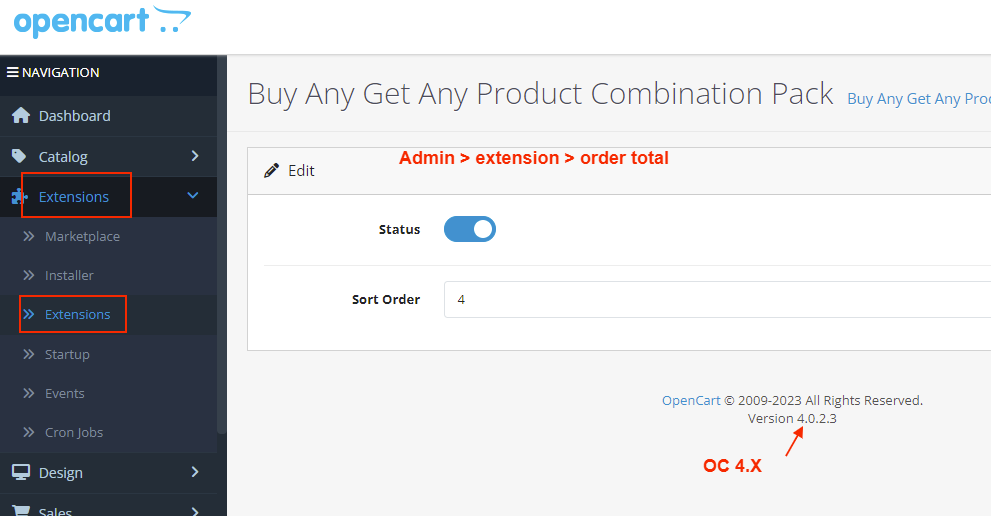
Admin:
Admin > Extension > Order Total
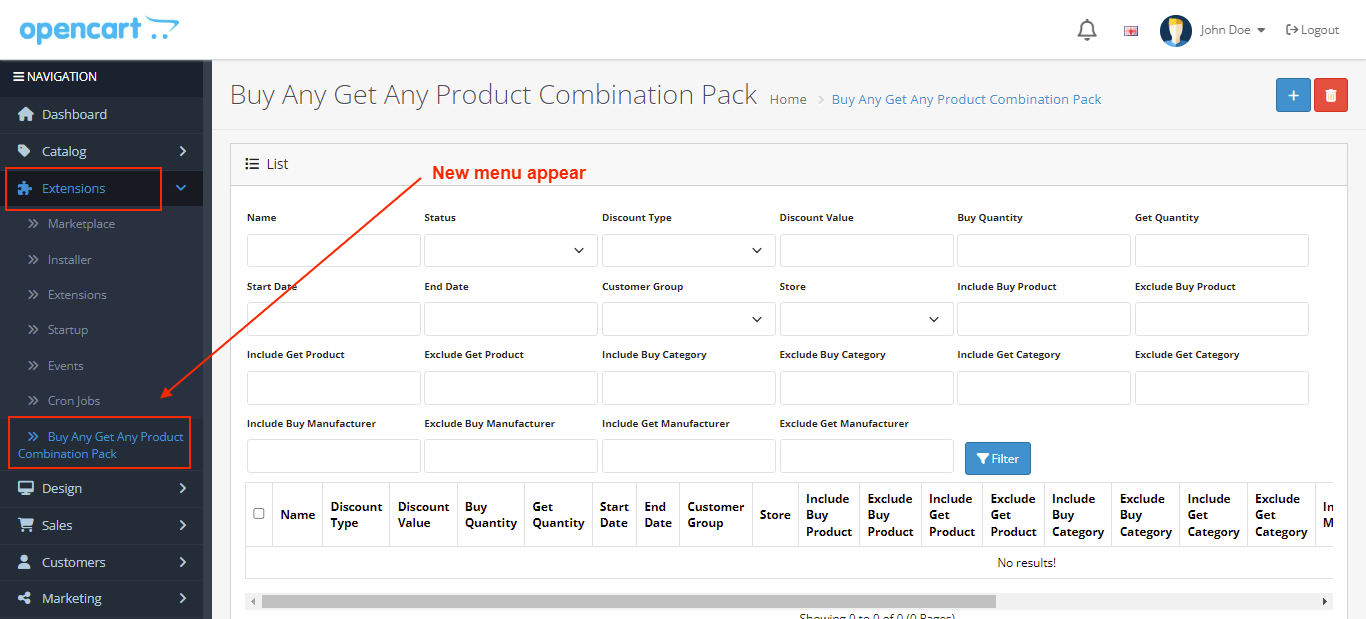
Admin > Buy Any Get Any Product Combination Pack
Front:
Offer 1 : Buy any 1 KEYBOARD & Get any 1 MOUSE Free
Offer 2 : Buy any 2 T-SHIRT & Get -50% OFF
Offer 3 : Buy any 2 SHOES & Get Any 1 PENDRIVE -30 OFF (fixed amount)
Title
Buy Any Get Any Product Combination Pack – Unlimited Offers for Products, Categories & Brands for OpenCart 2.x + 3.x + 4.x
Short Description
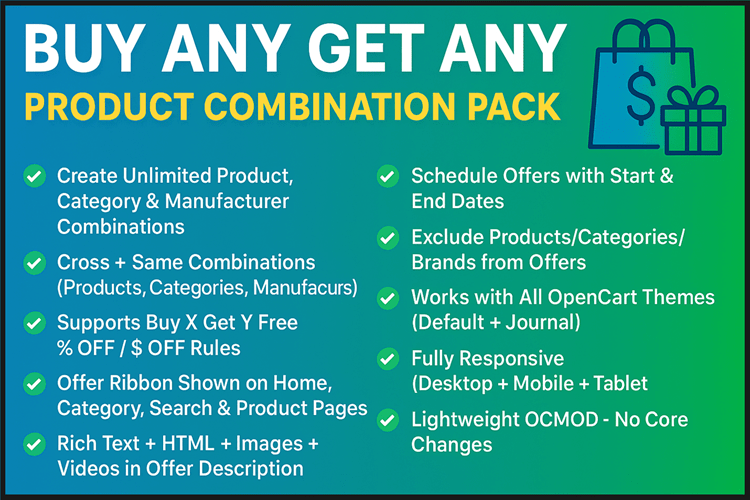
Boost your store sales with unlimited product, category, and manufacturer-based combination offers.
Create powerful promotions like:
- Buy X Get Y Free
- Buy Any from Category Get Any with Discount
- Brand vs Brand offers
- Cross-combination & same-combination deals
Fully automated, lightweight, and compatible with all OpenCart themes. Includes ribbons, rich descriptions, and flexible start & end dates.
Free Dedicated Support Included
We provide dedicated technical support to ensure smooth installation and usage of this module.
✔ Fast response time
✔ Installation guidance
✔ Bug fixes assistance
Key Features
Unlimited Offer Creation
✔ Products Based Offers
✔ Categories Based Offers
✔ Manufacturers (Brands) Based Offers
✔ Cross Combination & Same Combination Support
Offer Types
✔ Buy X Get Y Free
✔ Buy X Get X Free
✔ Buy X Get Y with % OFF
✔ Buy X Get Y with Fixed $ OFF
Offer Combination Types Explained
1 Individual Product Based
Assume: X = Product 1, Y = Product 2
✔ Cross Combination: Buy X → Get Y (FREE / % OFF / $ OFF)
✔ Same Combination: Buy X → Get X (FREE / % OFF / $ OFF)
2 Category Based
Assume: C1 = Category 1, C2 = Category 2
✔ Cross Combination: Buy Any 3 from C1 → Get Any 2 from C2 (FREE / % OFF / $ OFF)
✔ Same Combination: Buy Any 5 from C1 → Get Any 3 from C1 (FREE / % OFF / $ OFF)
3 Manufacturer (Brand) Based
Assume: B1 = Brand 1, B2 = Brand 2
✔ Cross Combination: Buy Any 5 from B1 → Get Any 1 from B2 (FREE / % OFF / $ OFF)
✔ Same Combination: Buy Any 8 from B1 → Get Any 2 from B2 (FREE / % OFF / $ OFF)
Advanced Offer Controls
✔ Set Start Date & End Date
✔ Exclude specific Products, Categories, or Brands
✔ Fully Automated Cart Calculation
✔ Works with Multi-store & Multi-language
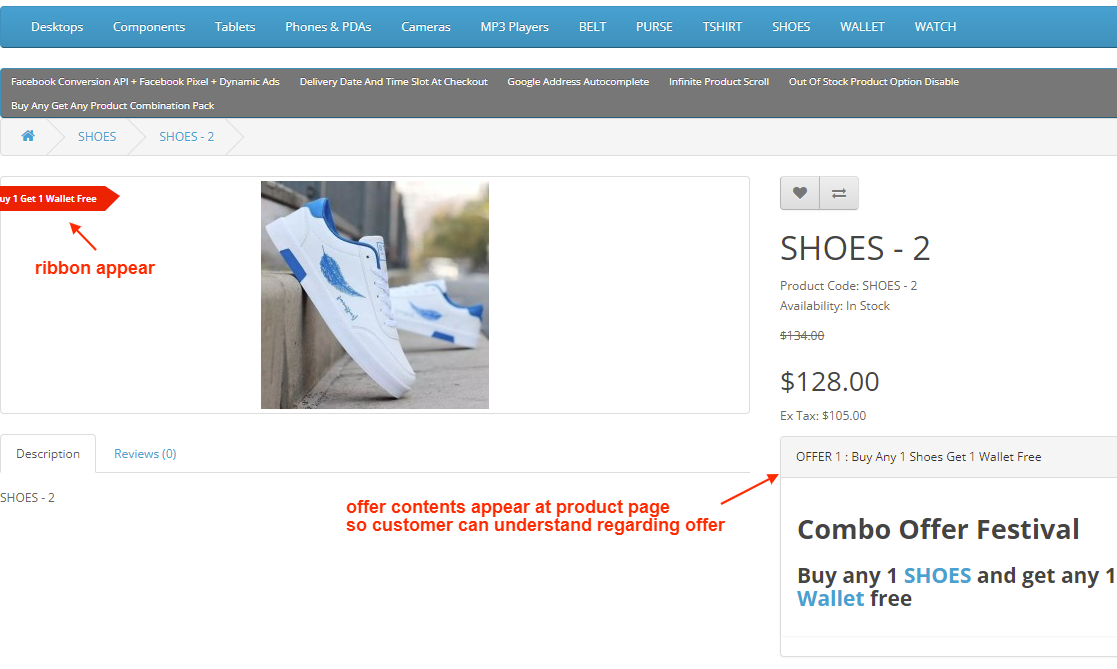
Offer Display (Product Page)
Combination offers can appear:
1 After Product Price
2 Button Popup
3 Before Description Tab
4 Inside New Description Tab
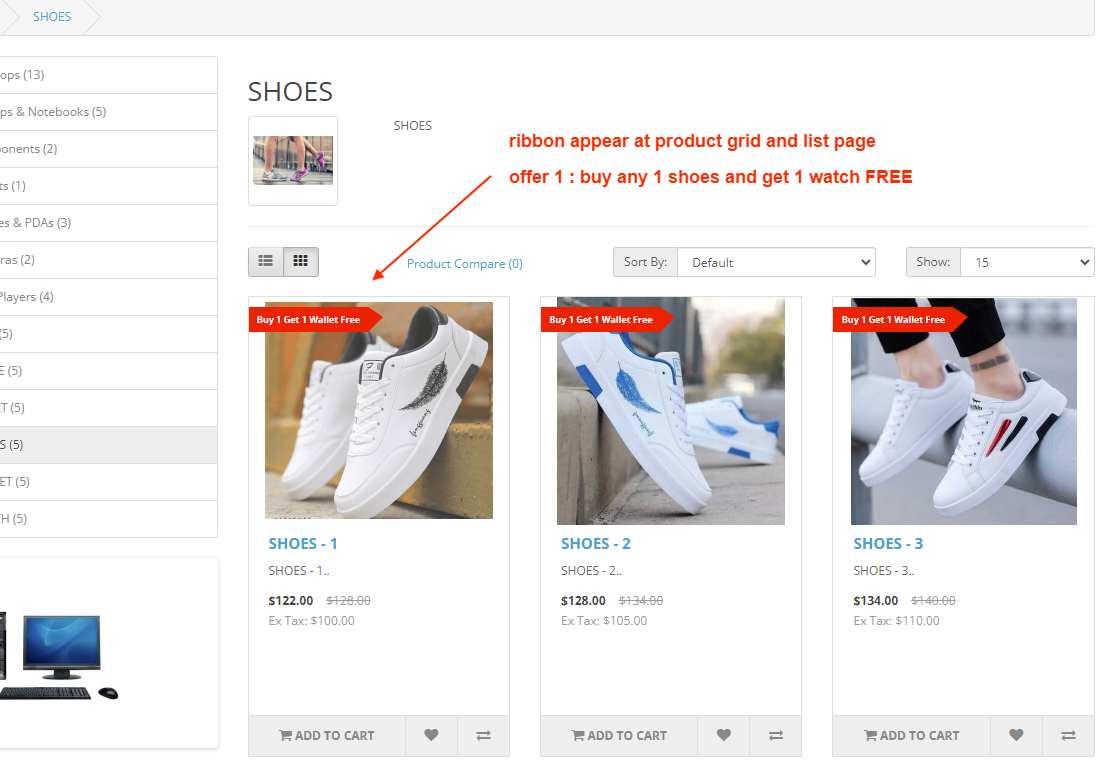
Attractive Offer Ribbons
Show ribbons across:
✔ Home Page
✔ Category Page
✔ Search Page
✔ Manufacturer Page
✔ Product Page
Custom Offer Description with Rich Text Editor:
✔ Text
✔ HTML
✔ Images
✔ Videos
How It Works
1 Create a new combination offer in admin.
2 Select Product / Category / Manufacturer.
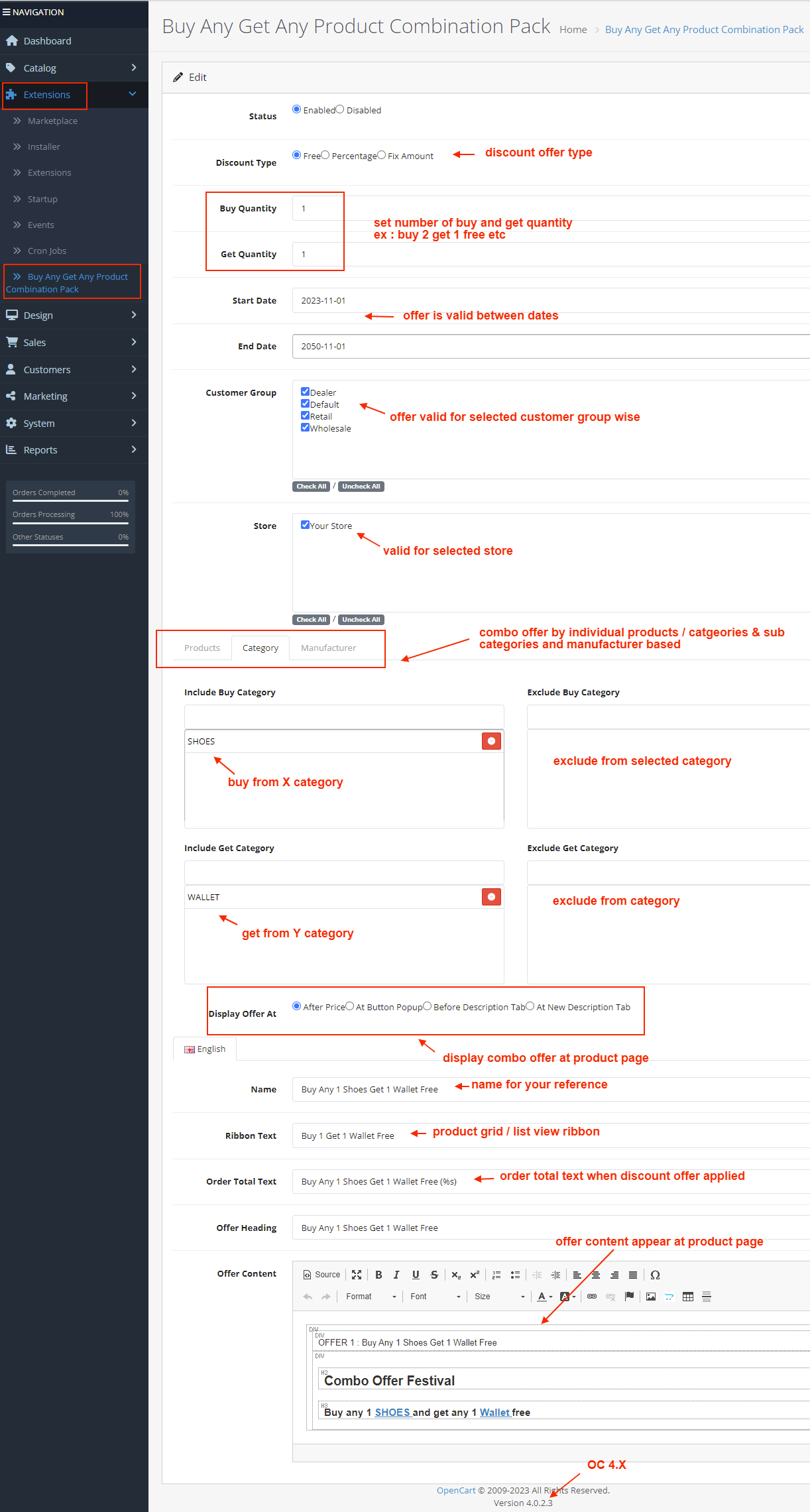
3 Define Buy Quantity (X) and Get Quantity (Y).
4 Choose discount type (Free, %, Fixed).
5 Set validity dates.
6 Save and enable.
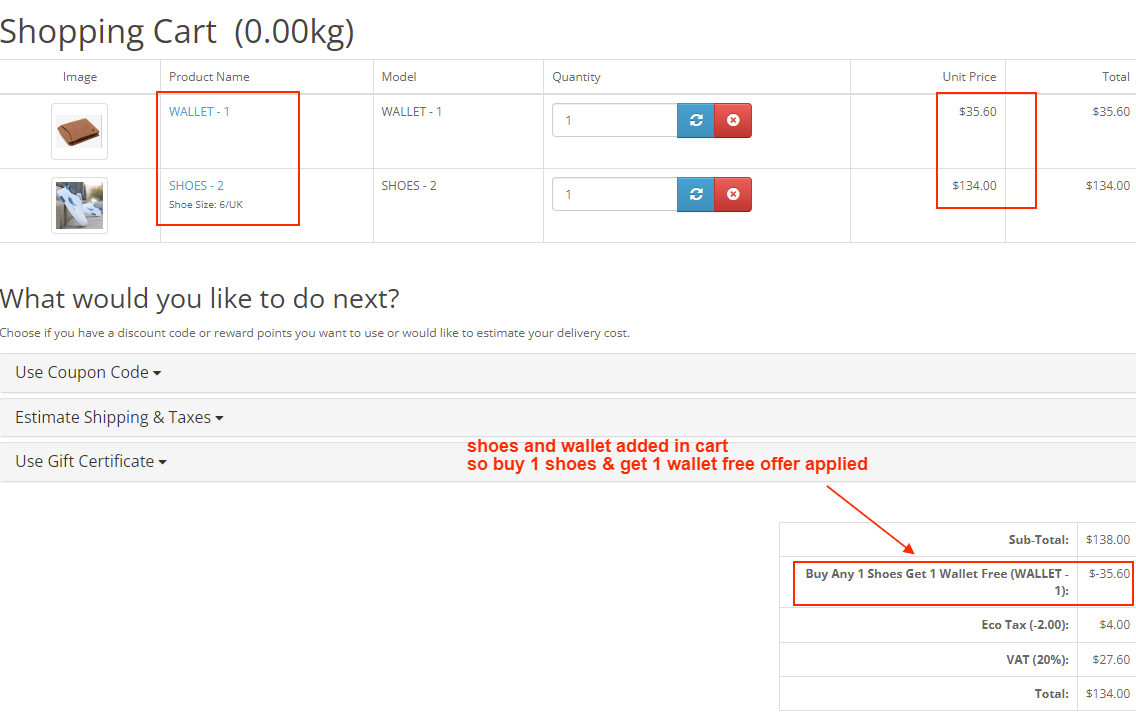
✔ The module automatically applies the correct discount in cart when conditions are met.
✔ No coding required.
Installation Steps
1 Go to Admin → Extensions → Installer
2 Upload the extension ZIP file
3 Go to Extensions → Extensions → Order Total
4 Install “Buy Any Get Any Product Combination Pack”
5 Go to System → User Groups → Set Permissions
6 Create and configure your combination offers
Why Choose This Module?
✔ Increases Average Order Value
✔ Powerful Cross-Selling & Upselling Tool
✔ Unlimited Flexible Promotions
✔ Works for Retail & Wholesale Stores
✔ Easy Admin Configuration
✔ Highlighted Ribbons Boost Engagement
✔ Lightweight & Performance Friendly
✔ Compatible with All Popular Themes
✔ Drive more sales using smart BOGO-style promotions.
Money-Back Guarantee
We stand behind the quality of our module.
If the extension does not work as described or is incompatible with your supported OpenCart version, we offer a 7-Day Money-Back Guarantee.
✔ Full refund if confirmed technical issue
✔ Dedicated support before refund decision
✔ Transparent and fair resolution process
Your satisfaction and store performance are our priority.
Requirements
✔ OpenCart 2.X + 3.X + 4.X
✔ Supports PHP 5.6 – 8.3
✔ No core file changes
✔ Built using OpenCart coding standards
Ideal For
✔ Fashion Stores
✔ Electronics Stores
✔ Supermarkets
✔ Wholesale Suppliers
✔ Multi-Brand Stores
✔ Seasonal Promotion Campaigns
✔ Festive & Clearance Sales
Images & Screenshots View all screenshots
✔ Admin configuration page
✔ Admin – List of Active Offers
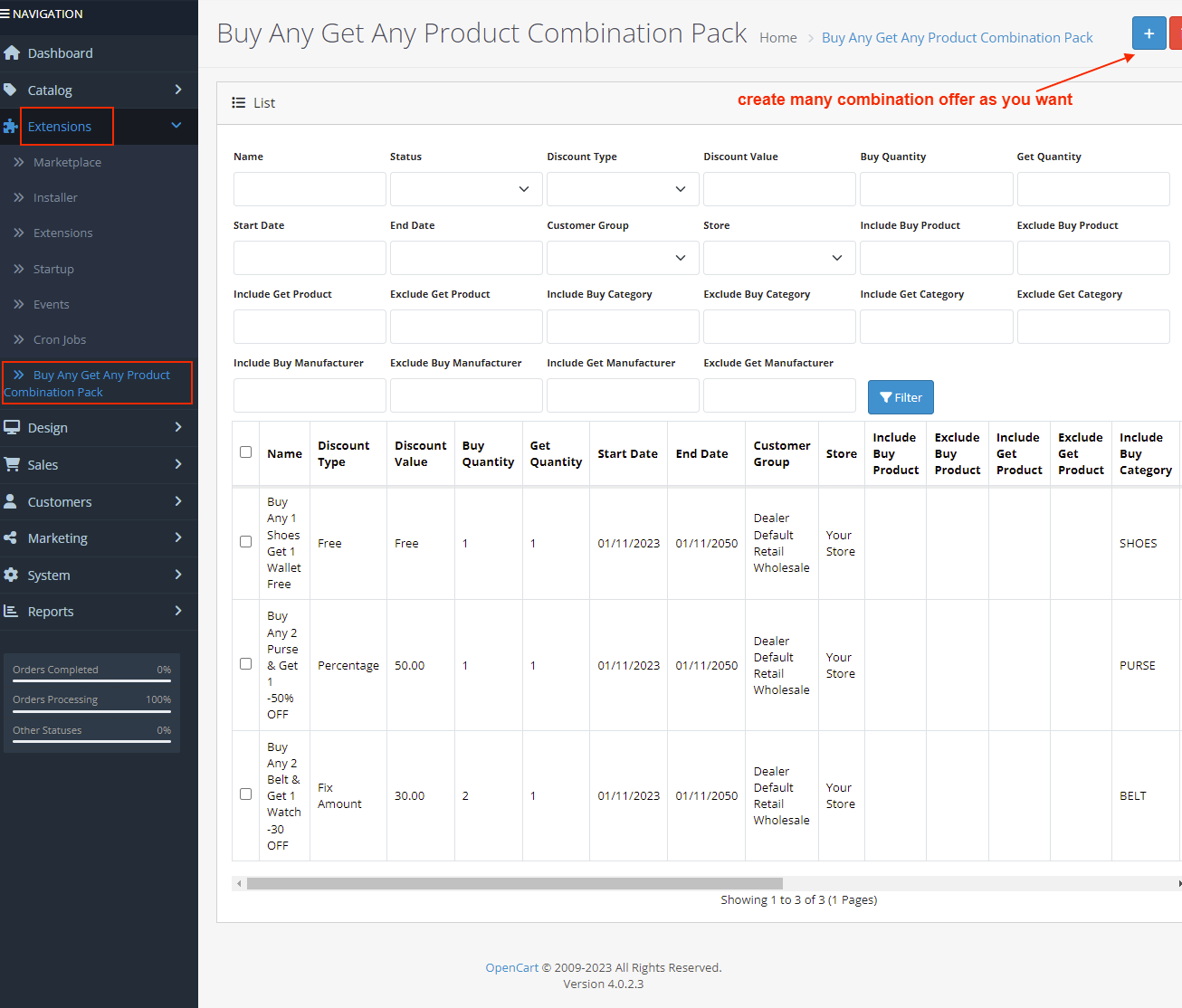
✔ Admin – Create New Offer
✔ Frontend – Category Page
✔ Frontend – Product Page
✔ Frontend – Cart Page
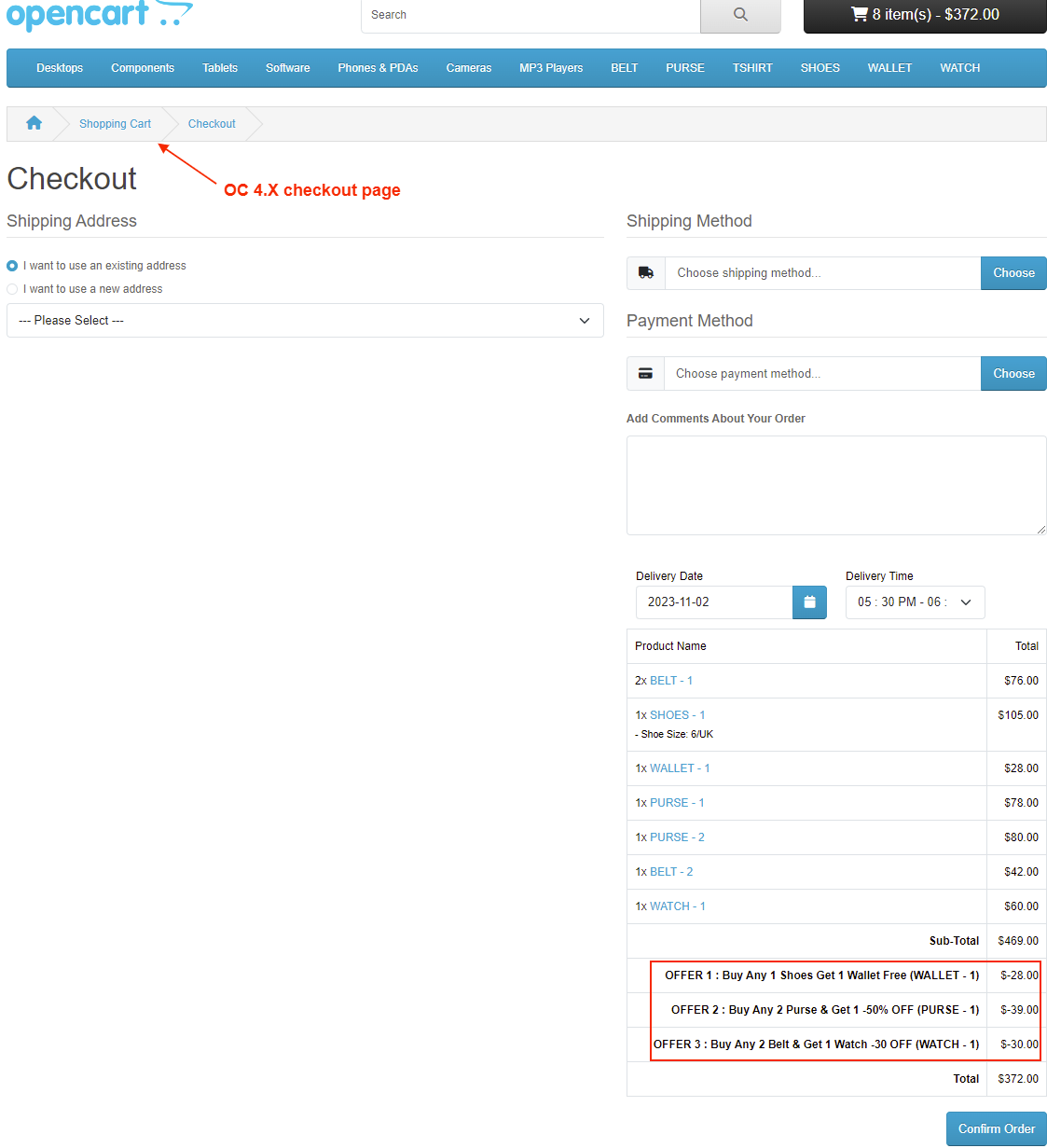
✔ Frontend – Checkout Page
What customers say about Buy Any Get Any Product Combination Pack

Fast and excellent support
~sami alhamad
~sami alhamad
One of the best developers I recognized. Fast and clear communication, fast support, what else one could wish ... Thanks!
~vlada_v
~vlada_v
This plugin is good
~Nazarkhan
~Nazarkhan
Price
$45.00
- Developed by OpenCart Community
- 12 Months Free Support
- Documentation Included
Rating
Compatibility
2.0.0.0, 2.0.1.0, 2.0.1.1, 2.0.2.0, 2.0.3.1, 2.1.0.1, 2.1.0.2, 2.2.0.0, 2.3.0.0, 2.3.0.1, 2.3.0.2, 3.0.0.0, 3.0.1.0, 3.0.1.1, 3.0.1.2, 3.0.1.3, 3.0.2.0, 4.x.x.x, 3.0.3.0, 3.0.3.1, 3.0.3.2, 3.0.3.3, 3.0.3.5, 3.0.3.6, 3.0.3.7, 3.0.3.8, 4.0.0.0, 4.0.1.0, 4.0.1.1, 3.x.x.x, 4.0.2.0, 4.0.2.1, 4.0.2.2, 4.0.2.3, 3.0.3.9, 3.0.4.0, 4.1.0.0, 4.1.0.1, 4.1.0.2, 4.1.0.3, 3.0.4.1, 3.0.5.0
Last Update
4 May 2026
Created
28 Apr 2017
342 Sales
31 Comments

Login and write down your comment.
Login my OpenCart Account