Product Option Color Image
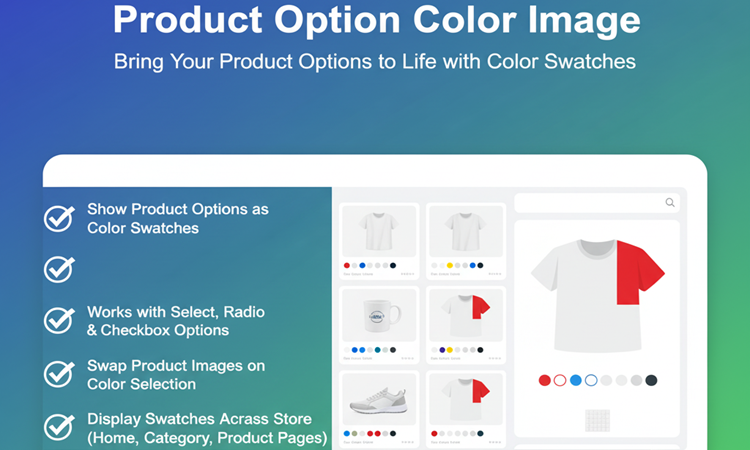

Title
Product Option Color Image – Display Product Options with Colors & Images – OpenCart 2.x + 3.x + 4.x
Short Description
Transform plain product option text into beautiful color swatches, pattern images, or image-based selectors.
Supports Select, Radio, and Checkbox option types.
Automatically swap product images on selection and display color swatches across product grids, category pages, search results, and product detail pages.
Create a modern, premium shopping experience for your customers.
Free Dedicated Support Included
We provide dedicated technical support to ensure smooth installation and usage of this module.
✔ Fast response time
✔ Installation guidance
✔ Bug fixes assistance
Email Support: opencarttools@gmail.com
WhatsApp Live Chat: Click Here
Live Demo
See the module in action before purchase.
Admin
Admin > Extension > Module
Admin > Product > Add/Edit > Option Tab
Front
Category Page
Search Page
Product Details Page
Key Features
Visual Color Swatches
✔ Replace plain option text with color swatches
✔ Display as Circle or Square style
✔ Professional and modern UI
Supports Option Types
✔ Select
✔ Radio
✔ Checkbox
Works seamlessly with existing product options.
Flexible Color Display Priority
Swatches are displayed using:
✔ Pattern Image (Highest Priority)
✔ Color Code (HEX Code)
✔ Color Image (Fallback Option)
Maximum flexibility for different product types.
Display Across Entire Store
Show color swatches on:
✔ Home Page Product Grid
✔ Category Pages
✔ Search Results
✔ Special Products Page
✔ Manufacturer Page
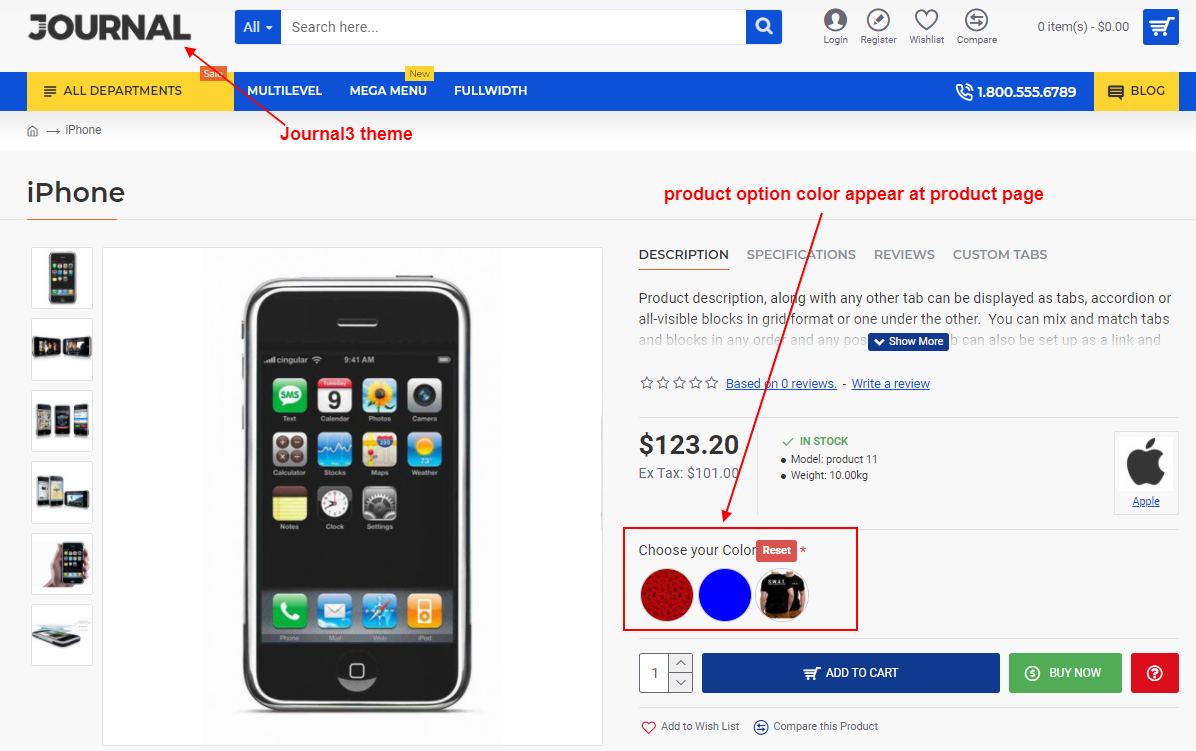
✔ Product Details Page
Dynamic Image Swap
On Product Page:
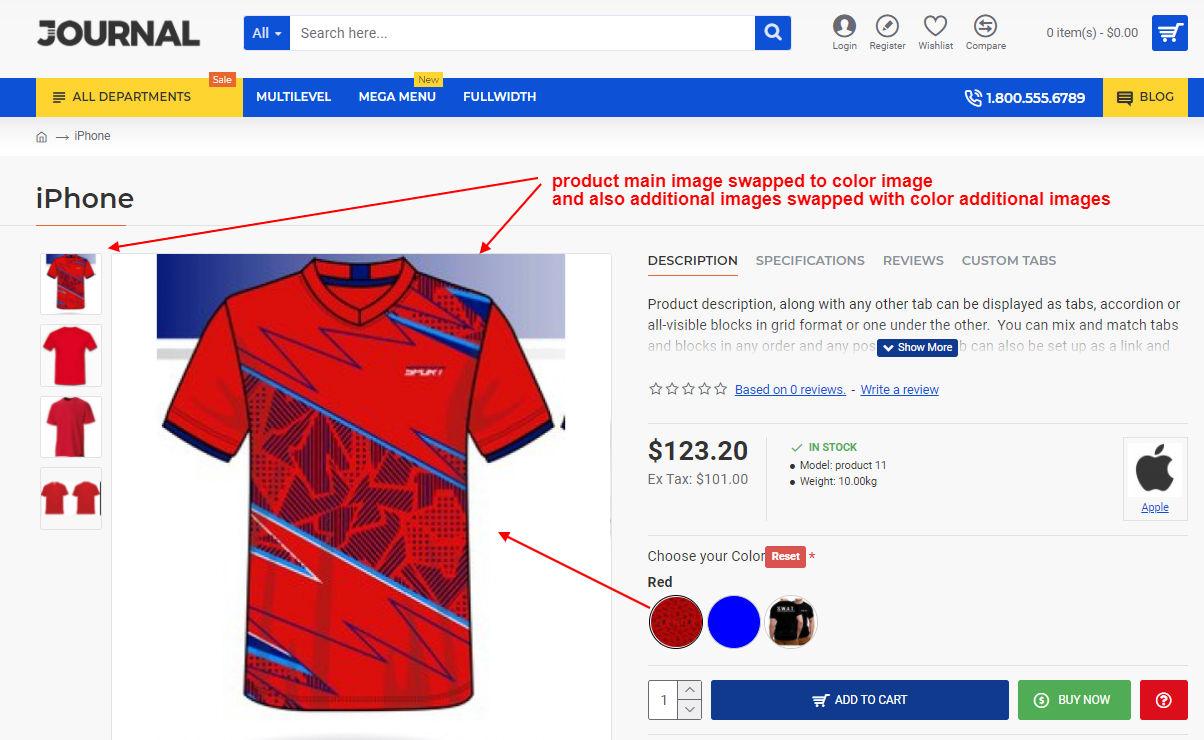
✔ Main Product Image changes when color selected
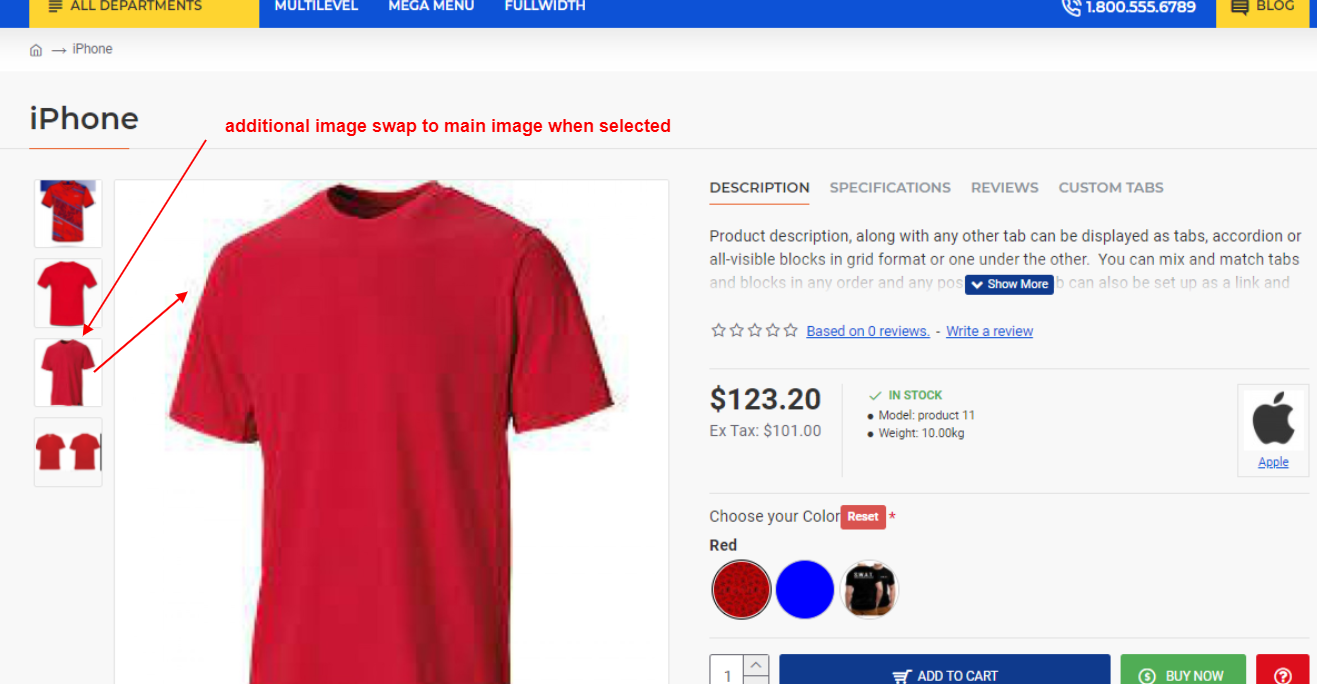
✔ Additional images update based on selected option
✔ Real-time visual preview
Provides better product clarity and faster decision-making.
Per Product Flexibility
✔ Configure swatches per product option
✔ Add additional images for each color
✔ Control display behavior individually
Technical Highlights
✔ No Core File Changes
✔ OCMOD / VQMOD Based Implementation
✔ Lightweight & Performance Friendly
✔ Built Using OpenCart Coding Standards
✔ Multi-language & Multi-store Supported
✔ Compatible with Most Themes
How It Works
✔ Install the extension.
✔ Enable the module.
✔ Go to Product → Option Tab.
✔ Assign color code, image, or pattern.
✔ Save product.
Color swatches will automatically appear across grids and product pages.
No coding required.
Installation Steps
✔ Go to Admin → Extensions → Installer
✔ Upload the extension ZIP file
✔ Go to Extensions → Extensions → Modules
✔ Install “Product Option Color Image”
✔ Configure display settings
✔ Add color/image settings inside product option tab
✔ Save
Why Choose This Module?
✔ Enhance Visual Shopping Experience
✔ Increase Conversions with Instant Preview
✔ Professional & Premium Store Design
✔ Easy Option Selection for Customers
✔ Works Across All Store Pages
✔ Simple Admin Setup
Upgrade your store with a modern variation display system.
Money-Back Guarantee
We stand behind the quality of our module.
If the extension does not work as described or is incompatible with your supported OpenCart version, we offer a 7-Day Money-Back Guarantee.
✔ Full refund if confirmed technical issue
✔ Dedicated support before refund decision
✔ Transparent and fair resolution process
Your satisfaction and store performance are our priority.
Requirements
✔ OpenCart 2.X + 3.X + 4.X
✔ Supports PHP 5.6 – 8.3
✔ No core file changes
✔ Built using OpenCart coding standards
Ideal For
✔ Fashion & Apparel Stores
✔ Footwear Stores
✔ Furniture Stores
✔ Electronics Stores
✔ Multi-Color / Multi-Style Product Stores
✔ High-Volume Ecommerce Stores
✔ Stores Selling Pattern or Fabric-Based Products
Images & Screenshots View all screenshots
✔ Admin module configuration
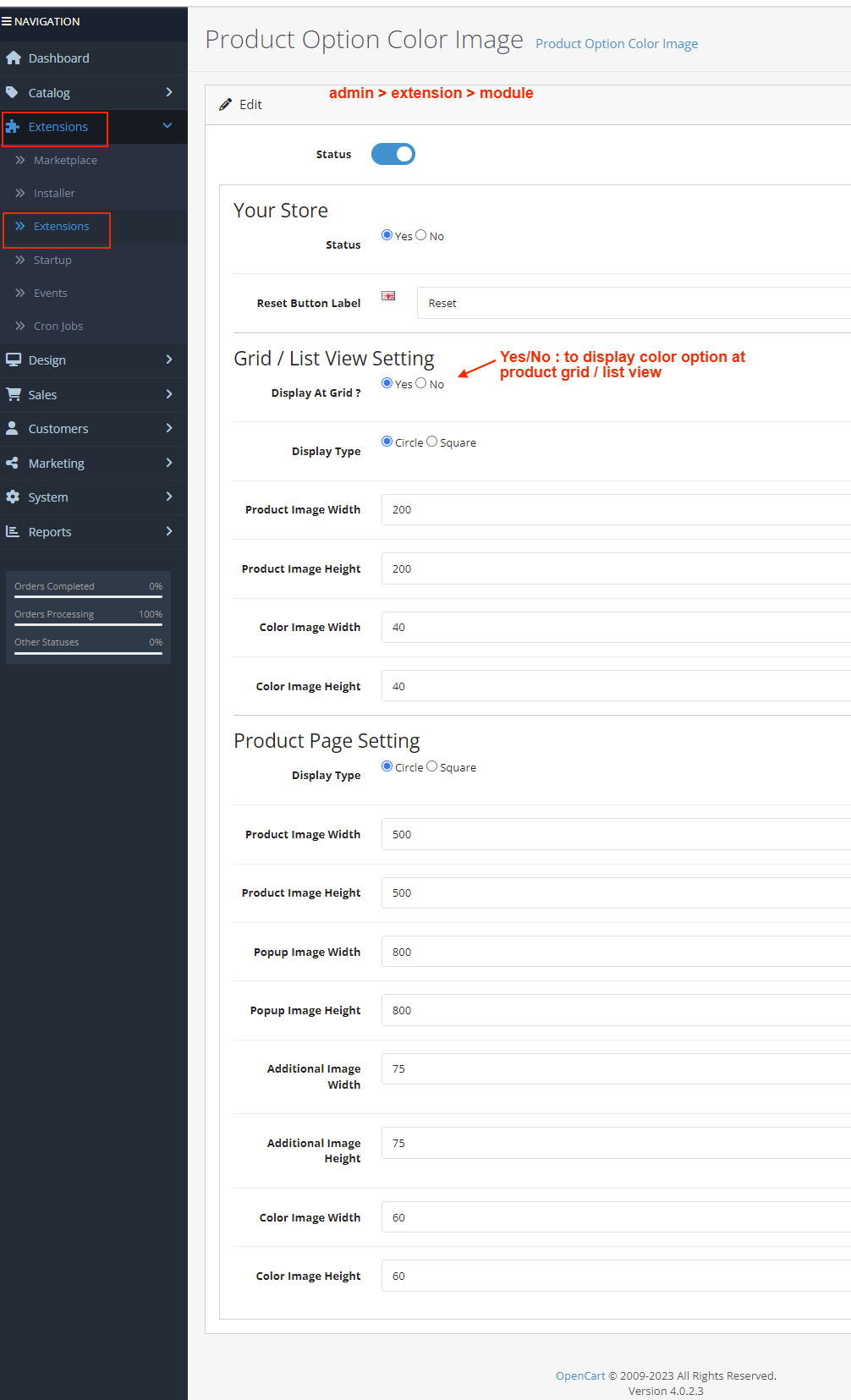
✔ Admin Settings – set option swatch type (pattern, code, image)
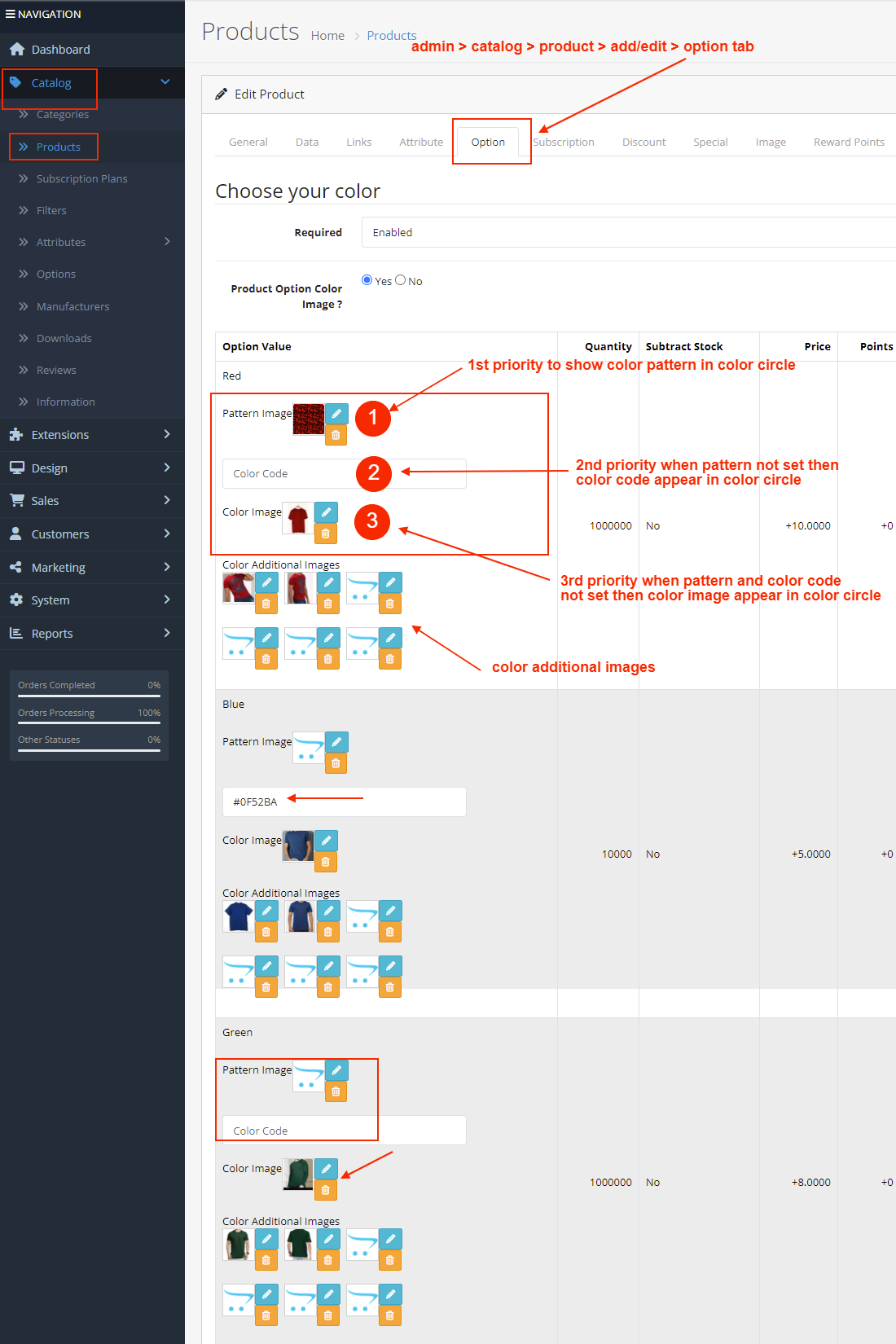
✔ Product Grid View – color swatches under products
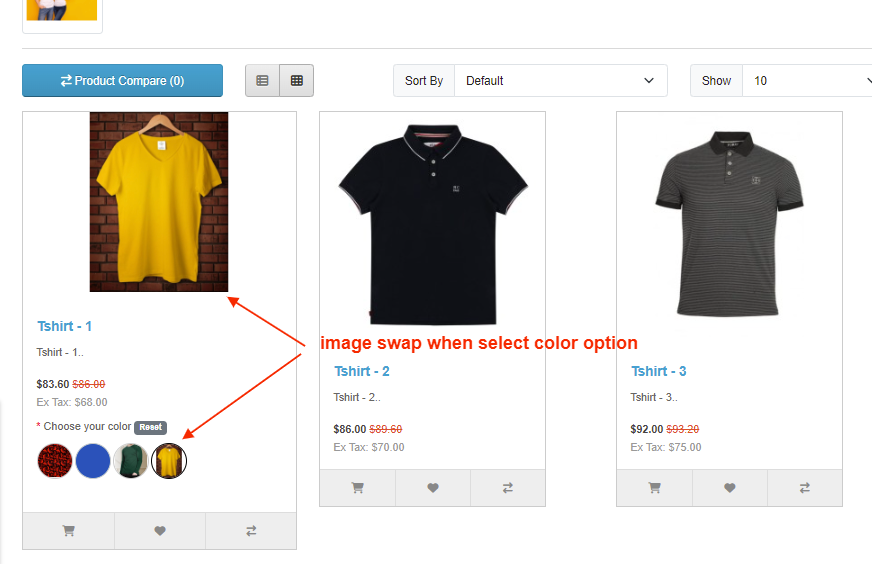
✔ Product Details Page – circle/square swatches visible under options
✔ Image Swap Example – main product image changes when color selected
✔ Additional Images Swap Example – gallery changes with selected option
What customers say about Product Option Color Image

good module .. good support. Thanks for help
~weblounge
~weblounge
My system OC 3.0.3.2 + Journal3
Very good experience with this extension and support team. Installation works. Initially there were some compatability issues with the Journal3 support team was very reliable. They fixed the extension to make it compatible, and they have done it very quickly.
Functionality works as described. I do recommend this extension.
~idialogue
~idialogue

This is awesome and extremely fast color option module. The support team is more than excellent! Their response time is extremely fast. They helped me to set up everything very properly and now I am working on adding Color Options to my products.
I highly recommend this module to everybody who wants to add Product Color Options fast, secure and in no time.
~Jazee
~Jazee
Price
$30.00
- Developed by OpenCart Community
- 12 Months Free Support
- Documentation Included
Rating
Compatibility
2.0.0.0, 2.0.1.0, 2.0.1.1, 2.0.2.0, 2.0.3.1, 2.1.0.1, 2.1.0.2, 2.2.0.0, 2.3.0.0, 2.3.0.1, 2.3.0.2, 3.0.0.0, 3.0.1.0, 3.0.1.1, 3.0.1.2, 3.0.1.3, 3.0.2.0, 4.x.x.x, 3.0.3.0, 3.0.3.1, 3.0.3.2, 3.0.3.3, 3.0.3.5, 3.0.3.6, 3.0.3.7, 3.0.3.8, 4.0.0.0, 4.0.1.0, 4.0.1.1, 3.x.x.x, 4.0.2.0, 4.0.2.1, 4.0.2.2, 4.0.2.3, 3.0.3.9, 3.0.4.0, 4.1.0.0, 4.1.0.1, 4.1.0.2, 4.1.0.3, 3.0.4.1, 3.0.5.0
Last Update
8 May 2026
Created
18 May 2017
206 Sales
22 Comments

Login and write down your comment.
Login my OpenCart Account