Social Login Premium



Enable fast and secure login with Facebook, Twitter, and Google accounts. This extension improves user experience by eliminating long registration forms, speeding up proces, and offering easy installation and configuration in OpenCart.
- Enables quick login using Facebook, Twitter, and Google accounts
- No need to fill out long registration forms
- Saves time and improves user experience
- Faster checkout with social login option
- Easy to install and configure in OpenCart
Demo of Social Login
Currently, only the Google login demo is available. (Facebook, Twitter, Demo not available, but it also works as Google)
2. Quick Social Login
Customers can sign in with their social media accounts in one click.
Makes login easier, fast and simple.
Example: A fashion store allows login via Facebook, Twitter, or Google instead of manual registration.
3. Step-by-Step Setup Guide
Comes with a detailed guide to create and integrate Facebook, Twitter, and Google apps easily.
Setup process is simple and clear.
Download user guide from here.
4. Supports Multiple Platforms
Works with:
Gives customers flexibility to choose their preferred login method.
5. Better User Experience & More Sales
Faster login reduces cart abandonment.
Improves customer engagement and increases completed orders.

Why to buy from an OpenCart Partner?
Very few companies get an approval as an authorized partner from OpenCart, after a consistent track record of superior support and quality products.
An OpenCart partner has more mature solutions.
Partners have a very good track record in terms of customer support and quality of products.


Link: click here

Link: click here
admin username: admin
admin password: demo123
The extension will function smoothly for all supported social logins. If you experience any issues on your site after purchase, our support team is available to assist you.
Please note that on the demo, customers may modify data during testing, which can occasionally cause fluctuations.
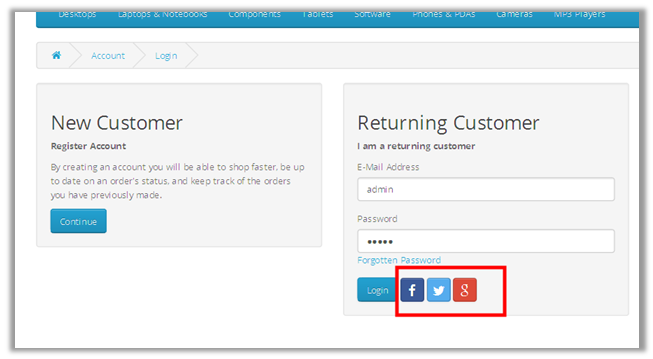
Frontend view:
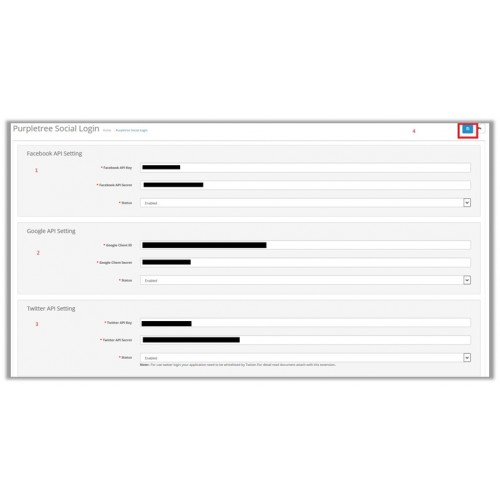
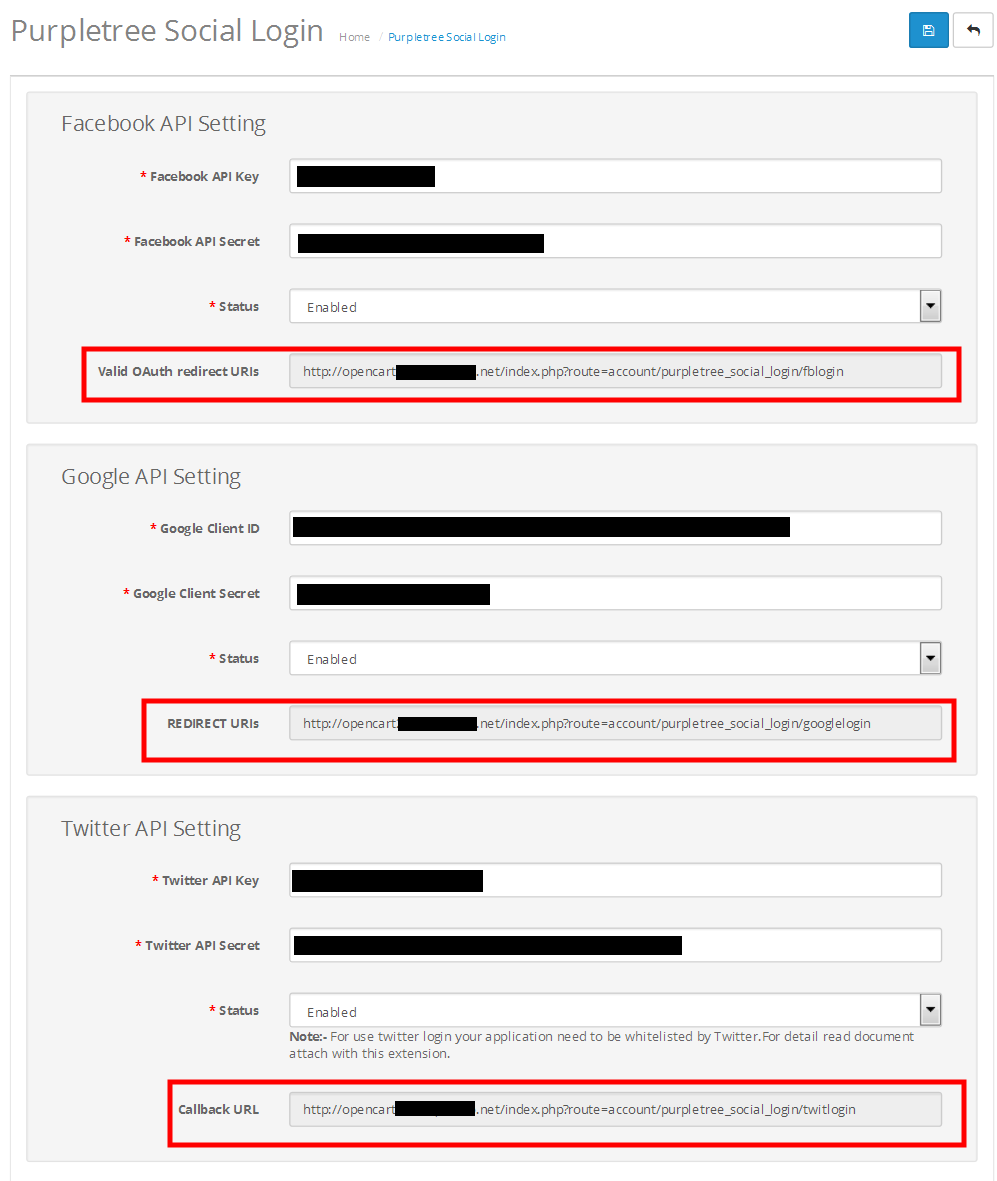
Admin Settings:


Download user guide from here.
To get quick help from our technical staff, raise a ticket using this link.
Note: Our extensions have a licensing policy, explained here.
What customers say about Social Login Premium

Even though I enter my opencart order number and e-mail address, it does not activate. What's the point of paying for a product if you can't directly use it?
~ozansivaci34
~ozansivaci34
This extension works flawlessly. Support confirmed that other social networks are being added, and I will be provided free upgrade. That is great for me.
Support is pretty fast. They replied to my ticket within 5 minutes.
Highly recommended.
~vikas453
~vikas453
Price
$29.99
- Developed by OpenCart Partner
- 6 Months Free Support
- Documentation Included
Rating
Compatibility
4.1.0.0, 4.1.0.1, 4.1.0.2, 4.1.0.3, 4.0.0.0, 4.0.1.0, 4.0.1.1, 4.0.2.0, 4.0.2.1, 4.0.2.2, 4.0.2.3, 3.0.0.0, 3.0.1.0, 3.0.1.1, 3.0.1.2, 3.0.1.3, 3.0.2.0, 3.0.3.0, 3.0.3.1, 3.0.3.2, 3.0.3.3, 3.0.3.5, 3.0.3.6, 3.0.3.7, 3.0.3.8, 3.0.3.9, 3.0.4.0, 3.0.4.1, 3.0.5.0, 2.1.0.1, 2.1.0.2, 2.2.0.0, 2.3.0.0, 2.3.0.1, 2.3.0.2
Last Update
25 May 2026
Created
30 Jun 2017
14 Sales
15 Comments

Login and write down your comment.
Login my OpenCart Account