Out Of Stock Product Option Disable
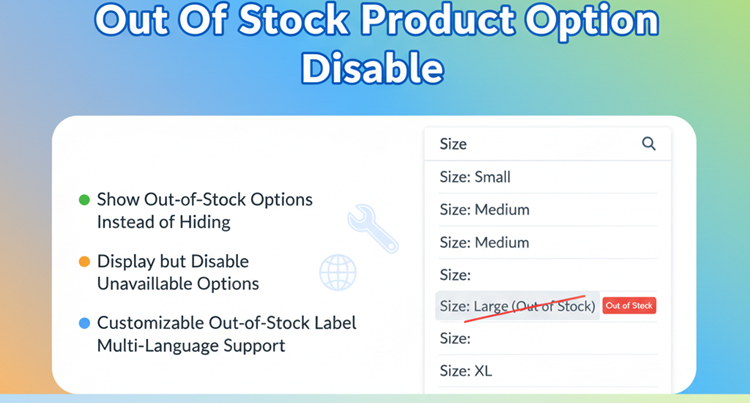

Title
Out Of Stock Product Option Disable – OpenCart 2.x + 3.x + 4.x
Short Description
By default, OpenCart hides product options when their quantity reaches zero.
This extension allows you to display out-of-stock options with a custom “Out of Stock” label instead of hiding them — while keeping them disabled (not selectable).
Improve transparency, customer trust, and shopping experience by clearly showing unavailable options.
Free Dedicated Support Included
We provide dedicated technical support to ensure smooth installation and usage of this module.
✔ Fast response time
✔ Installation guidance
✔ Bug fixes assistance
Email Support: opencarttools@gmail.com
WhatsApp Live Chat: Click Here
Live Demo
See the module in action before purchase.
Admin
Admin > Extension > Module
Admin > Product > Add/Edit > Option Tab
Front
Product Page
Key Features
Show Instead of Hide
✔ Default OpenCart hides options with zero quantity
✔ This extension shows unavailable options instead of hiding them
Disabled But Visible
✔ Option is visible to customers
✔ Option is disabled (not selectable)
✔ Prevents checkout with unavailable option
✔ Clear visual indication
Customizable Label
✔ Add custom “Out of Stock” text
✔ Multi-language supported
✔ Text displayed next to option name
✔ Easy customization from admin
Example:
Red (Out of Stock)
Simple Configuration
✔ Easy ON/OFF toggle
✔ Works automatically once enabled
✔ No complex setup required
Business Benefits
✔ Improves Customer Transparency
✔ Reduces Confusion
✔ Builds Store Credibility
✔ Minimizes Customer Support Queries
✔ Reduces Cart Abandonment
Technical Highlights
✔ No Core File Changes
✔ OCMOD-Based Implementation
✔ Lightweight & Performance Friendly
✔ Built Using OpenCart Coding Standards
✔ Multi-language & Multi-store Supported
✔ Compatible with Most Themes
How It Works
✔ Install the extension.
✔ Enable the module.
✔ Set custom “Out of Stock” label text.
✔ Save settings.
Product options with zero quantity will now appear as disabled with a label instead of being hidden.
No coding required
Installation Steps
✔ Go to Admin → Extensions → Installer
✔ Upload the extension ZIP file
✔ Go to Extensions → Extensions → Modules
✔ Install “Out Of Stock Product Option Disable”
✔ Enable and configure label text
✔ Save
Unavailable options will now be visible but disabled.
Why Choose This Module?
✔ Improves Shopping Experience
✔ Makes Stock Status Transparent
✔ Professional Store Presentation
✔ Easy & Lightweight Setup
✔ Works with Popular Themes
✔ No Core File Modifications
Help customers understand availability clearly and avoid confusion.
Money-Back Guarantee
We stand behind the quality of our module.
If the extension does not work as described or is incompatible with your supported OpenCart version, we offer a 7-Day Money-Back Guarantee.
✔ Full refund if confirmed technical issue
✔ Dedicated support before refund decision
✔ Transparent and fair resolution process
Your satisfaction and store performance are our priority.
Requirements
✔ OpenCart 2.X + 3.X + 4.X
✔ Supports PHP 5.6 – 8.3
✔ No core file changes
✔ Built using OpenCart coding standards
Ideal For
✔ Fashion Stores (Color / Size Variations)
✔ Footwear Stores
✔ Electronics Stores
✔ Stores with Frequently Changing Inventory
✔ Wholesale Stores
✔ Multi-Variation Product Stores
Images & Screenshots View all screenshots
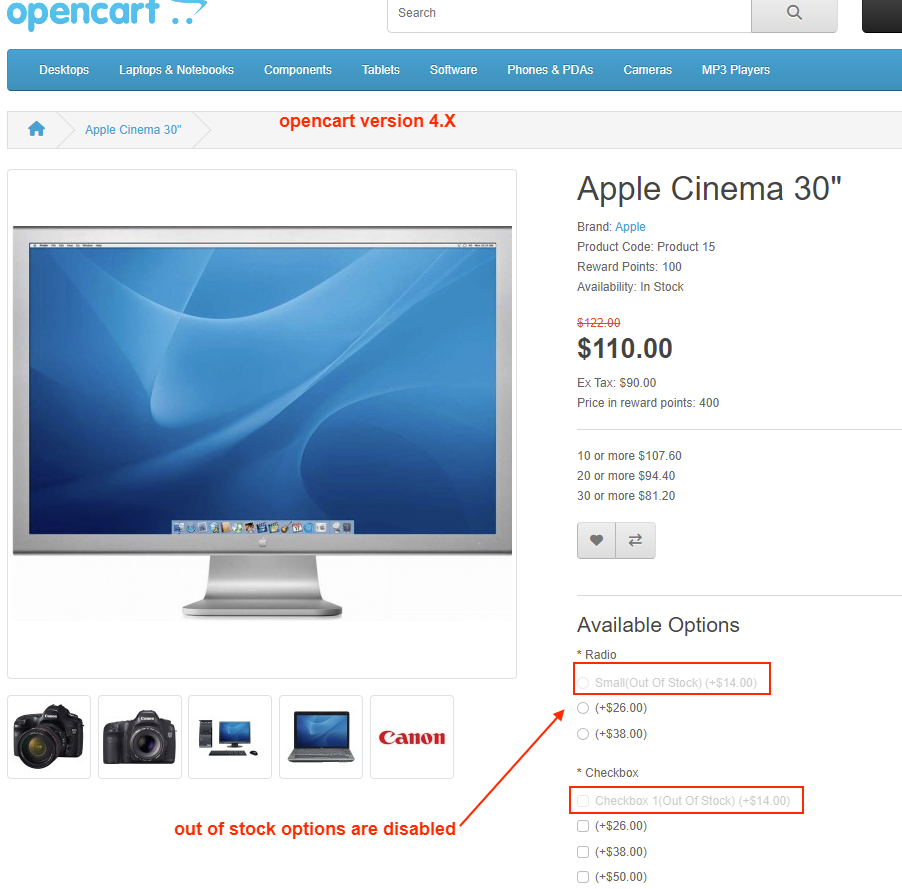
✔ Product Page – showing out-of-stock option (disabled with label).
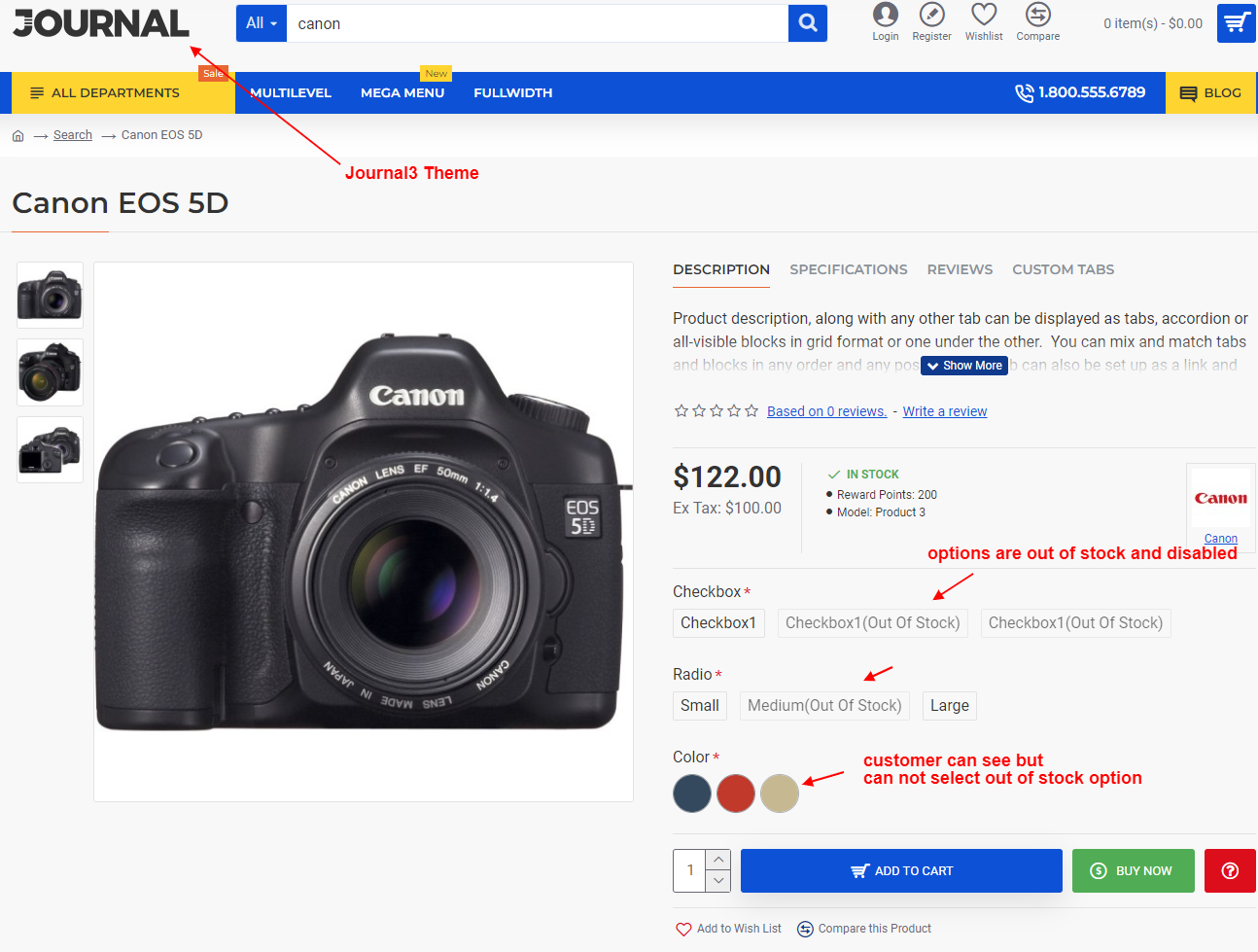
✔ Default vs With Extension – side-by-side comparison (hidden vs shown option).
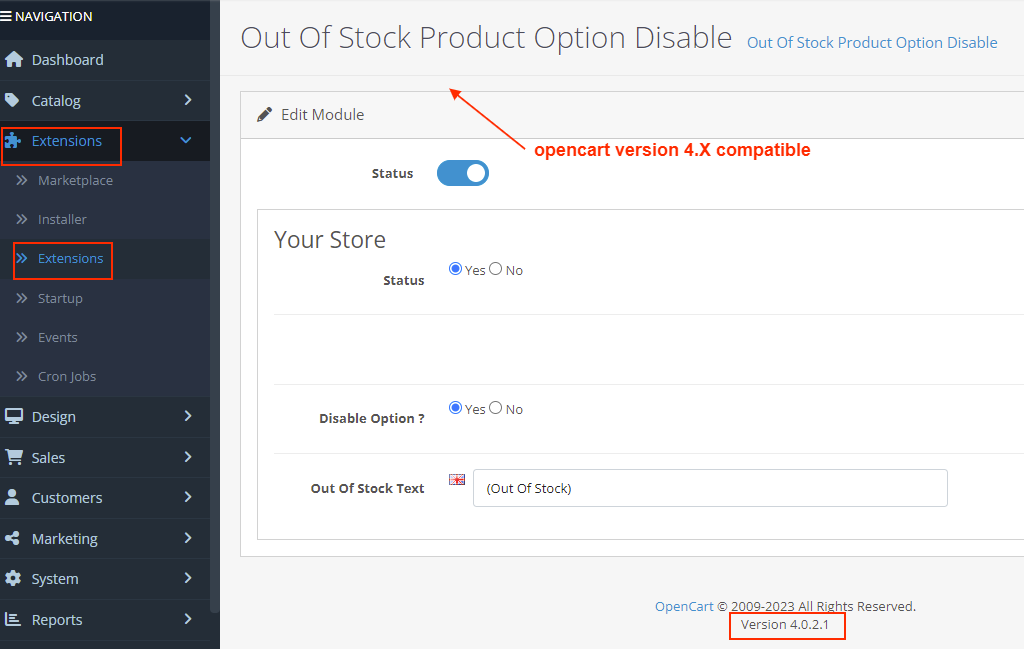
✔ Admin Settings – toggle ON/OFF and set custom out-of-stock text.
What customers say about Out Of Stock Product Option Disable

Best developer in Opencart. Very fast support and fast reply. Module has no bugs and it is perfect and user friendly. But I needed a small customization which they did in such a very short time.
~pao2pao16
~pao2pao16

Thank You so much, guys! The original addon didin't work with my theme and another addons, but the developer helped me out under an hour! Excellent work, Thank You again! :)
~mosolygozsolt
~mosolygozsolt
great module and support.
~fd0925
~fd0925
Price
$30.00
- Developed by OpenCart Community
- 12 Months Free Support
- Documentation Included
Rating
Compatibility
2.0.0.0, 2.0.1.0, 2.0.1.1, 2.0.2.0, 2.0.3.1, 2.1.0.1, 2.1.0.2, 2.2.0.0, 2.3.0.0, 2.3.0.1, 2.3.0.2, 3.0.0.0, 3.0.1.0, 3.0.1.1, 3.0.1.2, 3.0.1.3, 3.0.2.0, 4.x.x.x, 3.0.3.0, 3.0.3.1, 3.0.3.2, 3.0.3.3, 3.0.3.5, 3.0.3.6, 3.0.3.7, 3.0.3.8, 4.0.0.0, 4.0.1.0, 4.0.1.1, 3.x.x.x, 4.0.2.0, 4.0.2.1, 4.0.2.2, 4.0.2.3, 3.0.3.9, 3.0.4.0, 4.1.0.0, 4.1.0.1, 4.1.0.2, 4.1.0.3, 3.0.4.1, 3.0.5.0
Last Update
5 May 2026
Created
21 Aug 2017
127 Sales
18 Comments

Login and write down your comment.
Login my OpenCart Account