Reeleezee XML Creator

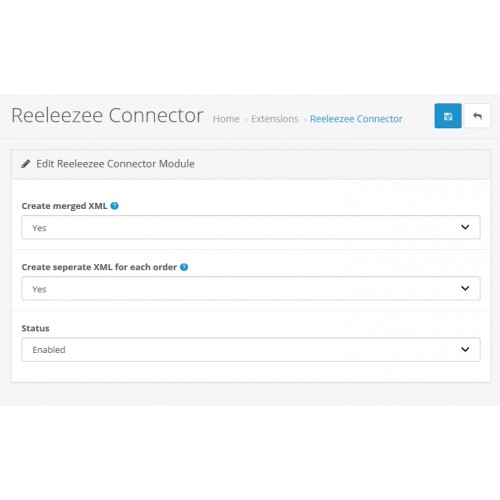

This module will create XML files which are formatted to manually import in Reeleezee. This is the most basic step in automation of connecting Opencart to Reeleezee. For further automation, take a look at my other modules.
How to use:
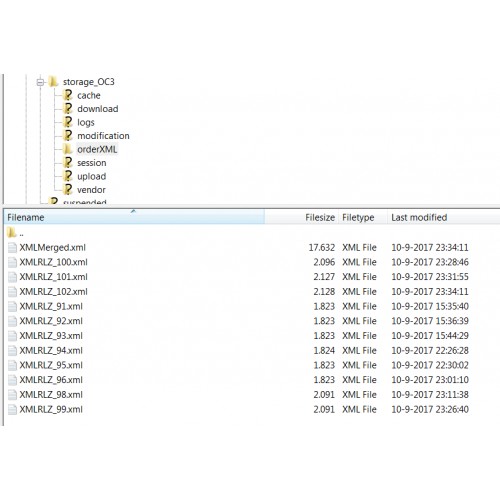
1- XML files will automatically be created in [STORAGE_DIR]\orderXML -> according to settings:
- A seperate XML file for each order, orders can be imported seperately in Reeleezee
- A merged XML file with all orders, all orders can be imported at once in Reeleezee
2- Download xml file(s) to local drive
3- Login to Reeleezee
4- Goto 'Preferences -> Help -> Service'
5- In the top of the page, click the import button
6- Import your xml file(s)
What it does:
First a customer is created with billing and shipping address
Then an invoice is created using the default invoice layout
Invoice contains lines (products) with costs and total amount is calculated
Invoice is booked
Do you need enhancements or changes? Do you use another accounting solution and need a connector? Feel free to contact me!
How to use:
1- XML files will automatically be created in [STORAGE_DIR]\orderXML -> according to settings:
- A seperate XML file for each order, orders can be imported seperately in Reeleezee
- A merged XML file with all orders, all orders can be imported at once in Reeleezee
2- Download xml file(s) to local drive
3- Login to Reeleezee
4- Goto 'Preferences -> Help -> Service'
5- In the top of the page, click the import button
6- Import your xml file(s)
What it does:
First a customer is created with billing and shipping address
Then an invoice is created using the default invoice layout
Invoice contains lines (products) with costs and total amount is calculated
Invoice is booked
Do you need enhancements or changes? Do you use another accounting solution and need a connector? Feel free to contact me!
Download
- Developed by OpenCart Community
- Documentation Included
Rating
Compatibility
3.0.0.0, 3.0.1.0, 3.0.1.1, 3.0.1.2, 3.0.1.3, 3.0.2.0, 4.x.x.x
Last Update
13 Oct 2017
Created
8 Sep 2017
184 Downloads
0 Comments

Login and write down your comment.
Login my OpenCart Account