Quickbooks point of sale integration
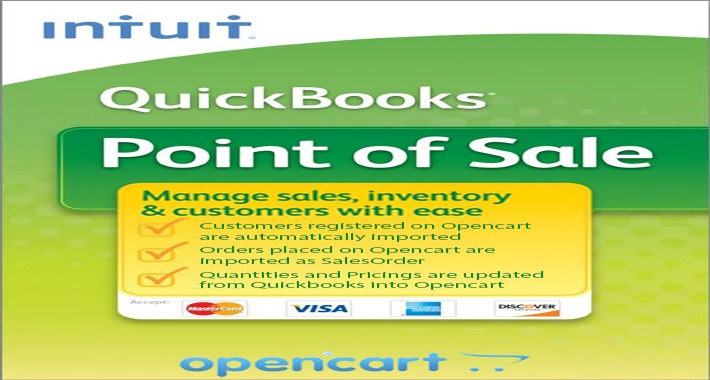
Integrate your Quickbooks Point of sale with your Opencart Online Store
STOP!. WAIT A MINUTE
Are you trying sync your online store with your quickbooks pos (8/9/10/11/12)?
The truth is that there are many solutions to your problems, but most of these solutions require a subscription of a monthly or yearly payment.
Some of these solutions will require you to create an account else where and get code from intuit or wherever.
The thing is that I was in the same position you are in now, hence that's why you are searching for the correct quickbooks integration.
I spend months and alot of money buying into these subscriptions among others, YES they work, but my manager didn't want to be paying any subscription fee, he wanted a one time solution. So i had to start coding
3 months later i have created the perfect plugin for our online shop, but because i spent so much time and effort into this project, i feel guilty knowing that alot of other business/individuals are looking for the same breakthru..... Hence i have resort to share it with you
(for a fee of course........)
What does this extension do?
Opencart : customer create an account/register on your website
Quickbooks : the customer information is copied into quickbooks pos
Opencart : customer place an order on the website
Quickbooks: the orders is copied over into quickbooks pos as SALESORDER
Quickbooks: you manually change the quantity and the price in quickbooks pos
opencart: the new price and quantity is copied over to your online store from quickbooks pos
I have more features but i have not activated them as yet, i am waiting on request...
For the first 50 buyers, i am giving away 6 months upgrade and update free, so whatever new is implemented you will received it free, not just support but update to the plugin as well.
So in a nutshell
a. Our sync application will connect both quickbooks and opencart databases.
b. Whenever Order is placed on the website it sends the information to quickbooks pos as a sales order (this can be customized
c. Quantity of each item is subtracted equally, However the quickbooks POS takes precedence over the online store( can be customized).
d. Products are identified from opencart model number and ItemNumber in quickbooks but most importantly the hidden product id from quickbooks pos.
e. This is only a one time cost
f. No third party companies or individuals involved.
g. Currently only supports (windows [xp,vista,win7,win8,win10,servers 2003-2016] ).
h. NO SUBSCRIPTION FEE!
This will take 3-5 days to complete base on the version of windows you are using (xp, vista, win7, win8-10, or windows server)
I also do rush delivery within 36 hours but there are conditions.
I will custom create this app for you that will be installed on your opencart Store, and a small webconnector app installed on your computer that will synchronize you website with quickbooks,
RECAPPING THE FEATURE OF THIS APP
1. when a customer is registered on your website, this will send the customer information into quickbooks poing of sale desktop edition.
2. when the customer makes on order on the website, this will be send over into quickbooks as a sale order, and then you convert it within quickbooks to receipt
3. you inventory quantity will be updated every x minutes from quickbooks to the website, this is to faciliate the fact that you will probably be selling items from inside the store and this will affect the quickbooks quantity vs the quantity on the website.
I am planning a lot more synchronization between the quickbooks point of sale and also quickbooks accounting, and base on customer request and demands.
The price for this extension is $300.00
I am giving this extension for $100.00 until the end of November
if you are interested, after purchasing the extension, i will contact you to have it customized for you as quickly as possible and have you testing and will be there with you supporting you until you fully understand how to use it..... which it is very easy to do since its automated..
feel free to email me: kevinrowe333@gmail.com
STOP!. WAIT A MINUTE
Are you trying sync your online store with your quickbooks pos (8/9/10/11/12)?
The truth is that there are many solutions to your problems, but most of these solutions require a subscription of a monthly or yearly payment.
Some of these solutions will require you to create an account else where and get code from intuit or wherever.
The thing is that I was in the same position you are in now, hence that's why you are searching for the correct quickbooks integration.
I spend months and alot of money buying into these subscriptions among others, YES they work, but my manager didn't want to be paying any subscription fee, he wanted a one time solution. So i had to start coding
3 months later i have created the perfect plugin for our online shop, but because i spent so much time and effort into this project, i feel guilty knowing that alot of other business/individuals are looking for the same breakthru..... Hence i have resort to share it with you
(for a fee of course........)
What does this extension do?
Opencart : customer create an account/register on your website
Quickbooks : the customer information is copied into quickbooks pos
Opencart : customer place an order on the website
Quickbooks: the orders is copied over into quickbooks pos as SALESORDER
Quickbooks: you manually change the quantity and the price in quickbooks pos
opencart: the new price and quantity is copied over to your online store from quickbooks pos
I have more features but i have not activated them as yet, i am waiting on request...
For the first 50 buyers, i am giving away 6 months upgrade and update free, so whatever new is implemented you will received it free, not just support but update to the plugin as well.
So in a nutshell
a. Our sync application will connect both quickbooks and opencart databases.
b. Whenever Order is placed on the website it sends the information to quickbooks pos as a sales order (this can be customized
c. Quantity of each item is subtracted equally, However the quickbooks POS takes precedence over the online store( can be customized).
d. Products are identified from opencart model number and ItemNumber in quickbooks but most importantly the hidden product id from quickbooks pos.
e. This is only a one time cost
f. No third party companies or individuals involved.
g. Currently only supports (windows [xp,vista,win7,win8,win10,servers 2003-2016] ).
h. NO SUBSCRIPTION FEE!
This will take 3-5 days to complete base on the version of windows you are using (xp, vista, win7, win8-10, or windows server)
I also do rush delivery within 36 hours but there are conditions.
I will custom create this app for you that will be installed on your opencart Store, and a small webconnector app installed on your computer that will synchronize you website with quickbooks,
RECAPPING THE FEATURE OF THIS APP
1. when a customer is registered on your website, this will send the customer information into quickbooks poing of sale desktop edition.
2. when the customer makes on order on the website, this will be send over into quickbooks as a sale order, and then you convert it within quickbooks to receipt
3. you inventory quantity will be updated every x minutes from quickbooks to the website, this is to faciliate the fact that you will probably be selling items from inside the store and this will affect the quickbooks quantity vs the quantity on the website.
I am planning a lot more synchronization between the quickbooks point of sale and also quickbooks accounting, and base on customer request and demands.
The price for this extension is $300.00
I am giving this extension for $100.00 until the end of November
if you are interested, after purchasing the extension, i will contact you to have it customized for you as quickly as possible and have you testing and will be there with you supporting you until you fully understand how to use it..... which it is very easy to do since its automated..
feel free to email me: kevinrowe333@gmail.com
Price
$100.00
- Developed by OpenCart Community
- 6 Months Free Support
- Documentation Included
Rating
Compatibility
1.5.2, 1.5.2.1, 1.5.3, 1.5.4, 1.5.4.1, 1.5.5, 1.5.5.1, 1.5.6, 1.5.6.1, 1.5.6.2, 1.5.6.3, 1.5.6.4, 2.0.0.0, 2.0.1.0, 2.0.1.1, 2.0.2.0, 2.0.3.1, 2.1.0.1, 2.1.0.2, 2.2.0.0, 2.3.0.0, 2.3.0.1, 2.3.0.2
Last Update
11 Oct 2017
Created
26 Sep 2017
2 Sales
1 Comments

Login and write down your comment.
Login my OpenCart Account