Stock Notification



Download user guide from here.
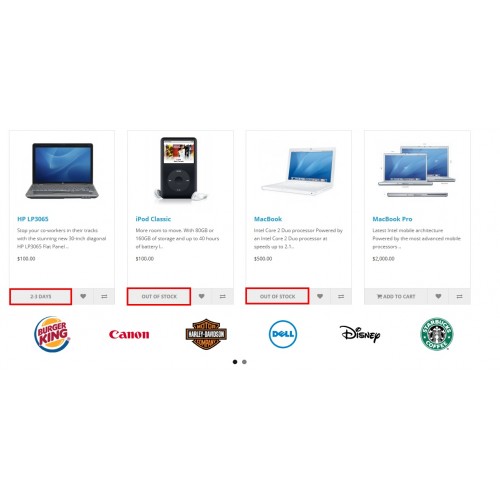
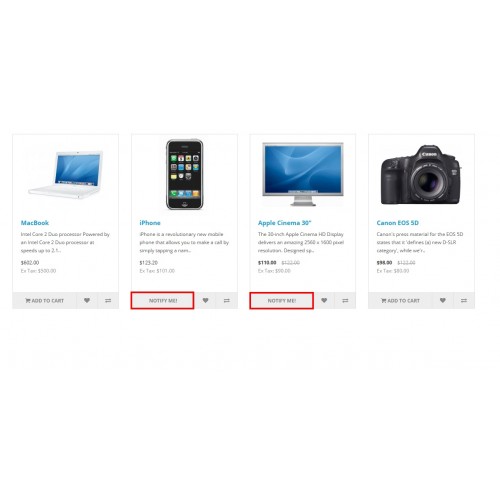
✅ ‘Add to Cart’ Changes to ‘Notify Me!’
When a product is out of stock, the ‘Add to Cart’ button automatically changes to ‘Notify Me!’
Example: A Red Sneakers is out of stock, so customers see the ‘Notify Me!’ button instead.
✅ Customers Get Automatic Restock Emails
When the product is back in stock, customers who clicked ‘Notify Me!’ get an email.
Example: A customer signs up for a Smartwatch restock alert. When it’s available again, they get an email.
✅ Easy Admin Settings
The admin can turn on the ‘Notify Me!’ feature and enable automatic email alerts.
Example: The store admin activates notifications for Winter Jackets, so interested customers get notified when stock is available.
✅ Works for Both Guests & Logged-in Users
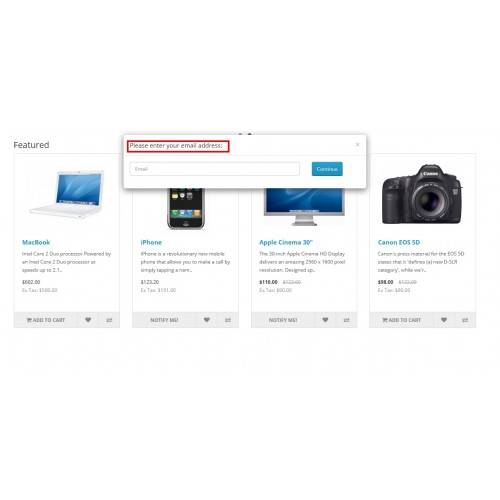
Guest users: Enter their email to get notified.
Logged-in users: Automatically notified through their registered email.
Example: A guest signs up for a Gaming Console alert by entering an email, while a logged-in user is notified without doing anything.
✅ Keeps Customers Engaged
Customers stay connected to the store and return when products are back in stock.
Example: A shopper waiting for a Designer Handbag returns to buy it after receiving a restock alert.
✅ Increases Sales & Conversions
Customers who get restock emails are more likely to come back and buy.
Example: A Limited Edition Phone is restocked, and many customers who signed up return to purchase.



Link: click here

Link: click here
admin username: admin
admin password: demo123
Our Other popular extension
Opencart Multi Vendor


Download user guide from here.
To get quick help from our technical staff, raise a ticket using this link.
Note: Our extensions have a licensing policy, explained here.
Why to buy from an OpenCart Partner?
Very few companies get an approval as an authorized partner from OpenCart.
An OpenCart partner has more mature solutions.
Partners have a very good track record in terms of customer support and quality of products.
Price
$39.00
- Developed by OpenCart Partner
- 6 Months Free Support
- Documentation Included
Rating
Compatibility
2.3.0.0, 2.3.0.1, 2.3.0.2, 2.2.0.0, 2.1.0.1, 2.1.0.2, 3.0.0.0, 3.0.1.0, 3.0.1.1, 3.0.1.2, 3.0.1.3, 3.0.2.0, 4.x.x.x, 3.0.3.0, 3.0.3.1, 3.0.3.2, 3.0.3.3, 3.0.3.5, 3.0.3.6, 3.0.3.7
Last Update
11 Jul 2025
Created
10 Nov 2017
2 Sales
1 Comments

Login and write down your comment.
Login my OpenCart Account