SmartiApps Facebook Login
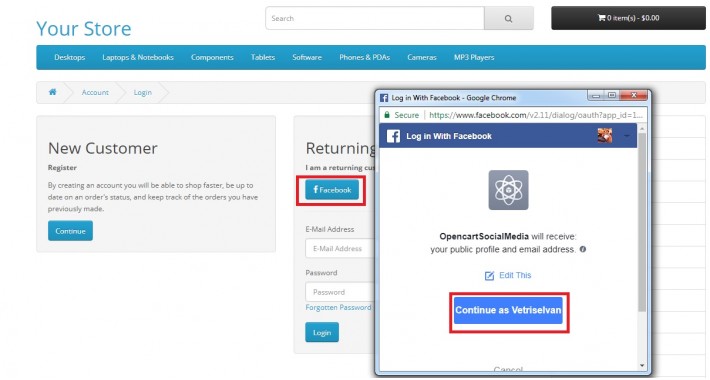

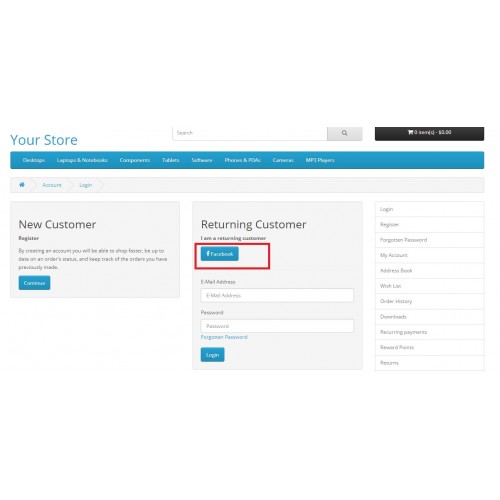
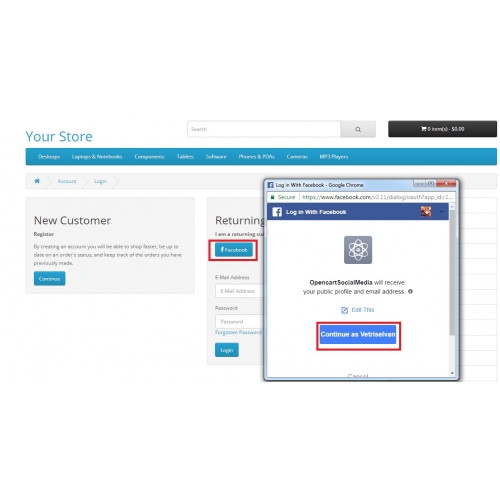
SmartiApps Facebook Login module can be used for Login or Register
Instructions for OCMod Installation:
Instructions for VQmod:
1. Install VQmod from the link https://github.com/vqmod/vqmod/releases
2. For Installation Please follow the instructions in https://github.com/vqmod/vqmod/wiki/Installing-vQmod-on-OpenCart
3. Copy the paste these files in to your upload folder
4. Go to your Admin Page and Install the "SmartiApps Facebook Login" module
5. Edit this module and Paste you Facebook App ID and secret key and Save it.
6. Now we can Register or Login using your facebook login
For Facebook API Key:
1) Please visit https://developers.facebook.com/apps
2) Add a new app
3) Setup Facebook Login
4) Choose Web
5) Enter your URL and Save
6) Click on Settings and Get your APP ID and secret Key
For Support: support@smartiapps.com
FAQ:
1) How to resolve the following error?
Failed to load resource: the server responded with a status of 400 ()
{"type":"http","message":"unknown error"}
Ans: This is due to Anti-virus blocking when installed in localhost. But it will work in Sever. Disable antivirus to check in local desktop
Instructions for OCMod Installation:
Instructions for VQmod:
1. Install VQmod from the link https://github.com/vqmod/vqmod/releases
2. For Installation Please follow the instructions in https://github.com/vqmod/vqmod/wiki/Installing-vQmod-on-OpenCart
3. Copy the paste these files in to your upload folder
4. Go to your Admin Page and Install the "SmartiApps Facebook Login" module
5. Edit this module and Paste you Facebook App ID and secret key and Save it.
6. Now we can Register or Login using your facebook login
For Facebook API Key:
1) Please visit https://developers.facebook.com/apps
2) Add a new app
3) Setup Facebook Login
4) Choose Web
5) Enter your URL and Save
6) Click on Settings and Get your APP ID and secret Key
For Support: support@smartiapps.com
FAQ:
1) How to resolve the following error?
Failed to load resource: the server responded with a status of 400 ()
{"type":"http","message":"unknown error"}
Ans: This is due to Anti-virus blocking when installed in localhost. But it will work in Sever. Disable antivirus to check in local desktop
What customers say about SmartiApps Facebook Login

Thanks! You saved my time
~vigneshkumar.k
~vigneshkumar.k
Download
- Developed by OpenCart Community
- Documentation Included
Rating
Compatibility
3.0.0.0, 3.0.1.0, 3.0.1.1, 3.0.1.2, 3.0.1.3, 3.0.2.0, 4.x.x.x, 3.0.3.0, 3.0.3.1, 3.0.3.2, 3.0.3.3, 3.0.3.5, 3.0.3.6, 2.3.0.2, 3.0.2.0
Last Update
28 Sep 2020
Created
13 Nov 2017
2220 Downloads
45 Comments

Login and write down your comment.
Login my OpenCart Account