OpenCart Xero Connector
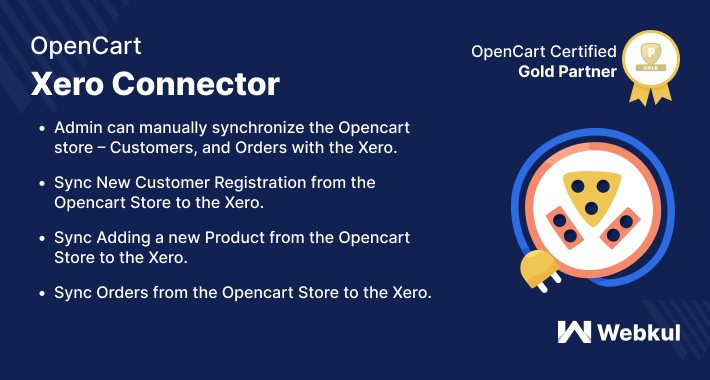
OpenCart Xero Connector- Xero is a New Zealand based company that develops accounting and payroll software for small businesses. Xero is designed to reduce the time spent scrambling voluminous records.
This extension allows syncing data from your Opencart store to Xero. The order gets imported into Xero as well as customer & invoice, and credit memo data. It has a system to check whether the process has succeeded.
Use Case
For any online merchant, who is running a medium-sized business, it is important to manage sales orders, invoices, customers, and other types of bookkeeping entries. For medium or large-sized businesses, this can be a tedious job when managing hundreds or thousands of order entries.
Hence, in this case, Xero accounting software provides the best solution. As the store owner can manually synchronize all the online orders related information to Xero. It helps to optimize the business operations and improves accuracy as well by eliminating the human factor.



Features
Workflow
Configuration- OpenCart Xero Connector
After the easy installation of the module, the admin will configure up the module by performing some basic general settings.

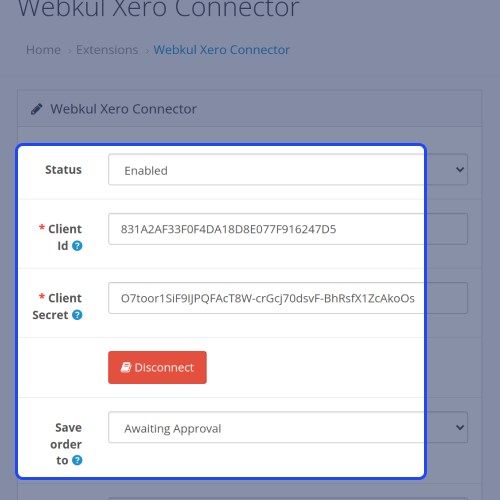
The admin can enable the module to be used, after that it needs to enter the client secret & ID which the admin gets from the Xero account. Also, the admin can set the order status to draft, Awaiting Approval, Awaiting Payment. So whenever an order is exported to the Xero it exports with the selected status only.
After setting up the fields, the admin will click on the authenticate button to verify and connect the Opencart store with the Xero account.
Customer Synchronization
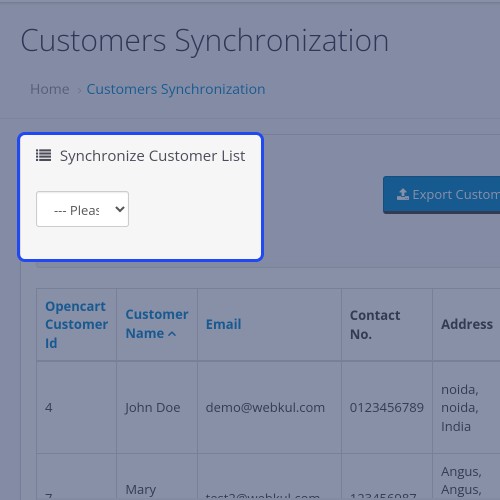
The admin can easily sync the customer data between Opencart store and Xero Account.

The admin can select all customers or only enable customers to export from Opencart end to Xero account.
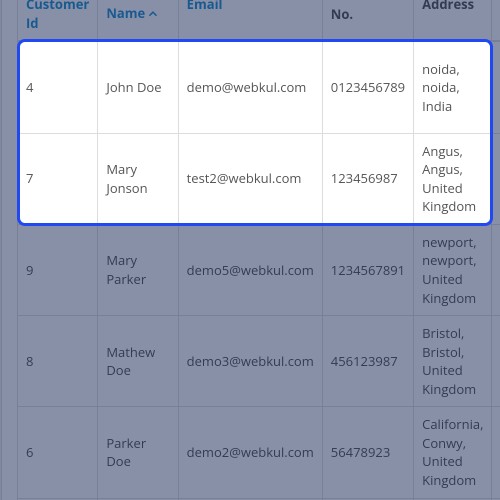
The admin can view all the exported customer's data in the grid view. By clicking on the “Export Customers” button.

Order Synchronization
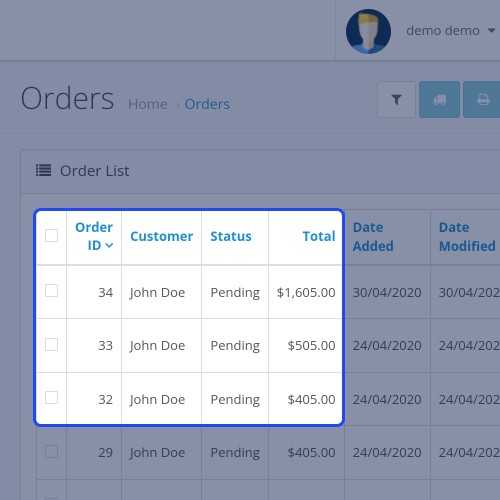
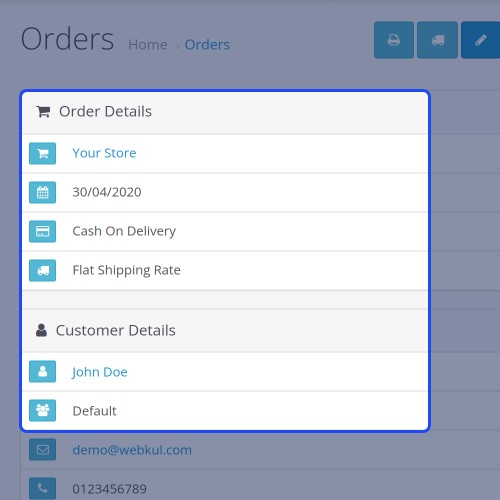
The admin can easily sync the order data between Opencart store and Xero Account.

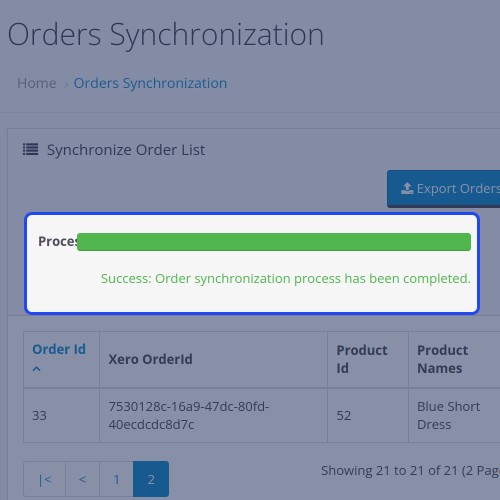
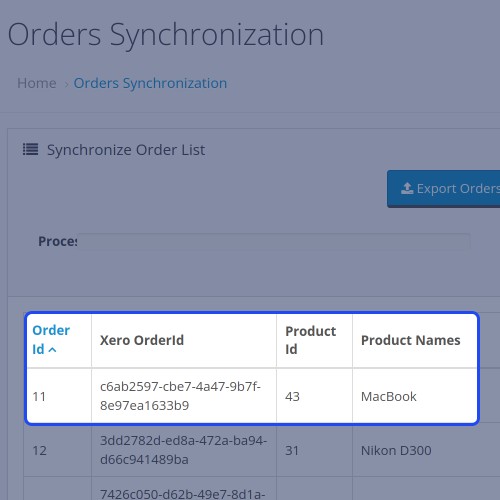
The admin can view all the exported order data in the grid view. By clicking on the “Export order” button, the orders get exported to the Xero account.

Exported Customers & Orders – Xero End
By sign-in into the Xero account, the admin can view all the customer's data that has exported from Opencart end to Xero.

The admin can see all the list of the exported orders and invoices with their id, status, name of the customer, etc.

Also, the admin can check the Draft, Awaiting Payment, Awaiting Approval invoice separately by clicking on their tabs.





Some Moments Of Appreciation


Support Policy
This extension allows syncing data from your Opencart store to Xero. The order gets imported into Xero as well as customer & invoice, and credit memo data. It has a system to check whether the process has succeeded.
Use Case
For any online merchant, who is running a medium-sized business, it is important to manage sales orders, invoices, customers, and other types of bookkeeping entries. For medium or large-sized businesses, this can be a tedious job when managing hundreds or thousands of order entries.
Hence, in this case, Xero accounting software provides the best solution. As the store owner can manually synchronize all the online orders related information to Xero. It helps to optimize the business operations and improves accuracy as well by eliminating the human factor.
Features
- The admin can manually synchronize the Opencart store – Customers, and Orders with the Xero.
- Enter the Client ID and Client Secret to connect and authorize with the Xero account.
- The admin can set the order status to draft, Awaiting Approval, Awaiting Payment
- Sync New Customer Registration from the Opencart Store to the Xero.
- Sync Orders placed from the Opencart Store to the Xero.
Workflow
Configuration- OpenCart Xero Connector
After the easy installation of the module, the admin will configure up the module by performing some basic general settings.
The admin can enable the module to be used, after that it needs to enter the client secret & ID which the admin gets from the Xero account. Also, the admin can set the order status to draft, Awaiting Approval, Awaiting Payment. So whenever an order is exported to the Xero it exports with the selected status only.
After setting up the fields, the admin will click on the authenticate button to verify and connect the Opencart store with the Xero account.
Customer Synchronization
The admin can easily sync the customer data between Opencart store and Xero Account.
The admin can select all customers or only enable customers to export from Opencart end to Xero account.
The admin can view all the exported customer's data in the grid view. By clicking on the “Export Customers” button.
Order Synchronization
The admin can easily sync the order data between Opencart store and Xero Account.
The admin can view all the exported order data in the grid view. By clicking on the “Export order” button, the orders get exported to the Xero account.
Exported Customers & Orders – Xero End
By sign-in into the Xero account, the admin can view all the customer's data that has exported from Opencart end to Xero.
The admin can see all the list of the exported orders and invoices with their id, status, name of the customer, etc.
Also, the admin can check the Draft, Awaiting Payment, Awaiting Approval invoice separately by clicking on their tabs.
Some Moments Of Appreciation
Support Policy
What customers say about OpenCart Xero Connector

The write up is misleading - As the store owner can manually synchronize all the online orders related information to Xero
No VAT/Shipping cost & only first name added
The order total does not match Opencarts
Xero rejects order when certain characters are present in description.
They wanted to charge me extra.
~big_col
~big_col
Price
$199.00
- Developed by OpenCart Partner
- 3 Months Free Support
- Documentation Included
Rating
Compatibility
3.0.0.0, 3.0.1.0, 3.0.1.1, 3.0.1.2, 3.0.1.3, 3.0.2.0, 3.0.3.0, 3.0.3.1, 3.0.3.2, 3.0.3.3, 3.0.3.5, 3.0.3.6, 3.0.3.7, 3.0.3.8, 3.0.3.9, 3.0.4.0, 3.0.4.1
Last Update
21 Jul 2025
Created
21 Dec 2017
5 Sales
5 Comments

Login and write down your comment.
Login my OpenCart Account