Edit Product Options In The Cart

By default, after adding a product to the cart, the customer can not change its options, Unless he removes that product from his cart and adds it to his cart again with new options. If a product has many options, it will be hard for the customer.
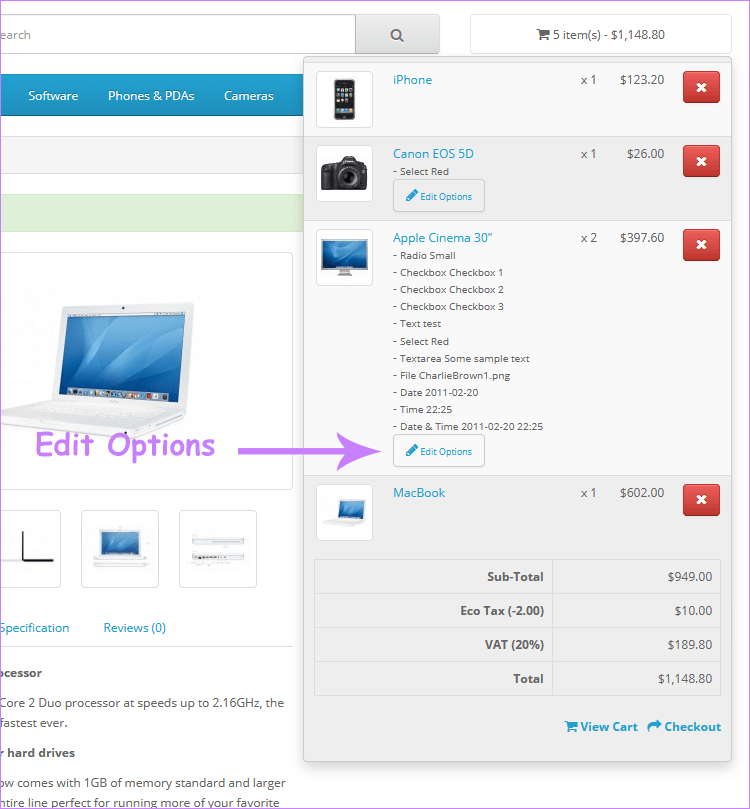
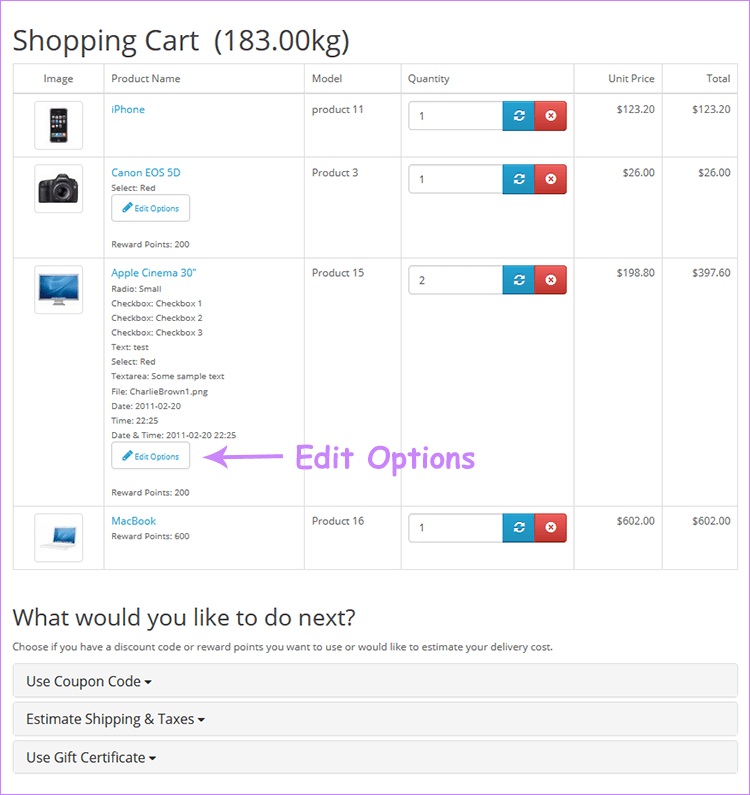
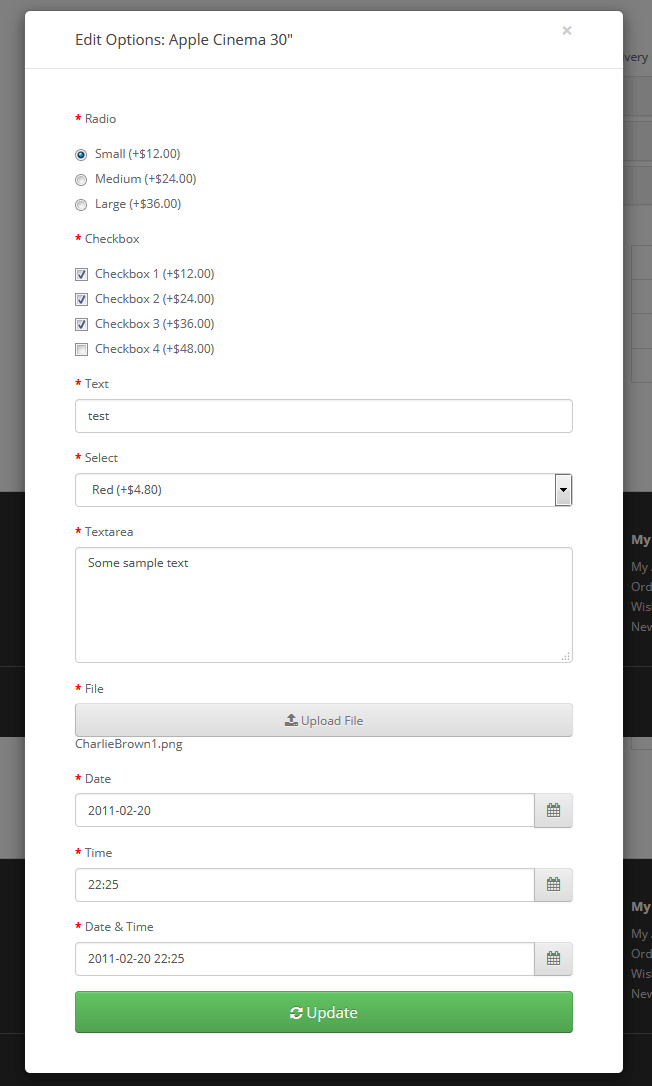
The “Edit product options in cart” extension allows the customer to change the product options in his / her cart. The extension adds a new button for the products with options in the header cart (mini-cart) and the shopping cart page, which lets them edit the options for that product.
Demo
Free Installation and Support
No core files are changed.
Install Instructions
- Login to your OpenCart admin panel
- Go to Extensions > Installer and upload the extension.
- Go to Extensions > Modifications and click Refresh
For OpenCart 2.3 you need vQmod to be installed:
- If you don't have vQmod, you must download and install it from : https://github.com/vqmod/vqmod/releases
The “Edit product options in cart” extension allows the customer to change the product options in his / her cart. The extension adds a new button for the products with options in the header cart (mini-cart) and the shopping cart page, which lets them edit the options for that product.
Demo
Free Installation and Support
- sabeti05 [AT] gmail.com
- DigitCart Support
No core files are changed.
Install Instructions
- Login to your OpenCart admin panel
- Go to Extensions > Installer and upload the extension.
- Go to Extensions > Modifications and click Refresh
For OpenCart 2.3 you need vQmod to be installed:
- If you don't have vQmod, you must download and install it from : https://github.com/vqmod/vqmod/releases
What customers say about Edit Product Options In The Cart

This extension is fantastic! If an item offers multiple options, the customer can easily modify their order, then reorder and edit again… The support is amazing: on Saturday, Mojtaba provided immediate assistance with my Opencart version 3.0.41. I highly recommend Mojtaba and DigitCart. Thanks again! All the sky stars!
~planitec
~planitec
it works as advertised. I'm using opencart 3.0.2 with journal 3 and it works but most importantly the support is outstanding. Will definitely be buying more of their products.
~mckingley
~mckingley
Price
$20.00
- Developed by OpenCart Community
- 12 Months Free Support
- Documentation Included
Rating
Compatibility
3.0.0.0, 3.0.1.0, 3.0.1.1, 3.0.1.2, 3.0.1.3, 3.0.2.0, 3.0.3.0, 3.0.3.1, 3.0.3.2, 3.0.3.3, 3.0.3.5, 3.0.3.6, 3.0.3.7, 3.0.3.8, 3.x.x.x, 3.0.3.9, 3.0.4.0, 3.0.4.1, 3.0.5.0, 2.3.0.2
Last Update
26 May 2026
Created
29 Dec 2017
68 Sales
28 Comments

Login and write down your comment.
Login my OpenCart Account