Slasoft AdminBar Quick Edit
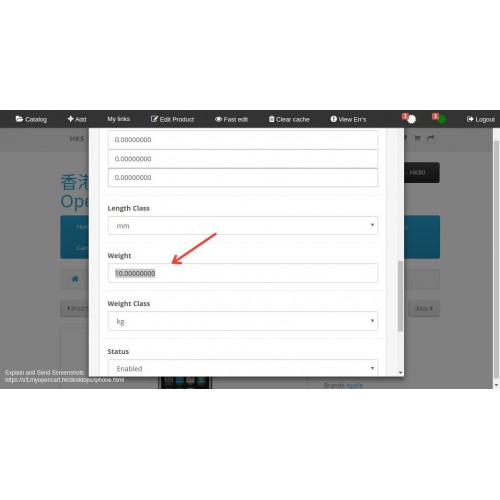
Overview:
This Slasoft AdminBar will be presented on the store front after you login the Opencart admin.
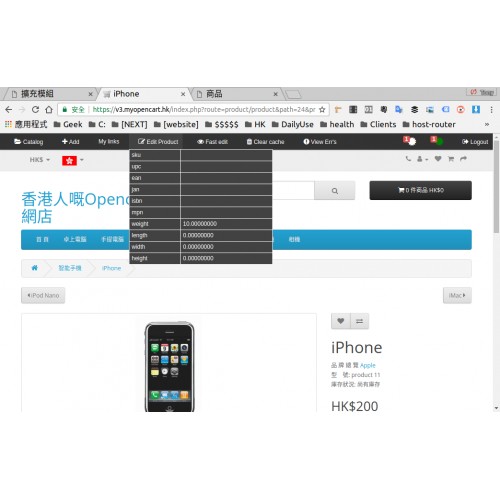
It allows you to easily edit the "Product/Category" with Fast edit on the screen once you select the product.
When you select the category, then the AdminBar will change the path accordingly for you amend it in store front.
Features:
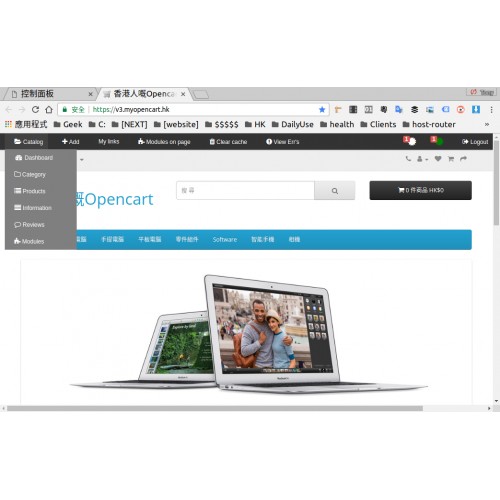
1. Catalog :- short cut link to Dashboard, Category, Product, Information, Reviews and Modules
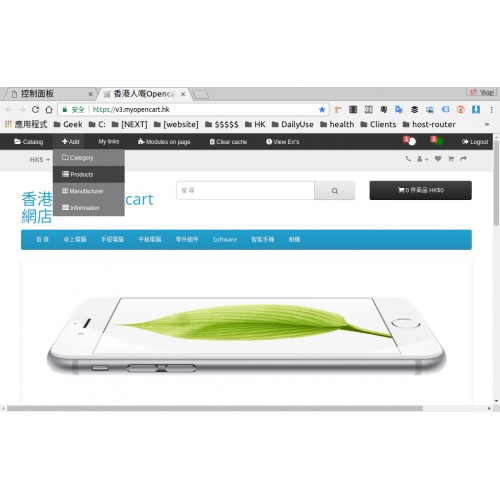
2. +Add :- Quick Add Category, Product,Manufacturer and Information.
3. My links :- Create your quick custom link to the page you want, example as followed:
route=marketplace/modification/refresh
4. Modules on page
This Admin Bar will detect which page you visit, and change to edit it accordingly such as:
when you are on Front page, it will detect which modules are there layout on home page, and you can click to that module edit right way.
5. Clear cache
This provides Clear system cache and Clear image cache button just for 1-Click.
6. View Error button to check for error log, you can clear the error log and system cache, there may be some Undefind Index Error due to the content which you may have English and Chinese, but you have not fill up one of the language.
7. You can monitor the orders on store front as well.
8. Logout your Opencart admin in store front.
This Slasoft AdminBar will be presented on the store front after you login the Opencart admin.
It allows you to easily edit the "Product/Category" with Fast edit on the screen once you select the product.
When you select the category, then the AdminBar will change the path accordingly for you amend it in store front.
Features:
1. Catalog :- short cut link to Dashboard, Category, Product, Information, Reviews and Modules
2. +Add :- Quick Add Category, Product,Manufacturer and Information.
3. My links :- Create your quick custom link to the page you want, example as followed:
route=marketplace/modification/refresh
4. Modules on page
This Admin Bar will detect which page you visit, and change to edit it accordingly such as:
when you are on Front page, it will detect which modules are there layout on home page, and you can click to that module edit right way.
5. Clear cache
This provides Clear system cache and Clear image cache button just for 1-Click.
6. View Error button to check for error log, you can clear the error log and system cache, there may be some Undefind Index Error due to the content which you may have English and Chinese, but you have not fill up one of the language.
7. You can monitor the orders on store front as well.
8. Logout your Opencart admin in store front.
Price
$25.00
- Developed by OpenCart Partner
- 3 Months Free Support
- Documentation Included
Rating
Compatibility
3.0.0.0, 3.0.1.0, 3.0.1.1, 3.0.1.2, 3.0.1.3, 3.0.2.0, 4.x.x.x
Last Update
8 Jan 2018
Created
8 Jan 2018
0 Sales
1 Comments

Login and write down your comment.
Login my OpenCart Account