Welcome PopUp HTML based
Welcome Popup Module for OpenCart 3.x
Version: 1.0.5
Compatibility: OpenCart 3.x.x.x
Module Type: Front-End Display / User Engagement Tool
Language Support: Multi-language (multi-store compatible)
Description:
The Welcome Popup Module is a powerful and flexible OpenCart extension designed to improve user experience and deliver timely, page-specific messages or promotions. Perfect for store owners who want to share information, promotions, or guidance with customers across different sections of their store.
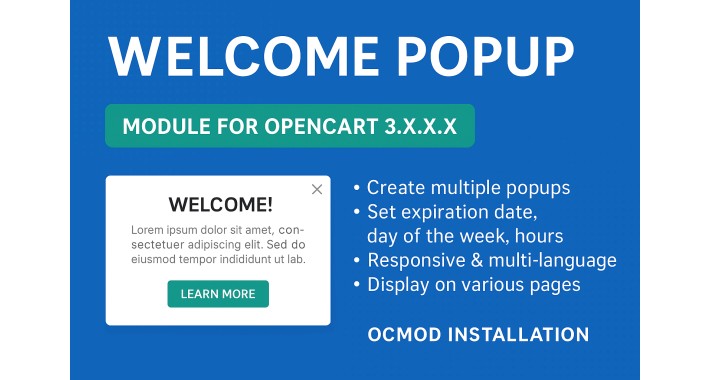
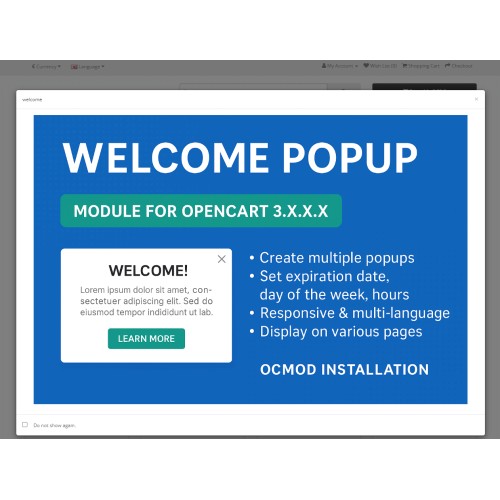
This module allows you to create multiple popup "submodules" that can be scheduled and targeted to specific times, days, and pages, all through a user-friendly admin interface.
Key Features:
- Create Unlimited Popups
Add as many popups (submodules) as needed for different pages and messages.
- Page-Specific Display
Assign each popup to one or multiple pages such as homepage, product, category, checkout, etc.
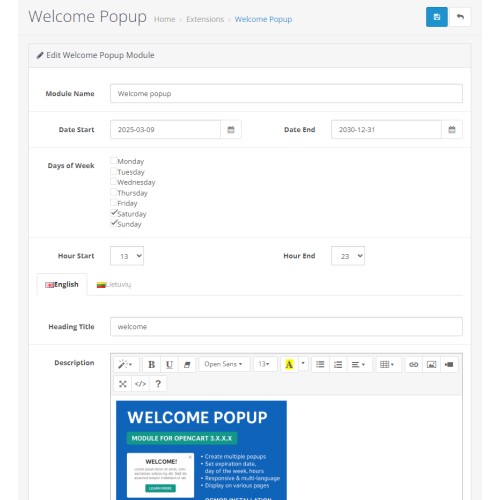
- Schedule by Date, Day, and Time
- Enable start and end dates (e.g., show popup only from June 1 to June 15).
- Choose active days of the week (e.g., only Mon–Fri).
- Set active hours (e.g., 13:00–23:00).
- HTML & Responsive Image Support
Include any HTML content or images to make your popups informative and visually appealing.
- Mobile-Friendly
Fully responsive and works great on all screen sizes.
- Custom Titles for Submodules
Easily organize popups with custom titles in the admin area.
- Multi-language Support
Define popup content separately for each language installed in your store.
- No Code Modifications
100% compatible with OpenCart’s default structure (OcMod). No core file changes.
Use Cases:
- Welcome visitors to the store
- Display holiday or weekend promotions
- Notify users of updated return policies or delivery terms
- Promote newsletter subscriptions or exclusive deals
- Guide users through checkout with helpful tips
Installation Instructions:
1. Log in to your OpenCart Admin Panel.
2. Navigate to Extensions → Installer.
3. Click Upload and select the module `.ocmod.zip` file.
4. Wait for the upload to complete.
5. Go to Extensions → Extensions.
6. Choose Modules from the dropdown list.
7. Locate Welcome Popup Module and click Install.
8. After installation, click Edit to configure the module and add your popup submodules.
9. Finally, go to Extensions → Modifications and click the Refresh button to activate the changes.
Compatibility:
- Fully compatible with OpenCart 3.x.x.x
- Supports most themes including Journal, Fastor, etc.
- Works with multi-language and multi-store setups
- Tested with PHP 7.x and 8.x
Support:
For support, custom feature requests, or issues, contact the module developer directly via your OpenCart marketplace account or support contact.
Version: 1.0.5
Compatibility: OpenCart 3.x.x.x
Module Type: Front-End Display / User Engagement Tool
Language Support: Multi-language (multi-store compatible)
Description:
The Welcome Popup Module is a powerful and flexible OpenCart extension designed to improve user experience and deliver timely, page-specific messages or promotions. Perfect for store owners who want to share information, promotions, or guidance with customers across different sections of their store.
This module allows you to create multiple popup "submodules" that can be scheduled and targeted to specific times, days, and pages, all through a user-friendly admin interface.
Key Features:
- Create Unlimited Popups
Add as many popups (submodules) as needed for different pages and messages.
- Page-Specific Display
Assign each popup to one or multiple pages such as homepage, product, category, checkout, etc.
- Schedule by Date, Day, and Time
- Enable start and end dates (e.g., show popup only from June 1 to June 15).
- Choose active days of the week (e.g., only Mon–Fri).
- Set active hours (e.g., 13:00–23:00).
- HTML & Responsive Image Support
Include any HTML content or images to make your popups informative and visually appealing.
- Mobile-Friendly
Fully responsive and works great on all screen sizes.
- Custom Titles for Submodules
Easily organize popups with custom titles in the admin area.
- Multi-language Support
Define popup content separately for each language installed in your store.
- No Code Modifications
100% compatible with OpenCart’s default structure (OcMod). No core file changes.
Use Cases:
- Welcome visitors to the store
- Display holiday or weekend promotions
- Notify users of updated return policies or delivery terms
- Promote newsletter subscriptions or exclusive deals
- Guide users through checkout with helpful tips
Installation Instructions:
1. Log in to your OpenCart Admin Panel.
2. Navigate to Extensions → Installer.
3. Click Upload and select the module `.ocmod.zip` file.
4. Wait for the upload to complete.
5. Go to Extensions → Extensions.
6. Choose Modules from the dropdown list.
7. Locate Welcome Popup Module and click Install.
8. After installation, click Edit to configure the module and add your popup submodules.
9. Finally, go to Extensions → Modifications and click the Refresh button to activate the changes.
Compatibility:
- Fully compatible with OpenCart 3.x.x.x
- Supports most themes including Journal, Fastor, etc.
- Works with multi-language and multi-store setups
- Tested with PHP 7.x and 8.x
Support:
For support, custom feature requests, or issues, contact the module developer directly via your OpenCart marketplace account or support contact.
Price
$30.00
- Developed by OpenCart Community
- 12 Months Free Support
- Documentation Included
Rating
Compatibility
3.0.0.0, 3.0.1.0, 3.0.1.1, 3.0.1.2, 3.0.1.3, 3.0.2.0, 3.0.3.0, 3.0.3.1, 3.0.3.2, 3.0.3.3, 3.0.3.5, 3.0.3.6, 3.0.3.7, 3.0.3.8, 3.x.x.x, 3.0.3.9, 3.0.4.0, 3.0.4.1, 3.0.0.0, 3.0.1.0, 3.0.1.1, 3.0.1.2, 3.0.1.3, 3.0.2.0, 3.0.3.0, 3.0.3.1, 3.0.3.2, 3.0.3.3, 3.0.3.5, 3.0.3.6, 3.0.3.7, 3.0.3.8, 3.x.x.x, 3.0.3.9, 3.0.4.0, 3.0.4.1, 3.0.0.0, 3.0.1.0, 3.0.1.1, 3.0.1.2, 3.0.1.3, 3.0.2.0, 3.0.3.0, 3.0.3.1, 3.0.3.2, 3.0.3.3, 3.0.3.5, 3.0.3.6, 3.0.3.7, 2.3.0.0, 2.3.0.1, 2.3.0.2
Last Update
28 Jun 2025
Created
17 Jan 2018
4 Sales
0 Comments

Login and write down your comment.
Login my OpenCart Account