OpenCart Akeneo Connector
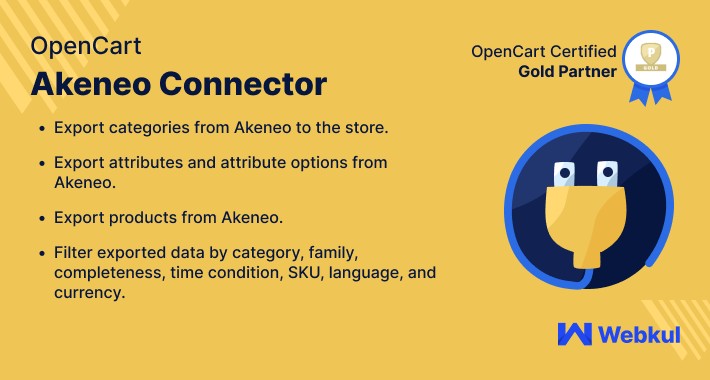
OpenCart Akeneo Connector - The extension enables the store owners to connect their Opencart store with the Akeneo PIM platform. It helps the store owners to manage the bulk products easily. This module allows them to export the complete catalog including products, categories, attributes, attribute groups, product images, etc.




Use Case
The OpenCart Akeneo Connector module is useful to the store merchants who want to integrate their Opencart stores with Akeneo PIM. The module offers an easy synchronization for the products data from Opencart to Akeneo and vise-versa.
This is a convenient plugin if the store owners want to import and export the product data from their Opencart store to Akeneo. This plugin is handy when you want to manage the product data on a large scale.
Features
Workflow
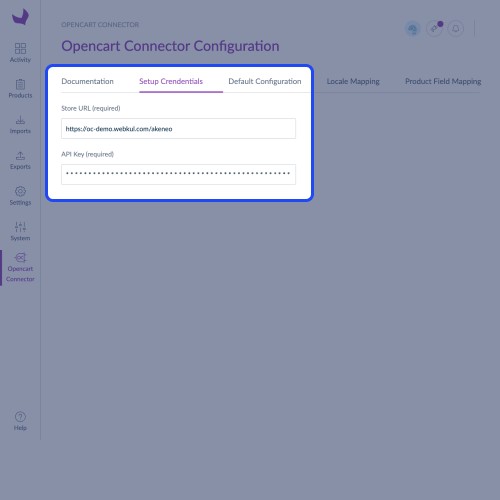
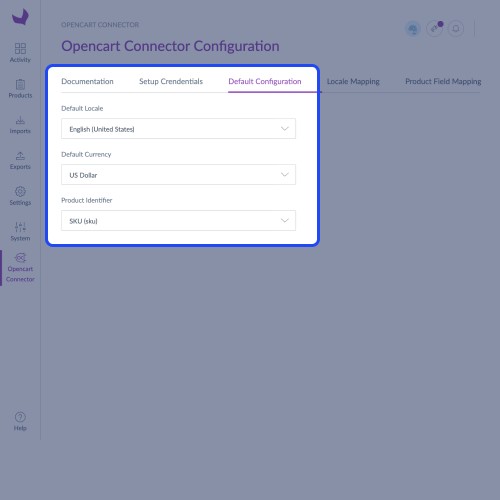
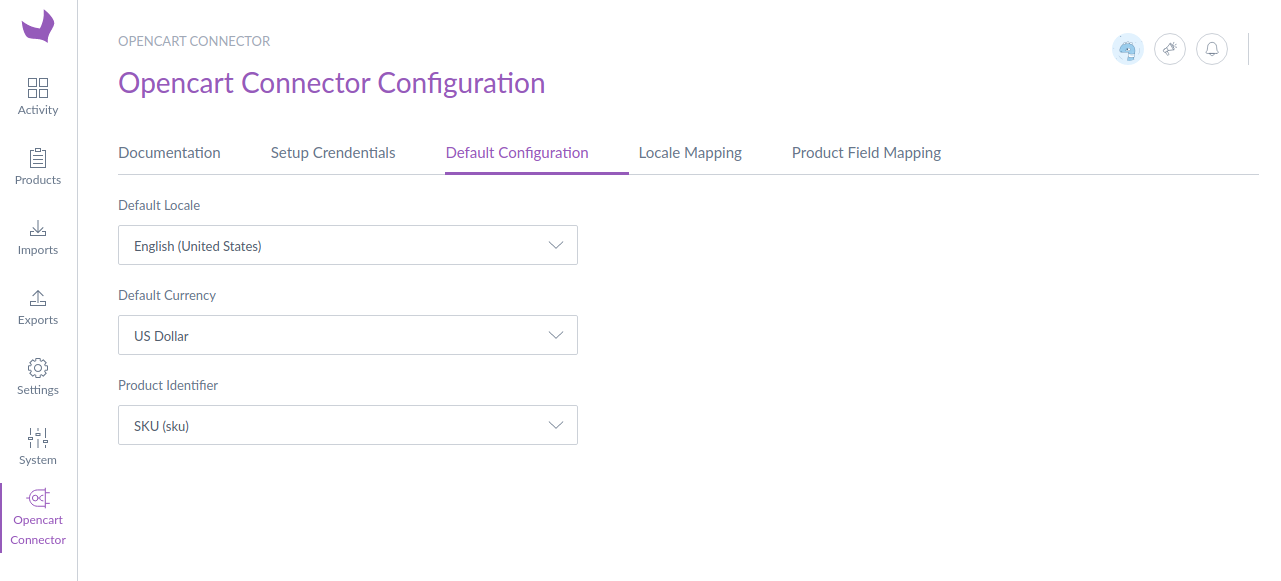
After successful installation of the module on both platforms, the store owner will now have to enter the Opencart store URL and API key. Then default configurations need to be set.
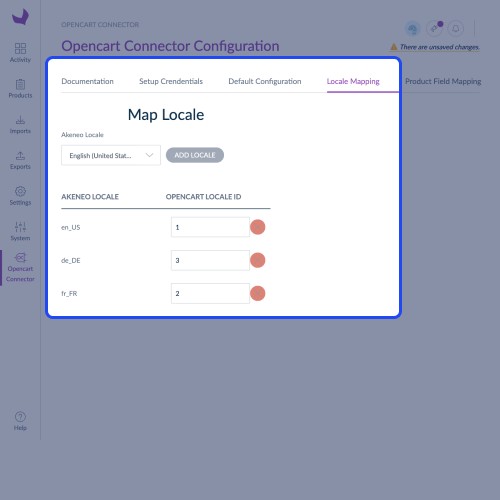
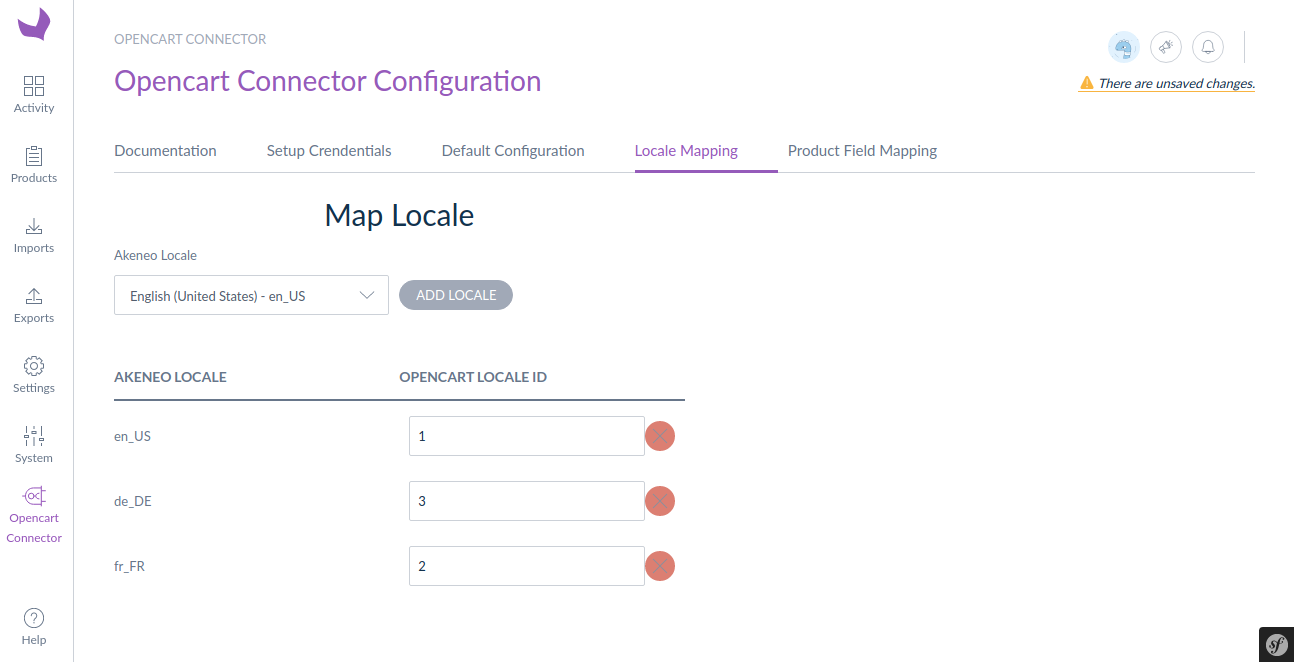
Thenceforth, the locale mapping will be set by the store admin. Here the store owner will map the Akeneo locale with the Opencart locale ID.
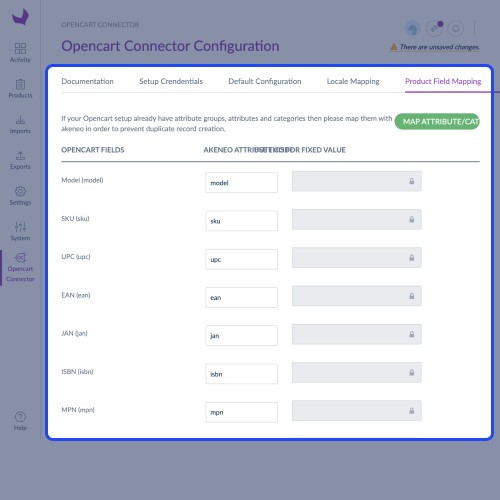
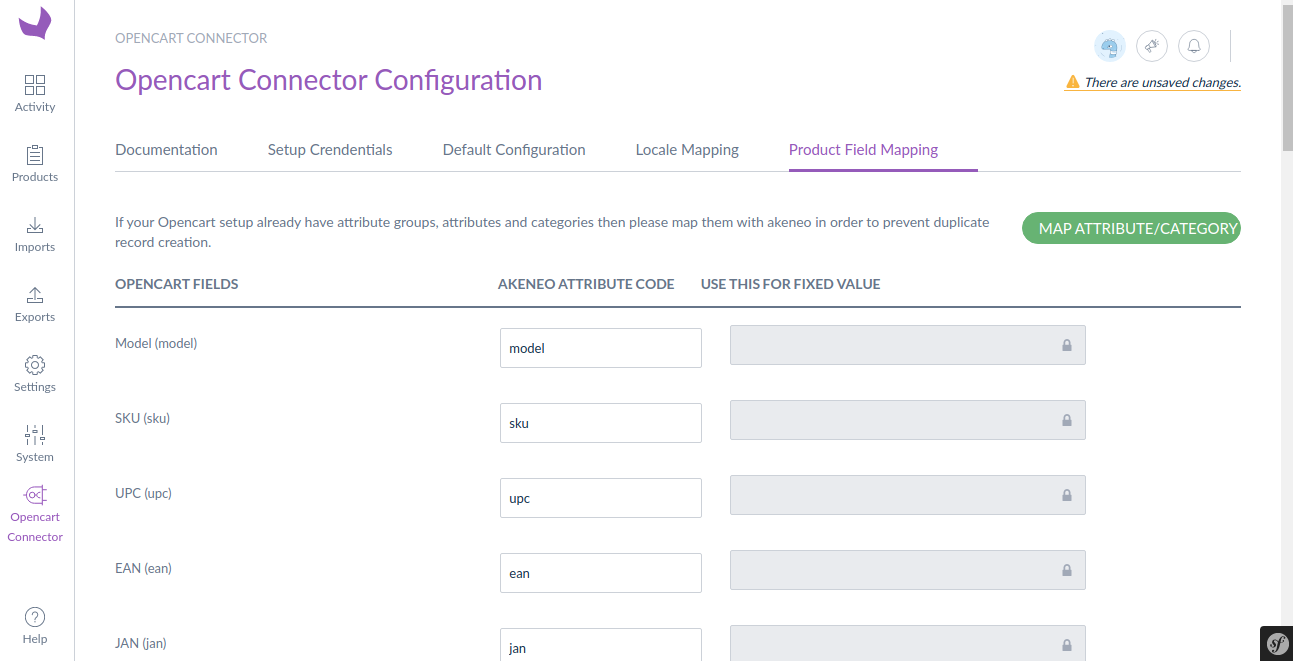
After that, the admin can map the product fields. For that, he has to enter the detailed product information by creating attributes in Akeneo.
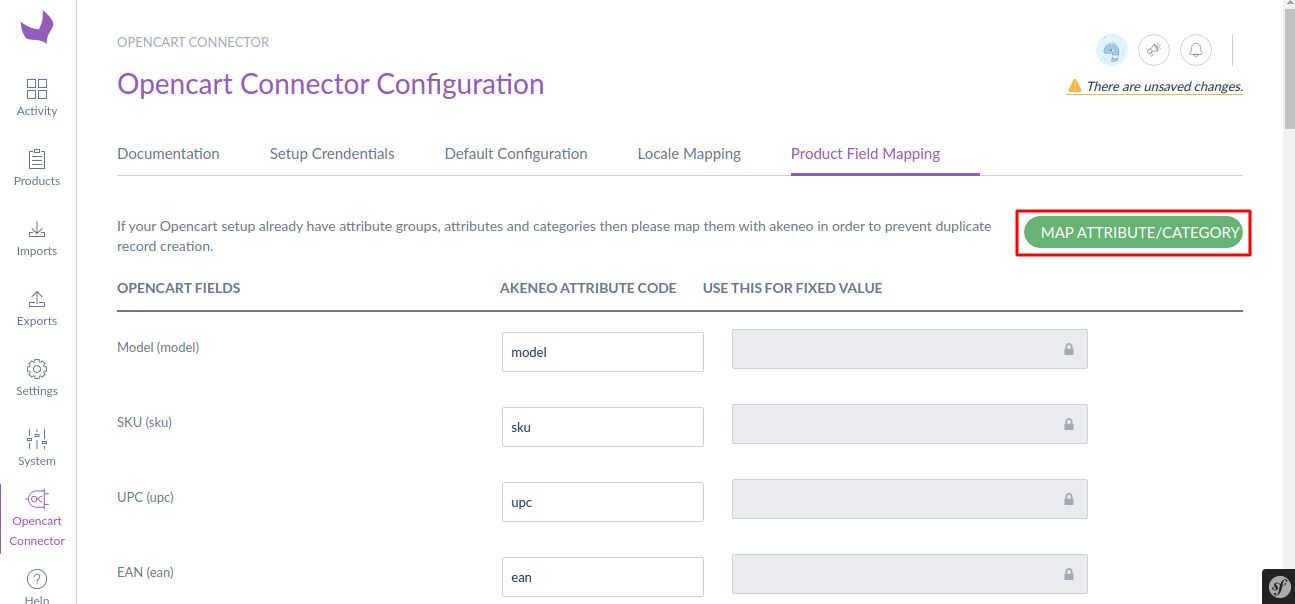
Before running the export job, the store owner has to map the attributes, attribute groups, and categories to avoid duplicate product data.
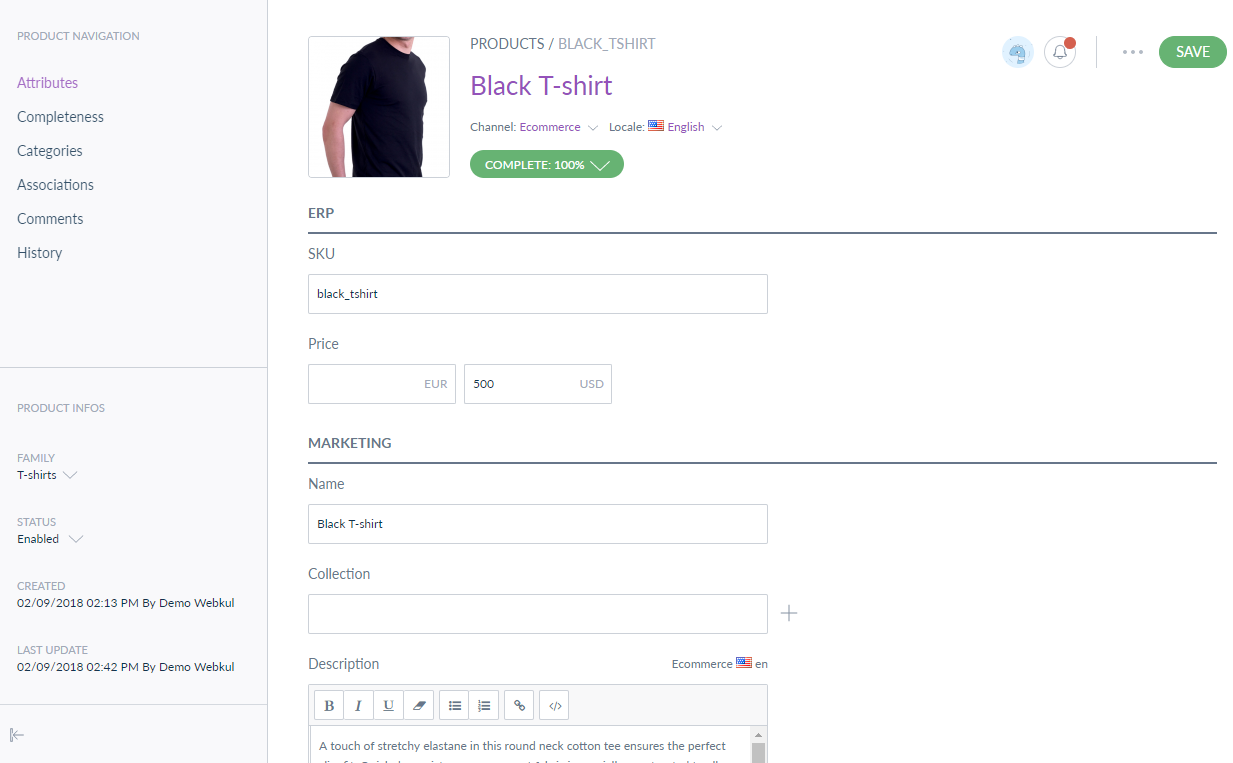
Now the admin can create products in Akeneo by selecting product family attributes, entering product details, uploading images, can enter translated content, selecting product category.
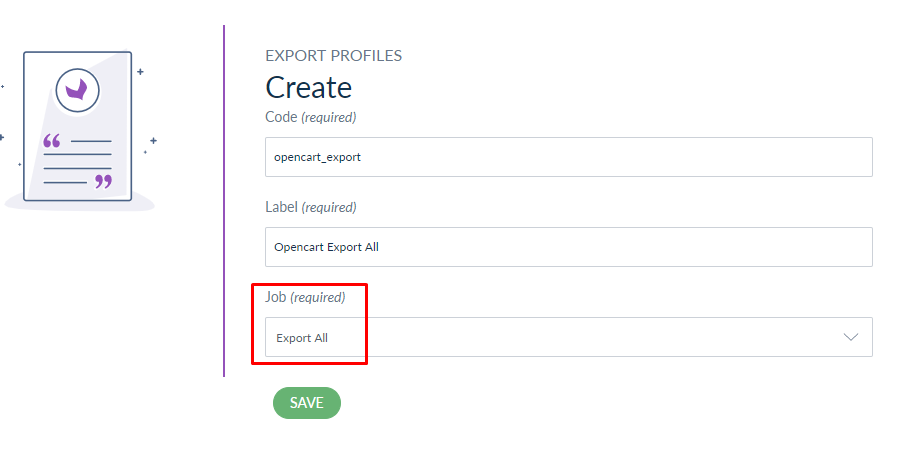
Then, the store owner can create 5 types of export jobs to send product catalog information to Opencart.

The store admin will now create a job profile to export everything from Akeneo to Opencart and then select the locale.
Hereafter, the admin can filter the data which he wants to export.
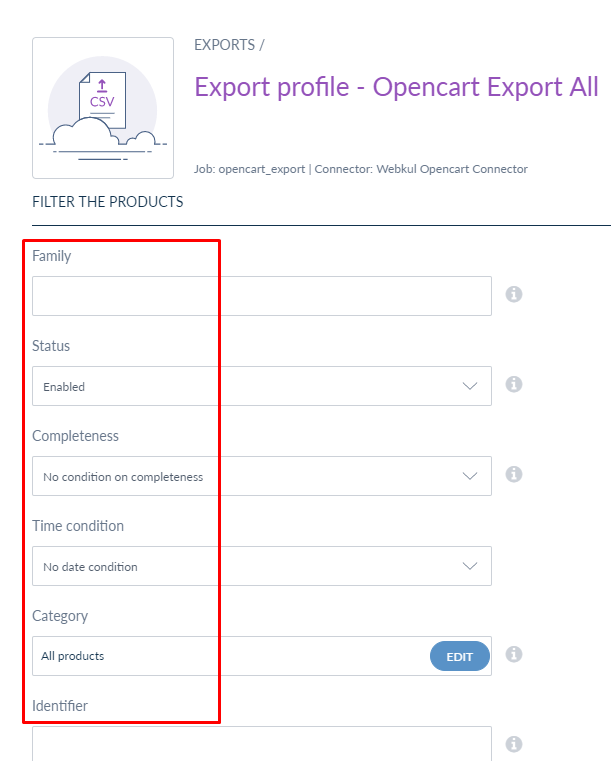
Now the admin will click on the Export Now button to export the products.

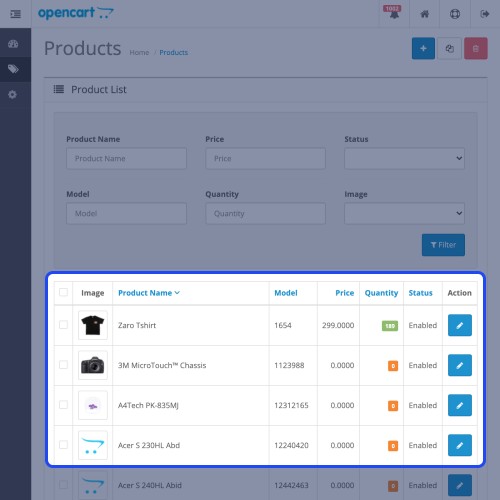
The exported products will display in the Opencart catalog folder. The admin can edit the product details from here.

Likewise, the attributes can also be exported from Akeneo to Opencart.

Similarly the attribute groups, categories can be exported. The store admin can export only the products if he wants.





Some Moments Of Appreciation



Support Policy
Use Case
The OpenCart Akeneo Connector module is useful to the store merchants who want to integrate their Opencart stores with Akeneo PIM. The module offers an easy synchronization for the products data from Opencart to Akeneo and vise-versa.
This is a convenient plugin if the store owners want to import and export the product data from their Opencart store to Akeneo. This plugin is handy when you want to manage the product data on a large scale.
Features
- Mapping Akeneo attributes with OpenCart product fields
- Create an additional mapping for more product fields using OpenCart field code.
- Send detailed information about catalog information from Akeneo to Opencart
- Export multiple images of a product.
- Filter data to be exported based on category, family, completeness, time condition.
- Using SKU you can export only specific product(s) to the Opencart store.
- Select language and currency for product export jobs.
- Individual jobs for the category, attribute group, attribute, attribute option, and product export.
- View mapped entries of previous export jobs.
- Update exported product information from Akeneo.
- Send multi-language content to OpenCart.
- Also compatible with the latest version of Akeneo 2.0.x, 2.1.x, 2.2.x, and 2.3.x
Workflow
After successful installation of the module on both platforms, the store owner will now have to enter the Opencart store URL and API key. Then default configurations need to be set.
Thenceforth, the locale mapping will be set by the store admin. Here the store owner will map the Akeneo locale with the Opencart locale ID.
After that, the admin can map the product fields. For that, he has to enter the detailed product information by creating attributes in Akeneo.
Before running the export job, the store owner has to map the attributes, attribute groups, and categories to avoid duplicate product data.
Now the admin can create products in Akeneo by selecting product family attributes, entering product details, uploading images, can enter translated content, selecting product category.
Then, the store owner can create 5 types of export jobs to send product catalog information to Opencart.
The store admin will now create a job profile to export everything from Akeneo to Opencart and then select the locale.
Hereafter, the admin can filter the data which he wants to export.
Now the admin will click on the Export Now button to export the products.
The exported products will display in the Opencart catalog folder. The admin can edit the product details from here.
Likewise, the attributes can also be exported from Akeneo to Opencart.
Similarly the attribute groups, categories can be exported. The store admin can export only the products if he wants.
Some Moments Of Appreciation
Support Policy
Price
$299.00
- Developed by OpenCart Partner
- 3 Months Free Support
- Documentation Included
Rating
Compatibility
3.0.0.0, 3.0.1.0, 3.0.1.1, 3.0.1.2, 3.0.1.3, 3.0.2.0, 3.0.3.0, 3.0.3.1, 3.0.3.2, 3.0.3.3, 3.0.3.5, 3.0.3.6, 3.0.3.7, 3.0.3.8
Last Update
23 Jun 2025
Created
7 Feb 2018
3 Sales
2 Comments

Login and write down your comment.
Login my OpenCart Account