Most Viewed Products


Username : test12
Password : test12
========================================
Most Viewed
========================================
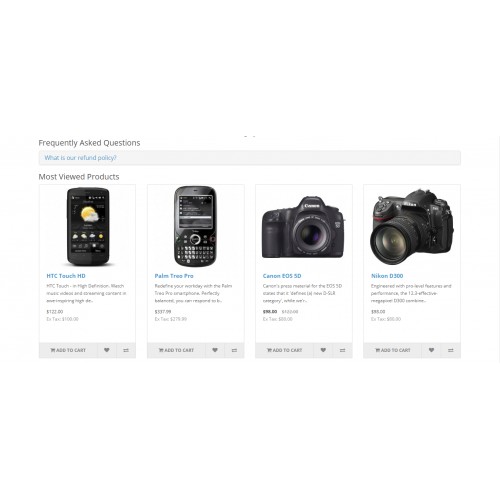
"Most Viewed" is a light-weight simple module that shows the products that were viewed most. In this way an you can showcase some of your products to users, and the best part is you can choose which product you want showcase in the "Most Viewed" i.e. you can choose which products will be displayed in the "Most Viewed" section. Place this module anywhere and show customers your most viewed products.
========================================
Installation Steps
========================================
1.Copy all files/folder to exact loction manually. (Goto step 6)
2.OR with the help of "Extension Installer" below are the steps.
3.Open your admin goto Extensions Tab and click "Extension Installer".
4.Then click on "Upload" button and select the downloaded folder/directory "mostviewed.ocmod.zip", if you find "mostviewed.zip" plz rename into "mostviewed.ocmod.zip".
5.After that goto "Modification" you can see the file below, now click clear and refresh button.
6.Now goto Extension Tab and select "Extension" then click on dropdown menu and select "Module".
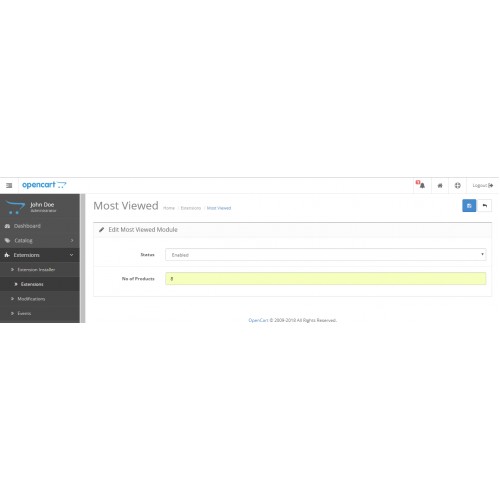
7.Then click on "Install" and "Edit" button and enable the status and give the no. of products you want to see for eg:8 and save it.
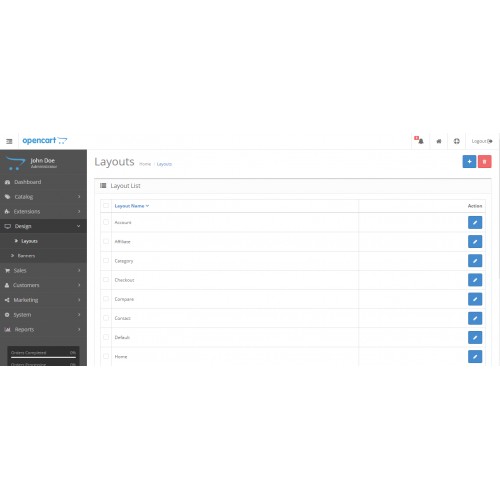
8.Now click on Design Tab and select Layouts and click edit on the layout where you want to show the Most Viewed Products lets take "Home".
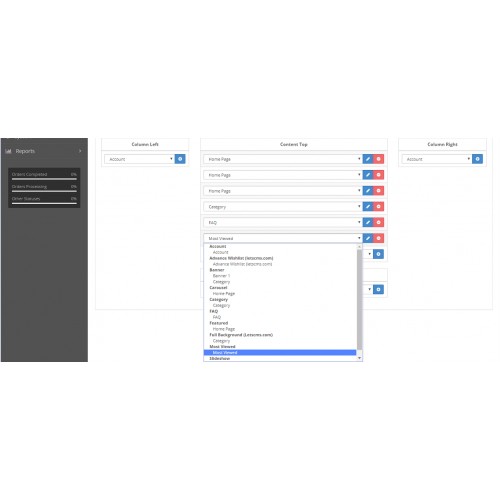
9.Then you can add the module in any position but we recommend "Content Bottom" by click on dropdown list choose Mostviewed then click on add button and save it.
Enjoy and Thanks for downloading.
========================================
Features -
========================================
Product Image
Product Name
Product Price
Product Rating
Add To Cart Button
========================================
FAQ - Admin Configuration
========================================
After the successful installation of the module, the admin will be able to configure the Most Viewed module for use. Admin can do following settings-
========================================
FAQ on website
========================================
The Most Viewed system will be visible on the website front-end after making the layout setting for the Most Viewed module. The customers will be able to see a beautiful Most Viewed on the website.
=====================
Free Supprts
=====================
Mail: letscmsdev@gmail.com
Skype: jks0586
Whats App: +91-9717478599
Support: 24X7
What customers say about Most Viewed Products

Very good, thoughtful developer, free module with paid module support.
Congratulations team LETS CMS
~chip13
~chip13
Download
- Developed by OpenCart Community
- 12 Months Free Support
- Documentation Included
Rating
Compatibility
3.0.0.0, 3.0.1.0, 3.0.1.1, 3.0.1.2, 3.0.1.3, 3.0.2.0, 4.x.x.x, 2.3.0.0, 2.3.0.1, 2.3.0.2, 2.2.0.0
Last Update
12 Jul 2019
Created
15 Feb 2018
1591 Downloads
21 Comments

Login and write down your comment.
Login my OpenCart Account