Power Reviews - The Best OpenCart Review System

The Last Review System You Will Ever Use
Purpose
This extension is a power up for your OpenCart store. This extension is feature-packed to its core, and does the work equivalent to probably 10 others. Most importantly, by making it easy for customers to review products and for shop admin to display those reviews in an aesthetically pleasing manner, it multiplies the trust, thereby increasing sales!
Features
Made for
The extension has been written for the OpenCart Default theme, and should work with most themes that follow the same structure, nomenclature, etc.
Compatible with

Installation v 6.0+ and Update
Setup
Day-to-Day usage
Support
Support Thread
Frequently Asked Questions
Screenshots
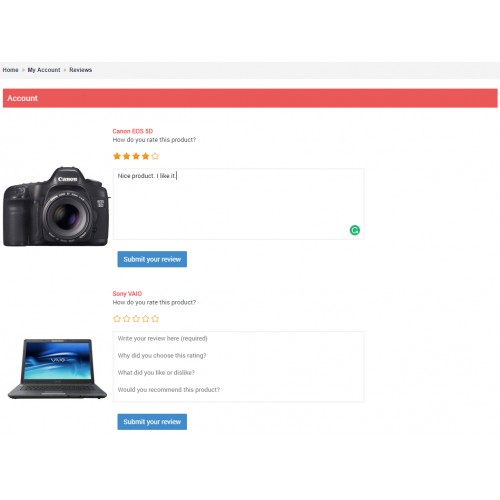
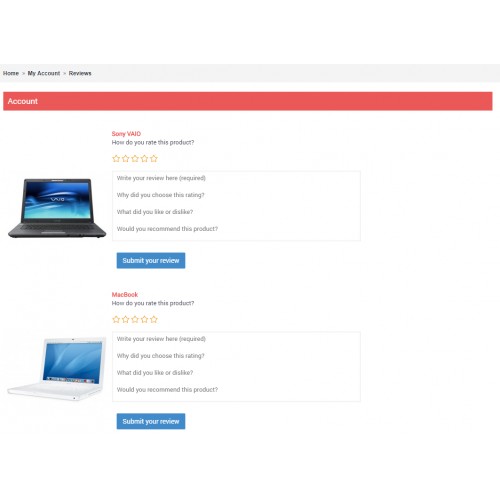
Writing a review
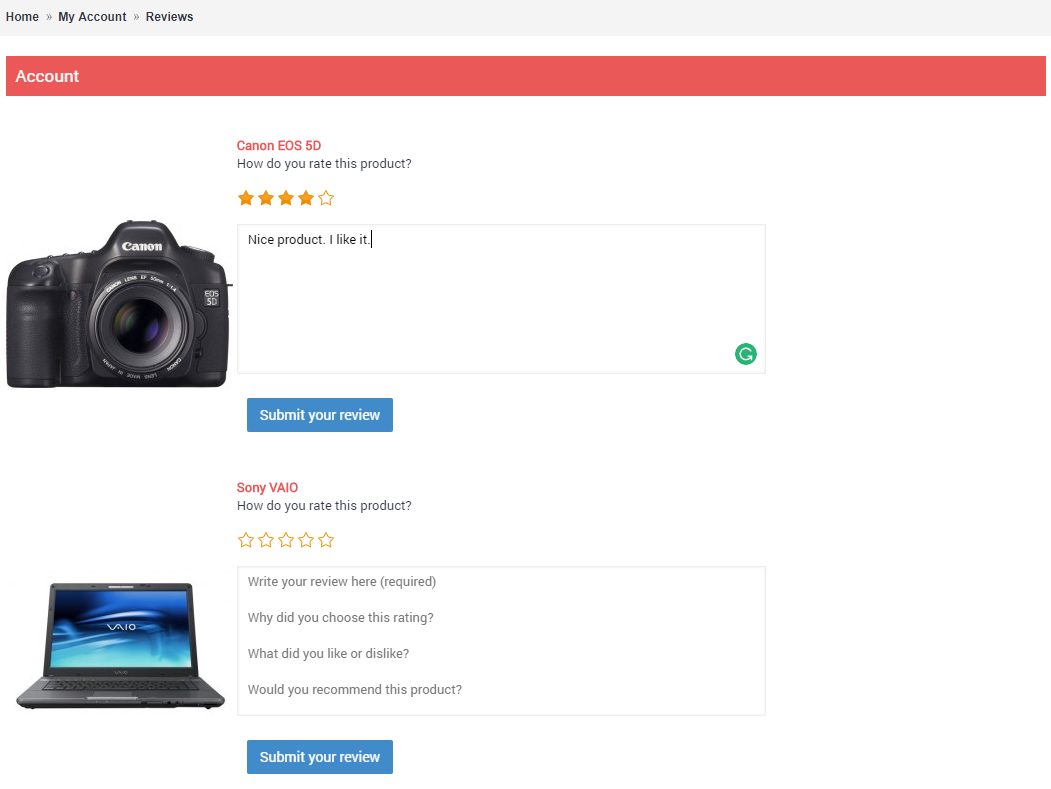
After review submitted, product goes away, queue moves up

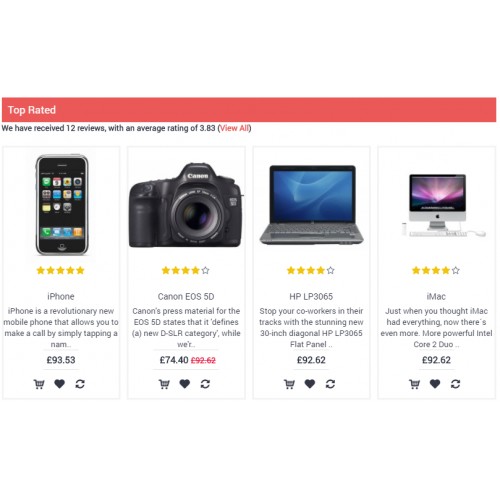
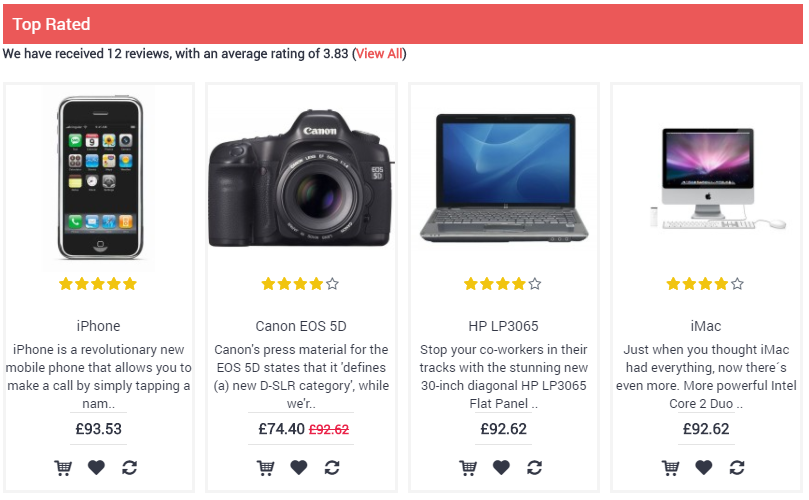
Top rated module
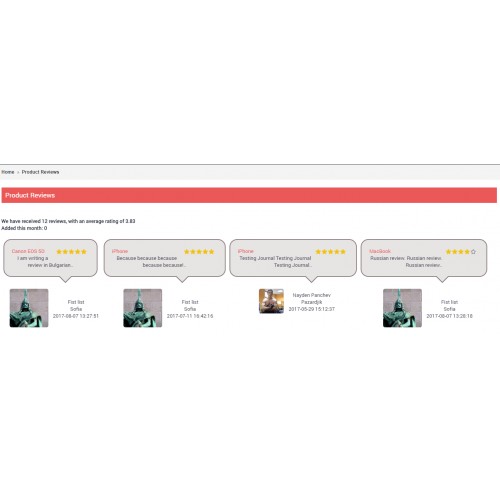
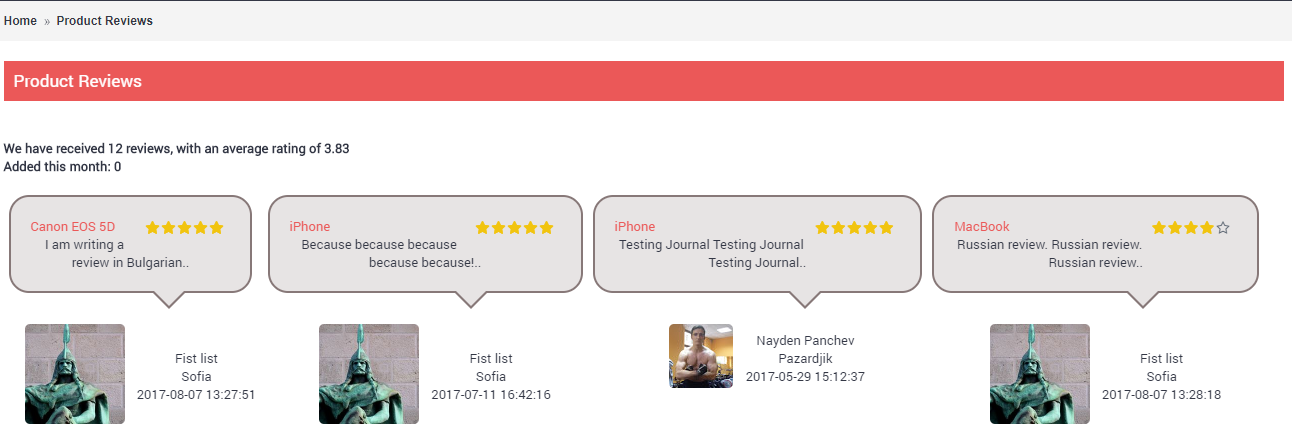
All reviews page
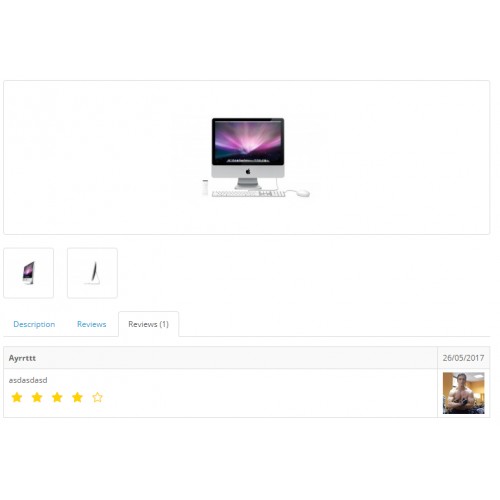
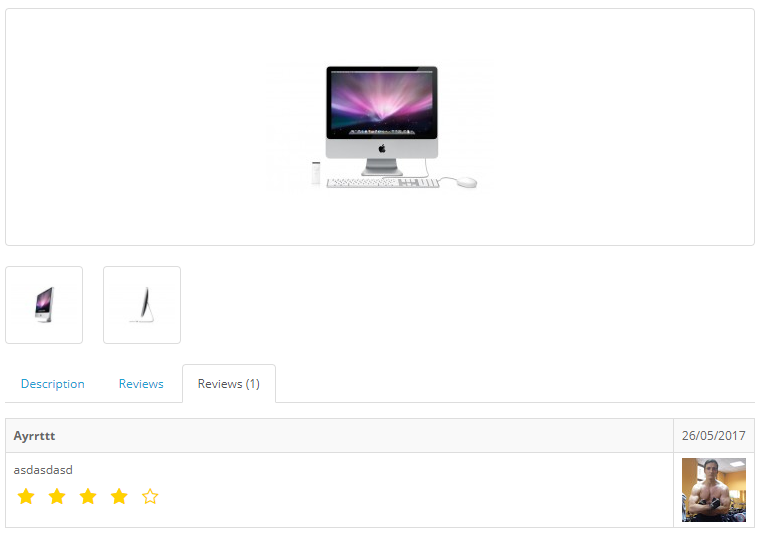
Review on product page, showing author photo
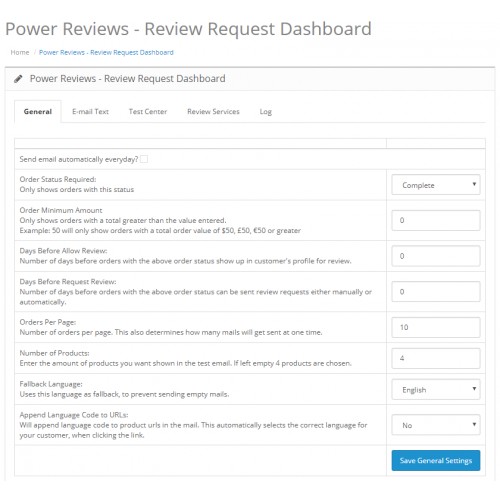
Request Reviews Settings

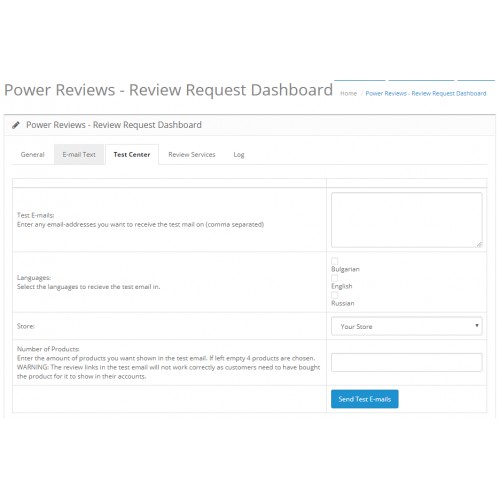
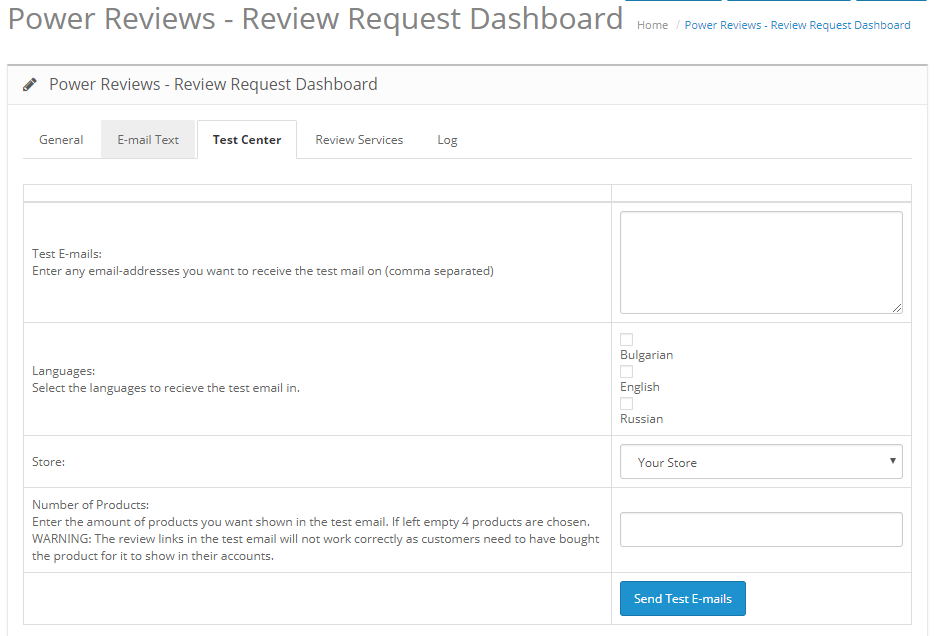
Request Reviews Test Center
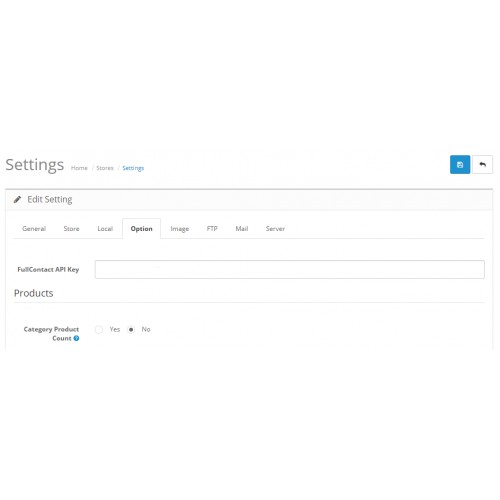
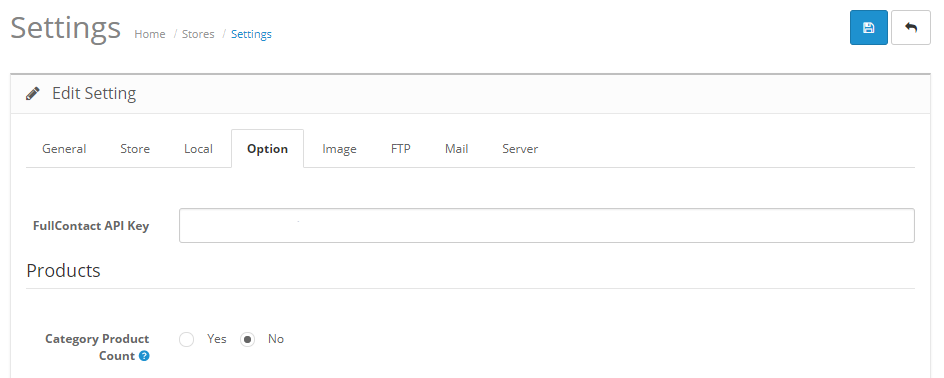
Provide FullContact API Key at Store Options page
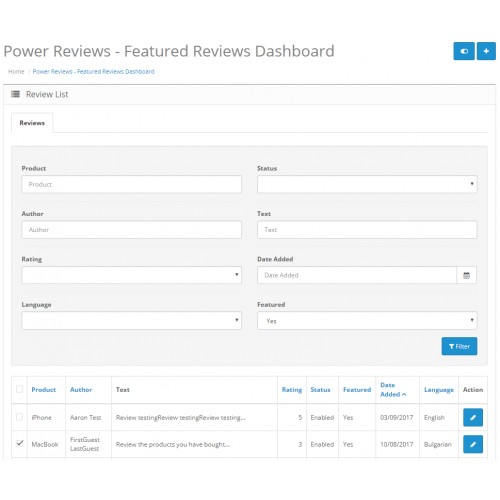
Featured Reviews page (and review filters)

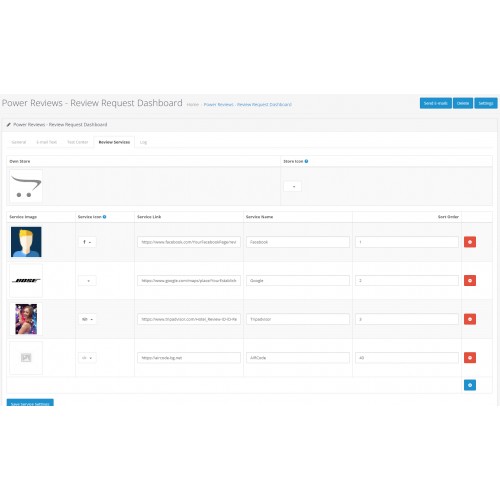
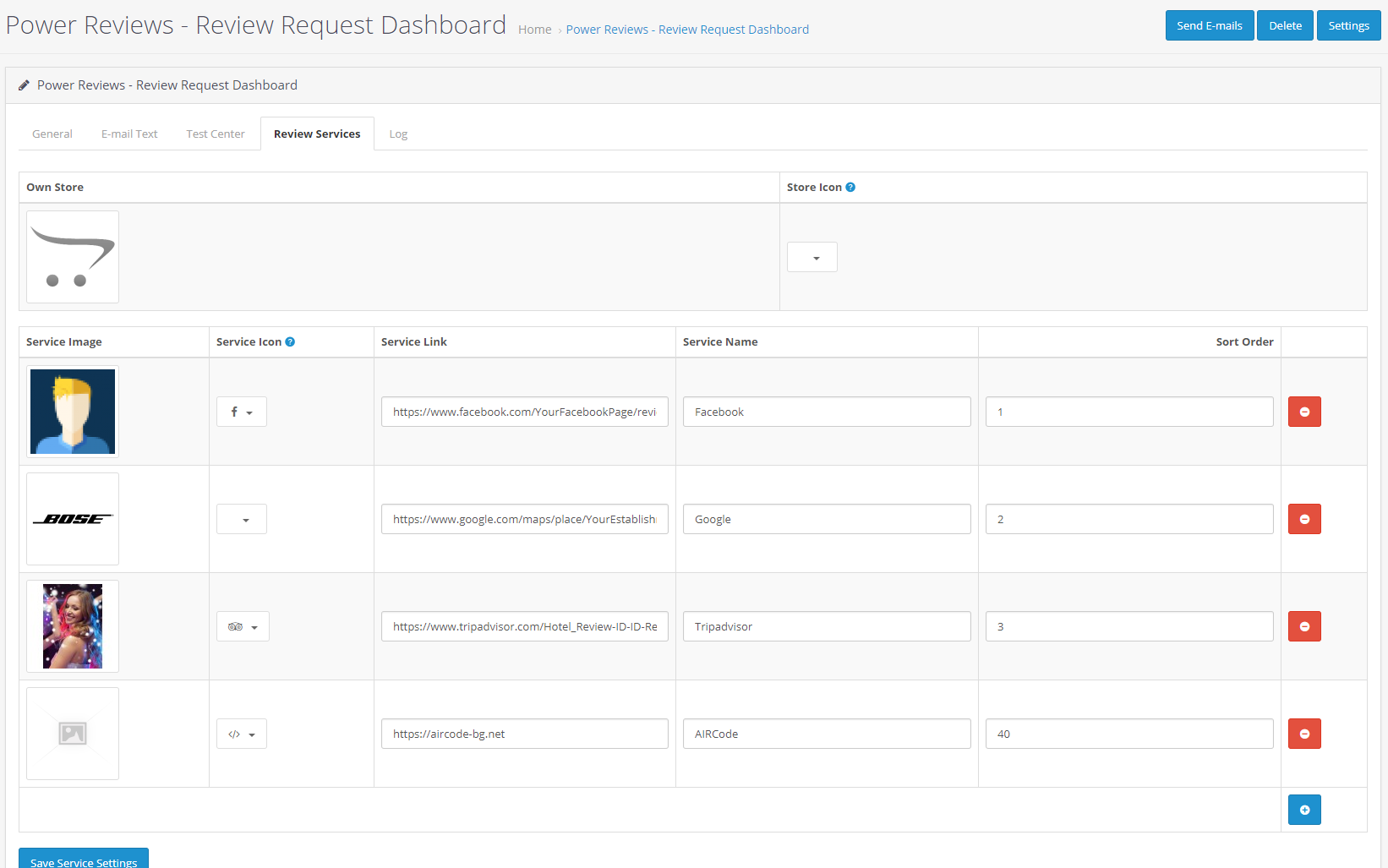
Store reviews on external services
Purpose
This extension is a power up for your OpenCart store. This extension is feature-packed to its core, and does the work equivalent to probably 10 others. Most importantly, by making it easy for customers to review products and for shop admin to display those reviews in an aesthetically pleasing manner, it multiplies the trust, thereby increasing sales!
Features
- Request Reviews: Ever wondered how to get customers to write reviews on your store? Simply ask them to! This extension has a system through which you can bulk send emails to customers, requesting them to review the products they have bought. What's more, unlike most OpenCart emails, these review request emails are completely customizable.
- Easier, cooler review writing for customers: Customers don't need to go from product page to product page, just to write reviews. Make it easier for them, and they will write more reviews. When customers click on the product review link in the review request email, they are taken to a page within their account where all products bought by them are available for reviewing. As they rate, write review, and click submit for each product, that submission disappears, making for a neater, more managable page.
- Show off the reviews you receive: Have you ever wanted to show off the best reviews you receive? Well, you are in luck! This extension adds several modules and an "all reviews" page to showcase reviews:
*Top rated module: Show off the products customers like the best.
*Reviews slider module: Show the newly reviewed products. (on category pages, shows products from that category)
*Featured reviews slider module: Prefer to manually choose the reviews to display in the slider? No worries. Use this module.
*All reviews page: This page shows "all" reviews, latest best ratings first (paginated). Also lists the total number of reviews, average rating, as well as the number of recently received reviews.
*Store reviews slider module: Similar to Featured reviews slider, but for Store reviews.
- Increase trust by showing review authors' photos: Wouldn't it be nice if, instead of boring faceless "reviews", your customers saw reviews that show the review author's photo? Well, research shows that when reviews are accompanied by author photos, it leads to up to 450% more perceived credibility of the reviews.
- VERY POSITIVE store reviews: Yes, product reviews are great, but sometimes you want people to review your store. Now your review request can include a "store review" link which asks the customer to rate their overall experience with the store. The twist? If they are happy and give you a great rating, then as a next step, they can be requested to leave a Facebook, Google, Yelp, Tripadvisor, Trustpilot, etc review. If they are unhappy, however, and give you a crappy rating, then no worries...they will not be asked to write a review on the external services. This way, your reviews on the external services get better and better, and generally pretty good.
- Multilingual reviews: Do you run a multilingual store? Well, then you will appreciate this feature. This extension records the language in which a review author wrote the review. When on product page, reviews are listed, first the reviews in the browsing customer's language are shown. Isn't that cool?
- Admin tweaks: Last, but not the least, there are some admin tweaks that make life easier for the store admin. e.g. review list is made filterable, review list is shown newest first, the review list shows the review language, etc.
Made for
The extension has been written for the OpenCart Default theme, and should work with most themes that follow the same structure, nomenclature, etc.
Compatible with
Installation v 6.0+ and Update
- Extract/Unzip the archive you downloaded.
- Upload the contents of the "upload" folder to your OpenCart root (e.g. via cPanel File Manager, FTP, SFTP, etc)
- Access your Opencart Admin and go to Extensions > Modifications and click on the blue Refresh button (top right corner).
Setup
- Request Reviews:
*VisitOpenCart Admin > Catalog > Power Reviews - Request Reviews > Settings > Generalto provide key details, such as "Order status", i.e. send review request emails to customers with orders that have which order status? etc.
*AtOpenCart Admin > Catalog > Power Reviews - Request Reviews > Settings > E-Mail textyou can type in the text of the email the customer should receive. Some placeholders are available (please see below the email textarea).
*You can send test emails to yourself fromOpenCart Admin > Catalog > Power Reviews - Request Reviews > Settings > Test Center
- Photos of review authors: Visit
OpenCart Admin > Settings > Settings > {Edit Store} > Optionand provide the FullContact API Key. You can get your free key at FullContact by clicking "Get Your Free Key".
- Featured reviews: If you plan to use the featured reviews slider, then at
OpenCart Admin > Catalog > Power Reviews - Featured Reviewssearch (filter) for the reviews e.g. by rating, date, etc. Select the ones you want to feature, and click the toggle button on top of page to mark them as Featured. Rinse, repeat. (you can use the same toggle button to remove the "featured" flag from featured reviews)
- Modules: You can set up the top rated, reviews slider, and feeatured reviews slider modules at
OpenCart Admin > Extensions > Extensions > Modules, just like any other module. In the sliders, you can show either the product, or the review author. As usual, once you have created the modules, remember to place them in the desired layouts atOpenCart Admin > Design > Layouts
- Now you are ready to roll!
Day-to-Day usage
- On day-to-day basis, you will probably just want to send requests for reviews. You can do this at
OpenCart Admin > Catalog > Power Reviews - Request Reviews
Support
Support Thread
Frequently Asked Questions
- How do you get photos of authors of the reviews? Do the customers need to upload them? Customers do not need to upload photos. Instead, their photos from their public social media profiles (e.g. Facebook, Google, Twitter, Gravatar etc) are used.
- At
OpenCart Admin > Catalog > Power Reviews - Request Reviews > Settings > General, I checked the box for "Send email automatically everyday?". But the extension is not sending mails automatically. Sorry, we don't have an efficient way to automatically send mails every day. Instead, when you check that box, we show you our best guess for the command you should place in your server's cron. You can also do this through cPanel.
- Does this extension work with my theme? It has been developed for OpenCart Default theme, and should work with most themes that use the same structure.
- Does this extension work with Journal 2 theme? Yes!
- Does this extension work with Journal 3 theme? Yes! v7.1 onward.
- Does this extension work with OpenCart 3.x? Yes! v6.0 onward.
- I have an idea. Great! Post it as a reply to this thread.
- I am having a problem with this extension. Please click Get Support on this page.
Screenshots
Writing a review
After review submitted, product goes away, queue moves up
Top rated module
All reviews page
Review on product page, showing author photo
Request Reviews Settings
Request Reviews Test Center
Provide FullContact API Key at Store Options page
Featured Reviews page (and review filters)
Store reviews on external services
Price
$99.90
- Developed by OpenCart Community
- 9 Months Free Support
- Documentation Included
Rating
Compatibility
3.0.0.0, 3.0.1.0, 3.0.1.1, 3.0.1.2, 3.0.1.3, 3.0.2.0, 3.0.3.0, 3.0.3.1, 3.0.3.2, 3.0.3.3, 3.0.3.5, 3.0.3.6, 3.0.3.7, 3.0.3.8, 2.3.0.2
Last Update
18 Feb 2023
Created
31 Mar 2018
2 Sales
2 Comments

Login and write down your comment.
Login my OpenCart Account