OpenCart Mail Template

OpenCart Mail Template- Using the Opencart Mail Template module you can expand any default Opencart mail template. The admin can create an unlimited number of predefined email templates and use them for several events of the store. Each predefined email template can be easily customized.
This module is the best solution to create a configurable email template that can be easily managed and customized to support all your email needs for your store.




Use Case
Keeping in touch with the customers is very essential and a crucial aspect for any online business. Thus, emails have served as one of the most effective elements for reaching out to the customers.
Though it is one of the oldest techniques but one cannot deny the role of emails in developing enhanced customer relationships by engaging them in the stores’ ongoing activities.
Through OpenCart Mail Template extension, the store owners can create multiple email templates thus making the communication process comparatively professional and effective at the same time.
Also, this extension ensures a sound email management and offers customized mail templates that the store admin can incorporate into their stores. This way the store owners will not have to go here and there for their stores’ email requirement.
Features
Workflow:
Basic Configurations
Once the installation process is complete, the admin will have to set the mail template configurations.
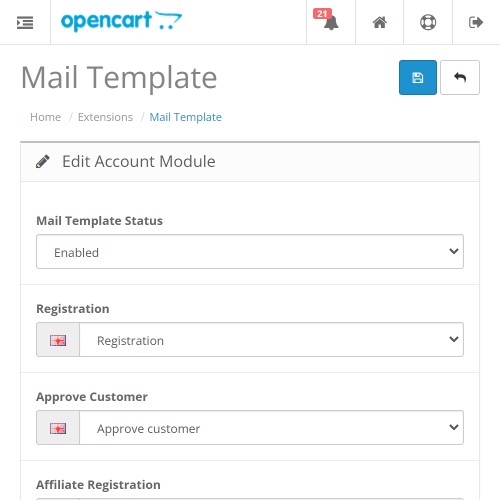
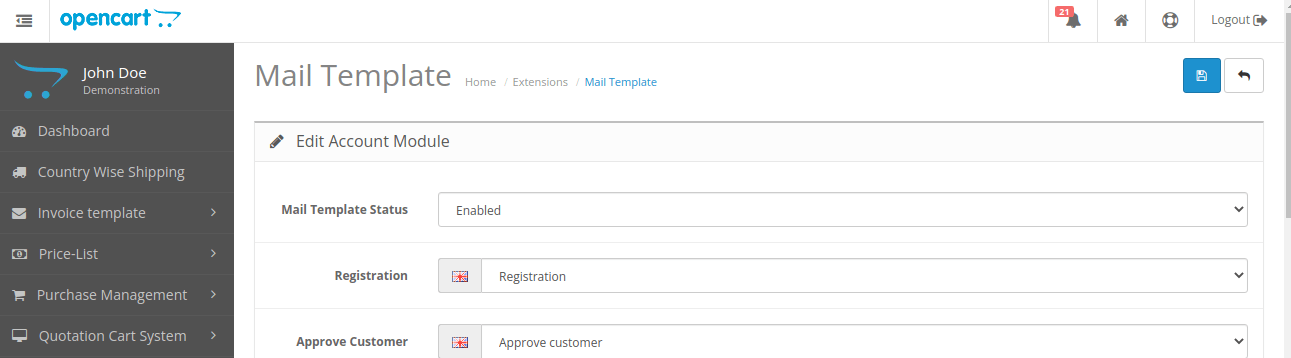
For that, the Mail Template Status is to be set as Enabled as shown in the image below.
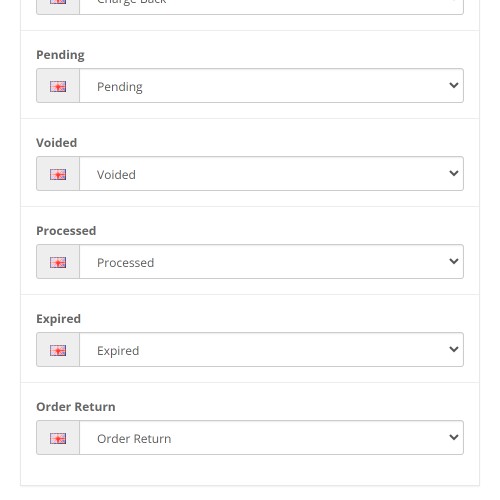
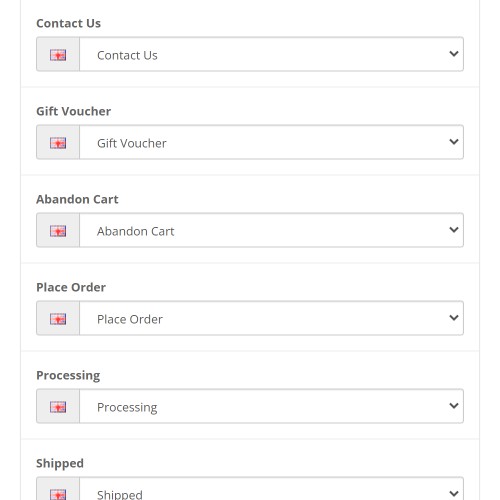
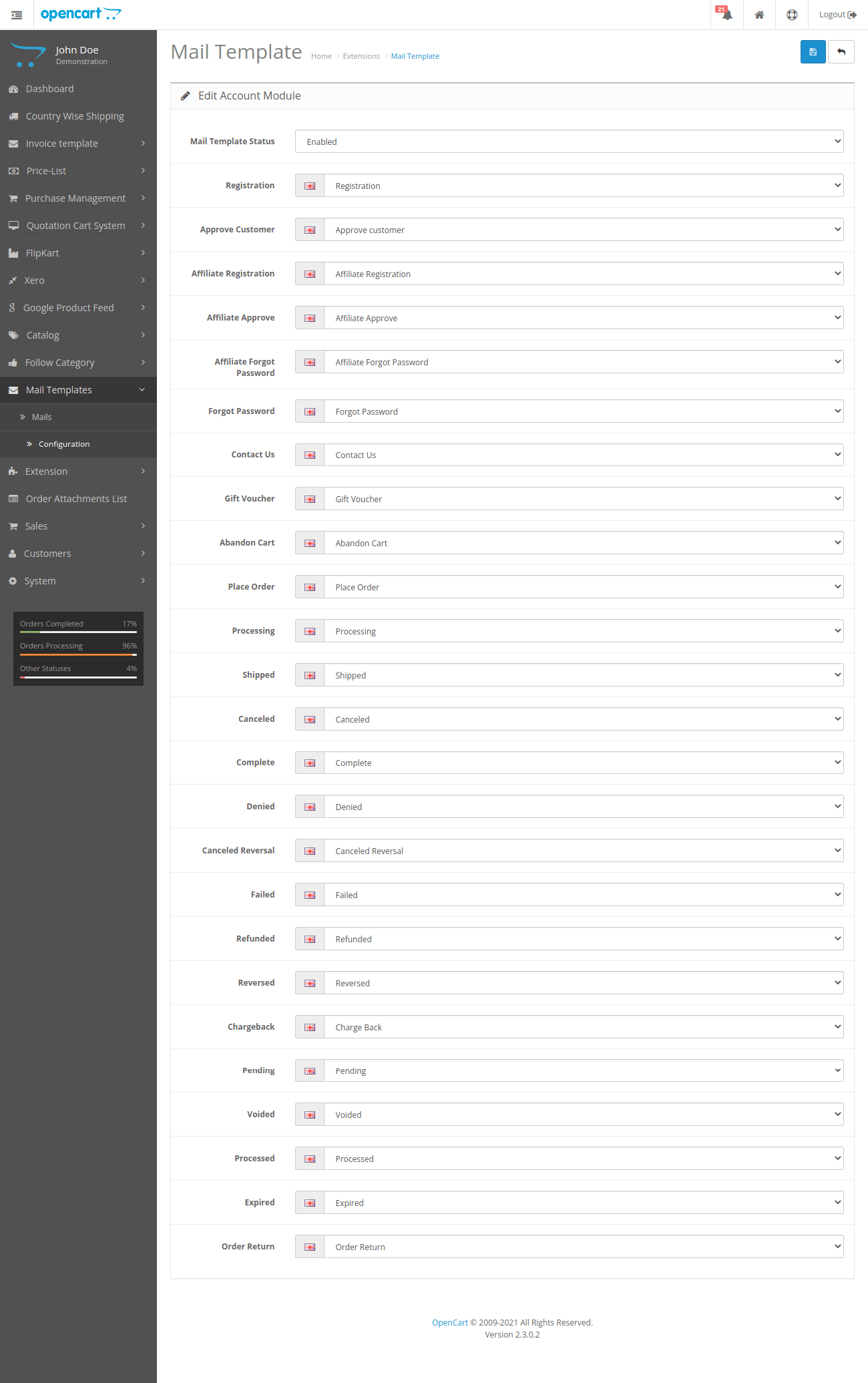
Thereafter, the admin can allow actions against the mail templates in the Mail Template > configuration> Edit account module page as shown in the image below.
Creating Mail Templates
The admin can navigate to Mail template, so as to view the list of mail templates or create a new mail template for the store.
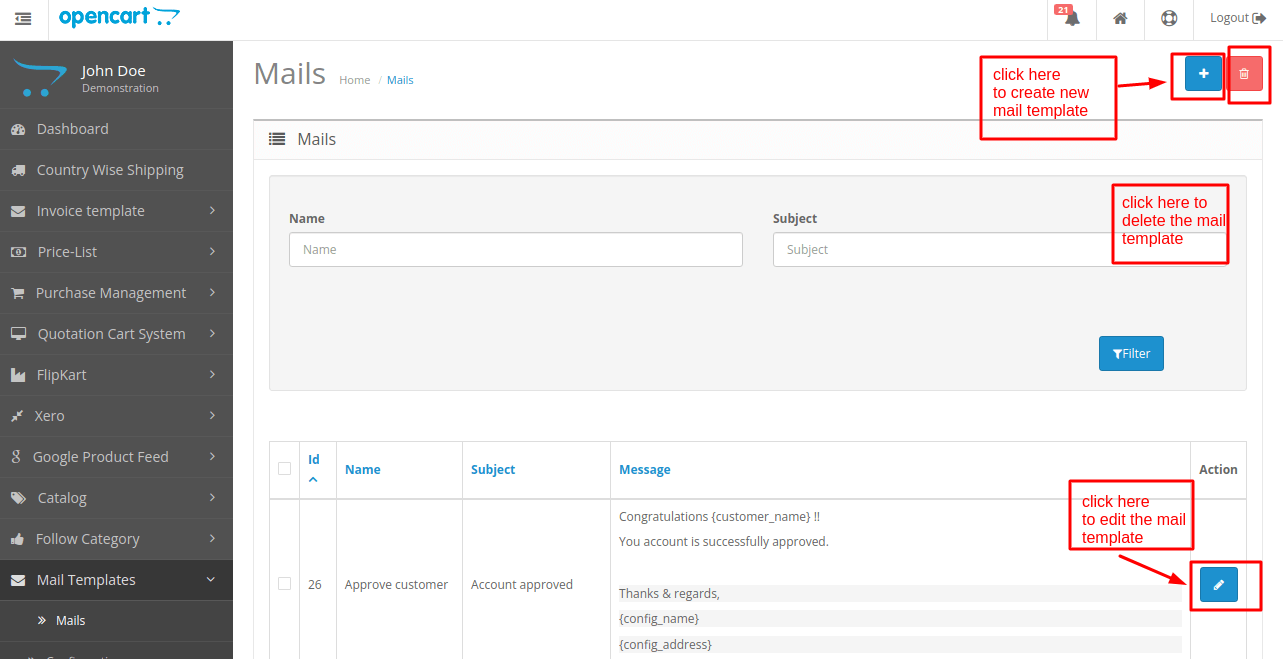
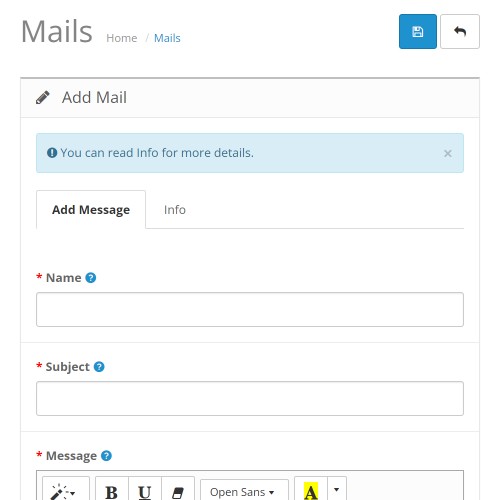
To create a new mail template the admin will have to click on the Add icon that navigates to the Mail Template page as shown in the image below.
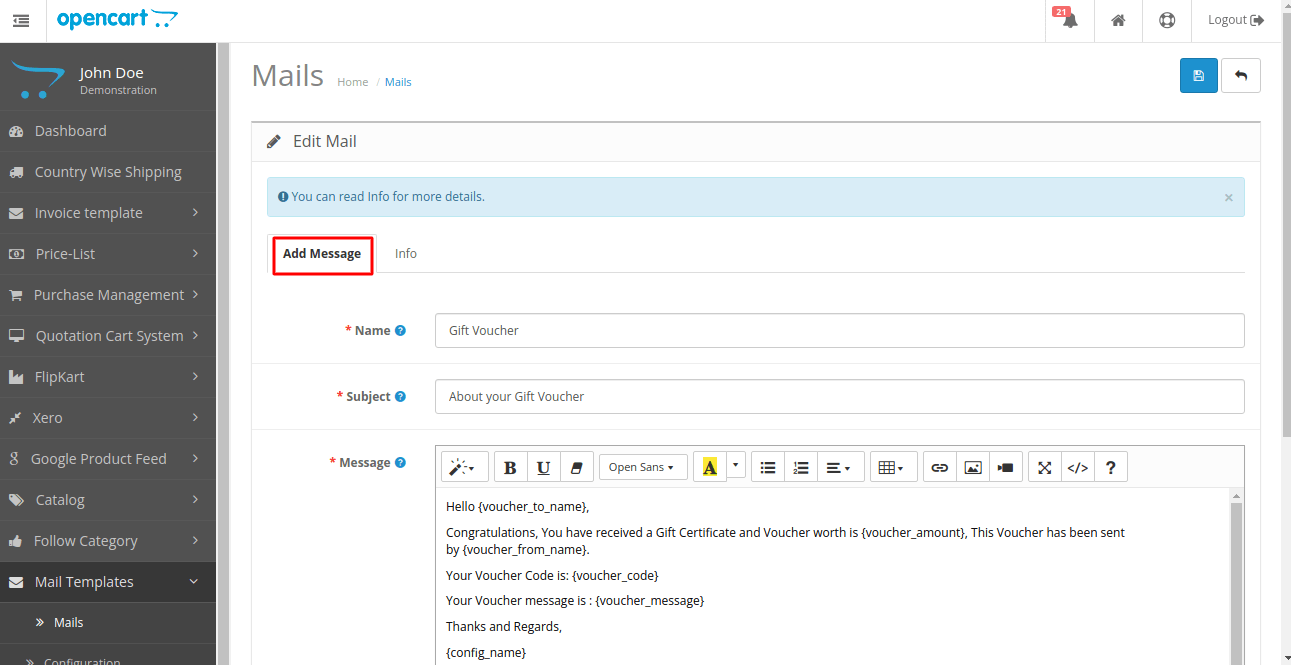
The admin needs to add the name, subject, and message associated with the mail template.
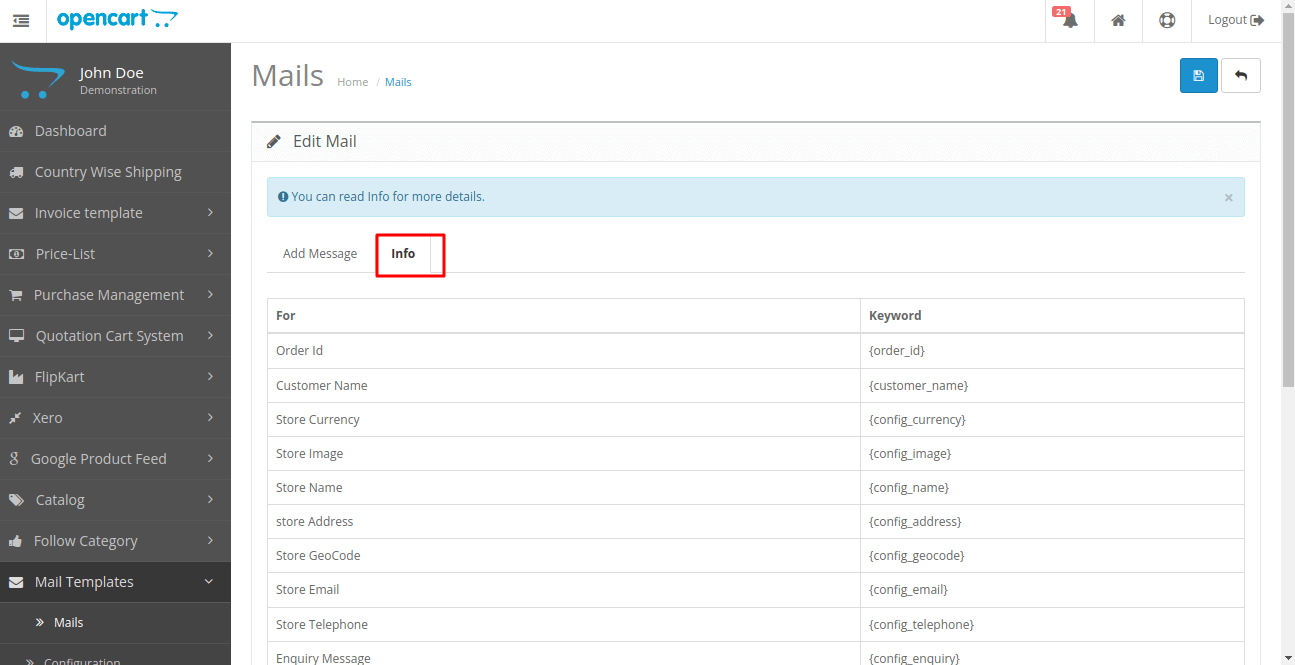
Further, the admin will find a list of mail keywords under the Info tab as shown below.
An Example of Mail Template: Gift Voucher Templates
As mentioned above, the admin will navigate to Extension > Mails > Mail Template > Add Message, so as to configure the Gift Voucher mail template.
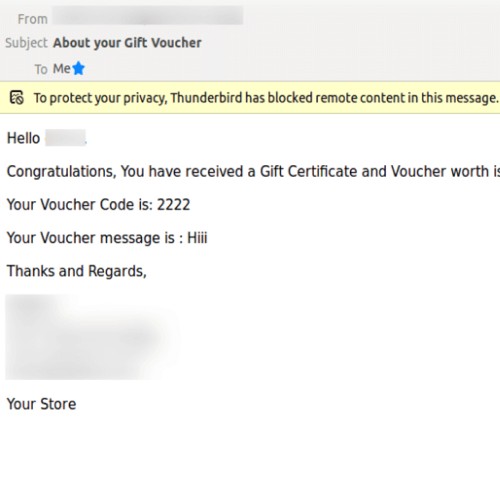
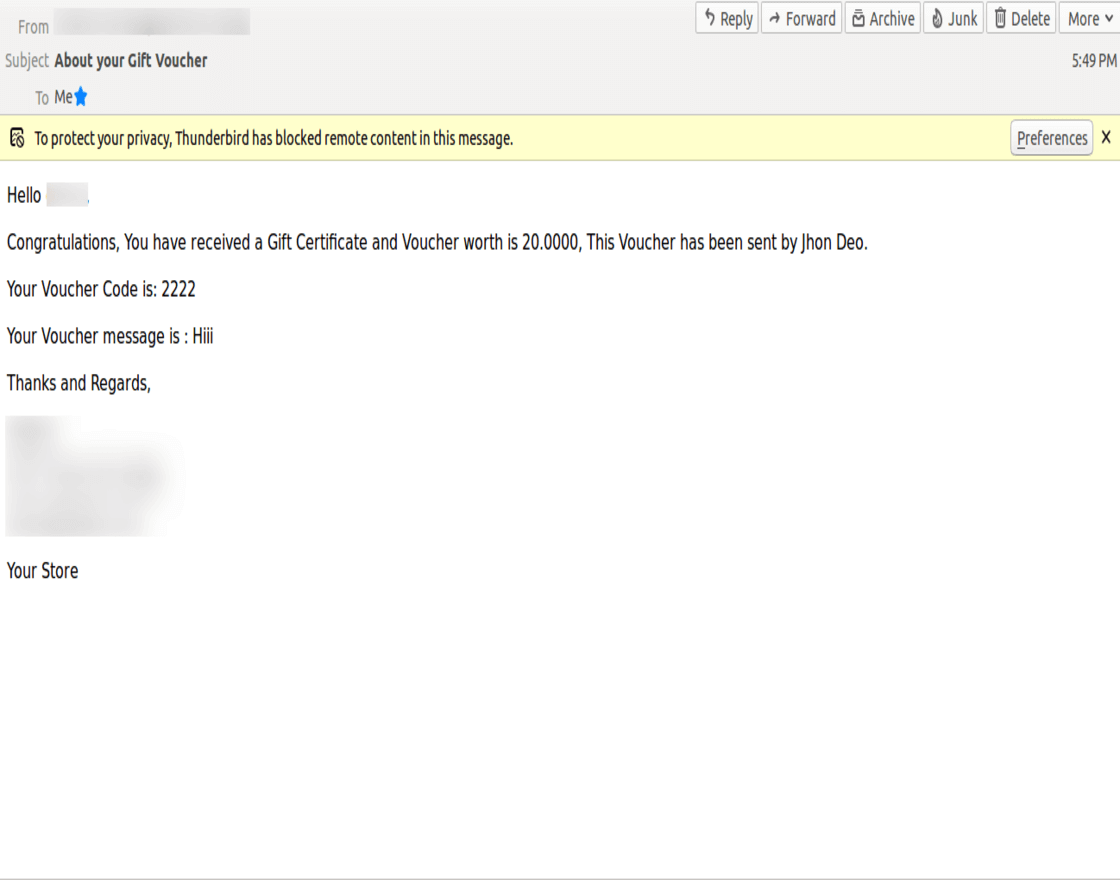
As per the mail template defined by the admin of the store, the customers will receive emails as shown in the image below.




Some Moments Of Appreciation


Support Policy
This module is the best solution to create a configurable email template that can be easily managed and customized to support all your email needs for your store.
Use Case
Keeping in touch with the customers is very essential and a crucial aspect for any online business. Thus, emails have served as one of the most effective elements for reaching out to the customers.
Though it is one of the oldest techniques but one cannot deny the role of emails in developing enhanced customer relationships by engaging them in the stores’ ongoing activities.
Through OpenCart Mail Template extension, the store owners can create multiple email templates thus making the communication process comparatively professional and effective at the same time.
Also, this extension ensures a sound email management and offers customized mail templates that the store admin can incorporate into their stores. This way the store owners will not have to go here and there for their stores’ email requirement.
Features
- Using flexible settings create various custom email templates.
- The admin can create an unlimited number of custom templates.
- Customized email templates for Registration, Affiliate Registration, Gift Voucher, Abandon Cart, Place Order, Order Status i.e pending, processing, etc. can be created.
- Expand any default Opencart mail template by creating a new template with more advanced features.
- Easily customize emails and show additional details using mail keywords.
- Mail Keywords are the simple and easy to use tags using which you can personalize your store emails by replacing them with the real data once. E.g. {order_id}, {customer_name}, {config_name} and many more.
Workflow:
Basic Configurations
Once the installation process is complete, the admin will have to set the mail template configurations.
For that, the Mail Template Status is to be set as Enabled as shown in the image below.
Thereafter, the admin can allow actions against the mail templates in the Mail Template > configuration> Edit account module page as shown in the image below.
Creating Mail Templates
The admin can navigate to Mail template, so as to view the list of mail templates or create a new mail template for the store.
To create a new mail template the admin will have to click on the Add icon that navigates to the Mail Template page as shown in the image below.
The admin needs to add the name, subject, and message associated with the mail template.
Further, the admin will find a list of mail keywords under the Info tab as shown below.
An Example of Mail Template: Gift Voucher Templates
As mentioned above, the admin will navigate to Extension > Mails > Mail Template > Add Message, so as to configure the Gift Voucher mail template.
As per the mail template defined by the admin of the store, the customers will receive emails as shown in the image below.
Some Moments Of Appreciation
Support Policy
Price
$119.00
- Developed by OpenCart Partner
- 3 Months Free Support
- Documentation Included
Rating
Compatibility
3.0.0.0, 3.0.1.0, 3.0.1.1, 3.0.1.2, 3.0.1.3, 3.0.2.0, 3.0.3.0, 3.0.3.1, 3.0.3.2, 3.0.3.3, 3.0.3.5, 3.0.3.6, 3.0.3.7, 3.0.3.8, 3.0.3.9, 3.0.4.0, 3.0.4.1
Last Update
27 Jun 2025
Created
13 Apr 2018
35 Sales
8 Comments

Login and write down your comment.
Login my OpenCart Account