Text Limit For Product Option Text And Textarea
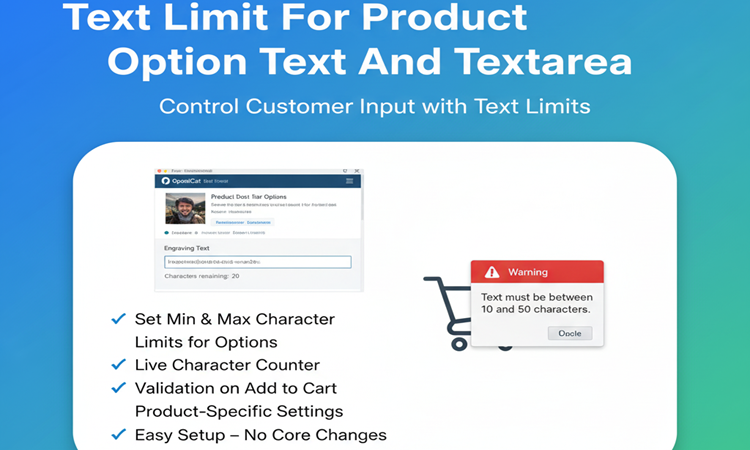

Title
Text Limit For Product Option Text & Textarea – OpenCart 2.x + 3.x + 4.x
Short Description
Add minimum and maximum character limits to product option Text and Textarea fields.
Validate customer input in real-time, show remaining characters as they type, and prevent adding to cart until conditions are met.
Perfect for stores selling personalized, customized, or engraved products.
Free Dedicated Support Included
We provide dedicated technical support to ensure smooth installation and usage of this module.
✔ Fast response time
✔ Installation guidance
✔ Bug fixes assistance
Email Support: opencarttools@gmail.com
WhatsApp Live Chat: Click Here
Live Demo
See the module in action before purchase.
Admin
Admin > Extension > Module
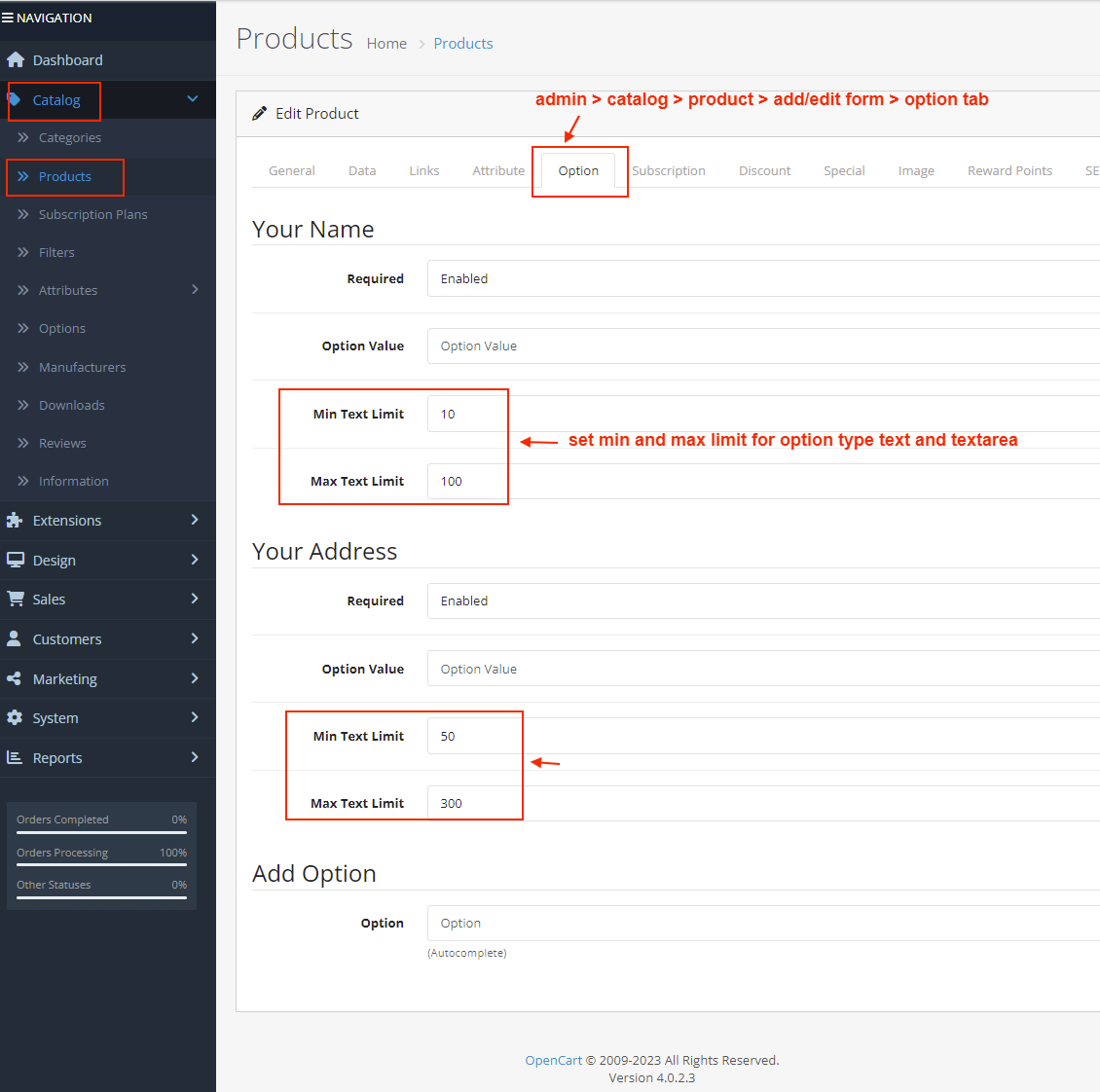
Admin > Product > Add/Edit > Option Tab
Front
Product Page
Key Features
Character Limit Control
✔ Set Minimum Character Limit
✔ Set Maximum Character Limit
✔ Configure Limits Per Product Option
✔ Works for Text & Textarea Option Types
Real-Time Validation
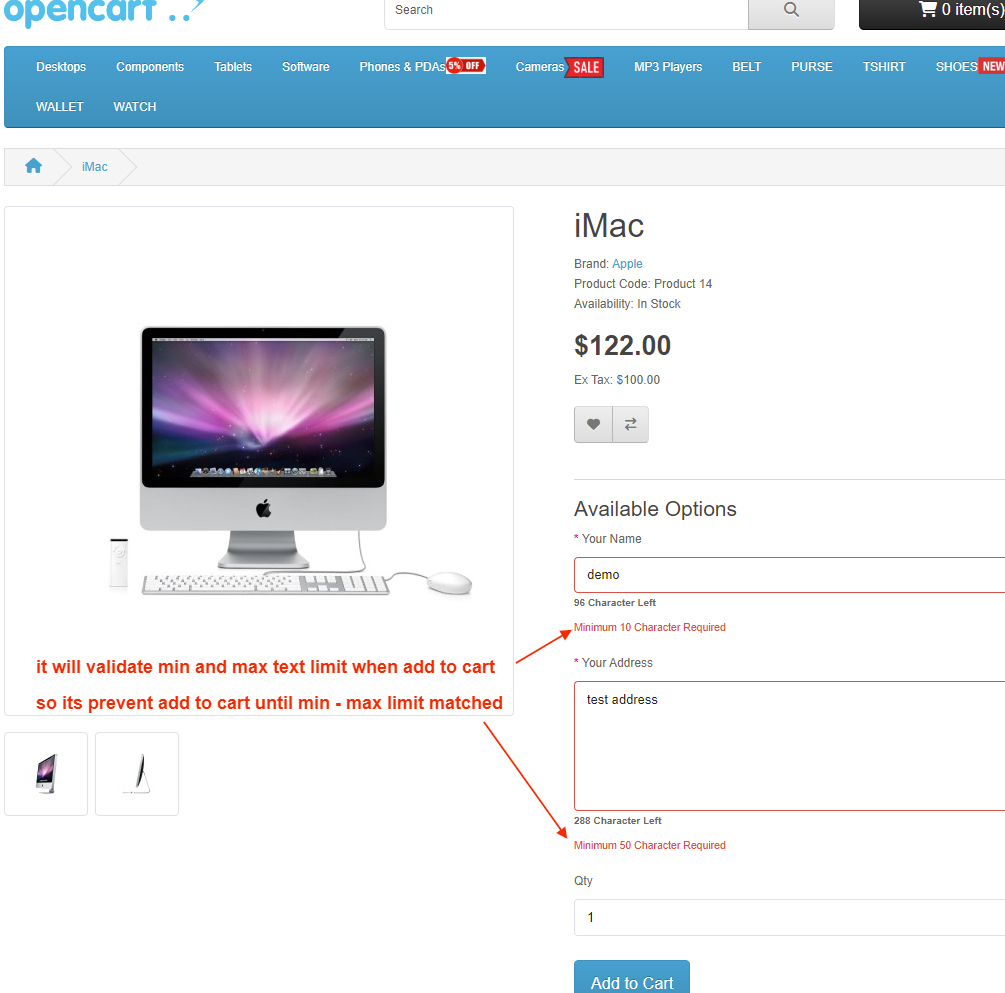
✔ Live input validation on product page
✔ Prevent Add to Cart until conditions are satisfied
✔ Customers cannot exceed maximum characters
✔ Show remaining character counter dynamically
Flexible Configuration
✔ Configure limits individually for each product option
✔ Set 0 for Min or Max if validation is not required
✔ Supports different rules for different products
Business Benefits
✔ Prevent Invalid or Incomplete Custom Text
✔ Reduce Order Errors
✔ Improve User Experience
✔ Ensure Proper Input Length Before Checkout
✔ Ideal for Custom & Personalized Products
Technical Highlights
✔ No Core File Changes
✔ OCMOD-Based Implementation
✔ Lightweight & Performance Friendly
✔ Built Using OpenCart Coding Standards
✔ Multi-language & Multi-store Supported
✔ Compatible with Most Themes
How It Works
✔ Install the extension.
✔ Go to Product → Option Tab.
✔ Set minimum and maximum character limits.
✔ Save product.
Customers will now see live validation and character counter on the product page.
No coding required.
Installation Steps
✔ Go to Admin → Extensions → Installer
✔ Upload the extension ZIP file
✔ Go to Extensions → Extensions → Modules
✔ Install “Text Limit For Product Option”
✔ Configure limits inside product option tab
✔ Save
Character validation is now active on your store.
Why Choose This Module?
✔ Enforce Input Validation Automatically
✔ Product-Specific Flexibility
✔ Prevent Incomplete Orders
✔ Improve Customer Experience
✔ Simple Setup in Minutes
✔ Perfect for Personalized & Engraving Stores
Ensure customers enter the correct text before placing an order.
Money-Back Guarantee
We stand behind the quality of our module.
If the extension does not work as described or is incompatible with your supported OpenCart version, we offer a 7-Day Money-Back Guarantee.
✔ Full refund if confirmed technical issue
✔ Dedicated support before refund decision
✔ Transparent and fair resolution process
Your satisfaction and store performance are our priority.
Requirements
✔ OpenCart 2.X + 3.X + 4.X
✔ Supports PHP 5.6 – 8.3
✔ No core file changes
✔ Built using OpenCart coding standards
Ideal For
✔ Personalized Product Stores
✔ Engraving & Printing Shops
✔ Gift & Custom Item Stores
✔ T-Shirt Printing Stores
✔ Mug & Photo Printing Stores
✔ Jewelry Customization Stores
✔ Any Store Using Text / Textarea Product Options
Images & Screenshots View all screenshots
✔ Admin Settings – set min/max for each product option
✔ Product Page – Text Field – showing counter + validation
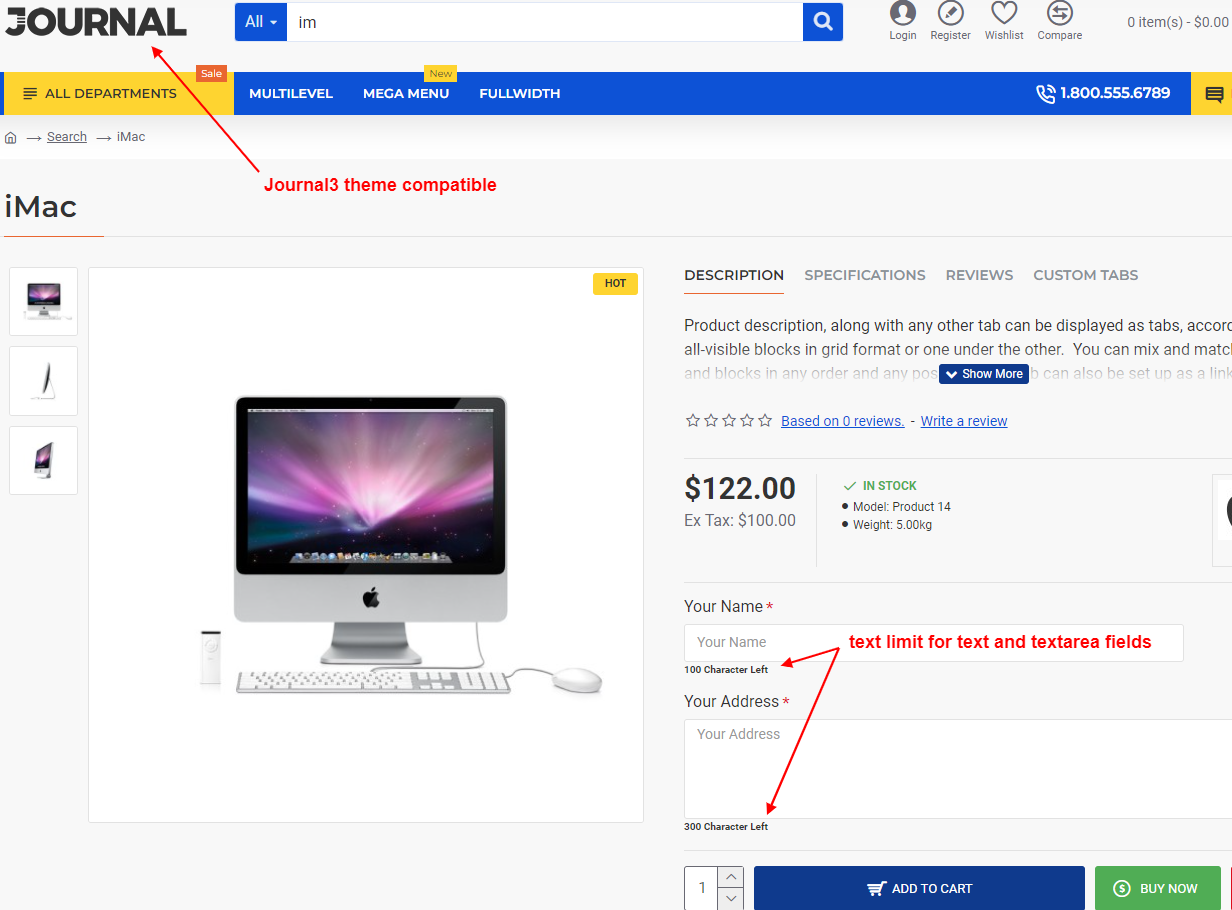
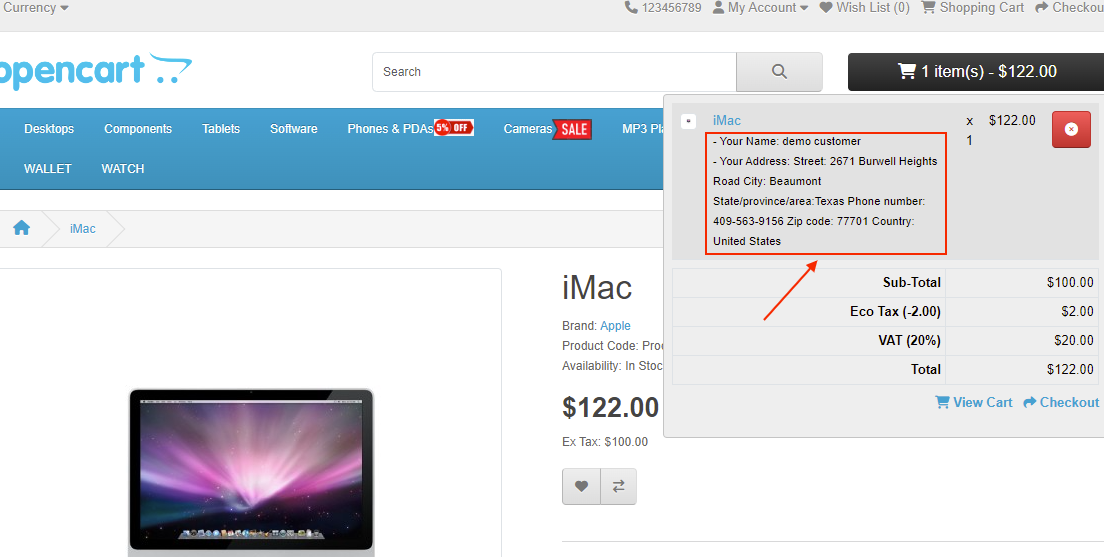
✔ Example Product – with option text limit applied
What customers say about Text Limit For Product Option Text And Textarea

Works great even with uber options and dependent options extensions. So much option configurability now
~BiffLowman
~BiffLowman

Quick suport. Thanks!
~WOODTOPIA
~WOODTOPIA

I couldn't get this to work so contacted support, they qiuckly remedied the situation and pointed out that I had chosen the wrong version
~DonGates
~DonGates
Price
$25.00
- Developed by OpenCart Community
- 12 Months Free Support
- Documentation Included
Rating
Compatibility
2.0.0.0, 2.0.1.0, 2.0.1.1, 2.0.2.0, 2.0.3.1, 2.1.0.1, 2.1.0.2, 2.2.0.0, 2.3.0.0, 2.3.0.1, 2.3.0.2, 3.0.0.0, 3.0.1.0, 3.0.1.1, 3.0.1.2, 3.0.1.3, 3.0.2.0, 4.x.x.x, 3.0.3.0, 3.0.3.1, 3.0.3.2, 3.0.3.3, 3.0.3.5, 3.0.3.6, 3.0.3.7, 3.0.3.8, 4.0.0.0, 4.0.1.0, 4.0.1.1, 3.x.x.x, 4.0.2.0, 4.0.2.1, 4.0.2.2, 4.0.2.3, 3.0.3.9, 3.0.4.0, 4.1.0.0, 4.1.0.1, 4.1.0.2, 4.1.0.3, 3.0.4.1, 3.0.5.0
Last Update
26 May 2026
Created
13 Apr 2018
68 Sales
3 Comments

Login and write down your comment.
Login my OpenCart Account