Car Filter
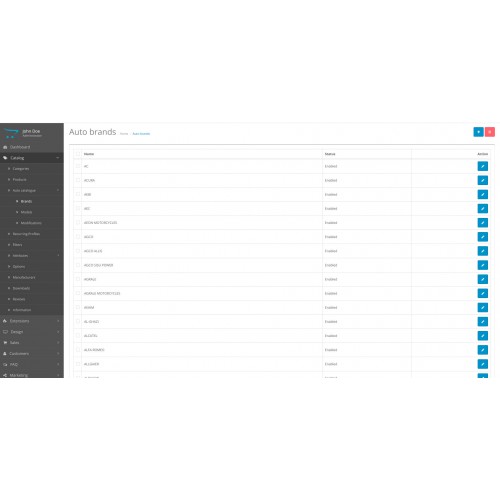
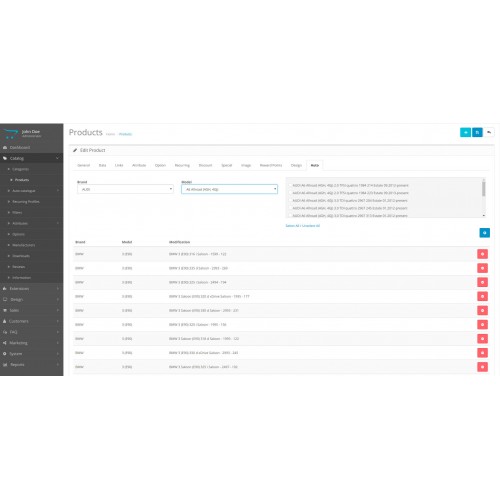
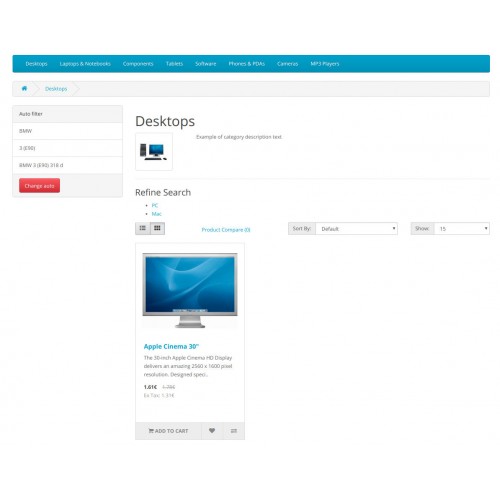
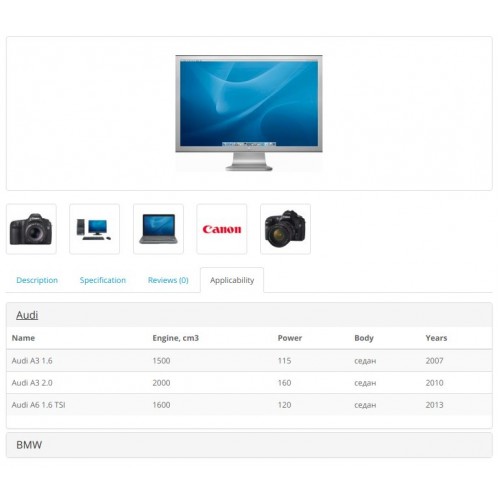
The module allows you to create a car database and link products to a specific model. Visitors can filter products depending on the selected car.
Features
Installation
Update
Recommendation
Add /model into robots.txt
Features
- The filter creates SEO links to model pages, for example: site.ru/category/model (page meta tags also change). Module version without links: 1.0.2
- Filter works on all pages.
- On the product page, you can display the applicability of the parts.
- The filter displays only those cars to which there are bindings of products.
- Together with the filter you can download the database of cars (TecDoc format) in the SQL format (prefix base: oc_), 14.2 MB
- There is support for SEO Pro module
- Performance with other filters, templates not tested
Installation
- Extensions -> Extension Installer
- Refresh modifications cache
- Activate and enable the filter in the list of extensions
- Design -> Layouts, add filter to the "Category"
- Create the base of the car by himself or import the ready database, for example, by PhpMyAdmin
- Link products to models (on the product edit page)
Update
- Make a backup of the data
- Remove the modifier: Car filter and click the update button on the same page
- Install the new version of the module
- On the modifications page click the update again
- In the list of modules, go to the module editing and click on the button for generating SEO links (you need only once, after updating from version 1.0.2)
Recommendation
Add /model into robots.txt
Download
- Developed by OpenCart Community
- Documentation Included
Rating
Compatibility
2.3.0.0, 2.3.0.1, 2.3.0.2, 2.3.0.0, 2.3.0.1, 2.3.0.2
Last Update
30 Dec 2018
Created
1 Jun 2018
764 Downloads
19 Comments

Login and write down your comment.
Login my OpenCart Account