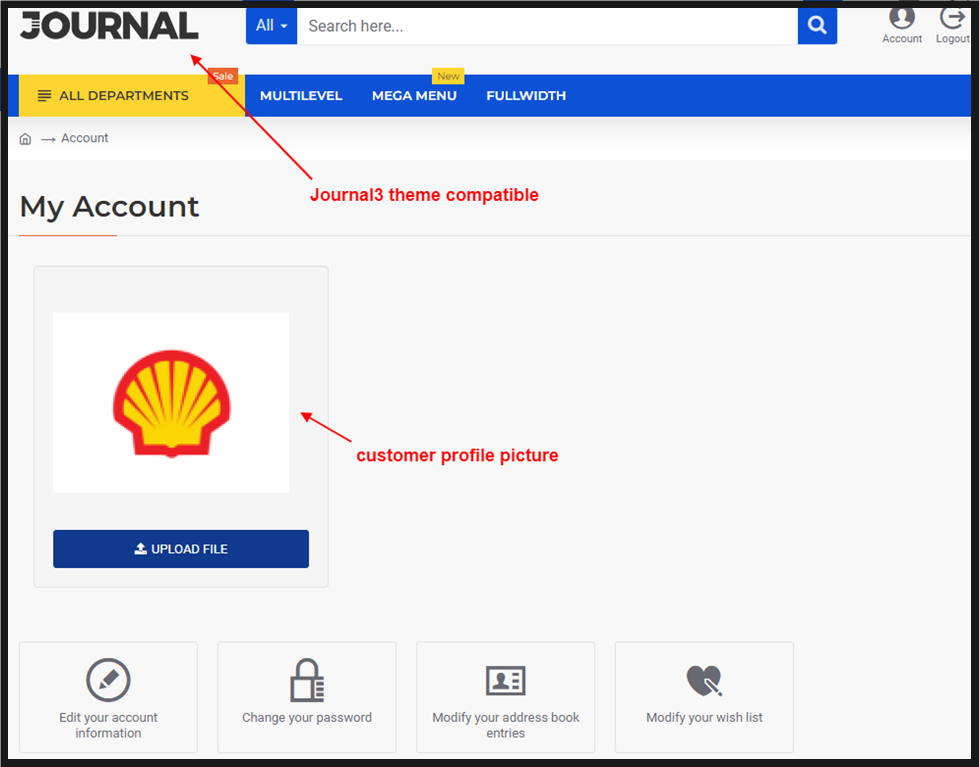
Customer Account Profile Picture

Email Support: opencarttools@gmail.com
WhatsApp Live Chat: Click Here
Live Demo
See the module in action before purchase.
Admin
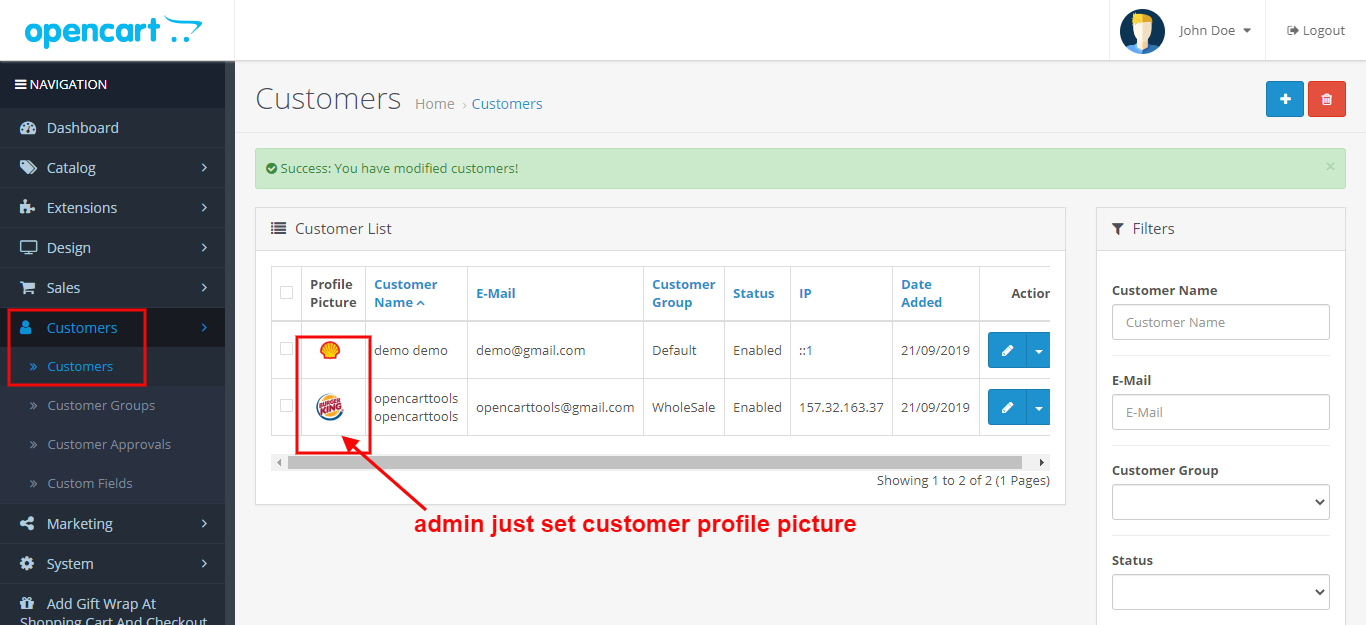
Admin > Customers List
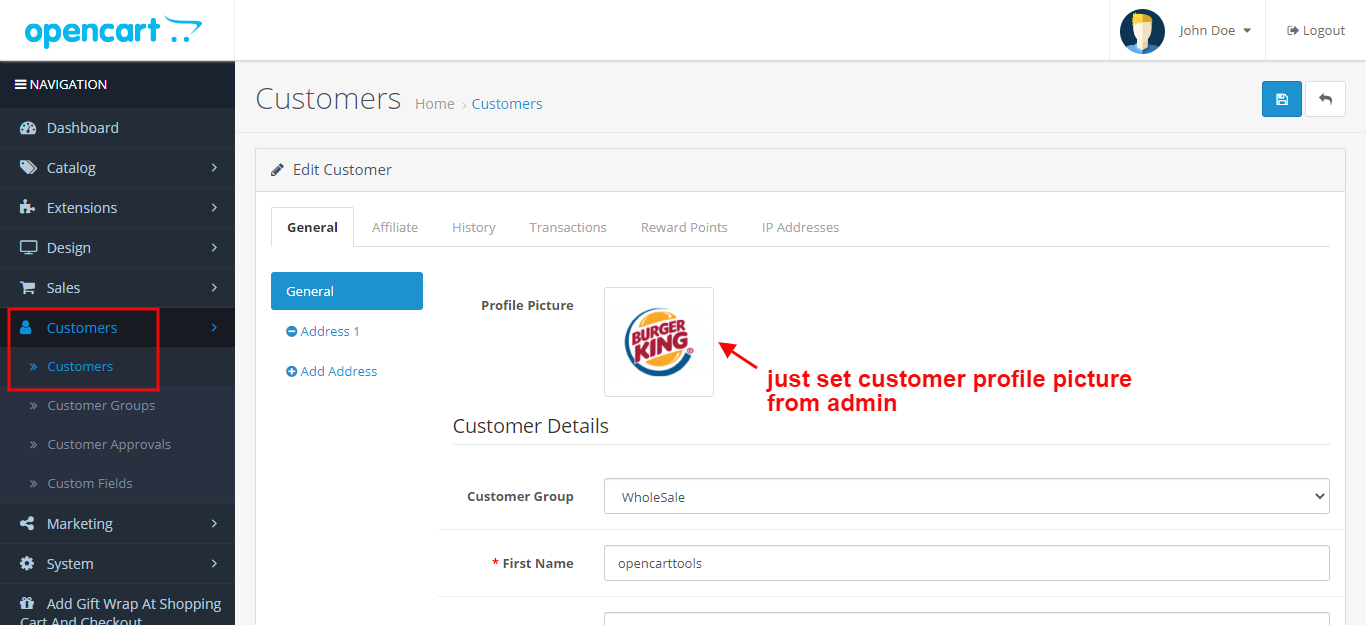
Admin > Customers > Add / Edit Form
Front
Login here and go to my account page
Title
Customer Account Profile Picture – OpenCart 2.x + 3.x + 4.x
Short Description
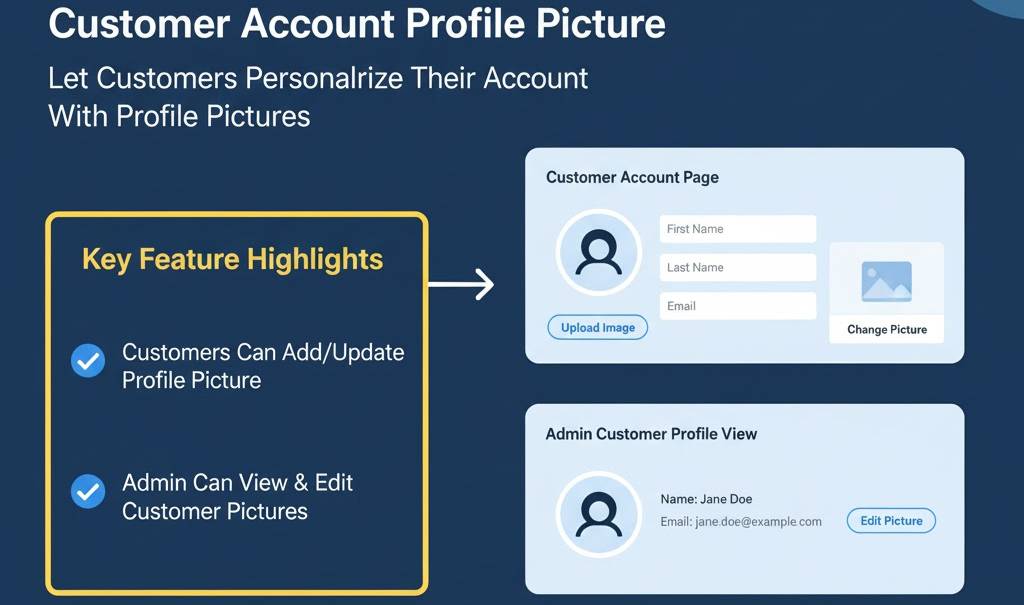
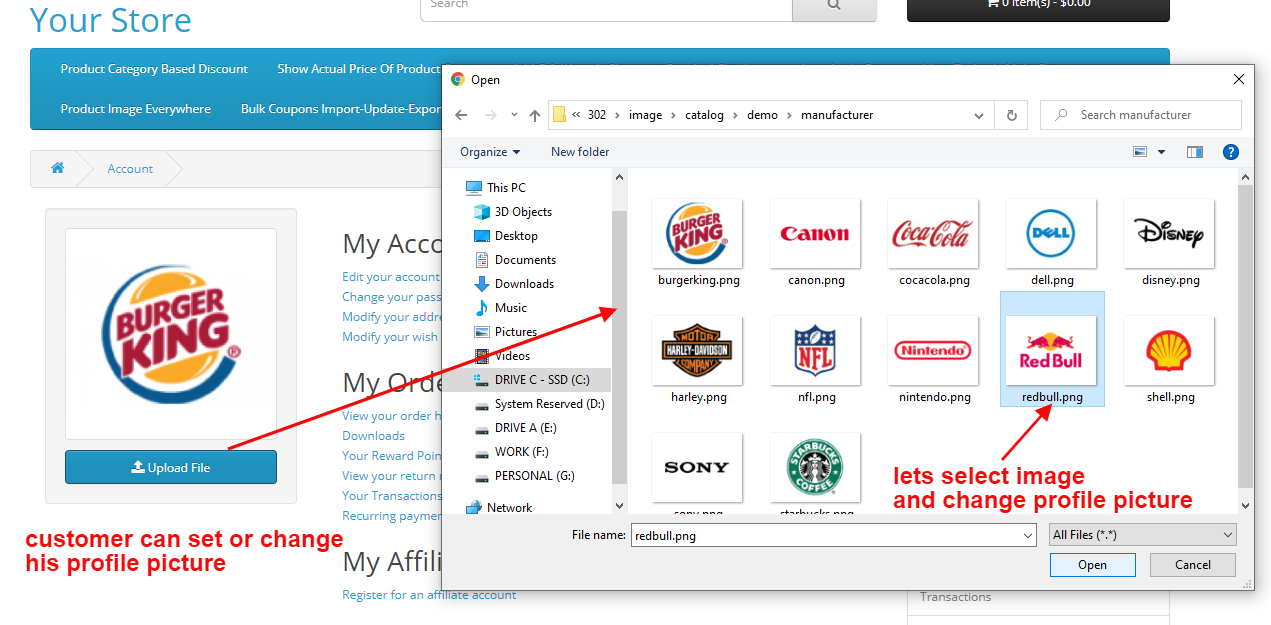
Allow customers to upload and manage their own profile picture from the My Account page.
Admins can view and update profile pictures directly from the customer list and edit form — improving personalization and customer identity management.
Free Dedicated Support Included
We provide dedicated technical support to ensure smooth installation and usage of this module.
✔ Fast response time
✔ Installation guidance
✔ Bug fixes assistance
Key Features
Customer Profile Picture Upload
✔ Customers can upload profile picture from My Account page
✔ Update or change profile image anytime
✔ Easy and user-friendly upload interface
✔ Enhances personalized shopping experience
Admin Profile Management
✔ Admin can view profile pictures in Customer List
✔ Profile image visible in customer Add / Edit form
✔ Admin can upload or update customer profile picture
✔ Better visual identification of customers
Improved Engagement & Branding
✔ Adds social-style personalization to store
✔ Strengthens customer identity
✔ Enhances trust and community feel
✔ Ideal for membership-based stores
Clean & Seamless Integration
✔ Integrated into default customer account system
✔ No design conflicts with existing theme
✔ Works smoothly with registration & login system
✔ Simple plug & play setup
Safe & Lightweight Implementation
✔ 100% OCMOD Based
✔ No Core File Changes
✔ Lightweight & Performance Friendly
✔ Built using OpenCart Coding Standards
✔ Multi-store Compatible
✔ Multi-language Supported
✔ Compatible with OpenCart 2.x, 3.x & 4.x
✔ Supports PHP 5.6 – 8.3
✔ Tested with Default Theme & Journal 3
✔ Compatible with Journal2, Journal3, Pavo, Foster and other themes
Installation Steps
✔ Upload the extension via Admin → Extensions → Installer
✔ Go to Admin → Extensions → Modules
✔ Install and enable the module
✔ Save settings
Profile picture functionality becomes active immediately.
How It Works
✔ Customer logs into account
✔ Uploads profile picture from My Account page
✔ Image stored securely in server
✔ Admin can view and manage from customer list
Simple and user-friendly process.
Why Choose This Module
✔ Enhance customer personalization
✔ Improve customer engagement
✔ Visual identification for admin team
✔ Easy setup with no coding required
✔ Fully compatible with multi-store setups
✔ Lightweight and secure implementation
Money-Back Guarantee
We stand behind the quality of our module.
If the extension does not work as described or is incompatible with your supported OpenCart version, we offer a 7-Day Money-Back Guarantee.
✔ Full refund if confirmed technical issue
✔ Dedicated support before refund decision
✔ Transparent and fair resolution process
Your satisfaction and store performance are our priority.
Requirements
✔ OpenCart 2.X + 3.X + 4.X
✔ Supports PHP 5.6 – 8.3
✔ No core file changes
✔ Built using OpenCart coding standards
Ideal For
✔ Membership-based stores
✔ Community-driven eCommerce platforms
✔ B2B portals with account managers
✔ Loyalty or VIP customer programs
✔ Multi-store OpenCart businesses
Images & Screenshots - View all screenshots
• Customer My Account page with profile picture upload
• Admin customer list showing profile pictures
• Admin add/edit customer form with profile picture option
• Example of updated profile picture displayed in account
Price
$20.00
- Developed by OpenCart Community
- 12 Months Free Support
- Documentation Included
Rating
Compatibility
2.0.0.0, 2.0.1.0, 2.0.1.1, 2.0.2.0, 2.0.3.1, 2.1.0.1, 2.1.0.2, 2.2.0.0, 2.3.0.0, 2.3.0.1, 2.3.0.2, 3.0.0.0, 3.0.1.0, 3.0.1.1, 3.0.1.2, 3.0.1.3, 3.0.2.0, 4.x.x.x, 3.0.3.0, 3.0.3.1, 3.0.3.2, 3.0.3.3, 3.0.3.5, 3.0.3.6, 3.0.3.7, 3.0.3.8, 4.0.0.0, 4.0.1.0, 4.0.1.1, 3.x.x.x, 4.0.2.0, 4.0.2.1, 4.0.2.2, 4.0.2.3, 3.0.3.9, 3.0.4.0, 4.1.0.0, 4.1.0.1, 4.1.0.2, 4.1.0.3, 3.0.4.1, 3.0.5.0
Last Update
4 May 2026
Created
9 Jun 2018
14 Sales
0 Comments

Login and write down your comment.
Login my OpenCart Account