Quantity Increment Decrement Pro
========================================
Quantity Increment Decrement Pro
========================================
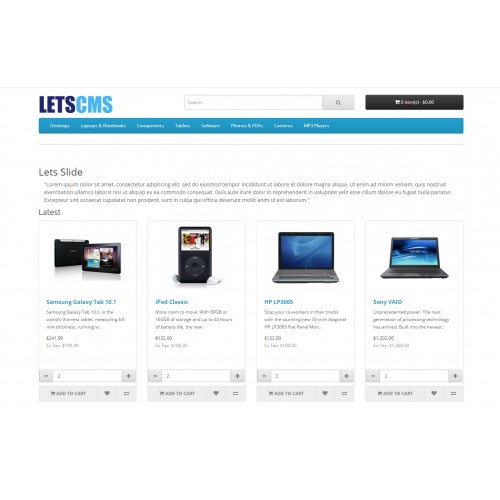
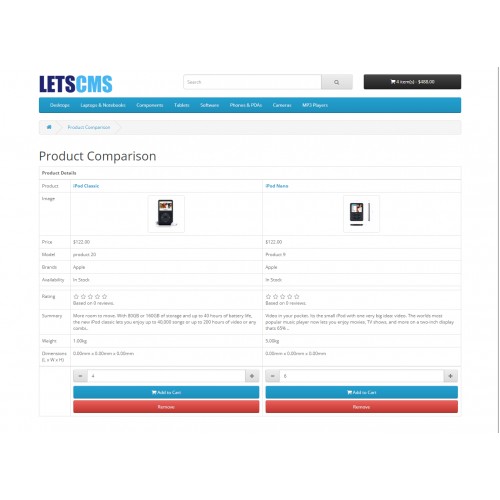
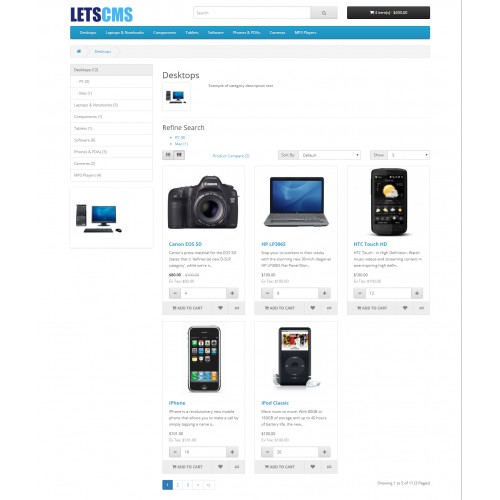
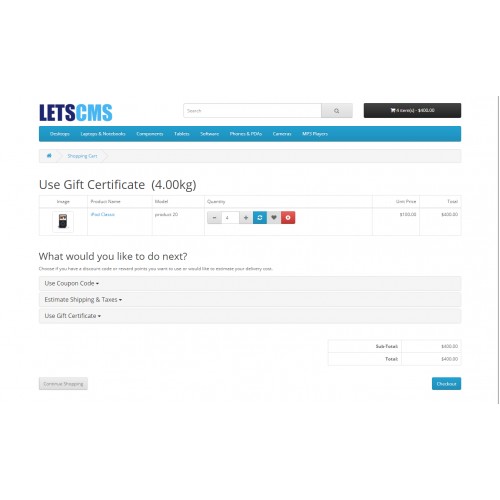
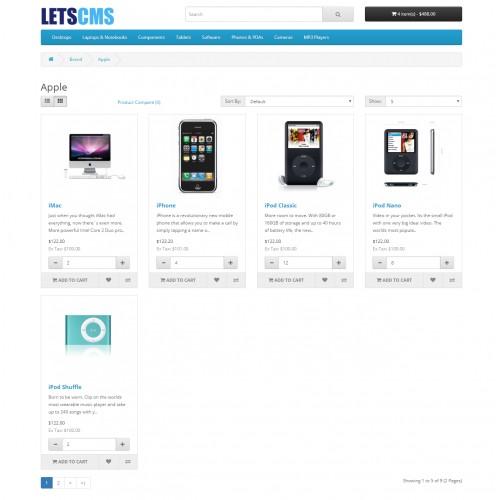
This module is very helpful to increase and decrease the Quantity of the products without going to cart page. Customer can seen the button on product list of various module.
Quantity Increment and decrement will be product based or globally. i.e
1. Define in each product so based on product quantity will increase .
2. Do you need minimum and maximum quantity define. Is it will be product based or will be globally?
3. Please Specify the pages where you need this functionality. I am specifying pages, If I missed anyone please let me know.
1. Featured Module,
2. Latest Module
3. Bestseller Module
4. Special Module
5. Category listing products
6. Related Product
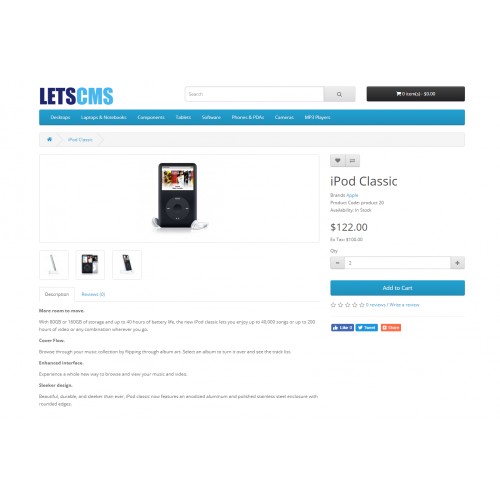
7. Product detail Page
8. Cart Page
9. Product listing based on manufacturer
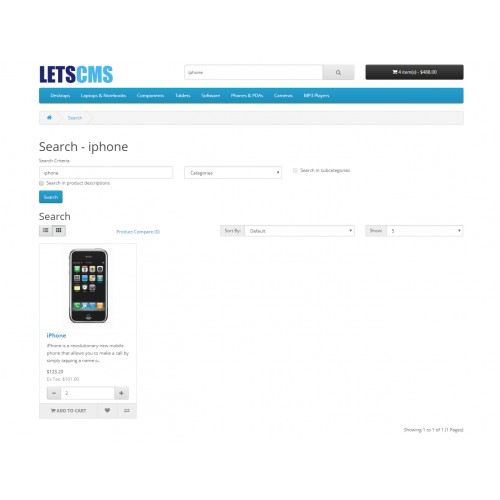
10. Search product page
11. Compare products
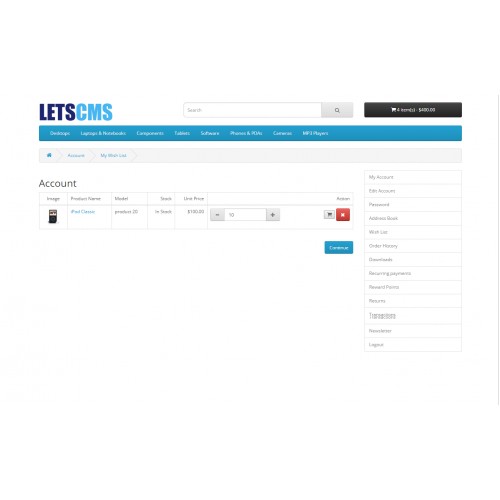
12. Wish-list Products
========================================
Installation Steps
========================================
If You are using OpenCart 3.X.X.X version, you need to install Installation Issue Fixed Module.
1.Copy all files/folder to exact loction manually. (Goto step 6)
2.OR with the help of "Extension Installer" below are the steps.
3.Open your admin goto Extensions Tab and click "Extension Installer".
4.Then click on "Upload" button and select the downloaded folder/directory "quantity_increment_decrement_pro.ocmod.zip".
5.After that goto "Modification" you can see the file below, now click clear and refresh button.
6.Now goto Extension Tab and select "Extension" then click on dropdown menu and select "Module".
7.Then click on "Install" and "Edit" button then Fill the details and enable the status and then save it.
Enjoy and Thanks for downloading.
========================================
Features -
========================================
One Year Free installation support
Simple and Robust-installation
Easily manageable from admin
Multi-Store compatible
OCMOD
========================================
Admin Configuration
========================================
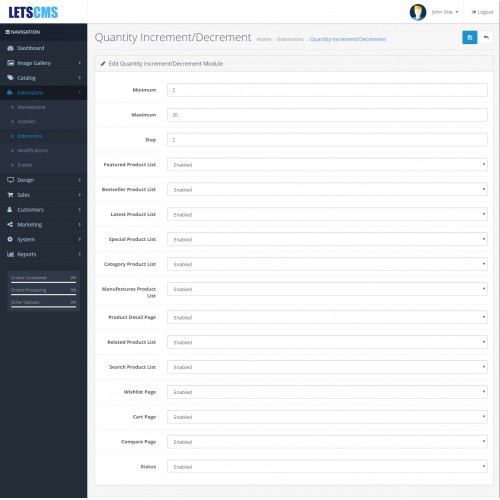
After the successful installation of the module, the admin will be able to configure the Quantity Increment Decrement Pro module for use. Admin can do following settings-
Enable/Disable the Featured Category module.
Can set the Minimum and Maximum No. of Limits of the products.
Can set the Minimum no. of products should be increased while pressing increment button.
Hide/Show the Button on the default module like Featured, Bestseller, Latest, Special etc.
Hide/Show the Button on the default pages like Product Detail Page, Wishlist Page, Compare Page etc.
========================================
On website
========================================
[*]Simply show the Increment Decrement Button on the selected modules and pages.
=====================
Free Supports
=====================
Mail: letscmsdev@gmail.com
Skype: jks0586
Whats App: +91-9717478599
Support: 24X7
Quantity Increment Decrement Pro
========================================
This module is very helpful to increase and decrease the Quantity of the products without going to cart page. Customer can seen the button on product list of various module.
Quantity Increment and decrement will be product based or globally. i.e
1. Define in each product so based on product quantity will increase .
2. Do you need minimum and maximum quantity define. Is it will be product based or will be globally?
3. Please Specify the pages where you need this functionality. I am specifying pages, If I missed anyone please let me know.
1. Featured Module,
2. Latest Module
3. Bestseller Module
4. Special Module
5. Category listing products
6. Related Product
7. Product detail Page
8. Cart Page
9. Product listing based on manufacturer
10. Search product page
11. Compare products
12. Wish-list Products
========================================
Installation Steps
========================================
1.Copy all files/folder to exact loction manually. (Goto step 6)
2.OR with the help of "Extension Installer" below are the steps.
3.Open your admin goto Extensions Tab and click "Extension Installer".
4.Then click on "Upload" button and select the downloaded folder/directory "quantity_increment_decrement_pro.ocmod.zip".
5.After that goto "Modification" you can see the file below, now click clear and refresh button.
6.Now goto Extension Tab and select "Extension" then click on dropdown menu and select "Module".
7.Then click on "Install" and "Edit" button then Fill the details and enable the status and then save it.
Enjoy and Thanks for downloading.
========================================
Features -
========================================
========================================
Admin Configuration
========================================
After the successful installation of the module, the admin will be able to configure the Quantity Increment Decrement Pro module for use. Admin can do following settings-
========================================
On website
========================================
=====================
Free Supports
=====================
Mail: letscmsdev@gmail.com
Skype: jks0586
Whats App: +91-9717478599
Support: 24X7
Price
$20.00
- Developed by OpenCart Community
- 12 Months Free Support
- Documentation Included
Rating
Compatibility
4.0.0.0, 4.0.1.0, 4.0.1.1, 3.0.0.0, 3.0.1.0, 3.0.1.1, 3.0.1.2, 3.0.1.3, 3.0.2.0
Last Update
14 Dec 2022
Created
1 Jul 2018
5 Sales
0 Comments

Login and write down your comment.
Login my OpenCart Account