MailChimp + Ecomm360 + Adandoned Cart Support
CHECK OUT ALL MY EXTENSION
ADMIN DEMO
SETUP EVERYTHING IN MINUTES, NOT HOURS
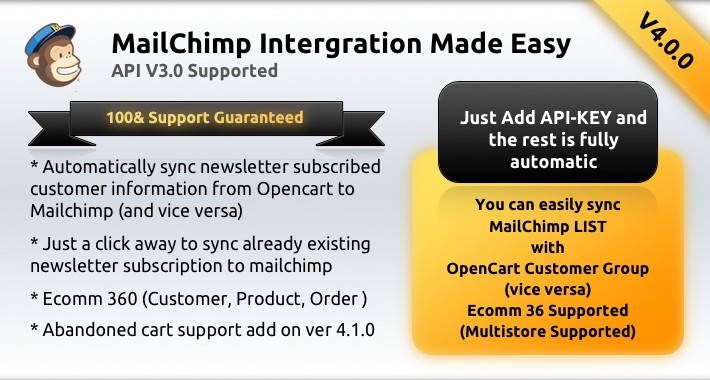
Webby MailChimp Extension makes its easy to map Opencart customers with Mail Chimp List fully automatic.
It automatically sync customers to mailchimp list based on the setting at admin where you map customer group to mailchimp list.
Versions
v4.0 (Upgraded mailchimp API Version to latest v3.0 of mailchimp api)
Supports (Ecommerce 360),
Todo List
Abandon Cart
v2.3
Auto Sync Feature added (now you can import existing customer from opencart to mailchimp list just a click away)
v2.2.1
Module Add (Now you can add mailchimp subscribe form easily for any list easily)
v2.1.2
Webhook Supported
Installation is very easy.
Step 1:
Copy File to Root folder
Step 2:
Use the ocmod.xml file to install using extension manager at admin.
Thats all.
Now go to admin->System->MailChimp
1. Enter API-KEY
2. Map each Customer Group With MailChimp List (auto loaded) as you prefer.
I you have any doubt, feel free to contact me at any time.
my skype id : saif.silver
my gmail id : saif.silver@gmail.com
Go ahead and purchase this extension it will be worth. and it will save a lot of your time.
Increase your sales opportunities through email marketing. one of the most successfully method of marketing.
You can use it for new product notification, Offers, New Deals extra....
For Install in Opencart 1.5.x
Requirements
========================================================================
OPENCART 2.x (Latest)
VQMode 2.4.x
Installation
========================================================================
1. Copy the contents “admin”, “system” and vqmod to respective folders
2. Go To admin System->Users->User Groups
Edit the user group and allow permission to access and modify the “campaign_monitor”.
3. Go to admin System->MailChimp
4. Paste you “api key”, mail chimp list will load automatically.
5. That’s all
Versions Change Log
Ver 1.1.1
----------------------------------------------------
mail_chimp.ocmod.xml only updated
Steps to upgrade
1. Go to admin Extensions->Modification delete MailChimp Extension and Click Clear Button at top
2. Go to Extensions->Extension Installer-> Upload new mail_chimp.ocmod.xml
3. Go to Extensions->Modifications->Check MailChimp Extension and Click Refresh
Thats all
ADMIN DEMO
SETUP EVERYTHING IN MINUTES, NOT HOURS
Webby MailChimp Extension makes its easy to map Opencart customers with Mail Chimp List fully automatic.
It automatically sync customers to mailchimp list based on the setting at admin where you map customer group to mailchimp list.
Versions
v4.0 (Upgraded mailchimp API Version to latest v3.0 of mailchimp api)
Supports (Ecommerce 360),
Todo List
Abandon Cart
v2.3
Auto Sync Feature added (now you can import existing customer from opencart to mailchimp list just a click away)
v2.2.1
Module Add (Now you can add mailchimp subscribe form easily for any list easily)
v2.1.2
Webhook Supported
Installation is very easy.
Step 1:
Copy File to Root folder
Step 2:
Use the ocmod.xml file to install using extension manager at admin.
Thats all.
Now go to admin->System->MailChimp
1. Enter API-KEY
2. Map each Customer Group With MailChimp List (auto loaded) as you prefer.
I you have any doubt, feel free to contact me at any time.
my skype id : saif.silver
my gmail id : saif.silver@gmail.com
Go ahead and purchase this extension it will be worth. and it will save a lot of your time.
Increase your sales opportunities through email marketing. one of the most successfully method of marketing.
You can use it for new product notification, Offers, New Deals extra....
For Install in Opencart 1.5.x
Requirements
========================================================================
OPENCART 2.x (Latest)
VQMode 2.4.x
Installation
========================================================================
1. Copy the contents “admin”, “system” and vqmod to respective folders
2. Go To admin System->Users->User Groups
Edit the user group and allow permission to access and modify the “campaign_monitor”.
3. Go to admin System->MailChimp
4. Paste you “api key”, mail chimp list will load automatically.
5. That’s all
Versions Change Log
Ver 1.1.1
----------------------------------------------------
mail_chimp.ocmod.xml only updated
Steps to upgrade
1. Go to admin Extensions->Modification delete MailChimp Extension and Click Clear Button at top
2. Go to Extensions->Extension Installer-> Upload new mail_chimp.ocmod.xml
3. Go to Extensions->Modifications->Check MailChimp Extension and Click Refresh
Thats all
Price
$32.00
- Developed by OpenCart Community
- 3 Months Free Support
- Documentation Included
Rating
Compatibility
3.0.2.0, 4.x.x.x, 2.3.0.1, 2.3.0.2, 2.1.0.1, 2.1.0.2
Last Update
12 Dec 2018
Created
1 Jul 2018
2 Sales
0 Comments

Login and write down your comment.
Login my OpenCart Account