Maintenance Pro

Maintenance Pro
Features

Free Installation and Support
No core files are changed.
Install Instructions - OpenCart 2.x and 3.x (OCMod)
- Login to your OpenCart Admin panel
- Go to Extensions > Installer and upload file suited for your OpenCart version
- Go to Extensions > Modifications and click Refresh
- Go to Extensions > Extensions > modules > DigitCart - Maintenance Pro > Install and configure it.
Install Instructions - OpenCart 2.x (VQMod)
- If you don't have VQMod, you must download and install it from : https://github.com/vqmod/vqmod/releases
- Login to your OpenCart Admin panel
- Go to Extensions > Installer and upload file suited for your OpenCart version or Copy the upload folder that comes inside the module and paste its contents to your OpenCart root
- Go to Extensions > Extensions > modules > DigitCart - Maintenance Pro > Install and configure it.
Features
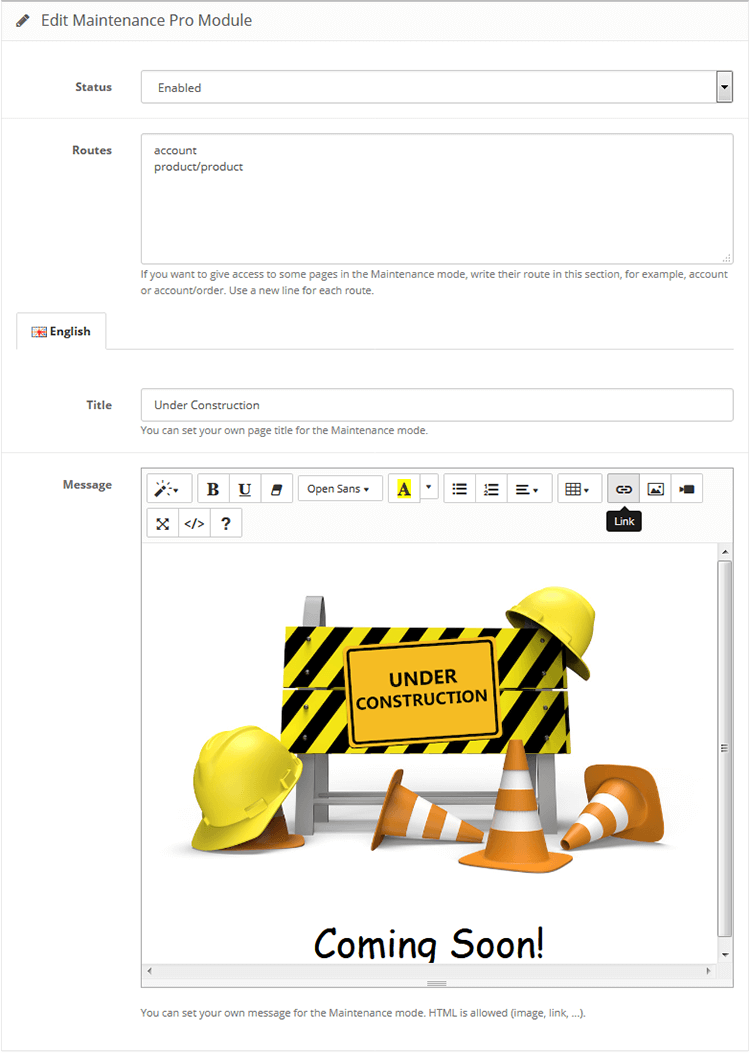
- Set your custom page title in maintenance mode.
- Set your custom message in maintenance mode. you can use image, link, colour, etc.
- Allow customers to access to some pages in maintenance mode. For example, you can let customers see their order history.
Free Installation and Support
- sabeti05 [AT] gmail.com
- DigitCart Support
No core files are changed.
Install Instructions - OpenCart 2.x and 3.x (OCMod)
- Login to your OpenCart Admin panel
- Go to Extensions > Installer and upload file suited for your OpenCart version
- Go to Extensions > Modifications and click Refresh
- Go to Extensions > Extensions > modules > DigitCart - Maintenance Pro > Install and configure it.
Install Instructions - OpenCart 2.x (VQMod)
- If you don't have VQMod, you must download and install it from : https://github.com/vqmod/vqmod/releases
- Login to your OpenCart Admin panel
- Go to Extensions > Installer and upload file suited for your OpenCart version or Copy the upload folder that comes inside the module and paste its contents to your OpenCart root
- Go to Extensions > Extensions > modules > DigitCart - Maintenance Pro > Install and configure it.
Price
$20.00
- Developed by OpenCart Community
- 12 Months Free Support
- Documentation Included
Rating
Compatibility
3.0.0.0, 3.0.1.0, 3.0.1.1, 3.0.1.2, 3.0.1.3, 3.0.2.0, 3.0.3.0, 3.0.3.1, 3.0.3.2, 3.0.3.3, 3.0.3.5, 3.0.3.6, 3.0.3.7, 3.0.3.8, 3.x.x.x, 3.0.3.9, 3.0.4.0, 3.0.4.1, 3.0.5.0, 2.3.0.2, 2.3.0.2
Last Update
26 May 2026
Created
2 Aug 2018
8 Sales
2 Comments

Login and write down your comment.
Login my OpenCart Account