Bulk Price and Quantity Update using CSV

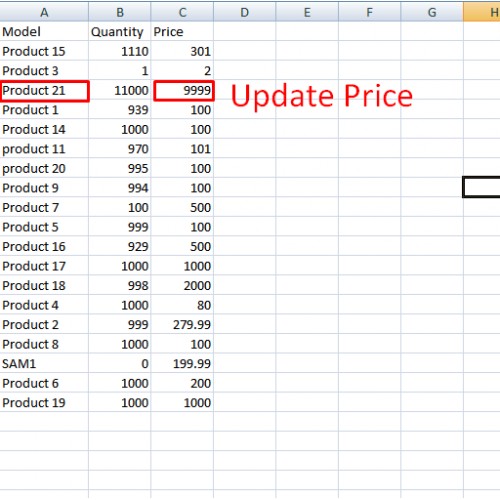
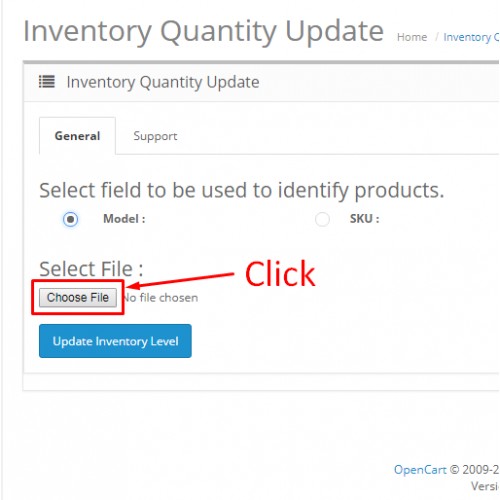
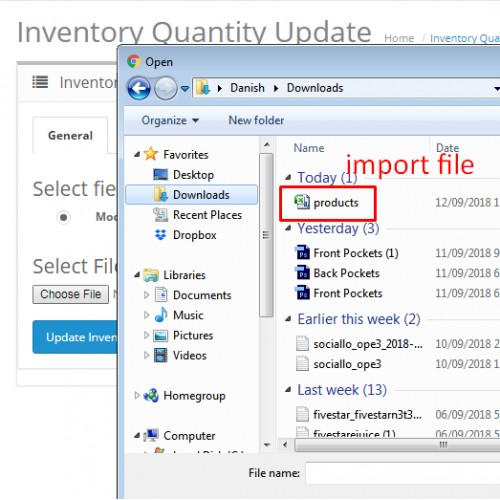

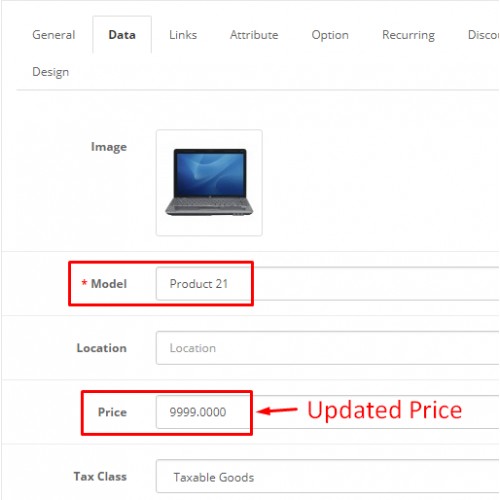
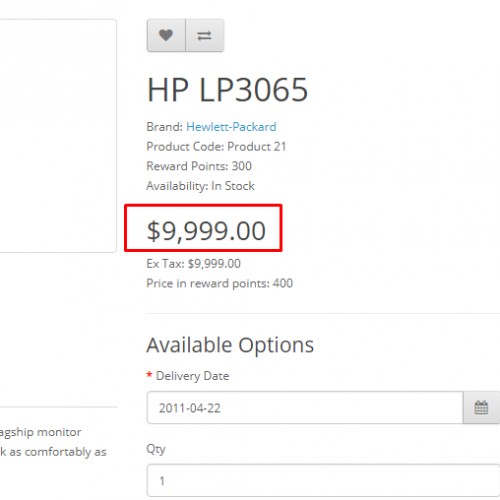
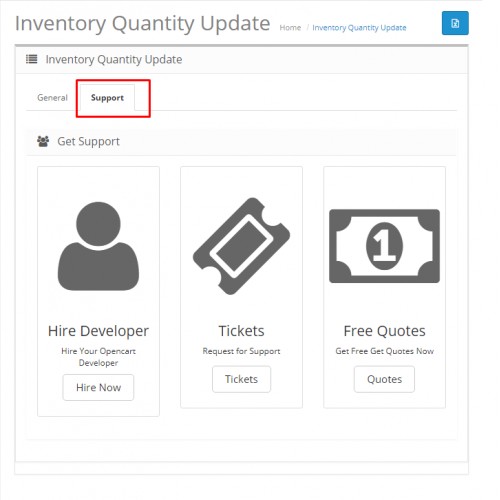
Bulk Price and Quantity Update using CSV extension module is used to update Price and/or Quantity of bulk products using CSV file on the basis of the Model's or SKU's of the products. You are able to upload your own Csv file (follow the provided format of example csv file) or u can download it from the System(Same setting page right side corner).
Used to price updates along with the original quantity updates using CSV.






How to Update Inventory Quantity Total and Price :
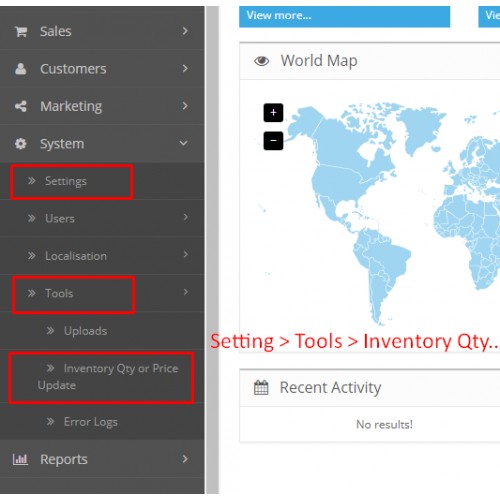
1. Go to the Inventory Qty or Price Update of tools menu.
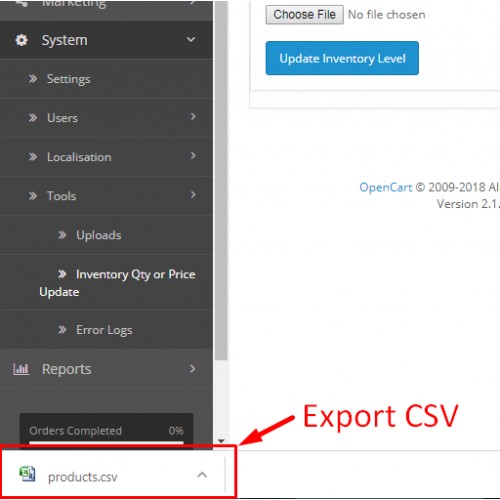
2.Select the Product type(Model or sku), Export the CSV file from right side upper corner .
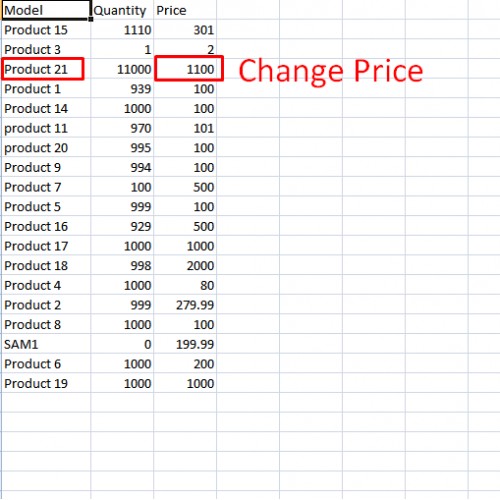
3. Edit the Csv file make change.
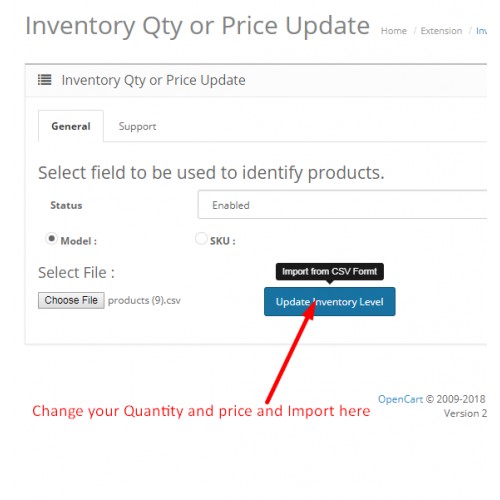
4. Upload the file and Click on update button The price and inventory update on the basis of message if any error resolve and submit again.
Notes:
Use a comma delimited text file (.csv) with up to 3 fields per line but should have at least two.
If you use more or less fields you will get an error. BUT this does allow you to skip a field IF you maintain the structure.
DO NOT USE ANY , separators in your model or price field. i.e. if you have a price of $3,000.10, it should be 3000.10, do NOT include the , as this will make the
DO NOT USE ANY , separators in your model or price field. i.e. if you have a price of $3,000.10, it should be 3000.10, do NOT include the , as this will make the script think it needs to move to the next field also do not include $ as it can have unusual results.
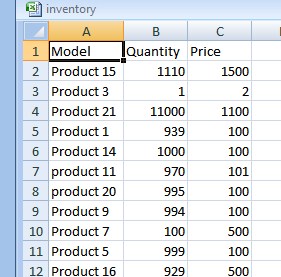
Model or SKU,Quantity,Price
Example:
Mustang,1,550.00 = good
grum04,10,125.00 = good
grog04,,125.00 = good (no quantity update)
fomp1,12, = good (no price update)
floor1,12 = good (no price update)
flop,, = you will get an error
,,100 = you will get an error
,12, = you will get an error
script think it needs to move to the next field also do not include $ as it can have unusual results.
The choice of using Model or SKU to reference the product is by a radio button in admin.
An on-screen list is returned for any record where a corresponding product in the database was not found.
Show the format in bellow
Compatibility:
— The extension is tested and guaranteed to work under 1.5.x.x,2.x.x, 3.x.x versions of opencart and its all distributions.



Demo Login Details:
Username: demo
Password: demo
Check all of our extensions here
For support, please send mail to
email: info@n2rtechnologies.com
skype: n2rtechnologies

Please don't forget to rate the extension.
Used to price updates along with the original quantity updates using CSV.
How to Update Inventory Quantity Total and Price :
1. Go to the Inventory Qty or Price Update of tools menu.
2.Select the Product type(Model or sku), Export the CSV file from right side upper corner .
3. Edit the Csv file make change.
4. Upload the file and Click on update button The price and inventory update on the basis of message if any error resolve and submit again.
Notes:
Use a comma delimited text file (.csv) with up to 3 fields per line but should have at least two.
If you use more or less fields you will get an error. BUT this does allow you to skip a field IF you maintain the structure.
DO NOT USE ANY , separators in your model or price field. i.e. if you have a price of $3,000.10, it should be 3000.10, do NOT include the , as this will make the
DO NOT USE ANY , separators in your model or price field. i.e. if you have a price of $3,000.10, it should be 3000.10, do NOT include the , as this will make the script think it needs to move to the next field also do not include $ as it can have unusual results.
Model or SKU,Quantity,Price
Example:
Mustang,1,550.00 = good
grum04,10,125.00 = good
grog04,,125.00 = good (no quantity update)
fomp1,12, = good (no price update)
floor1,12 = good (no price update)
flop,, = you will get an error
,,100 = you will get an error
,12, = you will get an error
script think it needs to move to the next field also do not include $ as it can have unusual results.
The choice of using Model or SKU to reference the product is by a radio button in admin.
An on-screen list is returned for any record where a corresponding product in the database was not found.
Show the format in bellow
Compatibility:
— The extension is tested and guaranteed to work under 1.5.x.x,2.x.x, 3.x.x versions of opencart and its all distributions.
Demo Login Details:
Username: demo
Password: demo
Check all of our extensions here
For support, please send mail to
email: info@n2rtechnologies.com
skype: n2rtechnologies
Please don't forget to rate the extension.
Price
$20.00
- Developed by OpenCart Community
- 6 Months Free Support
- Documentation Included
Rating
Compatibility
2.0.0.0, 2.0.1.0, 2.0.1.1, 2.0.2.0, 2.0.3.1, 2.1.0.1, 2.1.0.2, 2.2.0.0, 2.3.0.0, 2.3.0.1, 2.3.0.2, 2.1.0.1, 2.1.0.2, 2.2.0.0, 1.4.9.4, 1.4.9.5, 1.5.0, 1.5.0.1, 1.5.0.2, 1.5.0.3, 1.5.0.4, 1.5.0.5, 1.5.1, 1.5.1.1, 1.4.9.6, 1.5.1.2, 1.5.1.3, 1.5.2, 1.5.2.1, 1.5.3, 1.5.3.1, 1.5.4, 1.5.4.1, 1.5.5, 1.5.5.1, 1.5.6, 1.5.6.1, 1.5.6.2, 1.5.6.3, 1.5.6.4, 2.0.0.0, 2.0.1.0, 2.0.1.1, 2.0.2.0, 2.0.3.1, 3.0.0.0, 3.0.1.0, 3.0.1.1, 3.0.1.2, 3.0.1.3, 3.0.2.0, 4.x.x.x
Last Update
31 Jul 2020
Created
3 Sep 2018
43 Sales
2 Comments

Login and write down your comment.
Login my OpenCart Account