Multi Messenger Buttons for OpenCart
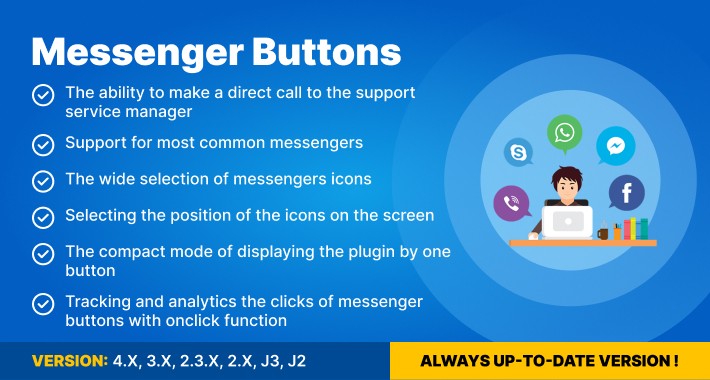
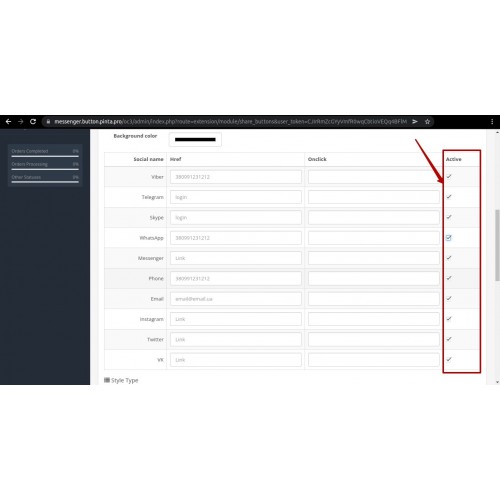
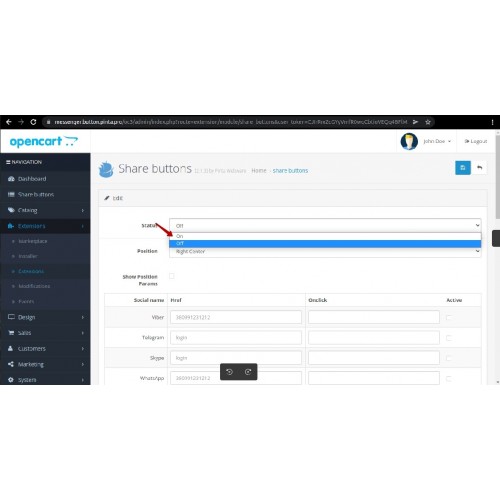
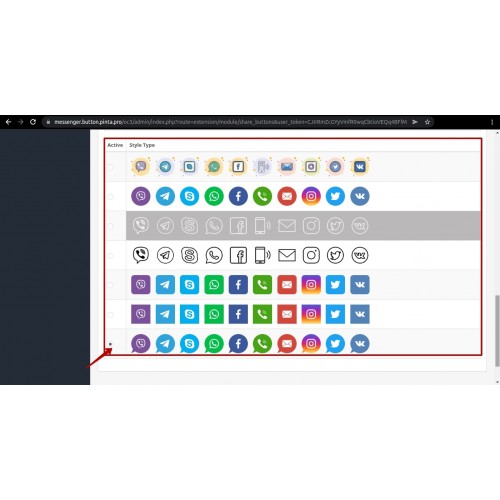
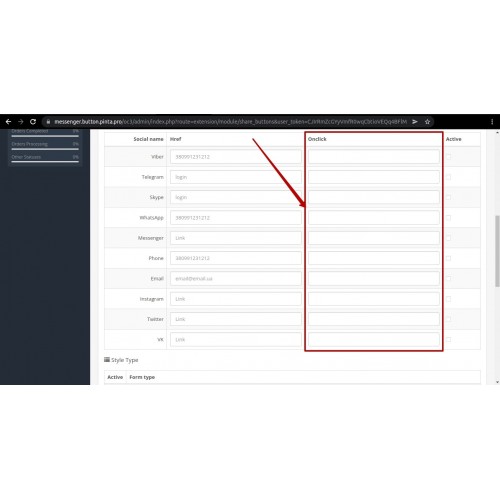
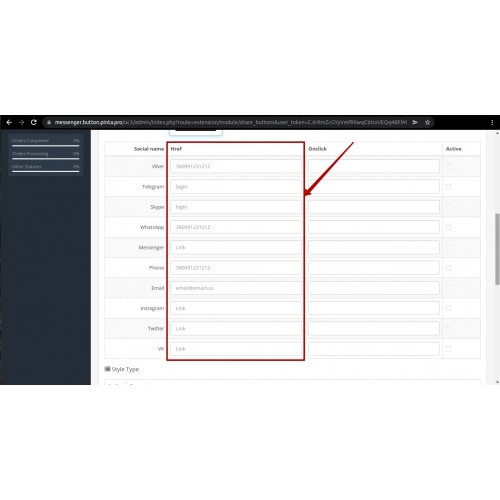
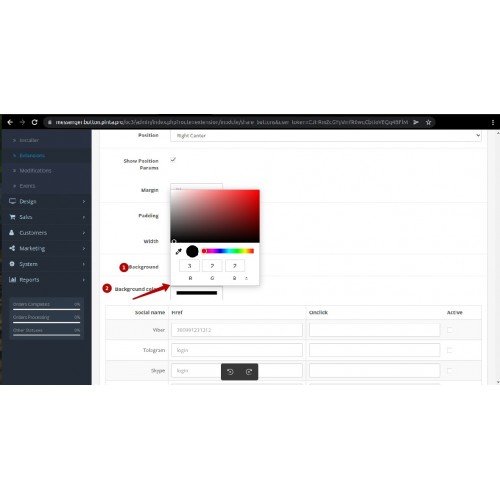
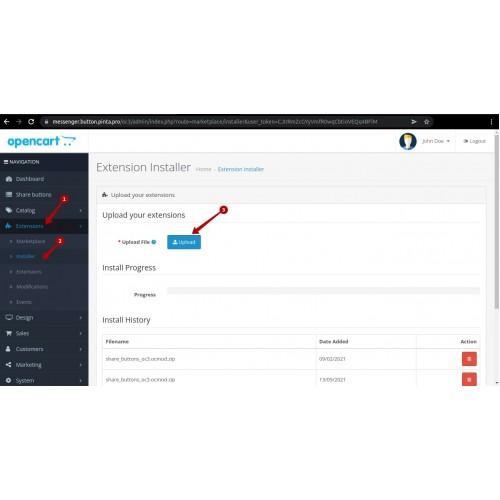
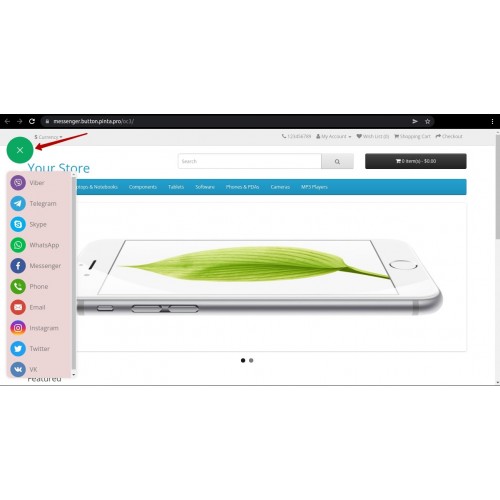
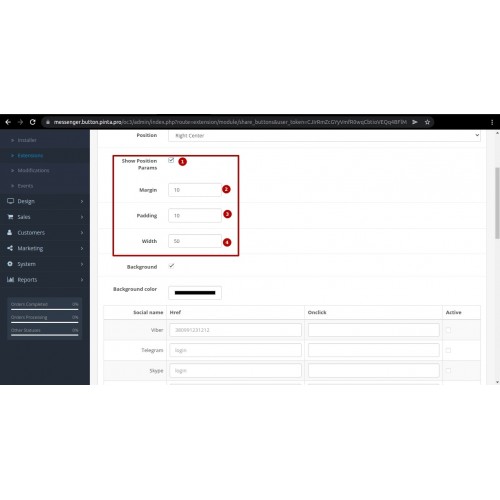
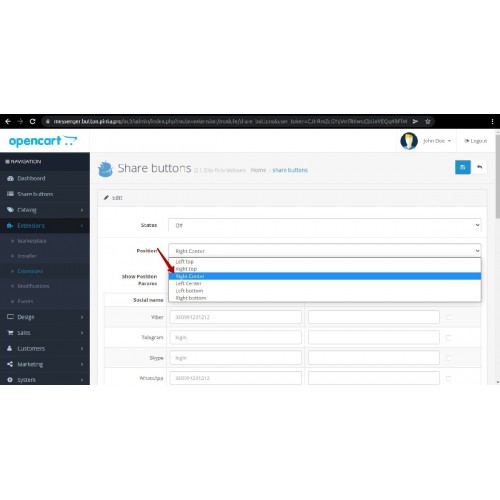
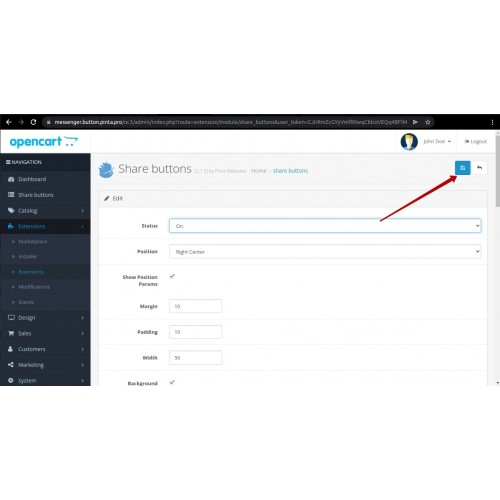




Multi Messenger Buttons for OpenCart is a module compatible with OpenCart 1.5–4.x that adds messenger contact buttons to your store. Customers can contact you via WhatsApp, Telegram, Viber, Facebook Messenger, Skype, Instagram, and other platforms with a single click. You can manage the button positions, choose which messengers to display, and customize the look and feel to match your store design directly from the admin panel.
Key Benefits



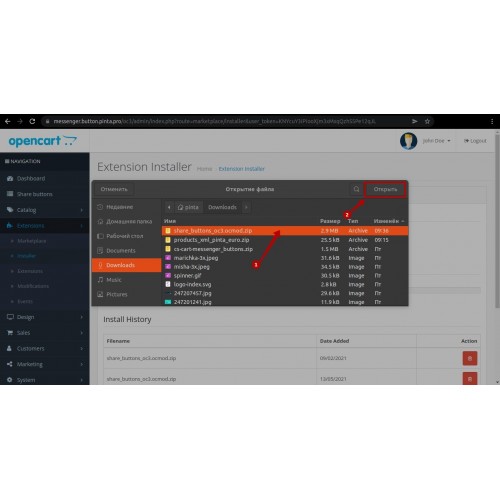
- Upload the extension archive via the OpenCart Installer.
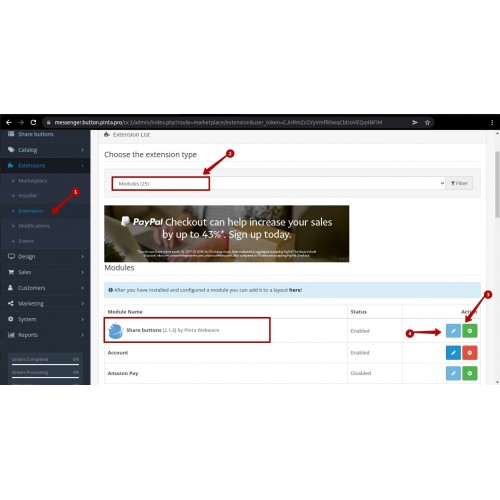
- Install the module in the Extensions > Modules section.
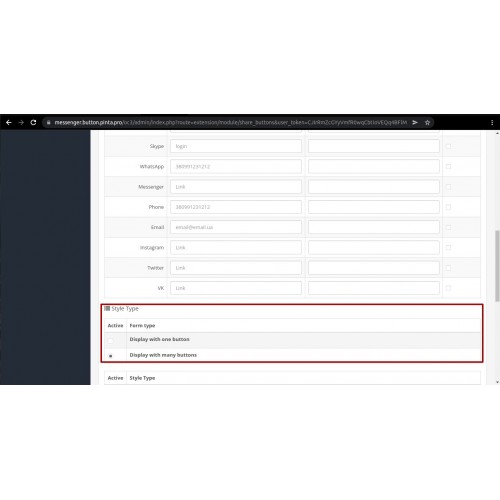
- Go to the module settings and enter your messenger account details (phone numbers, usernames, etc.).
- Choose the display position and customize the button appearance.
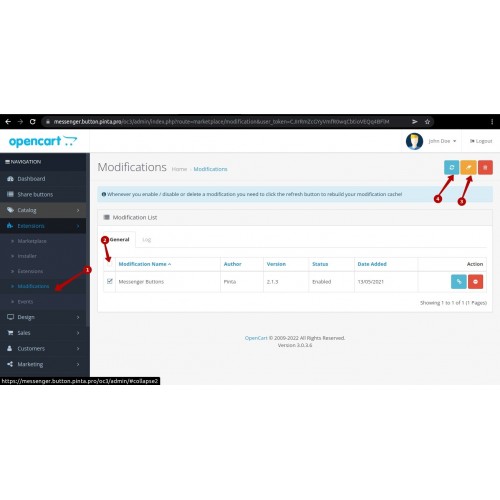
- Save your changes and refresh the modifications if required.

Version 2.2.1
*Updated translation files.
*Updated Facebook Messenger naming.
*Updated X (Twitter) name and icon.
*Updated installation package for OpenCart 2.0 and 4.x.
Version 2.2.0
*Improved Viber links for iOS devices.
What customers say about Multi Messenger Buttons for OpenCart

Great all in one contact module and great support from developer as well. Recommended!
~diamcarpediem
~diamcarpediem
Price
$20.00
- Developed by OpenCart Community
- 6 Months Free Support
- Documentation Included
Rating
Compatibility
4.x.x.x, 4.0.0.0, 4.0.1.0, 4.0.1.1, 4.0.2.0, 4.0.2.1, 4.0.2.2, 4.0.2.3, 3.0.0.0, 3.0.1.0, 3.0.1.1, 3.0.1.2, 3.0.1.3, 3.0.2.0, 3.0.3.0, 3.0.3.1, 3.0.3.2, 3.0.3.3, 3.0.3.5, 3.0.3.6, 3.0.3.7, 3.0.3.8, 3.x.x.x, 3.0.3.9, 2.0.0.0, 2.0.1.0, 2.0.1.1, 2.0.2.0, 2.0.3.1, 2.1.0.1, 2.1.0.2, 2.2.0.0, 2.3.0.0, 2.3.0.1, 2.3.0.2, 1.5.0, 1.5.0.1, 1.5.0.2, 1.5.0.3, 1.5.0.4, 1.5.0.5, 1.5.1, 1.5.1.1, 1.5.1.2, 1.5.1.3, 1.5.2, 1.5.2.1, 1.5.3, 1.5.3.1, 1.5.4, 1.5.4.1, 1.5.5, 1.5.5.1, 1.5.6, 1.5.6.1, 1.5.6.2, 1.5.6.3, 1.5.6.4
Last Update
2 Jun 2026
Created
7 Sep 2018
27 Sales
18 Comments

Login and write down your comment.
Login my OpenCart Account