PayPal Pro Payment Details

PayPal Pro Payment Details
Are you using PayPal Pro?
Are you tired of getting screwed by the scammers?
because of the poor message, when the order is placed on your site.
when you don't know if the payment was made by a truthful customer or made by a scammer.
then this modification is for you!
Go from this
AVSCODE: Y
CVV2MATCH: M
TRANSACTIONID: 1AK19370RL691145T
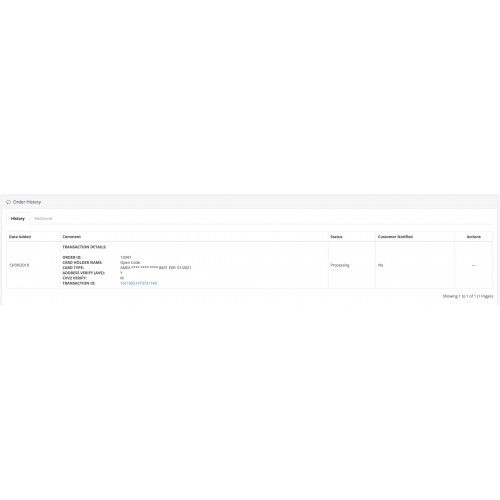
To this right into the order history - For a much better and clear message.
TRANSACTION DETAILS:
ORDER ID: 12047
CARDHOLDER NAME:Open Code
CARD TYPE: AMEX **** **** **** 8431 EXP: 01/2021
ADDRESS VERIFY (AVS): Y
CVV2 VERIFY: M
TRANSACTION ID: 16119251YT3731149
with this modification, you get into the order history
ORDER ID:
CARDHOLDER NAME:
CARD TYPE: the last four digits of the card Plus Expiration date - no cvv2.
ADDRESS VERIFY (AVS): Address verification as Y (yes) or N (no).
CVV2 VERIFY cvv2 verification as M (match) or N (no match).
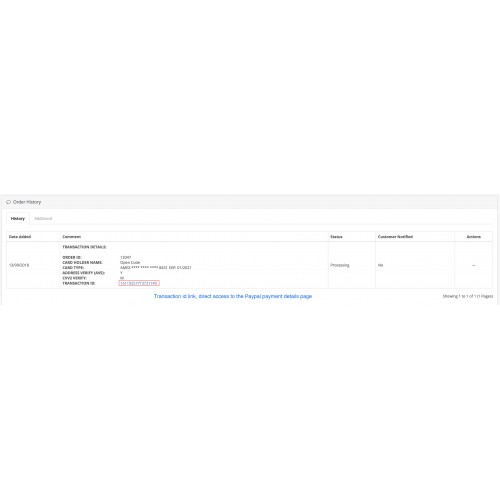
and the transaction id whit a link to direct access to the Paypal payment details page - unique!!!.
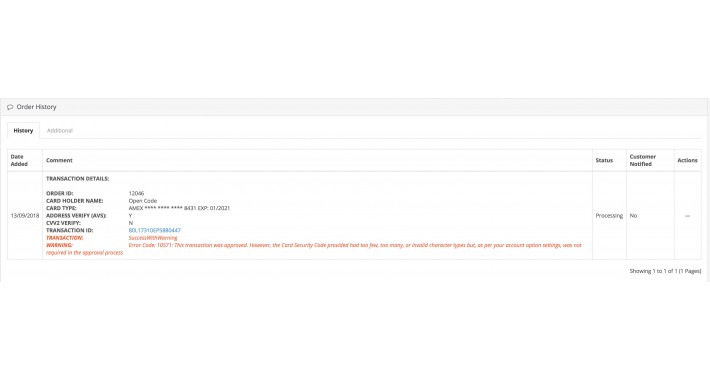
but if the payment has an error or was made by someone trying to scam you. you'll get much more!
TRANSACTION DETAILS:
ORDER ID: 12046
CARDHOLDER NAME: Open Code
CARD TYPE: AMEX **** **** **** 8431 EXP: 01/2021
ADDRESS VERIFY (AVS): Y
CVV2 VERIFY: N
TRANSACTION ID: 80L17310EP5880447
TRANSACTION: SuccessWithWarning
WARNING: Error Code: 10571: This transaction was approved. However, the Card Security Code provided had too few, too many, or invalid character types but, as per your account option settings, was not required in the approval process
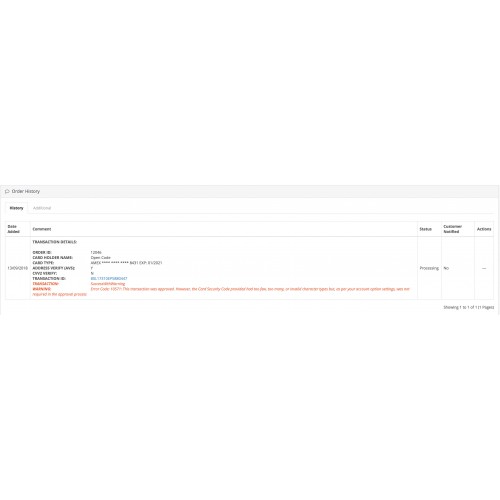
an Extra layer of protection
TRANSACTION: SuccessWithWarning
WARNING: Error Code: 10571: This transaction was approved. However, the Card Security Code provided had too few, too many, or invalid character types but, as per your account option settings, was not required in the approval process
if the TRANSACTION: has a SuccessWithWarning
WARNING: Error Code: 10571: This transaction was approved. However, the Card Security Code provided had too few, too many, or invalid character types but, as per your account option settings, was not required in the approval process
the warning is added with the error code
in this case "Error Code: 10571:"
and this code means the following "This transaction was approved. However, the Card Security Code provided had too few, too many, or invalid character types but, as per your account option settings, was not required in the approval process"
now that you have all this extra information you can cancel, refund, or voided the payment using the TRANSACTION ID link to the Paypal payment page details.
This is the first of his kind - copycats coming soon after...
OpenCode - "thinking outside of the box without forgetting the box and acting it outside of the box"
by OpenCode
Installation instructions.
1- Upload the "PayPalProPaymentDetails.ocmod.zip" via Extension Installer.
2- go to Modifications - You will see the new "PayPal Pro - Payment Details" click refresh.
and you are done - enjoy it, hope it saves you money no more fraudulent transactions.
Now on every payment made by PayPal Pro will have the Payment Details information in the order history - just for you to check it.
• Leave us an honest comment and leave your feedback :)
Are you using PayPal Pro?
Are you tired of getting screwed by the scammers?
because of the poor message, when the order is placed on your site.
when you don't know if the payment was made by a truthful customer or made by a scammer.
then this modification is for you!
Go from this
AVSCODE: Y
CVV2MATCH: M
TRANSACTIONID: 1AK19370RL691145T
To this right into the order history - For a much better and clear message.
TRANSACTION DETAILS:
ORDER ID: 12047
CARDHOLDER NAME:Open Code
CARD TYPE: AMEX **** **** **** 8431 EXP: 01/2021
ADDRESS VERIFY (AVS): Y
CVV2 VERIFY: M
TRANSACTION ID: 16119251YT3731149
with this modification, you get into the order history
ORDER ID:
CARDHOLDER NAME:
CARD TYPE: the last four digits of the card Plus Expiration date - no cvv2.
ADDRESS VERIFY (AVS): Address verification as Y (yes) or N (no).
CVV2 VERIFY cvv2 verification as M (match) or N (no match).
and the transaction id whit a link to direct access to the Paypal payment details page - unique!!!.
but if the payment has an error or was made by someone trying to scam you. you'll get much more!
TRANSACTION DETAILS:
ORDER ID: 12046
CARDHOLDER NAME: Open Code
CARD TYPE: AMEX **** **** **** 8431 EXP: 01/2021
ADDRESS VERIFY (AVS): Y
CVV2 VERIFY: N
TRANSACTION ID: 80L17310EP5880447
TRANSACTION: SuccessWithWarning
WARNING: Error Code: 10571: This transaction was approved. However, the Card Security Code provided had too few, too many, or invalid character types but, as per your account option settings, was not required in the approval process
an Extra layer of protection
TRANSACTION: SuccessWithWarning
WARNING: Error Code: 10571: This transaction was approved. However, the Card Security Code provided had too few, too many, or invalid character types but, as per your account option settings, was not required in the approval process
if the TRANSACTION: has a SuccessWithWarning
WARNING: Error Code: 10571: This transaction was approved. However, the Card Security Code provided had too few, too many, or invalid character types but, as per your account option settings, was not required in the approval process
the warning is added with the error code
in this case "Error Code: 10571:"
and this code means the following "This transaction was approved. However, the Card Security Code provided had too few, too many, or invalid character types but, as per your account option settings, was not required in the approval process"
now that you have all this extra information you can cancel, refund, or voided the payment using the TRANSACTION ID link to the Paypal payment page details.
This is the first of his kind - copycats coming soon after...
OpenCode - "thinking outside of the box without forgetting the box and acting it outside of the box"
by OpenCode
Installation instructions.
1- Upload the "PayPalProPaymentDetails.ocmod.zip" via Extension Installer.
2- go to Modifications - You will see the new "PayPal Pro - Payment Details" click refresh.
and you are done - enjoy it, hope it saves you money no more fraudulent transactions.
Now on every payment made by PayPal Pro will have the Payment Details information in the order history - just for you to check it.
• Leave us an honest comment and leave your feedback :)
Price
$10.00
- Developed by OpenCart Community
- 12 Months Free Support
- Documentation Included
Rating
Compatibility
3.0.0.0, 3.0.1.0, 3.0.1.1, 3.0.1.2, 3.0.1.3, 3.0.2.0, 3.0.3.0, 3.0.3.1, 3.0.3.2, 3.0.3.3, 3.0.3.5, 3.0.3.6, 3.0.3.7, 3.0.3.8
Last Update
17 Jun 2023
Created
23 Oct 2018
0 Sales
0 Comments

Login and write down your comment.
Login my OpenCart Account