PDF Invoice Plus & Multi Purpose Barcode / QRcode Tool
https://youtu.be/aSMigBY1_BE
PDF Invoice Plus & Multi Purpose Barcode Tool
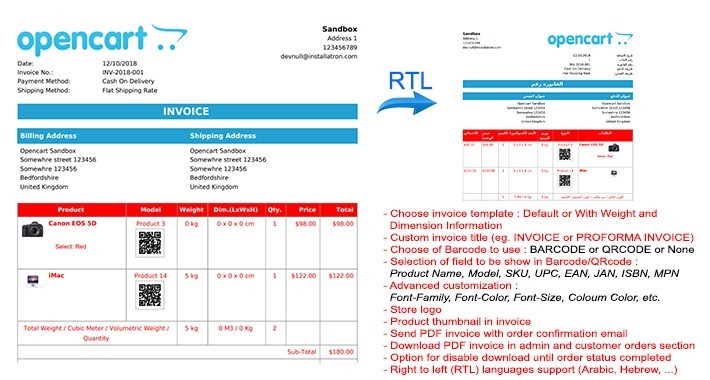
- Choose invoice template : Default or With Weight and Dimension Information
- Custom invoice title (eg. INVOICE or PROFORMA INVOICE)
- Choose of Barcode to use : BARCODE or QRCODE or None
- Selection of field to be show in Barcode/QRcode : Product Name, Model, SKU, UPC, EAN, JAN, ISBN, MPN
- Advanced customization : Font-Family, Font-Color, Font-Size, Column Color, etc.
- Store logo
- Product thumbnail in invoice
- Send PDF invoice with order confirmation email
- Download PDF invoice in admin and customer orders section
- Option for disable download until order status completed
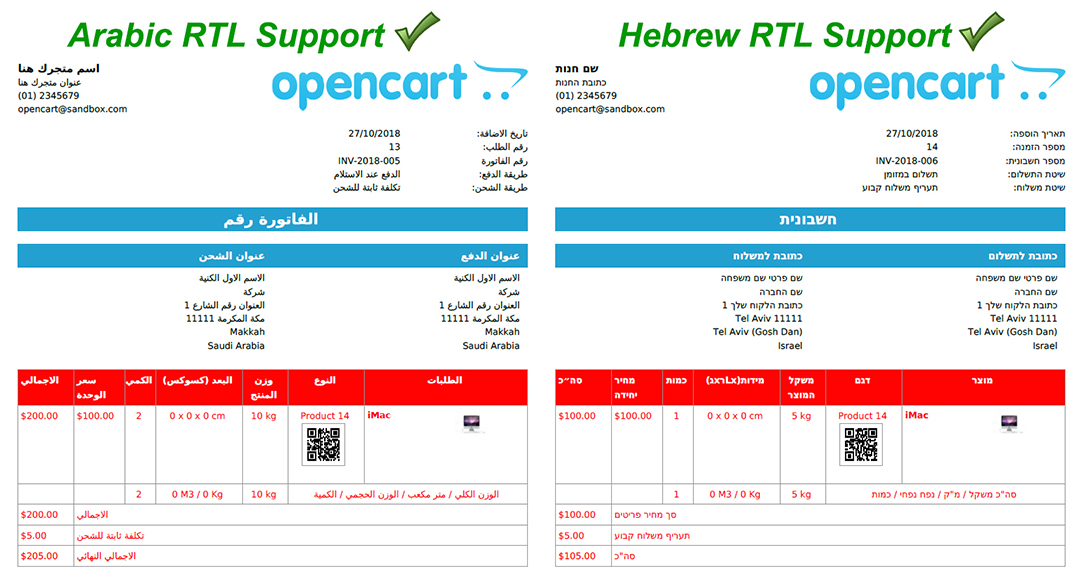
- Right to left languages support (Arabic, Hebrew, ...)
- Despatch Note/Picking list print feature
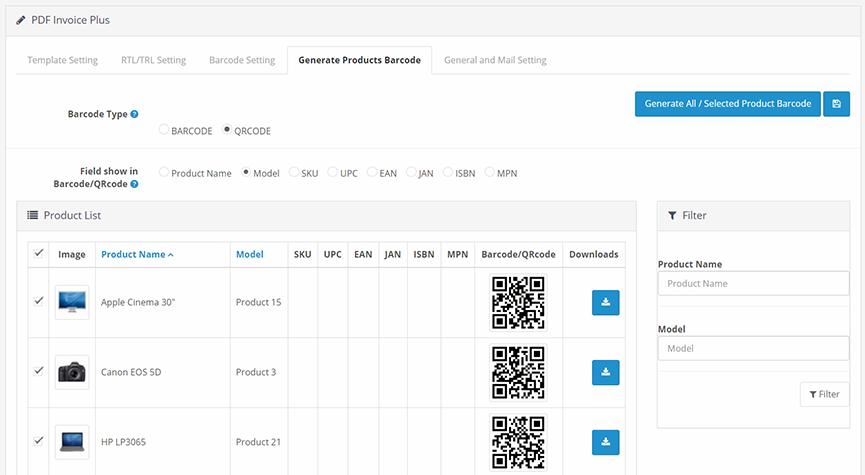
- Generate Product Barcode / QRcode
Change log :
1.0.1 :
- Add despatch note/picking list print feature -Fixes LTR template
1.0.2 :
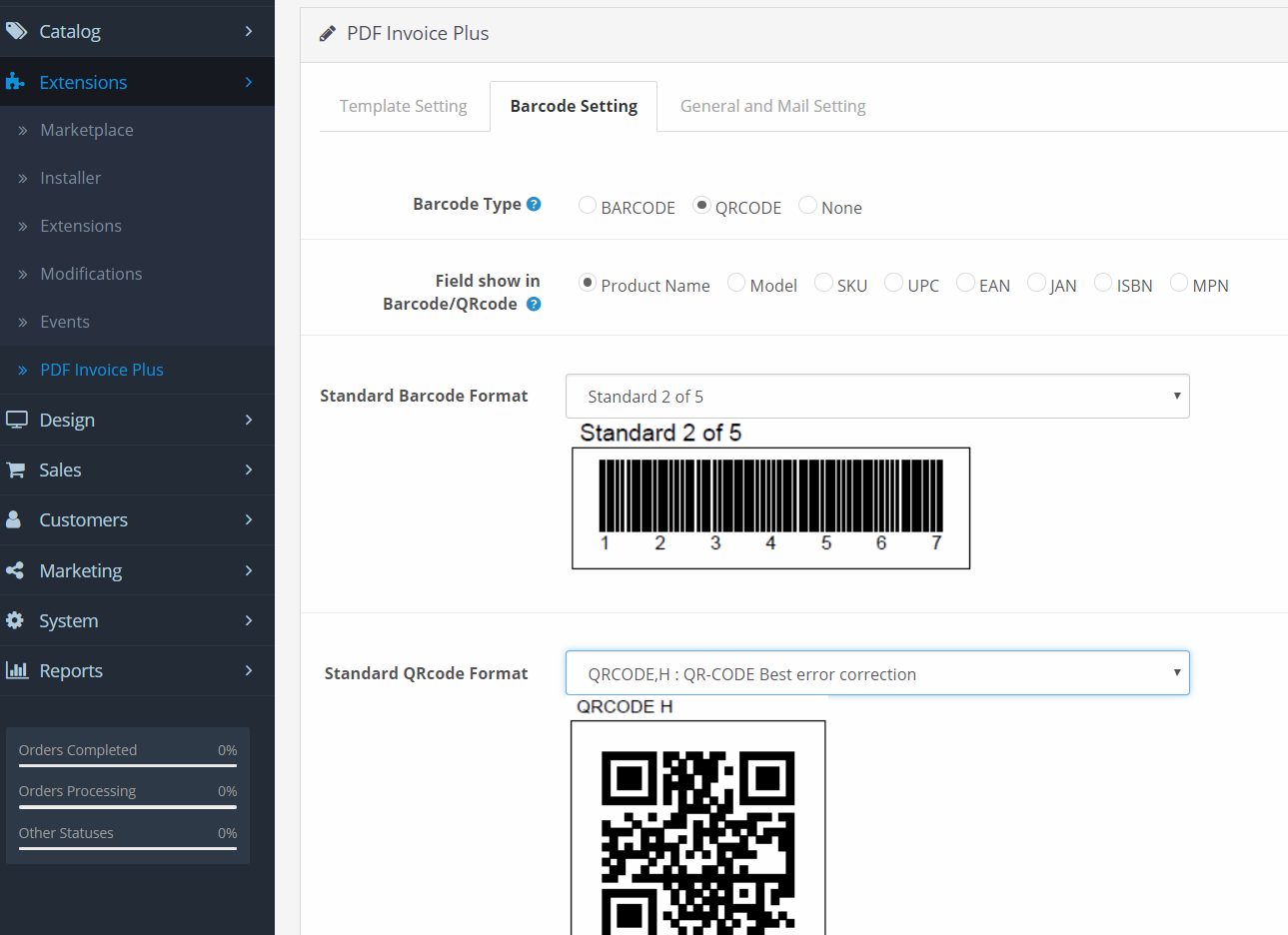
- Add 29 International Barcode Standard Format in barcode setting menu :
CODE 39 - ANSI MH10.8M-1983 - USD-3 - 3 of 9, CODE 39 + CHECKSUM, CODE 39 EXTENDED, CODE 39 EXTENDED + CHECKSUM, CODE 93 - USS-93, Standard 2 of 5, Standard 2 of 5 + CHECKSUM, Interleaved 2 of 5, Interleaved 2 of 5 + CHECKSUM, CODE 128 AUTO, CODE 128 A, CODE 128 B, CODE 128 C, EAN 8, EAN 13, UPC-A, UPC-E, 5-Digits UPC-Based Extension, 2-Digits UPC-Based Extension, MSI, MSI + CHECKSUM (module 11), CODABAR, CODE 11, PHARMACODE, PHARMACODE TWO-TRACKS, IMB - Intelligent Mail Barcode - Onecode - USPS-B-3200, POSTNET, PLANET, RMS4CC (Royal Mail 4-state Customer Code) - CBC (Customer Bar Code)
- Add 5 International QRcode Standard Format in barcode setting menu :
QRCODE,L : QR-CODE Low error correction, QRCODE,M : QR-CODE Medium error correction, QRCODE,Q : QR-CODE Better error correction, QRCODE,H : QR-CODE Best error correction, DATAMATRIX (ISO/IEC 16022:2006)
1.0.3
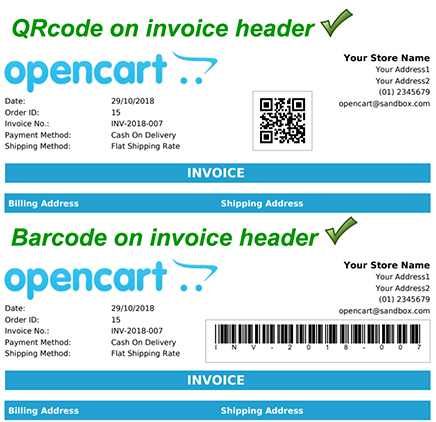
- Add Barcode/QRcode on Invoice Header
- Add selection data and custom text to show on Barcode/Qrcode on Invoice Header
- Add custom barcode adjustment position
- Add selection data and custom text to show on Invoice Title
1.0.4
- Add Generate Products Barcode / QRcode
- Option to select data to generate : Product Name, Model, SKU, UPC, EAN, JAN, ISBN, MPN
- Option to generate selected product barcode
- Option to generate all products barcode in one click
- Option to download barcode image file in .PNG format
- Option to choose different barcode type for each product
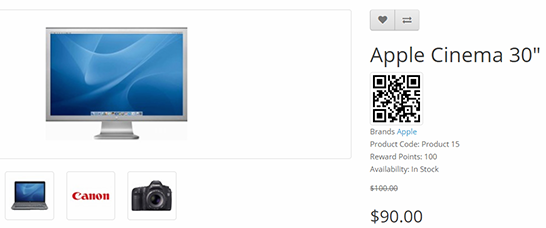
- Show barcode/Qrcode at front-end Product Page
- Option to show different barcode type for different product at front-end Product Page
- Some bug fixes of previous version, improvement function and relayout menu.
- Possible to use later in more wide scale purpose i.e. Point of Sales (POS), Inventory System, Warehouse Management, etc.
1.0.5 - watch on : https://youtu.be/MKS0DhiVcBs
- Print Product Barcode List
- Quick product Edit with Barcode scan
Price
$20.00
- Developed by OpenCart Community
- 3 Months Free Support
- Documentation Included
Rating
Compatibility
3.0.0.0, 3.0.1.0, 3.0.1.1, 3.0.1.2, 3.0.1.3, 3.0.2.0
Last Update
14 Oct 2025
Created
6 Nov 2018
2 Sales
2 Comments

Login and write down your comment.
Login my OpenCart Account