Product custom fields
You can add unlimited fields
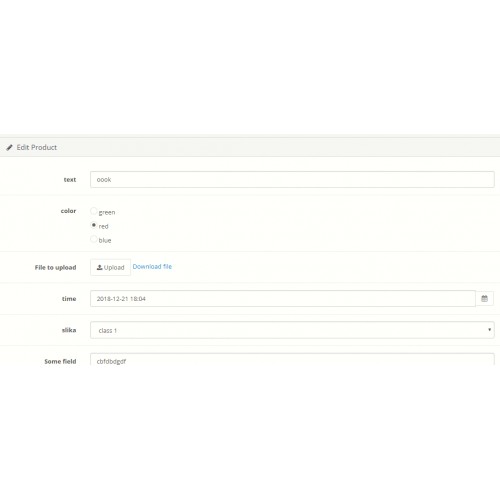
All kinds input fields ( text, text area, select,radio, checkbox,file,date,time ... )
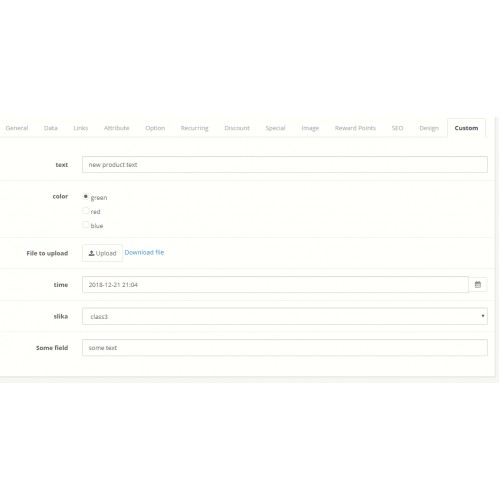
Input data for this fields when you edit / add product
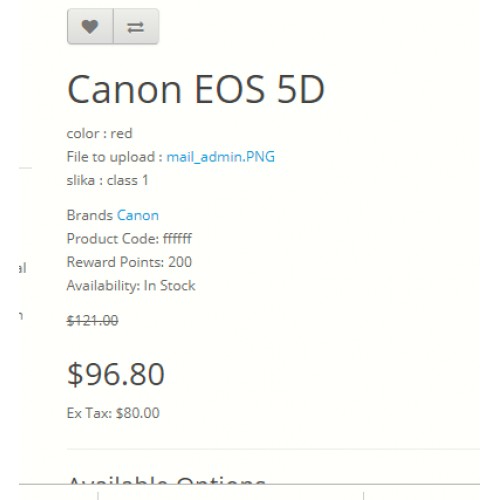
View this data on product page
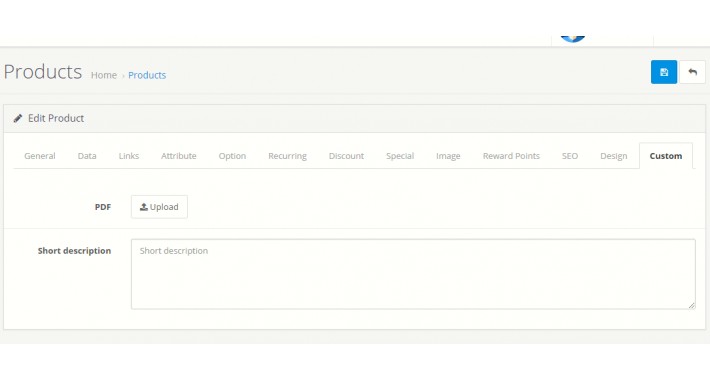
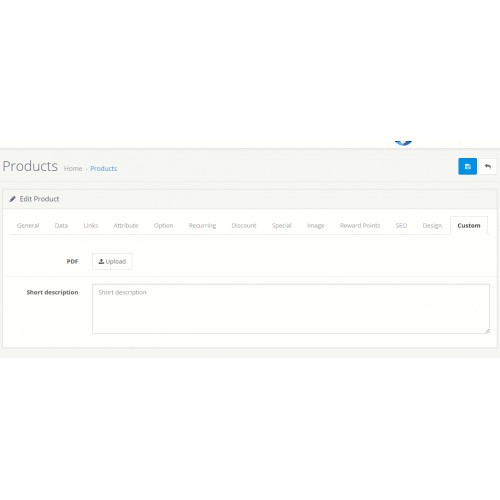
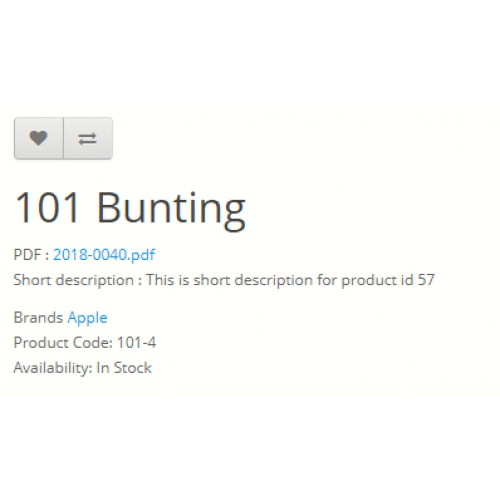
For example you can pdf - file and short description text area. Than you can see this fields when you edit products.
add files and short description for each product
Customer can see file and short description. He can download that file from frontend
You can select for which customer group this will work.
Set validation for not valid input from admin.
So to be clear :
You add custom fields in admin, than you edit this fields in admin. Customer will see on each product page.
Ocmod extension
Demo
http://demo.plusmotiv.com/3.0.2.0/upload/admin/ Login with admin / admin
Usage:
Add unlimithed custom fields ( select, radio, file ...) In Admin->Customer->Custom Fields
In Custom Field edit form for location select Product. Select customer group. Set status enable.
Than yuo will see custom field when you add/edit product in admin. Under tab Custom.
Result are on product page on frontend. Don't forget to set for which customer group will be visible.
If you want same for order details check this module https://www.opencart.com/index.php?route=marketplace/extension/info&extension_id=35776
What customers said about other ours extensions and what they think about our support
Module name: All products and categories
Link: https://www.opencart.com/index.php?route=marketplace/extension/info&extension_id=14980


Module name: Discount / Bulk special price
Link: https://www.opencart.com/index.php?route=marketplace/extension/info&extension_id=34305

Module name: Email confirmation
Link: https://www.opencart.com/index.php?route=marketplace/extension/info&extension_id=16956

Module name: Google Customer Review ( with admin settings )
Link: https://www.opencart.com/index.php?route=marketplace/extension/info&extension_id=29033

Module name: Google reviews
Link: https://www.opencart.com/index.php?route=marketplace/extension/info&extension_id=28207

Module name: Image link
Link: https://www.opencart.com/index.php?route=marketplace/extension/info&extension_id=32885

Module name: Multi currency
Link: https://www.opencart.com/index.php?route=marketplace/extension/info&extension_id=21966

Module name: One category to many parent categories
Link: https://www.opencart.com/index.php?route=marketplace/extension/info&extension_id=18829


Module name: Same category products (related products by category)
Link: https://www.opencart.com/index.php?route=marketplace/extension/info&extension_id=14417

Module name: Multi vendor
Link: https://www.opencart.com/index.php?route=marketplace/extension/info&extension_id=22009

Module name: Add tip (in order totals) - donation
Link: https://www.opencart.com/index.php?route=marketplace/extension/info&extension_id=34045

Module name: Block access by Customer group
Link: https://www.opencart.com/index.php?route=marketplace/extension/info&extension_id=34044

FAQ
What is this extension not work on my site?
- If this extension not work on your site, it has problems with yours other installed extensions, than we will help you to solve the problems.
- If we can't help you you have full right to refund this module
Do i get free update?
- We offer 12 mounts support for this module, fixing problems and update
- How often we make updates it depend from number of sales and customer requirements
How much time i need for installation?
- It is a ocmod file, with 2-3 click it is installed from extension installer( 2 min )
- We offer free installation
All kinds input fields ( text, text area, select,radio, checkbox,file,date,time ... )
Input data for this fields when you edit / add product
View this data on product page
For example you can pdf - file and short description text area. Than you can see this fields when you edit products.
add files and short description for each product
Customer can see file and short description. He can download that file from frontend
You can select for which customer group this will work.
Set validation for not valid input from admin.
So to be clear :
You add custom fields in admin, than you edit this fields in admin. Customer will see on each product page.
Ocmod extension
Demo
http://demo.plusmotiv.com/3.0.2.0/upload/admin/ Login with admin / admin
Usage:
Add unlimithed custom fields ( select, radio, file ...) In Admin->Customer->Custom Fields
In Custom Field edit form for location select Product. Select customer group. Set status enable.
Than yuo will see custom field when you add/edit product in admin. Under tab Custom.
Result are on product page on frontend. Don't forget to set for which customer group will be visible.
If you want same for order details check this module https://www.opencart.com/index.php?route=marketplace/extension/info&extension_id=35776
What customers said about other ours extensions and what they think about our support
Module name: All products and categories
Link: https://www.opencart.com/index.php?route=marketplace/extension/info&extension_id=14980
Module name: Discount / Bulk special price
Link: https://www.opencart.com/index.php?route=marketplace/extension/info&extension_id=34305
Module name: Email confirmation
Link: https://www.opencart.com/index.php?route=marketplace/extension/info&extension_id=16956
Module name: Google Customer Review ( with admin settings )
Link: https://www.opencart.com/index.php?route=marketplace/extension/info&extension_id=29033
Module name: Google reviews
Link: https://www.opencart.com/index.php?route=marketplace/extension/info&extension_id=28207
Module name: Image link
Link: https://www.opencart.com/index.php?route=marketplace/extension/info&extension_id=32885
Module name: Multi currency
Link: https://www.opencart.com/index.php?route=marketplace/extension/info&extension_id=21966
Module name: One category to many parent categories
Link: https://www.opencart.com/index.php?route=marketplace/extension/info&extension_id=18829
Module name: Same category products (related products by category)
Link: https://www.opencart.com/index.php?route=marketplace/extension/info&extension_id=14417
Module name: Multi vendor
Link: https://www.opencart.com/index.php?route=marketplace/extension/info&extension_id=22009
Module name: Add tip (in order totals) - donation
Link: https://www.opencart.com/index.php?route=marketplace/extension/info&extension_id=34045
Module name: Block access by Customer group
Link: https://www.opencart.com/index.php?route=marketplace/extension/info&extension_id=34044
FAQ
What is this extension not work on my site?
- If this extension not work on your site, it has problems with yours other installed extensions, than we will help you to solve the problems.
- If we can't help you you have full right to refund this module
Do i get free update?
- We offer 12 mounts support for this module, fixing problems and update
- How often we make updates it depend from number of sales and customer requirements
How much time i need for installation?
- It is a ocmod file, with 2-3 click it is installed from extension installer( 2 min )
- We offer free installation
Price
$68.00
- Developed by OpenCart Community
- 12 Months Free Support
- Documentation Included
Rating
Compatibility
3.0.0.0, 3.0.1.0, 3.0.1.1, 3.0.1.2, 3.0.1.3, 3.0.2.0, 4.x.x.x, 3.0.3.0, 3.0.3.1, 3.0.3.2, 3.0.3.3, 3.0.3.5, 3.0.3.6, 3.0.3.7, 3.0.3.8
Last Update
11 Jan 2022
Created
22 Dec 2018
0 Sales
1 Comments

Login and write down your comment.
Login my OpenCart Account