product's option image(商品选项图片)
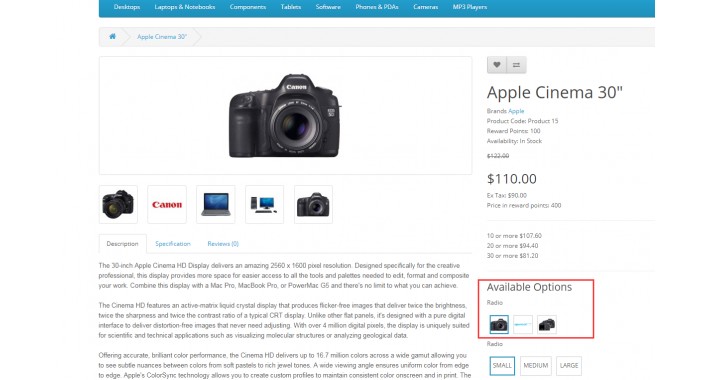
After installing the extension, you can add an image to the product's options and display an image of the corresponding option on the website.
安装该插件后可以为商品的选项添加图片并在网站显示对应选项的图片
Demo:
Demo URL: http://demo3020.ocxd.cn/index.php?route=product/product&product_id=42
1.Extension>Installer
upload the zip file: ocxd_option_image.ocmod.zip(上传插件)
2.Extension>Modifications
Click Refresh button to refresh the cache.(ocmod刷新缓存)
3.Catalog>Products>Edit Product>option
Setting the option and options image for the product(the option is setted image only by type of radio ).(只有单选选项可以设置图片)
安装该插件后可以为商品的选项添加图片并在网站显示对应选项的图片
Demo:
Demo URL: http://demo3020.ocxd.cn/index.php?route=product/product&product_id=42
1.Extension>Installer
upload the zip file: ocxd_option_image.ocmod.zip(上传插件)
2.Extension>Modifications
Click Refresh button to refresh the cache.(ocmod刷新缓存)
3.Catalog>Products>Edit Product>option
Setting the option and options image for the product(the option is setted image only by type of radio ).(只有单选选项可以设置图片)
Price
$20.00
- Developed by OpenCart Community
- 12 Months Free Support
- Documentation Included
Rating
Compatibility
3.0.0.0, 3.0.1.0, 3.0.1.1, 3.0.1.2, 3.0.1.3, 3.0.2.0, 4.x.x.x, 3.0.3.0, 3.0.3.1
Last Update
10 May 2019
Created
17 Jan 2019
1 Sales
0 Comments

Login and write down your comment.
Login my OpenCart Account