Product Stock Quantity At Product Grid

Supports


Title
Product Stock Quantity At Product Grid - OpenCart 2.x + 3.x + 4.x
Short Description
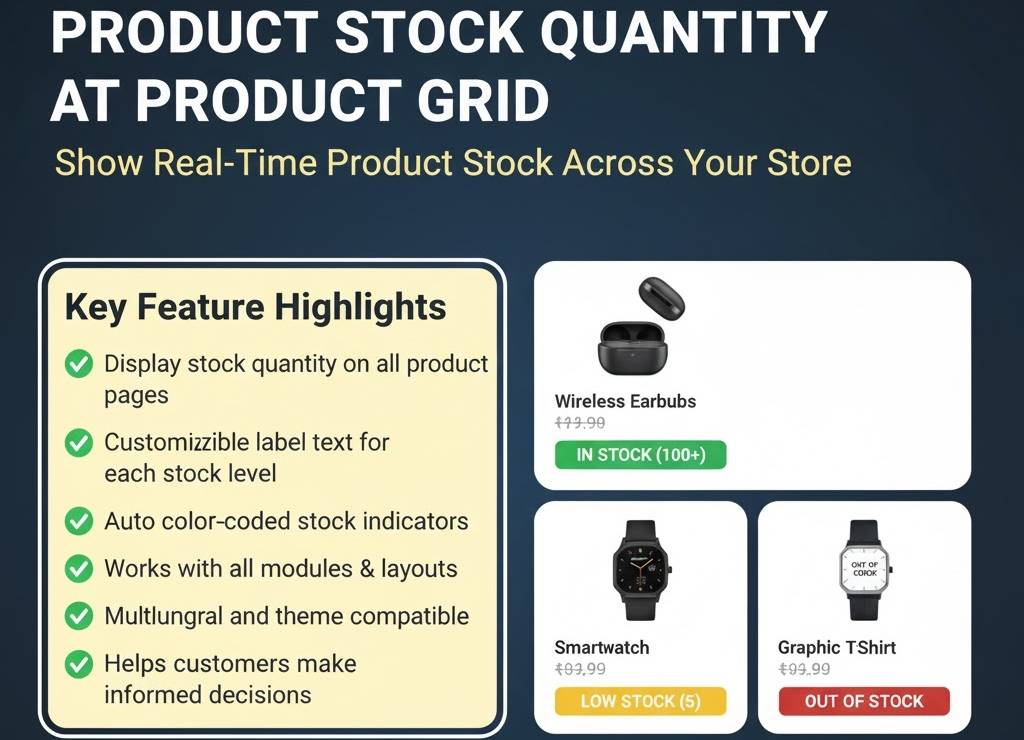
Show live product stock quantities across your store — including category, search, special, latest, featured, related, and product pages. Helps customers make quick buying decisions with clear in-stock and low-stock indicators.
Demo Links
Admin: - Admin > Extension > Module
Front: - Home Page
- Category Page
- Search Page
- Product Details Page
Key Features
• Display stock quantity on everywhere like home page feature, special, latest module, category page, search, special, product related and product details page
• Customize label text for in-stock, low-stock, and out-of-stock products
• set in stock quantity label text. Like "%s available in stock"
• set low stock quantity label text. Like "Hurry !! Only %s left"
• set out of stock label text. Like "Sorry sold out"
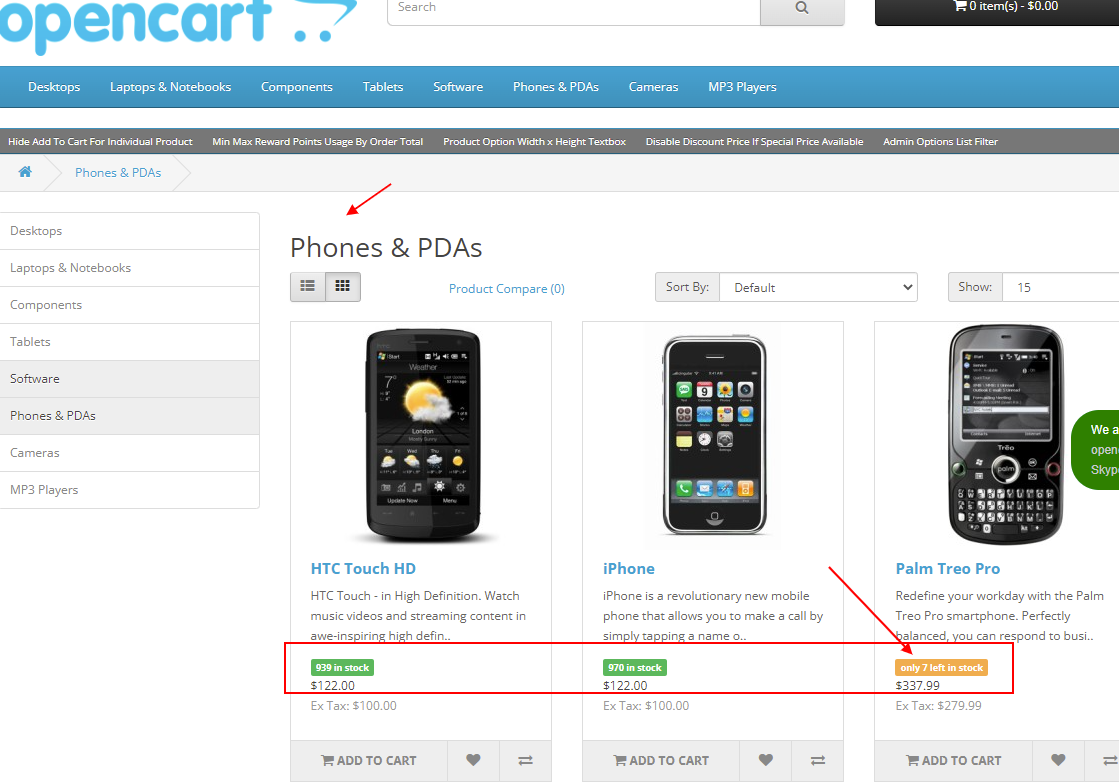
• if stock quantity > 10 then display in green success label
• if stock quantity <= 10 then display in yellow warning label
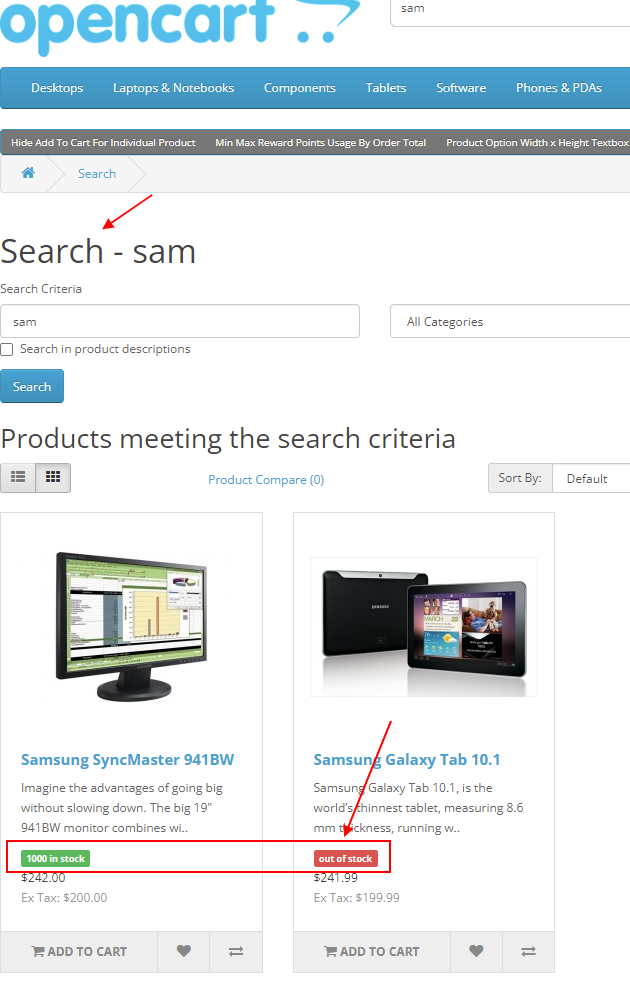
• if stock quantity <=0 then display in red danger label
• Supports dynamic quantity placeholders like "%s available in stock"
• Automatically color-coded labels (green, yellow, red) based on quantity
• Works across all modules: featured, latest, special, related, and more
• helpful your customer to know product stock status
• Helps boost urgency and transparency for buyers
Compatibility
• OpenCart 2.X + 3.X + 4.X
• Supports PHP 5.6 – 8.3
• Tested with default theme & Journal 3
• No core file changes
• Built using OpenCart coding standards
• Lightweight and performance-friendly
• Multi-language & Multi-store supported
Support & Updates
• Free installation and free support
• Response time: within 24 hours
• Support all themes: Journal2, Journal3, Pavo, Foster template
• Note: Extension license valid for single domain only
Installation Steps
• Upload the extension via Extensions - Installer
• Install module from admin - extension - module
Why Choose This Module
• Keeps your customers informed with real-time stock visibility
• Creates urgency for faster purchasing decisions on low-stock items
• Adds professional and user-friendly stock indicators
• Easily customizable labels with multilingual support
• Works automatically across all product modules and layouts
• Perfect for improving user experience and conversion rates
Images & Screenshots View all screenshots
• Stock quantity label shown on category and home page
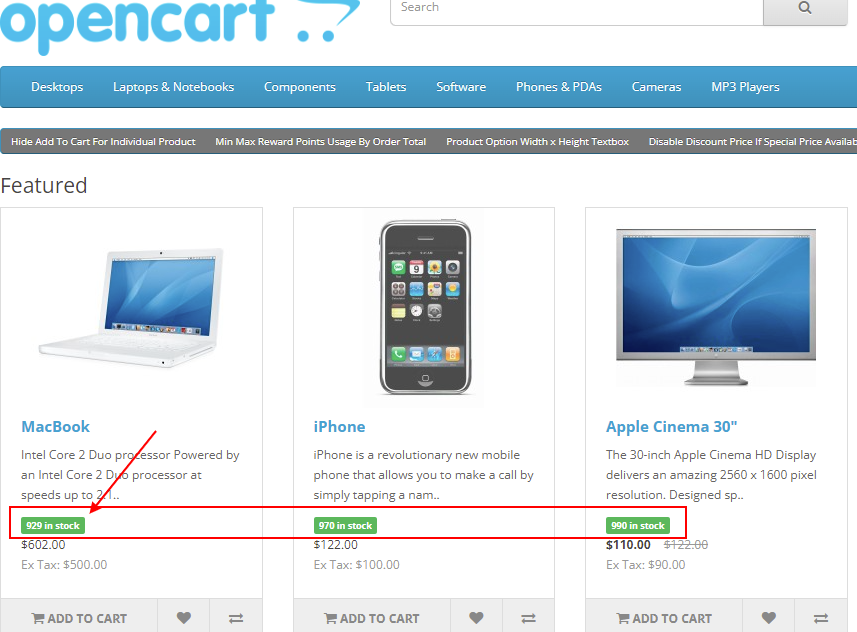
• Product list / grid page with color-coded stock indicator
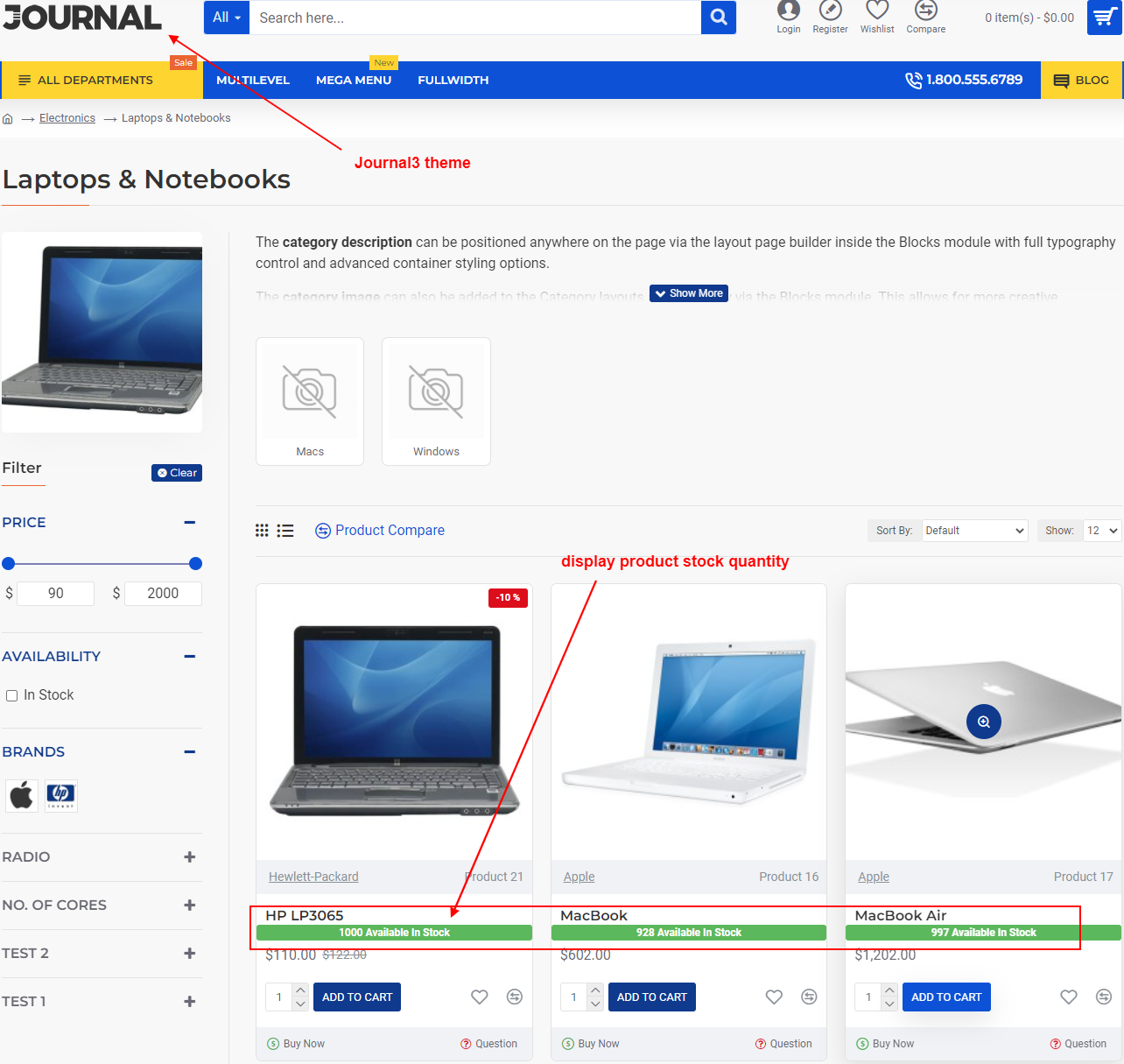
• Admin setup for stock quantity label customization
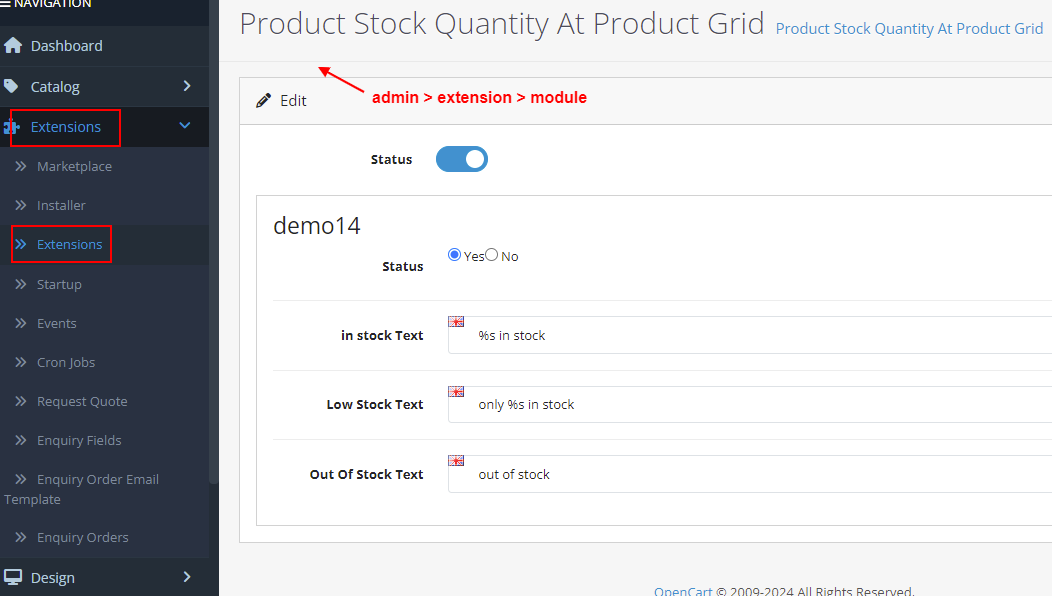
• Example: "Only 3 left" low-stock yellow label
• Out of stock red label showing on sold-out items
Price
$20.00
- Developed by OpenCart Community
- 12 Months Free Support
- Documentation Included
Rating
Compatibility
2.0.0.0, 2.0.1.0, 2.0.1.1, 2.0.2.0, 2.0.3.1, 2.1.0.1, 2.1.0.2, 2.2.0.0, 2.3.0.0, 2.3.0.1, 2.3.0.2, 3.0.0.0, 3.0.1.0, 3.0.1.1, 3.0.1.2, 3.0.1.3, 3.0.2.0, 4.x.x.x, 3.0.3.0, 3.0.3.1, 3.0.3.2, 3.0.3.3, 3.0.3.5, 3.0.3.6, 3.0.3.7, 3.0.3.8, 4.0.0.0, 4.0.1.0, 4.0.1.1, 3.x.x.x, 4.0.2.0, 4.0.2.1, 4.0.2.2, 4.0.2.3, 3.0.3.9, 3.0.4.0, 4.1.0.0, 4.1.0.1, 4.1.0.2, 4.1.0.3, 3.0.4.1, 3.0.5.0
Last Update
26 May 2026
Created
30 Jan 2019
10 Sales
2 Comments

Login and write down your comment.
Login my OpenCart Account