Purchase Order Number

Supports


Title
Purchase Order Number for OpenCart 2.x + 3.x + 4.x
Short Description
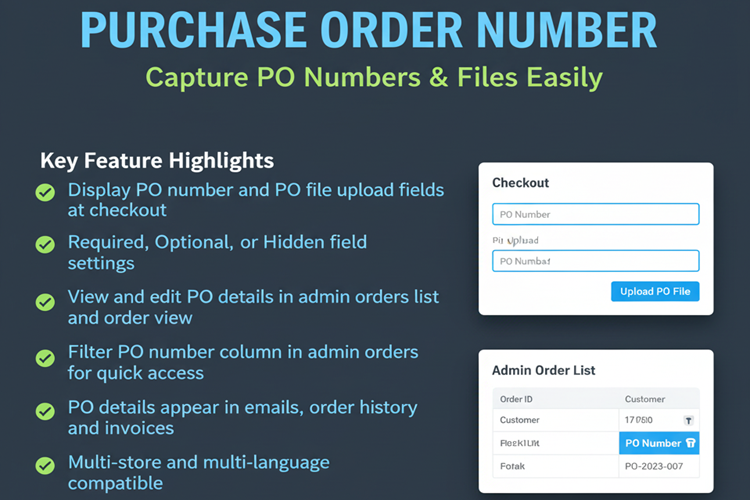
This module adds Purchase Order (PO) number and file upload fields to the checkout process. Admins can configure these fields as required, optional, or hidden. PO details appear in emails, order history, and invoices, providing better order management for B2B and corporate customers.
Demo Links
Admin: Admin > Extension > Payment > Purchase Order Number > Edit
Admin > Sales > Order list
Admin > Sales > Order > View
Admin > Sales > Order > Print Invoice
Front: Add to cart & checkout
Key Features
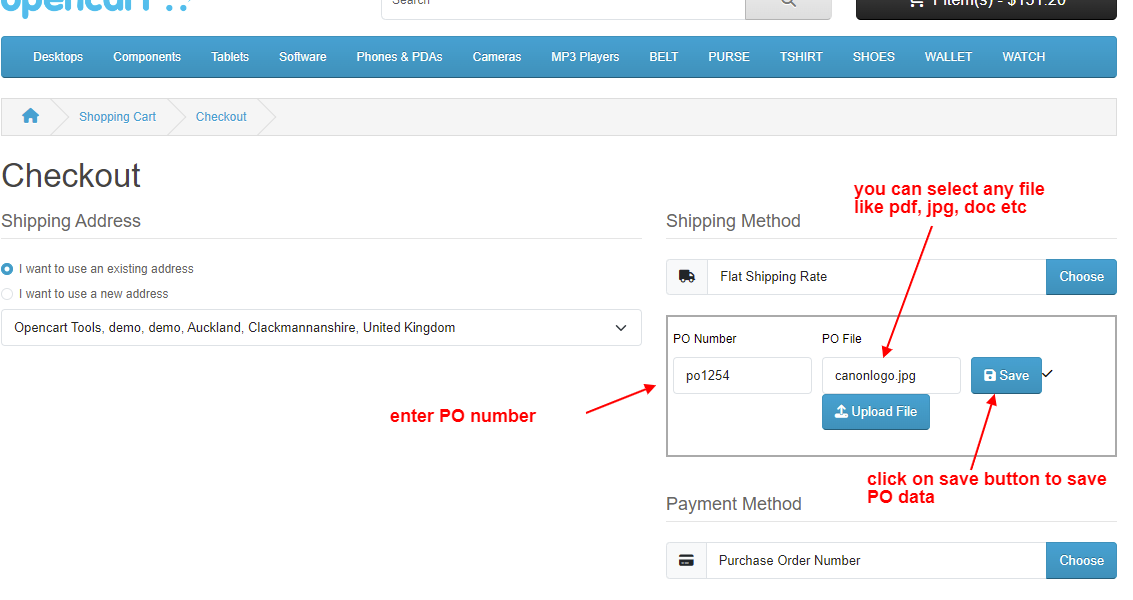
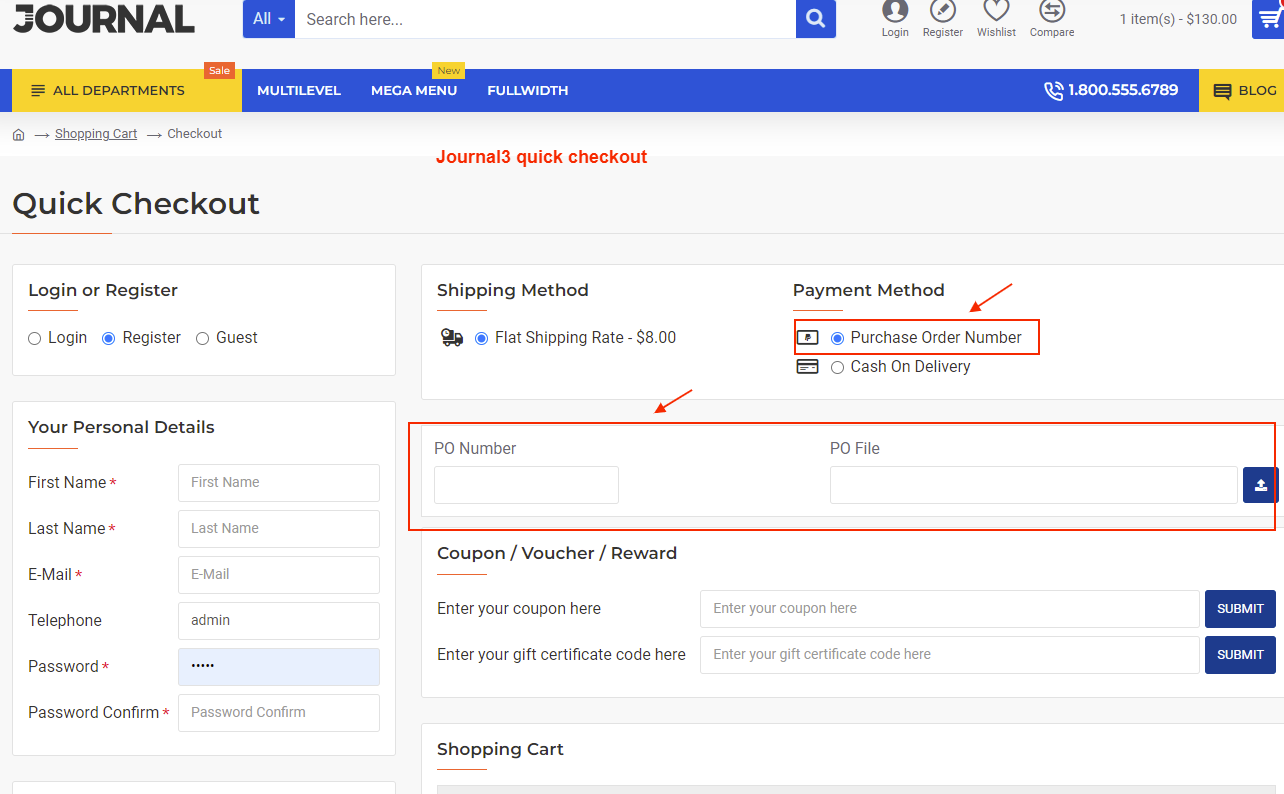
• Display PO number and PO file upload fields at checkout step 5
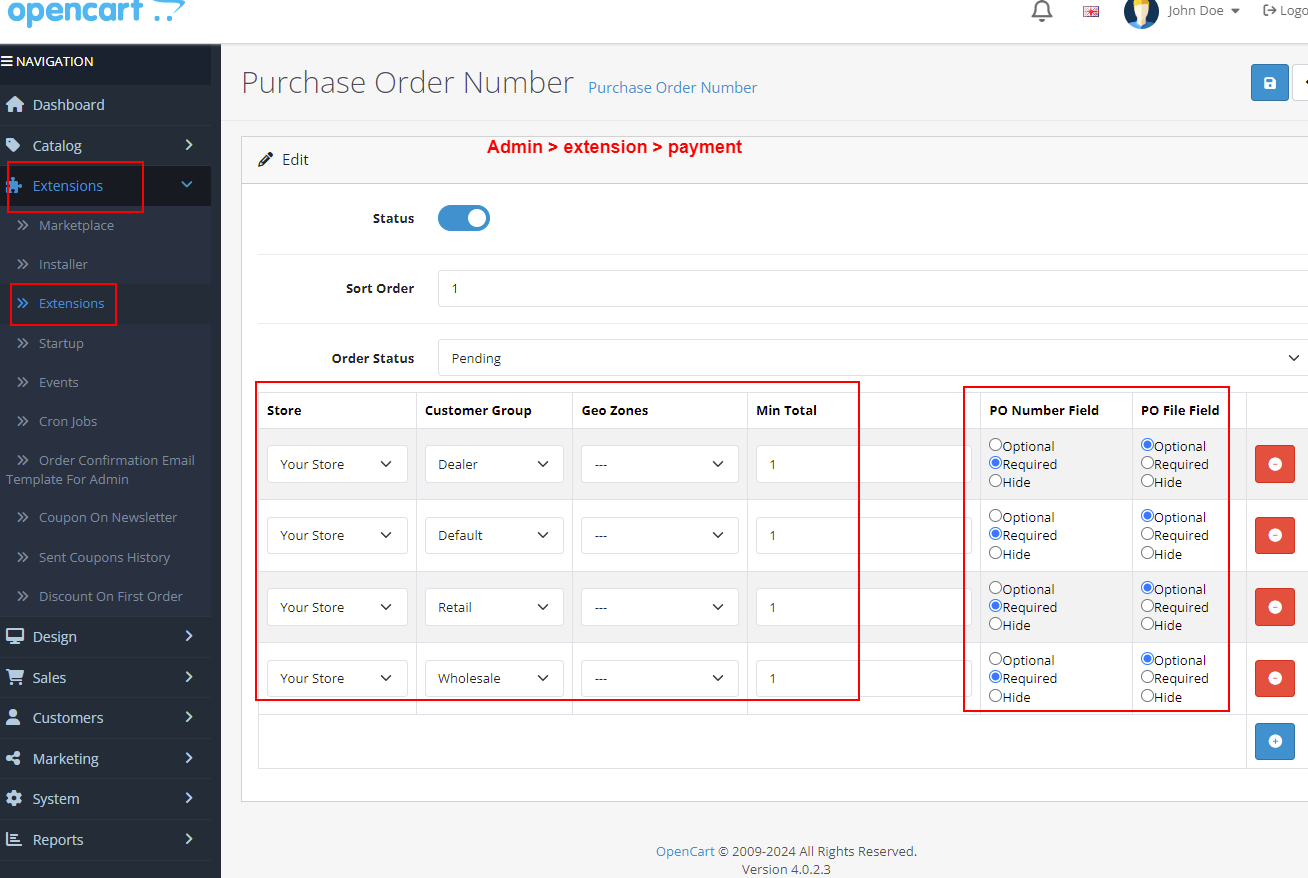
• Configure fields as Required, Optional, or Hidden per store needs
• Customers can enter PO number and upload PO file during checkout
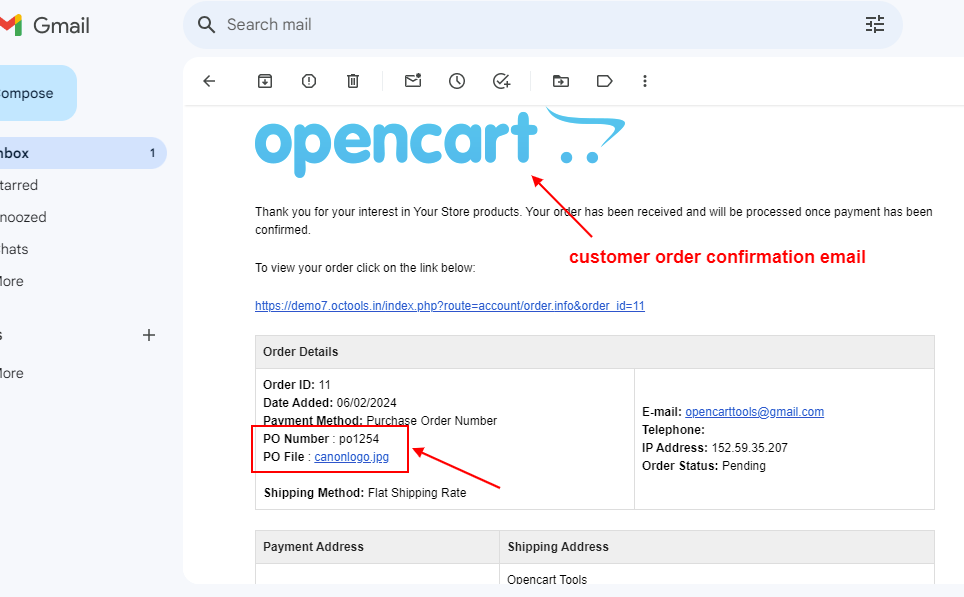
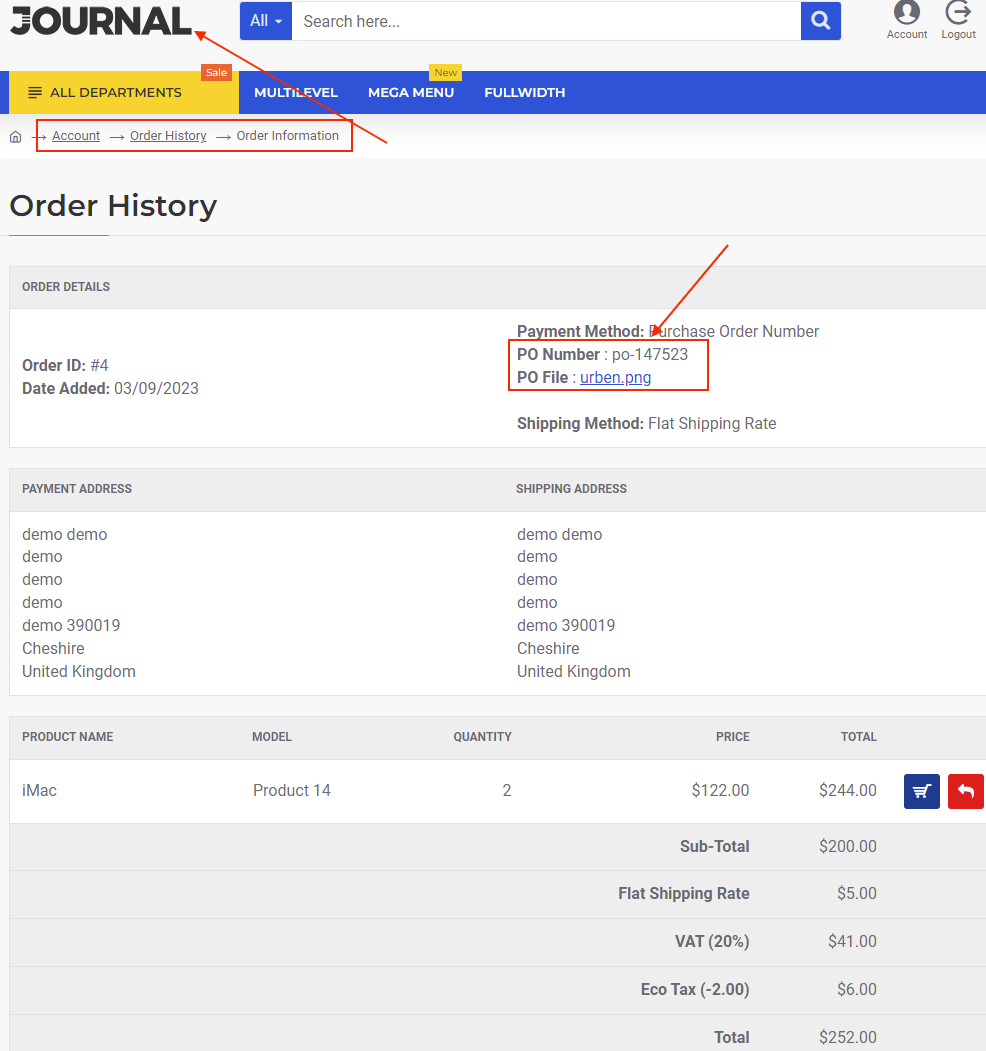
• PO details appear in order confirmation email and customer order history
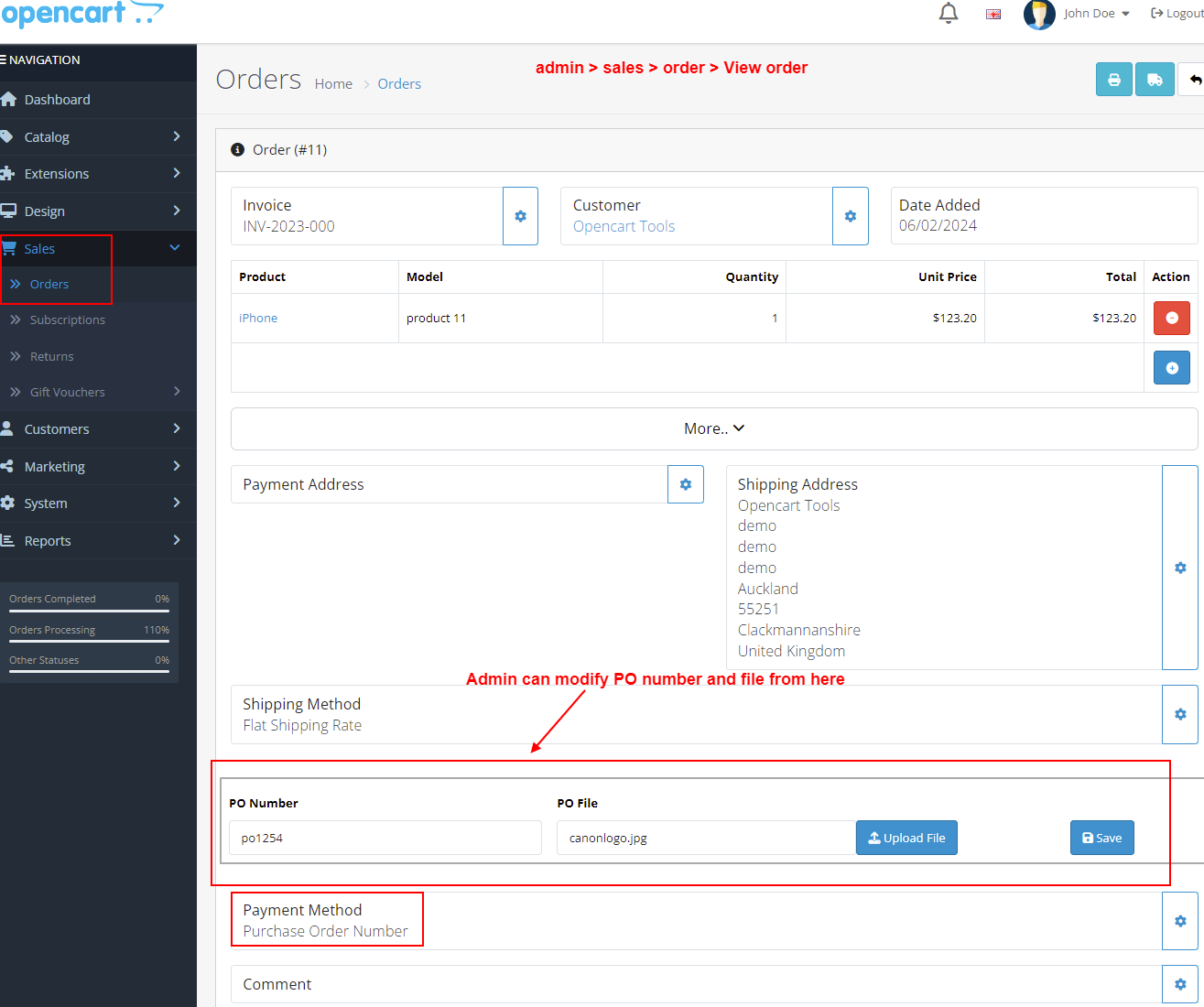
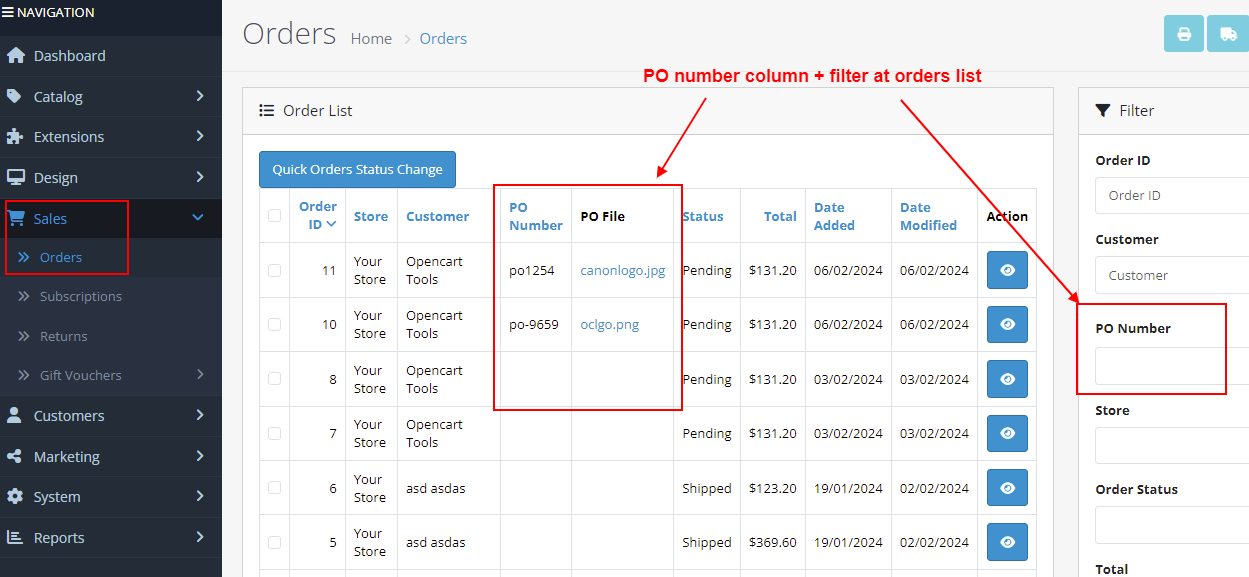
• Admin can view, modify, or print PO details from Orders list and Order View
• PO number column with filter available in admin orders list for quick search
• Supports minimum order total, geo zone, and customer group validation
• Fully multi-store and multi-language compatible
Compatibility
• OpenCart 2.X + 3.X + 4.X
• Supports PHP 5.6 – 8.3
• Tested with default theme & Journal 3
• No core file changes
• Built using OpenCart coding standards
• Lightweight and performance-friendly
• Multi-language & Multi-store supported
Support & Updates
• Free installation and free support
• Response time: within 24 hours
• Support all themes: Journal2, Journal3, Pavo, Foster template
• Note: Extension license valid for single domain only
Installation Steps
• Upload the extension via Extensions - Installer
• Install module from Admin - Extensions - Modules
Why Choose This Module
• Easily capture PO numbers and files during checkout
• Improve B2B and corporate order management
• Display PO details in emails, invoices, and order history
• Admin can edit PO info anytime from orders page
• Flexible configuration for field visibility and validation
Images & Screenshots View all screenshots
• Checkout page displaying PO number and file upload fields
• Admin order view showing PO number and uploaded file
• PO number column and filter in admin orders list
• Customer order confirmation email with PO details
• Customer order history
• admin - module setting
What customers say about Purchase Order Number

Amazing support, even did a tweak for the plugin. Awesome!
~frasergoconsultme
~frasergoconsultme
It just worked the first time
~kzap
~kzap
Price
$25.00
- Developed by OpenCart Community
- 12 Months Free Support
- Documentation Included
Rating
Compatibility
2.0.0.0, 2.0.1.0, 2.0.1.1, 2.0.2.0, 2.0.3.1, 2.1.0.1, 2.1.0.2, 2.2.0.0, 2.3.0.0, 2.3.0.1, 2.3.0.2, 3.0.0.0, 3.0.1.0, 3.0.1.1, 3.0.1.2, 3.0.1.3, 3.0.2.0, 4.x.x.x, 3.0.3.0, 3.0.3.1, 3.0.3.2, 3.0.3.3, 3.0.3.5, 3.0.3.6, 3.0.3.7, 3.0.3.8, 4.0.0.0, 4.0.1.0, 4.0.1.1, 3.x.x.x, 4.0.2.0, 4.0.2.1, 4.0.2.2, 4.0.2.3, 3.0.3.9, 3.0.4.0, 4.1.0.0, 4.1.0.1, 4.1.0.2, 4.1.0.3, 3.0.4.1, 3.0.5.0
Last Update
26 May 2026
Created
18 Feb 2019
38 Sales
4 Comments

Login and write down your comment.
Login my OpenCart Account