Advanced Related Products

Overview
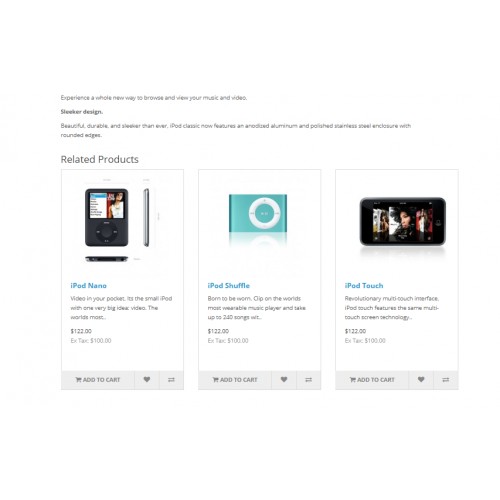
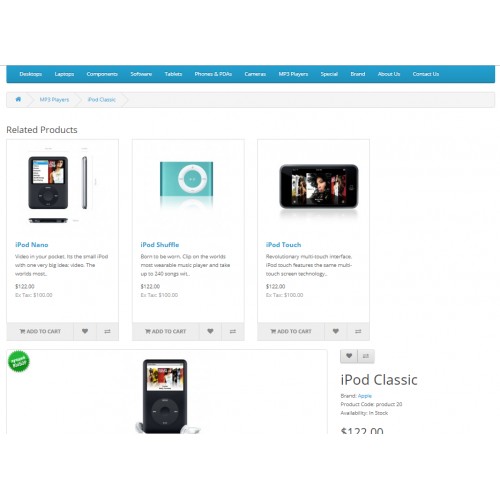
Display on the products pages a list of related products. This helps to encourage new sales. Example by linking a top with its bottom.
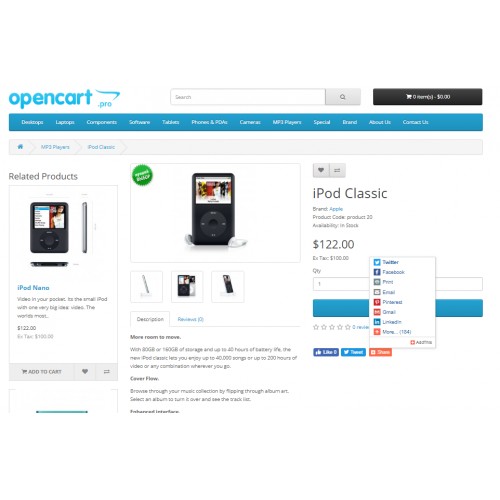
Module display on the products pages solution for displaying a block of Advanced/similar products with automatic selection.
What this module does for you?
The standard configuration of similar products provides only manual selection and can take a long time in the case of a large number of products in the online store. Because of this, many owners do not use this opportunity, although it actually contributes significantly to sales and will increase the time customers stay on the site.
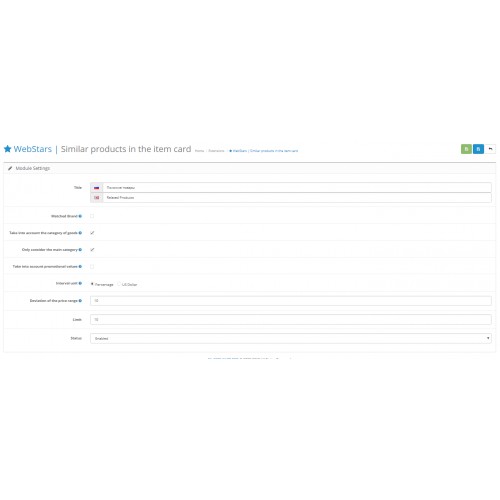
Our module differs from the similar ones in its simplicity and compactness. All the necessary settings are made on the administrative panel in one place.
Also a plus of our module is that it is integrated with the existing “Related Products” setting. This is a guarantee that you will not duplicate links to the same product on one page, if it is specified simultaneously for our module and the “ Related Products” setting.
Features
In addition to preserving the possibility of standard manual configuration of similar products, this module also automatically selects products according to the specified settings.
Category. The goods from the same product category will be as close to the current goods as possible.
Manufacturer. If the site sells products of different brands, this can be taken into account in the selection of similar products. This may be especially important if the specificity of the product is such that users often choose a brand that they "trust".
Price. In the case of a large range of products, buyers often focus primarily on their budget. In the module, you can customize the display of products of a specific price range compared to the current product, in order to “guess” the buyer's preferences as accurately as possible. To do this, you need to select the appropriate unit of measure for the interval (interest or currency), you can also adjust the range of deviation.
The limit of the displayed goods. It is important not to overload the buyer with too many goods in which he gets lost. Specify the most suitable maximum quantity of goods for this block and provide a display of the most relevant of them.
The display of the module on the front of the site is regulated in layouts. There you can choose the most suitable location for this unit for you.
Display on the products pages a list of related products. This helps to encourage new sales. Example by linking a top with its bottom.
Module display on the products pages solution for displaying a block of Advanced/similar products with automatic selection.
What this module does for you?
The standard configuration of similar products provides only manual selection and can take a long time in the case of a large number of products in the online store. Because of this, many owners do not use this opportunity, although it actually contributes significantly to sales and will increase the time customers stay on the site.
Our module differs from the similar ones in its simplicity and compactness. All the necessary settings are made on the administrative panel in one place.
Also a plus of our module is that it is integrated with the existing “Related Products” setting. This is a guarantee that you will not duplicate links to the same product on one page, if it is specified simultaneously for our module and the “ Related Products” setting.
Features
In addition to preserving the possibility of standard manual configuration of similar products, this module also automatically selects products according to the specified settings.
Category. The goods from the same product category will be as close to the current goods as possible.
Manufacturer. If the site sells products of different brands, this can be taken into account in the selection of similar products. This may be especially important if the specificity of the product is such that users often choose a brand that they "trust".
Price. In the case of a large range of products, buyers often focus primarily on their budget. In the module, you can customize the display of products of a specific price range compared to the current product, in order to “guess” the buyer's preferences as accurately as possible. To do this, you need to select the appropriate unit of measure for the interval (interest or currency), you can also adjust the range of deviation.
The limit of the displayed goods. It is important not to overload the buyer with too many goods in which he gets lost. Specify the most suitable maximum quantity of goods for this block and provide a display of the most relevant of them.
The display of the module on the front of the site is regulated in layouts. There you can choose the most suitable location for this unit for you.
Download
- Developed by OpenCart Community
- Documentation Included
Rating
Compatibility
2.3.0.0, 2.3.0.1, 2.3.0.2
Last Update
15 Aug 2019
Created
7 Mar 2019
306 Downloads
3 Comments

Login and write down your comment.
Login my OpenCart Account