Opencart Customer Membership
Opencart Customer Membership Module facilitates the admin of a store to create memberships so as to provide some benefits in terms of discounts to the customers.
The admin may define a time duration for which the membership will be active and this way can retain the customers of the store.
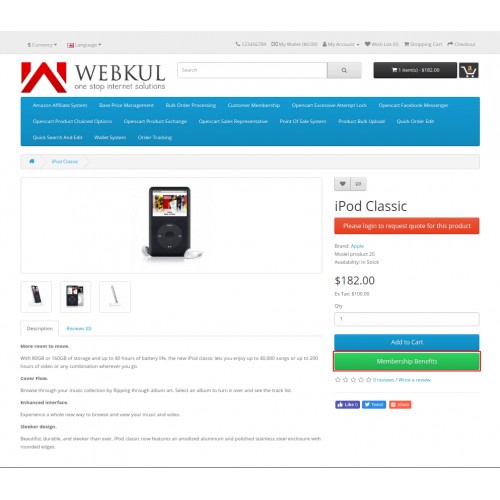
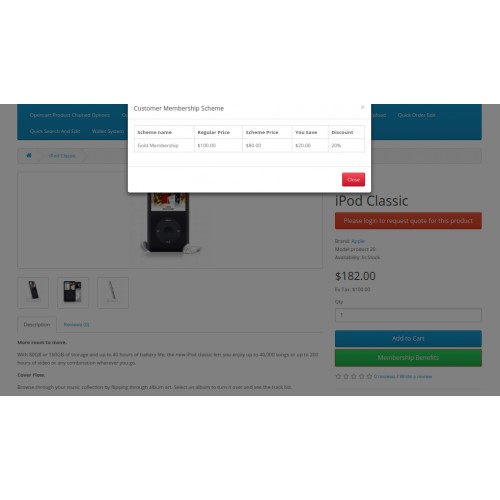
The products under a specific membership are liable for special offers of the membership. The customers can simply click on the membership button on the product page and view the benefits of the respective membership.
Note:
1. This module supports all templates and themes including the Journal theme.
2. Opencart Customer Membership module supports the Multi-Store feature of default Opencart.




Use case:
In a B2B Marketplace where the consumers usually buy products in bulk for their stores, for such consumers, it is a matter of a good deal to purchase a membership.
The reason being, membership includes the beneficiary offers discounts and if, for instance, if a consumer has to purchase products every month then it will benefit the consumer in monetary terms.
Also, memberships have a time duration for which the membership will be active, suppose 1 year. For one year, the consumer can take the leverage of buying products at a discounted price.
Features:
Workflow:
On installing the module, the admin will have to configure the settings of the Opencart Customer Membership Module.
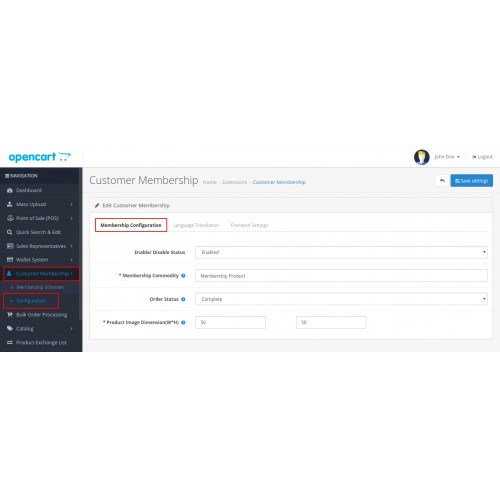
The admin will configure the field such as the status of the module, membership commodity, order status, product image dimension, which is the dimension of the membership image, under the Membership Configuration tab.

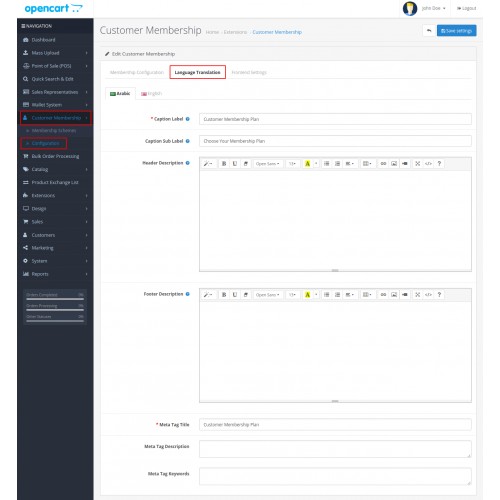
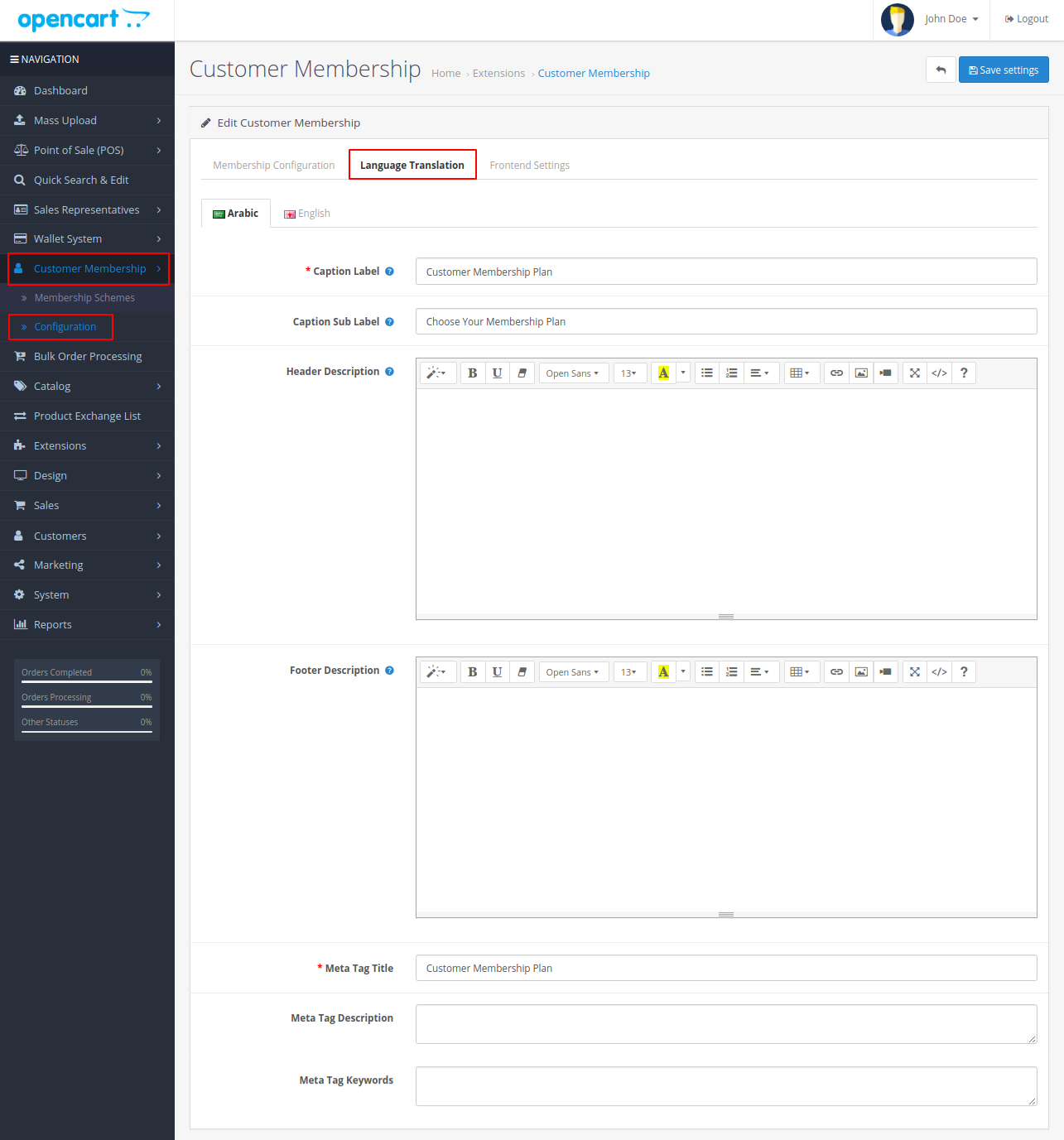
Under the Language Translation tab, the admin will have to configure the caption label, caption sub-label, header and footer description, meta tag title, meta tag description, and meta tag keywords.
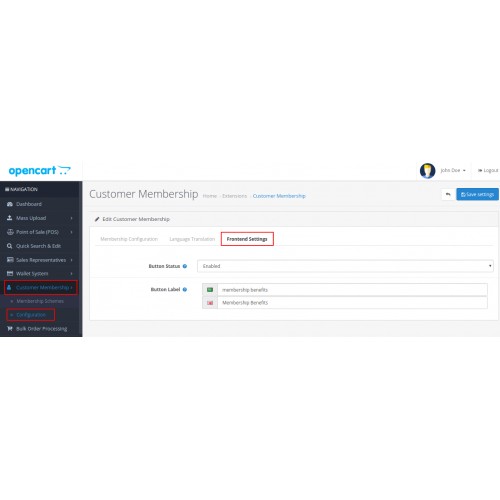
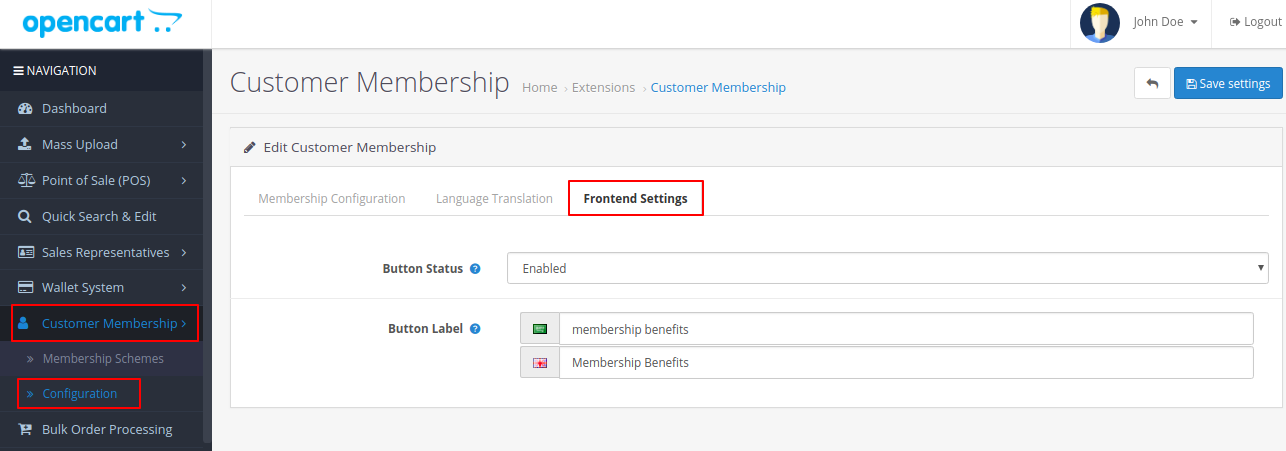
The admin will have to configure the button status and the button label under the Frontend Settings tab.
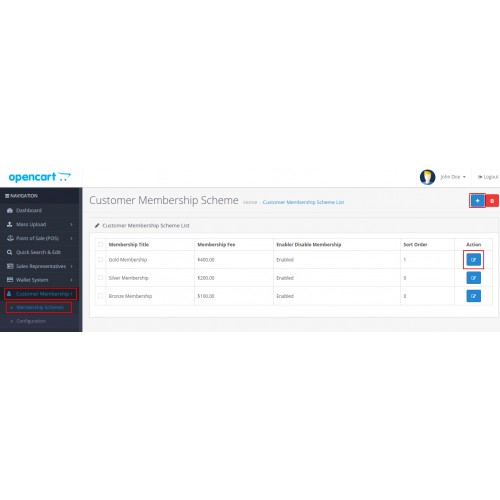
Under Membership Schemes, the General tab, Data, Link, Membership Amount and the Membership Traits tab.
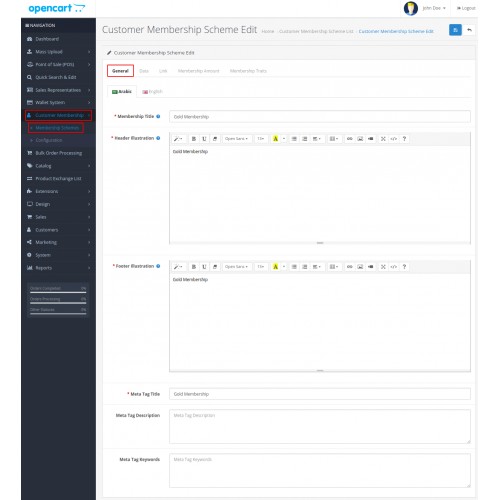
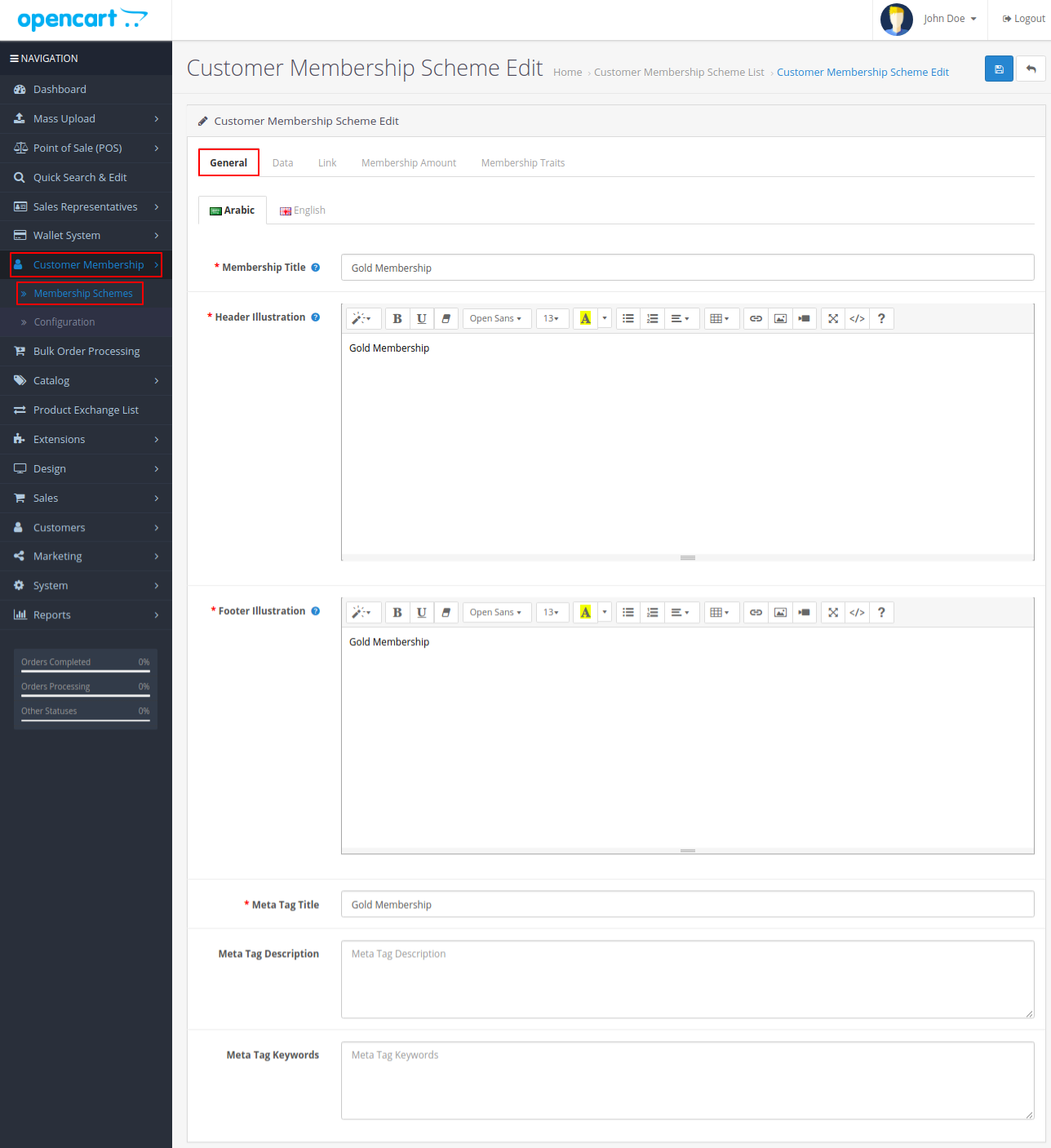
The admin will configure the membership title, header and footer illustration, meta tag title, meta tag description, and meta tag keywords under the General tab.
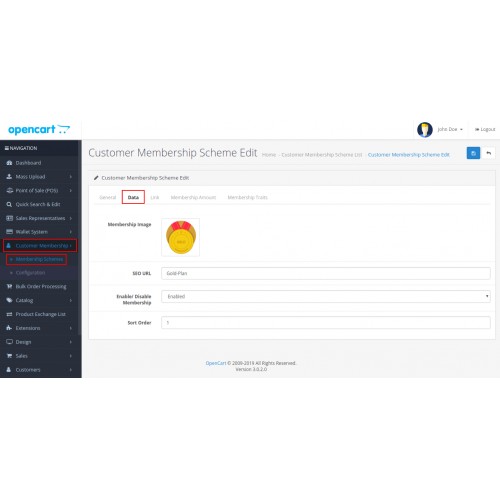
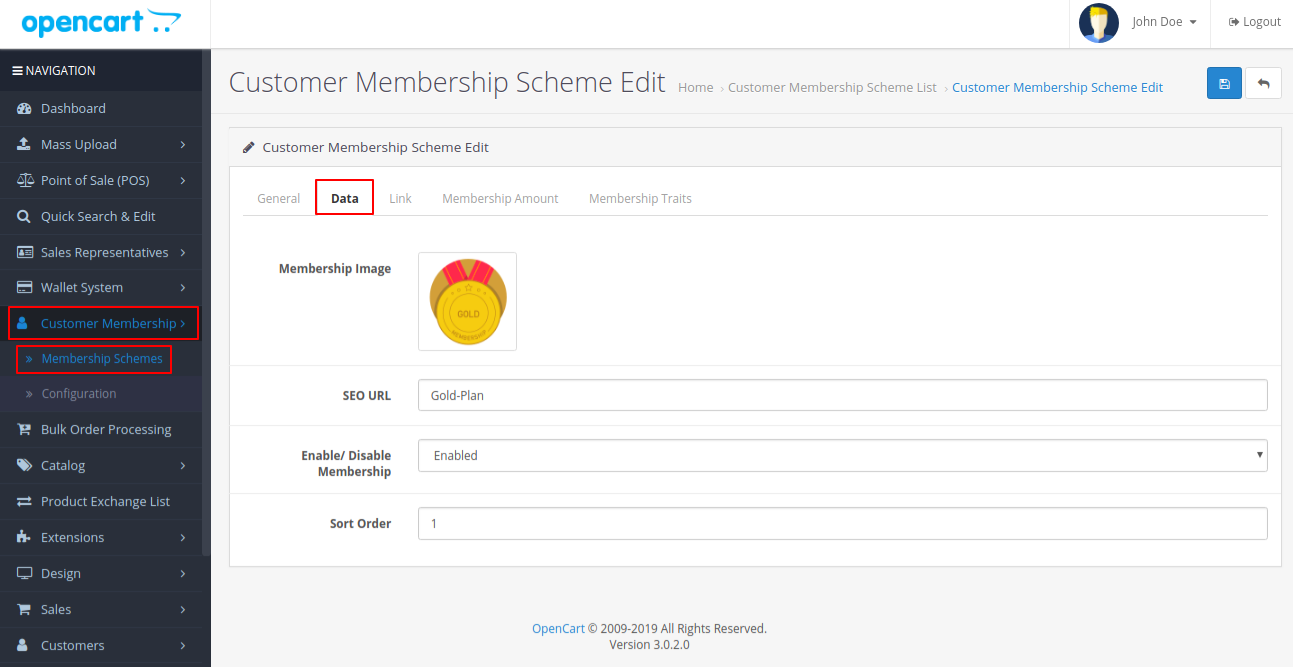
The admin configures the membership image, SEO URL, enable/ disable membership and sort order fields under the Data tab.
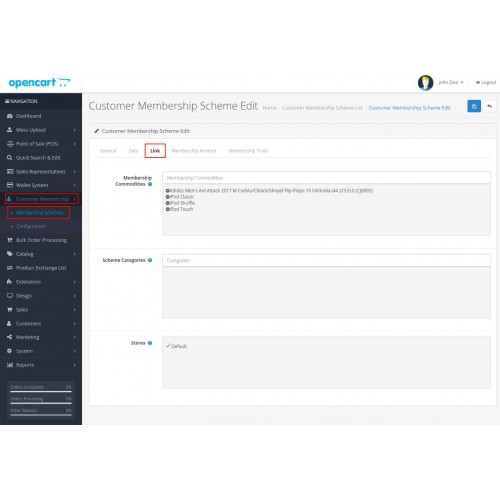
Under the Link tab, the admin configures the settings for the membership commodities, scheme categories, and stores fields.

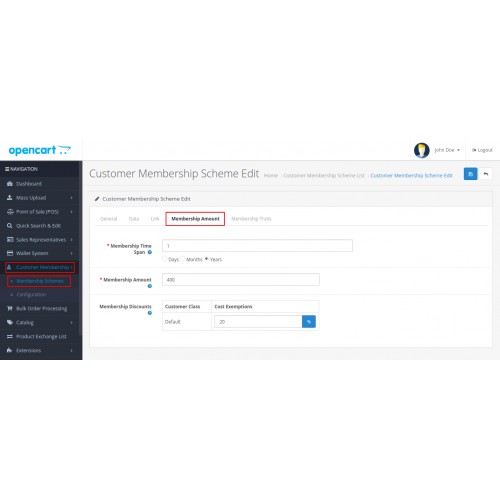
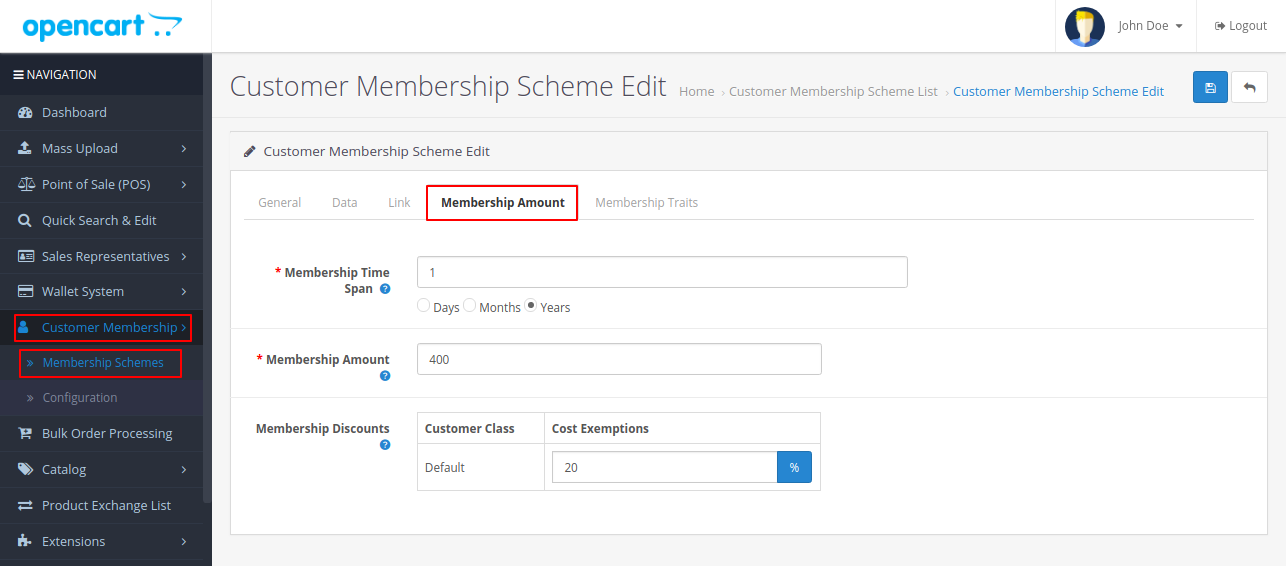
Under the Membership Amount tab, the admin needs to configure the following fields- time span, membership amount and discount tabs.
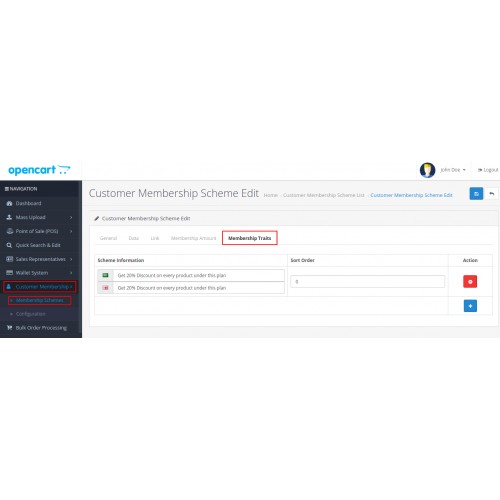
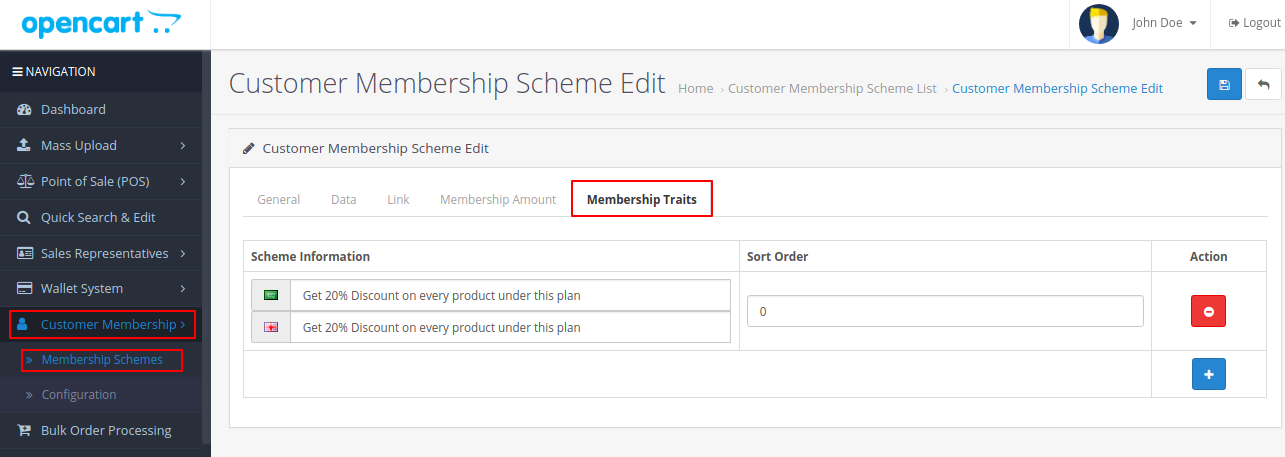
The admin adds a message to for discount description in the Scheme Information field under the Membership Traits tab. This message shall display in the membership image for the customers.
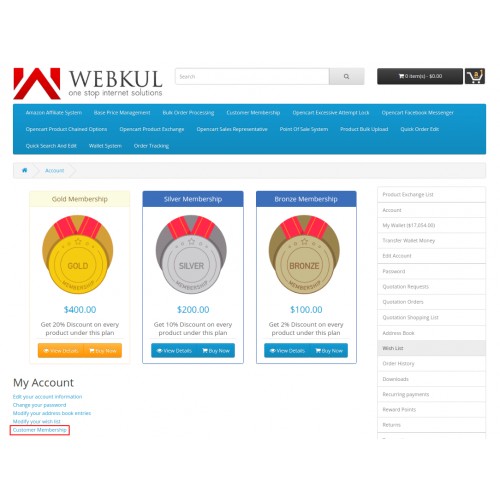
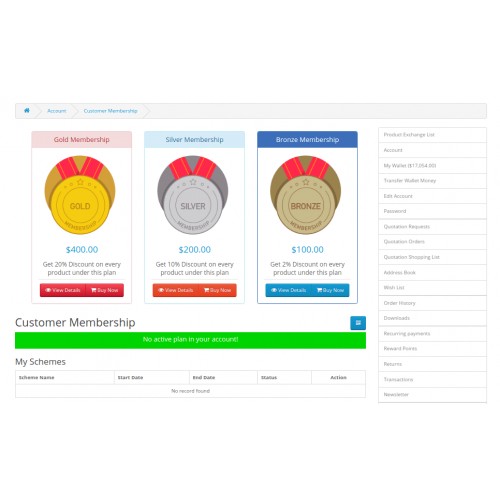
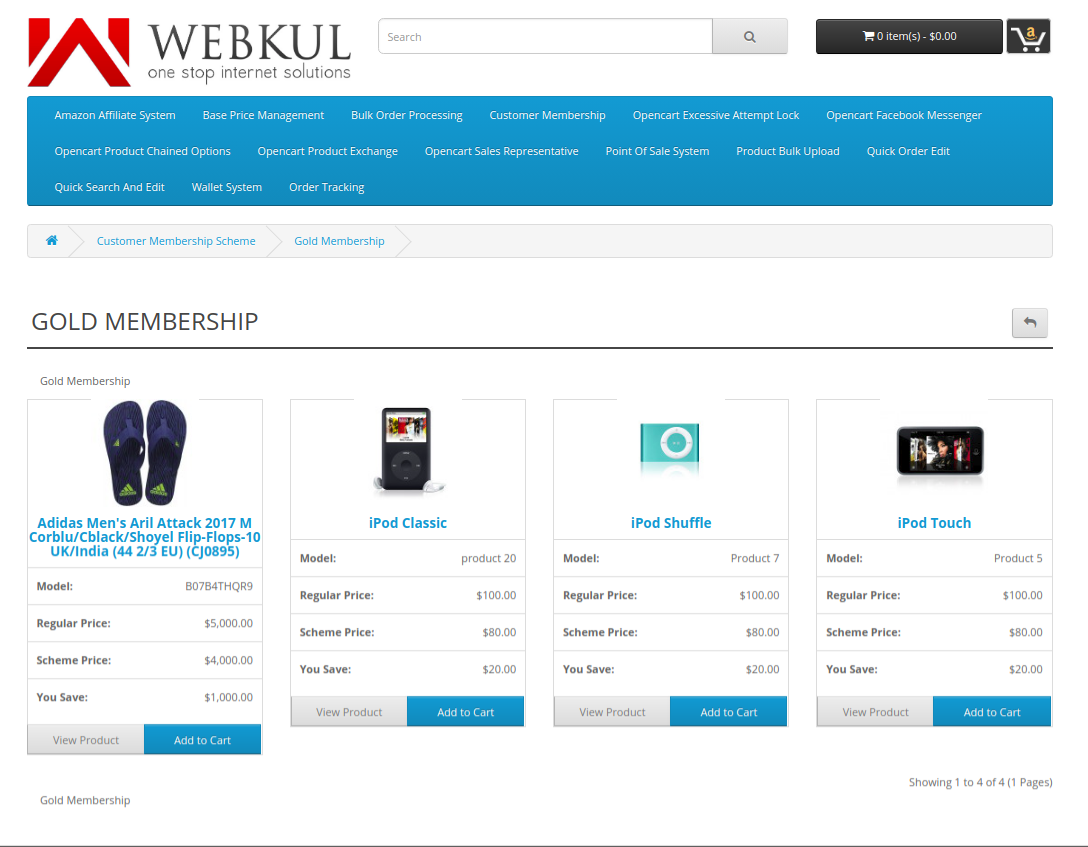
In the frontend, the memberships will be visible to the customers on the My Account page and the Home Page.

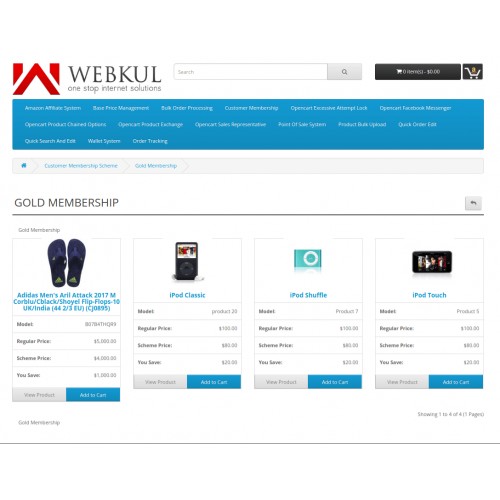
The customer may choose to click on any of the memberships so as to view the products which the membership includes.
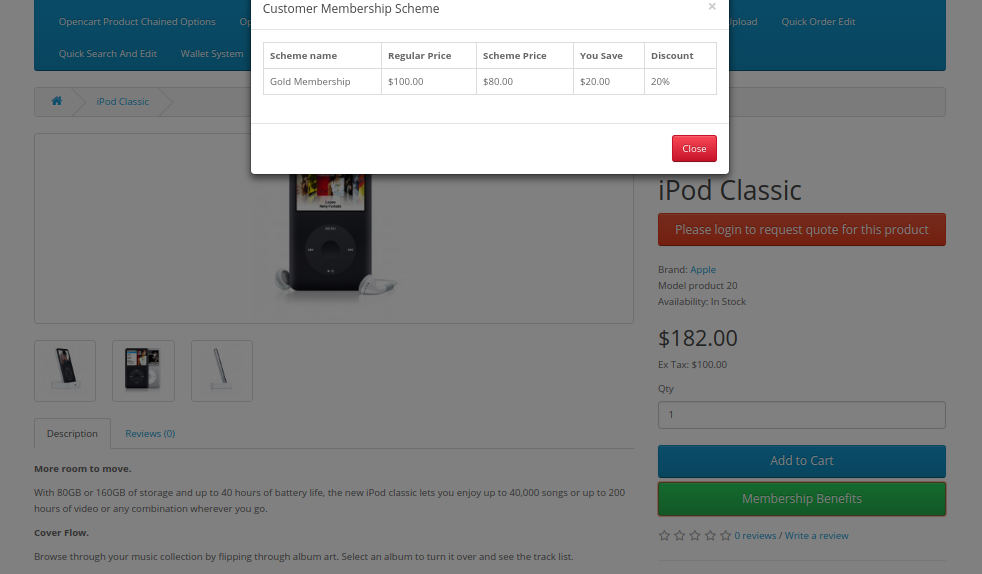
The customer can simply click on the Membership Benefits button on the product page so as to view the benefits offered by the membership.
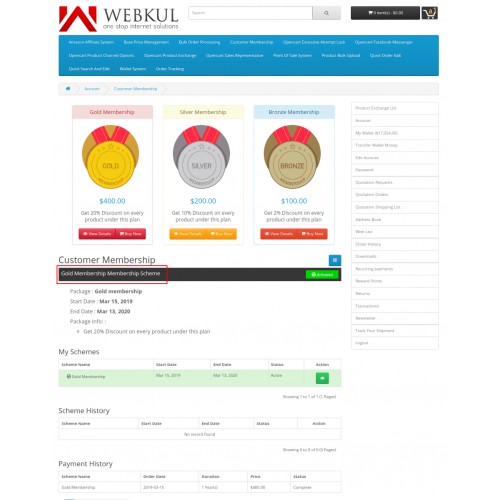
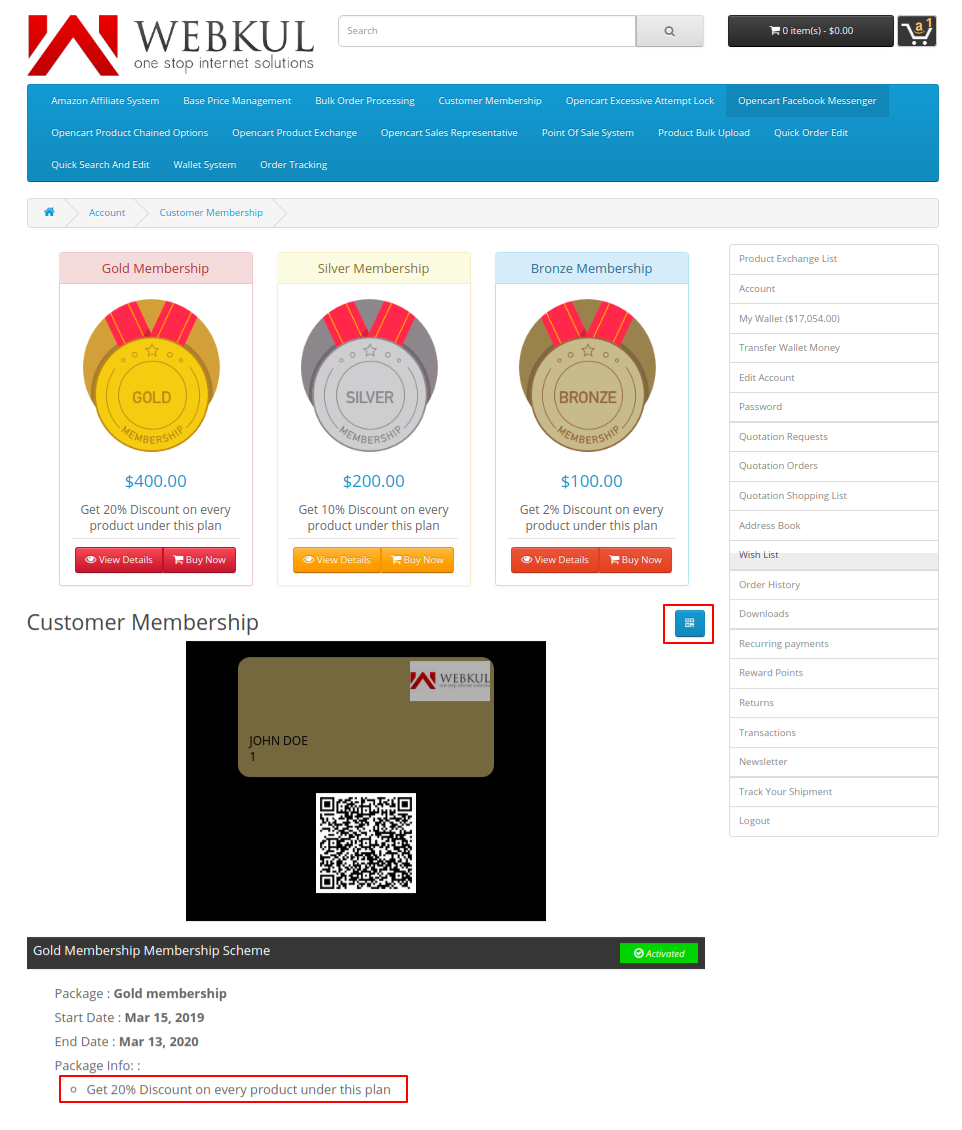
As the customer purchases the membership, the active membership message shall display as shown in the image below.
The customer can also scan the QR code for the active membership so as to get the details of the active membership.
 img]https://image.opencart.com/original/5e689a74839a9.jpg[/img]
Some Moments Of Appreciation



Support Policy
The admin may define a time duration for which the membership will be active and this way can retain the customers of the store.
The products under a specific membership are liable for special offers of the membership. The customers can simply click on the membership button on the product page and view the benefits of the respective membership.
Note:
1. This module supports all templates and themes including the Journal theme.
2. Opencart Customer Membership module supports the Multi-Store feature of default Opencart.
Use case:
In a B2B Marketplace where the consumers usually buy products in bulk for their stores, for such consumers, it is a matter of a good deal to purchase a membership.
The reason being, membership includes the beneficiary offers discounts and if, for instance, if a consumer has to purchase products every month then it will benefit the consumer in monetary terms.
Also, memberships have a time duration for which the membership will be active, suppose 1 year. For one year, the consumer can take the leverage of buying products at a discounted price.
Features:
- Admin can configure the memberships plans under Membership Schemes.
- Under membership commodity product type, the admin selects the membership products.
- The admin can also select the categories for each membership plan.
- Admin selects the store for each membership plan.
- Specific discount rates for products are set for each membership plan.
- The time period for which the membership shall be active (in month, days or years) is set for each membership plan.
- If need be, the admin can add, edit, or remove any customer membership plans.
- Each membership plan will have a dedicated page.
- A fee or the membership price is set by the admin for membership plans.
- A custom button is present on the product page clicking which the customers can view the plan benefits.
Workflow:
On installing the module, the admin will have to configure the settings of the Opencart Customer Membership Module.
The admin will configure the field such as the status of the module, membership commodity, order status, product image dimension, which is the dimension of the membership image, under the Membership Configuration tab.
Under the Language Translation tab, the admin will have to configure the caption label, caption sub-label, header and footer description, meta tag title, meta tag description, and meta tag keywords.
The admin will have to configure the button status and the button label under the Frontend Settings tab.
Under Membership Schemes, the General tab, Data, Link, Membership Amount and the Membership Traits tab.
The admin will configure the membership title, header and footer illustration, meta tag title, meta tag description, and meta tag keywords under the General tab.
The admin configures the membership image, SEO URL, enable/ disable membership and sort order fields under the Data tab.
Under the Link tab, the admin configures the settings for the membership commodities, scheme categories, and stores fields.
Under the Membership Amount tab, the admin needs to configure the following fields- time span, membership amount and discount tabs.
The admin adds a message to for discount description in the Scheme Information field under the Membership Traits tab. This message shall display in the membership image for the customers.
In the frontend, the memberships will be visible to the customers on the My Account page and the Home Page.
The customer may choose to click on any of the memberships so as to view the products which the membership includes.
The customer can simply click on the Membership Benefits button on the product page so as to view the benefits offered by the membership.
As the customer purchases the membership, the active membership message shall display as shown in the image below.
The customer can also scan the QR code for the active membership so as to get the details of the active membership.
img]https://image.opencart.com/original/5e689a74839a9.jpg[/img]Some Moments Of Appreciation
Support Policy
Price
$99.00
- Developed by OpenCart Partner
- 3 Months Free Support
- Documentation Included
Rating
Compatibility
3.0.0.0, 3.0.1.0, 3.0.1.1, 3.0.1.2, 3.0.1.3, 3.0.2.0, 3.0.3.0, 3.0.3.1, 3.0.3.2, 3.0.3.3, 3.0.3.5, 3.0.3.6, 3.0.3.7, 3.0.3.8, 3.0.3.9, 3.0.4.0, 3.0.4.1
Last Update
25 Jun 2025
Created
26 Mar 2019
1 Sales
4 Comments

Login and write down your comment.
Login my OpenCart Account