Opencart Base Price Management
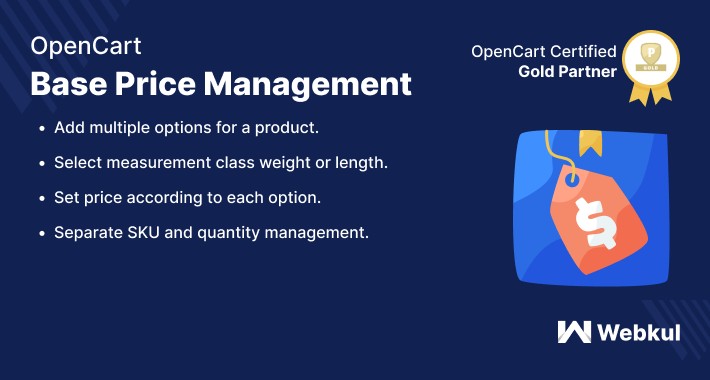
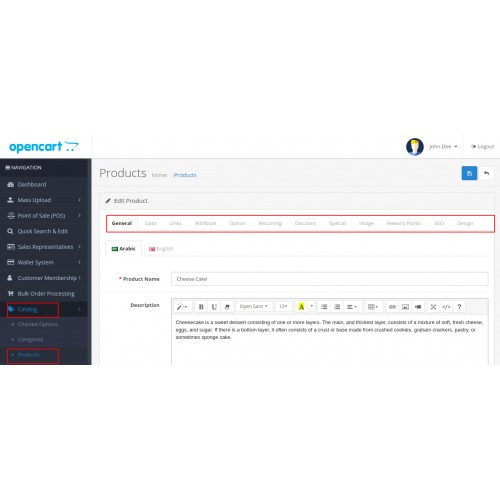
This extension is convenient to show the product, with multiple price options on the product page. The admin from the backend can easily add base price options to a product as per the different measurement classes.
The admin can easily create base price options of a product having individual quantities, price and sort order. Also, an option can be set as the default option, whose price will be visible as the default price for the product.




Use Case:
With the help of this module, the store owner can create multiple price options for a single product based on the different measurement classes like weight or length of the main product.
This eventually helps the customer to buy the specific/desired product option with ease. And also, it helps the store owner to maintain the overall stock for that main product.
Features:
Workflow:
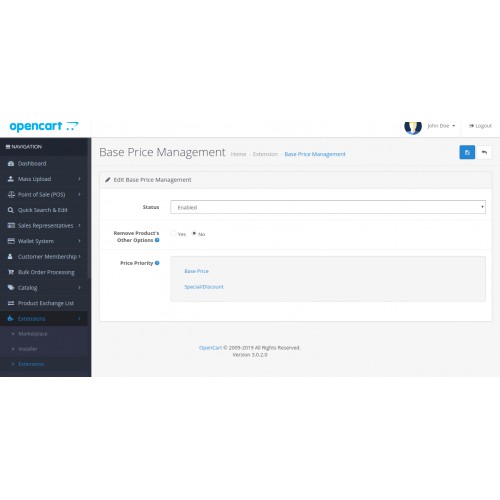
On installing the module, the admin will configure the settings of Opencart Base Price Management.
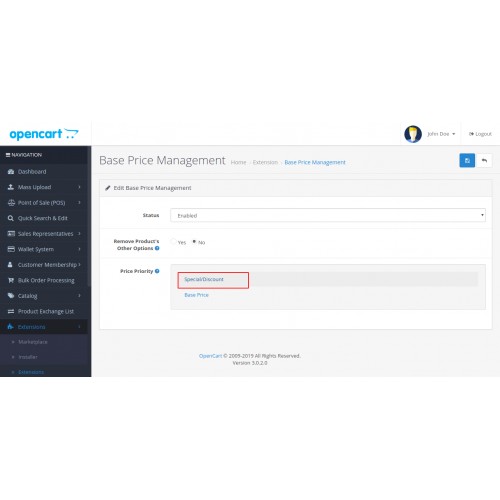
The admin configures the fields like module status, Remove other product options, and can set the price priority for the product.
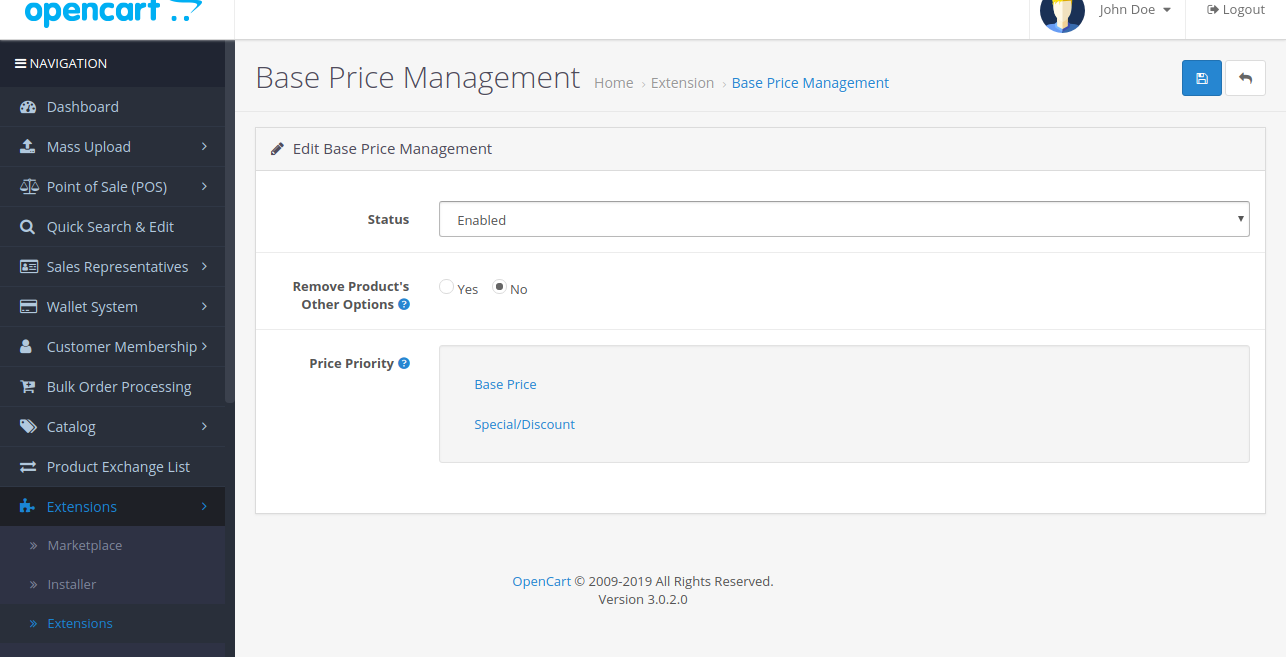
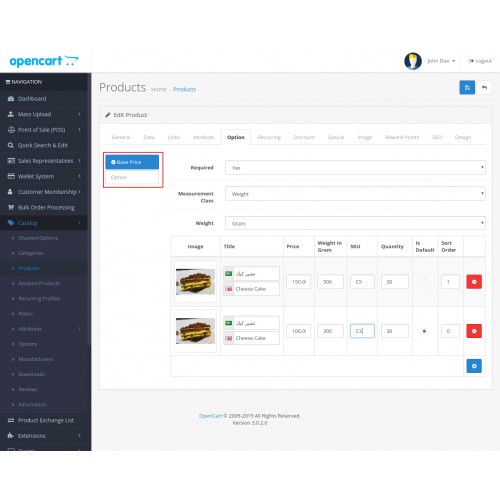
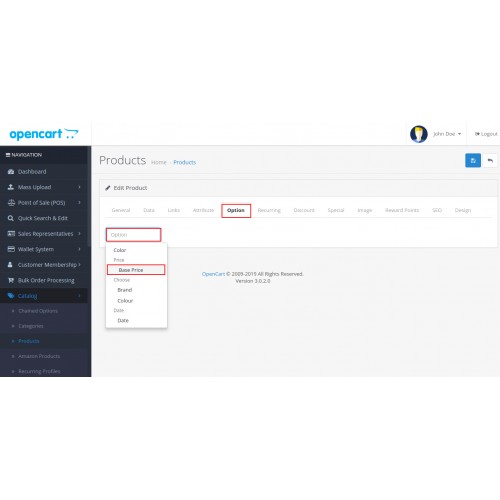
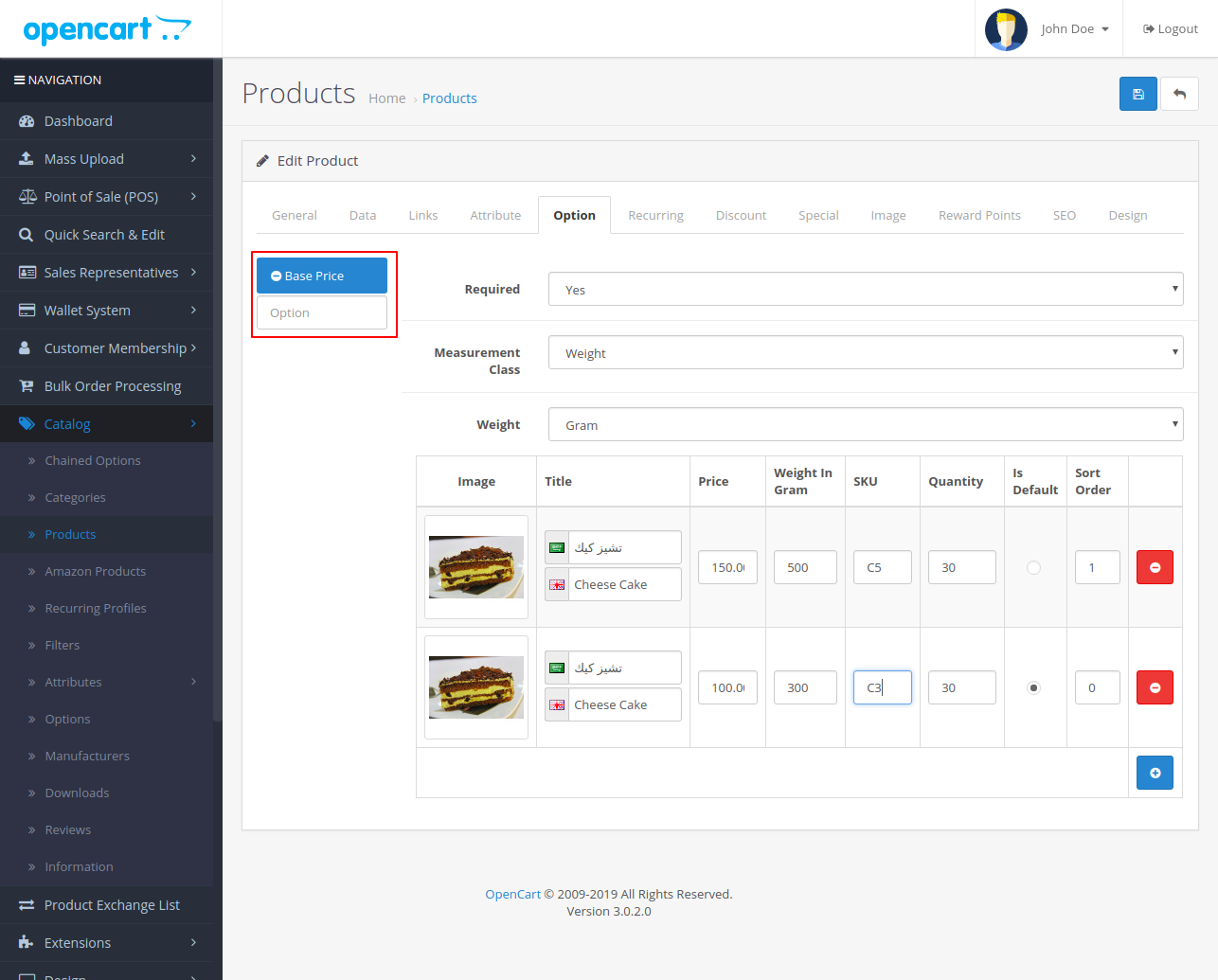
After configuring the module, the admin will move to the products and editing them can add multiple base price options. In the options, the admin can fill the required fields like title, measurement class, quantity, SKU and more.
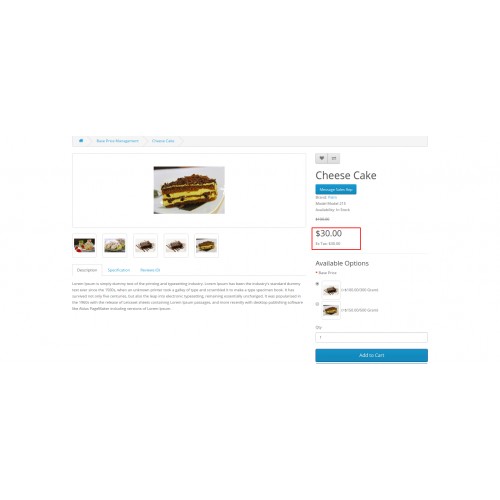
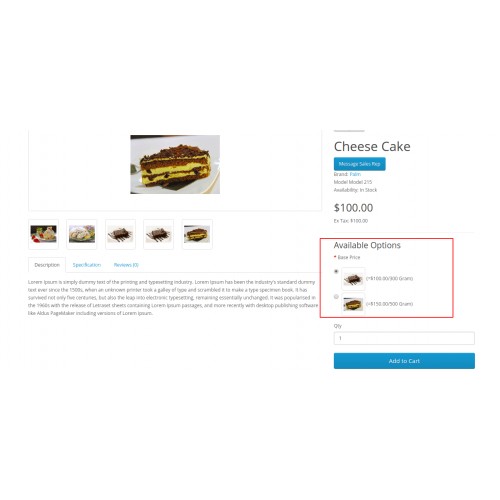
Now at the frontend, the customer can easily see the base price options on the product page and can choose one as per the choice and buy the product.
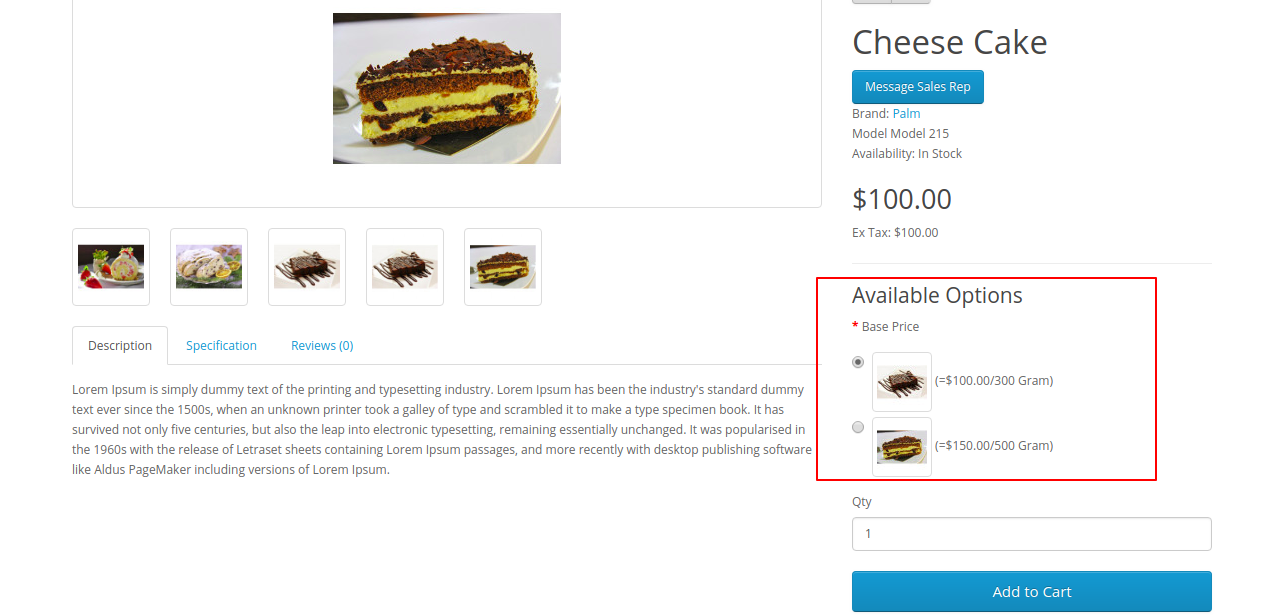
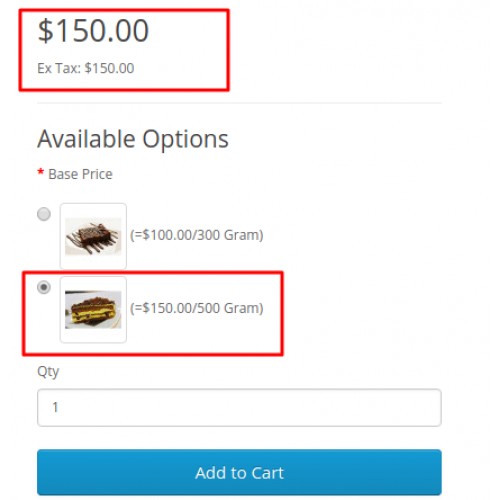
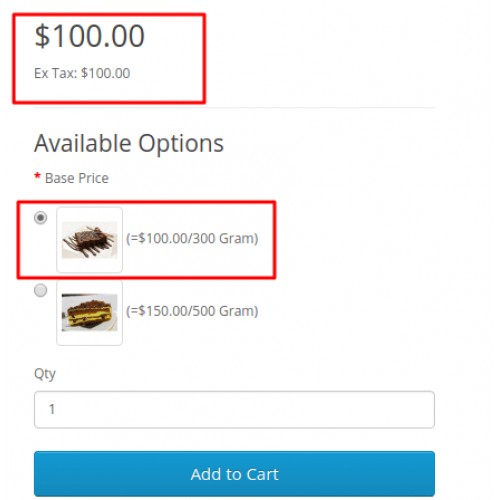
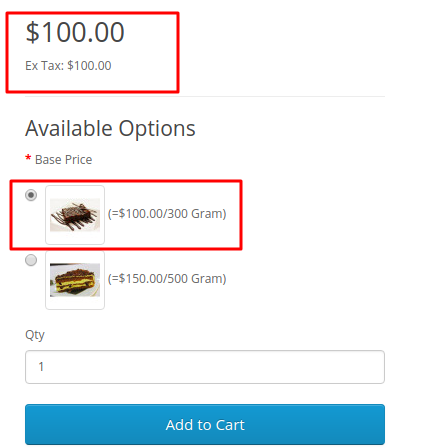
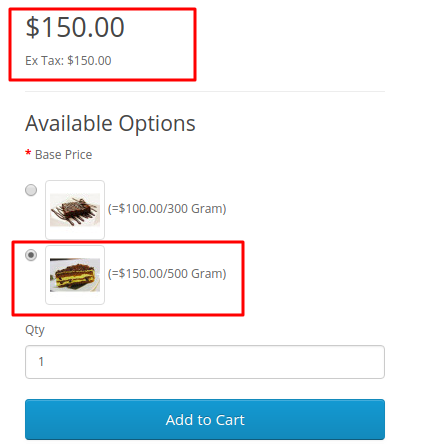
The main product price changes as per the selected product from the available options. As shown in the below snapshots.
1. When the first available option is selected.
2. When the second option is selected.




Some Moments Of Appreciation



Support Policy
The admin can easily create base price options of a product having individual quantities, price and sort order. Also, an option can be set as the default option, whose price will be visible as the default price for the product.
Use Case:
With the help of this module, the store owner can create multiple price options for a single product based on the different measurement classes like weight or length of the main product.
This eventually helps the customer to buy the specific/desired product option with ease. And also, it helps the store owner to maintain the overall stock for that main product.
Features:
- Enable/disable the extension.
- Configure whether selecting an option is required or not.
- Select the measurement class - weight or length.
- Add multiple options for a product.
- Upload image for each option.
- Set the price according to each option.
- Separate SKU and quantity management.
- Can set price priority for the products.
Workflow:
On installing the module, the admin will configure the settings of Opencart Base Price Management.
The admin configures the fields like module status, Remove other product options, and can set the price priority for the product.
After configuring the module, the admin will move to the products and editing them can add multiple base price options. In the options, the admin can fill the required fields like title, measurement class, quantity, SKU and more.
Now at the frontend, the customer can easily see the base price options on the product page and can choose one as per the choice and buy the product.
The main product price changes as per the selected product from the available options. As shown in the below snapshots.
1. When the first available option is selected.
2. When the second option is selected.
Some Moments Of Appreciation
Support Policy
Price
$79.00
- Developed by OpenCart Partner
- 3 Months Free Support
- Documentation Included
Rating
Compatibility
3.0.0.0, 3.0.1.0, 3.0.1.1, 3.0.1.2, 3.0.1.3, 3.0.2.0, 3.0.3.0, 3.0.3.1, 3.0.3.2, 3.0.3.3, 3.0.3.5, 3.0.3.6, 3.0.3.7, 3.0.3.8, 3.0.3.9, 3.0.4.0, 3.0.4.1
Last Update
25 Jun 2025
Created
2 Apr 2019
7 Sales
1 Comments

Login and write down your comment.
Login my OpenCart Account