CCavenue Opencart
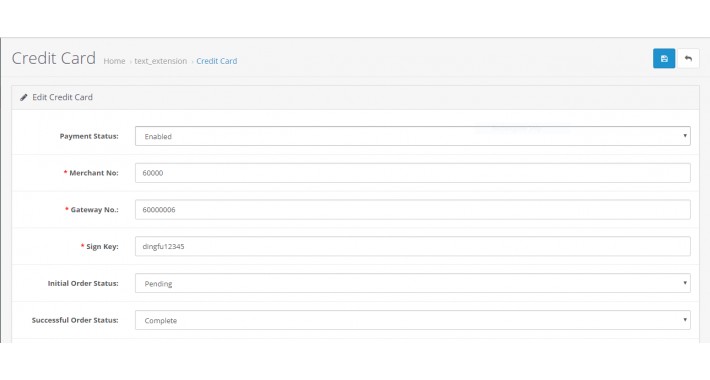
This is an Opencart extension for CCavenue 3.x For support and queries kindly email us to vimal@technophile.in
Installing an extension
Usually OpenCart 2.x extensions come packed in a zip, which contains installation and/or update instructions, sometimes a release log and another zip, whose name ends in ".ocmod.zip". Extension Installer recognizes such zips and uploads their content directly to the FTP root of your store. That said, it will produce an error if you try to upload zips with a name that is not in the "*.ocmod.zip" format.
In order to upload an extension, navigate to Extensions -> Extension Installer. Then click the blue Upload button and provide the route to your extension' s"*.ocmod.zip" archive.
Extension Installer
If the extension that you are installing contains files with names already existent in the current location, you will receive an alert about this in the grey "Files that will be overwritten" box. This means the extension is about to overwrite files that you already have on your site. Here, you can either inspect all of the listed files and make sure no OpenCart core files are to be overwritten, or contact the extension's developer directly. Once you are sure it is safe to proceed, click the blue Continue button. On success, you should get a green "Success: You have installed your extension!" message.
After installing please write the line below next to
"RewriteRule ^system/storage/download/(.*) index.php?route=error/not_found [L]"
in .htaccess
RewriteRule ^payment/response$ index.php?route=extension/payment/ccav/response [L]
Visit us at Technophile
Installing an extension
Usually OpenCart 2.x extensions come packed in a zip, which contains installation and/or update instructions, sometimes a release log and another zip, whose name ends in ".ocmod.zip". Extension Installer recognizes such zips and uploads their content directly to the FTP root of your store. That said, it will produce an error if you try to upload zips with a name that is not in the "*.ocmod.zip" format.
In order to upload an extension, navigate to Extensions -> Extension Installer. Then click the blue Upload button and provide the route to your extension' s"*.ocmod.zip" archive.
Extension Installer
If the extension that you are installing contains files with names already existent in the current location, you will receive an alert about this in the grey "Files that will be overwritten" box. This means the extension is about to overwrite files that you already have on your site. Here, you can either inspect all of the listed files and make sure no OpenCart core files are to be overwritten, or contact the extension's developer directly. Once you are sure it is safe to proceed, click the blue Continue button. On success, you should get a green "Success: You have installed your extension!" message.
After installing please write the line below next to
"RewriteRule ^system/storage/download/(.*) index.php?route=error/not_found [L]"
in .htaccess
RewriteRule ^payment/response$ index.php?route=extension/payment/ccav/response [L]
Visit us at Technophile
Download
- Developed by OpenCart Community
- Documentation Included
Rating
Compatibility
3.0.0.0, 3.0.1.0, 3.0.1.1, 3.0.1.2, 3.0.1.3, 3.0.2.0, 4.x.x.x, 3.0.3.0, 3.0.3.1, 3.0.3.2
Last Update
17 Apr 2019
Created
17 Apr 2019
1076 Downloads
24 Comments

Login and write down your comment.
Login my OpenCart Account