Opencart Bulk Category Upload
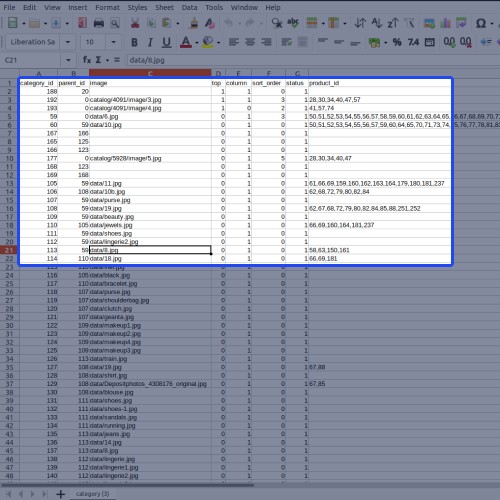
Opencart Bulk Category Upload module will allow the admin to add bulk categories in few clicks. The admin can import and export a bulk number of categories on the store using CSV, XLS, or XML files. The admin can do one-click export categories for various Opencart stores.
Sample files are also available in CSV, XLS, or fXML formats to import categories with respective assigned bulk products to each category on the store. The imported file can be of a single language for a single store view or can be uploaded with multiple languages for multiple store views.




Use Case:
In the default Opencart, managing the store categories is quite a tedious task. Because you need to create the store categories one by one. This infuses a lot of time if you want to add or update the big number of categories.
If you want to add a bulk number of categories at a time, then there is no option available to manage the categories in bulk in the default Opencart.
But with the help of the Opencart Bulk Category Upload module, the admin can easily add a big number of categories on the store using CSV, XLS, or XML files. The module makes it easy and convenient for the admin to manage bulk categories.
The admin can even upload a bulk number of products to the store by simply defining the product Ids in CSV, XLS, or XML files.
Features:
Work-Flow:
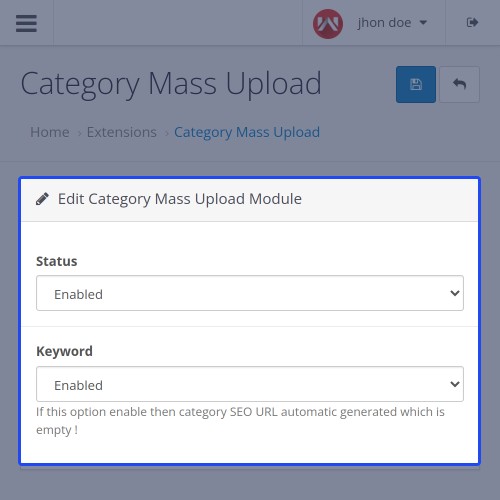
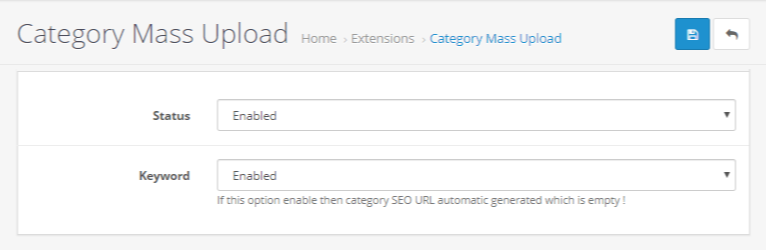
After the module installation, the admin will enable the module.
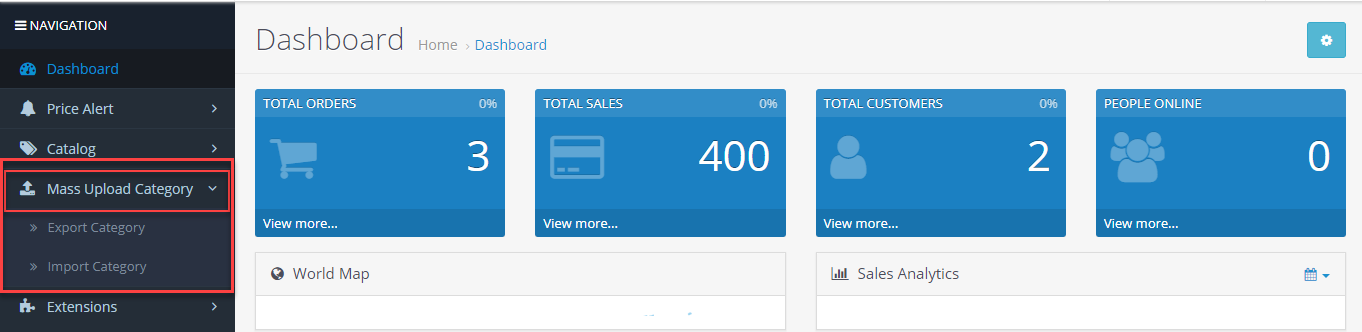
Now, the admin will have Mass Category Upload menu option with two sub-menu options to manage the bulk category management.
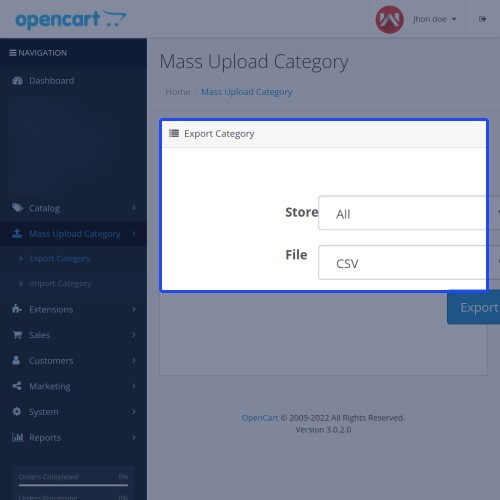
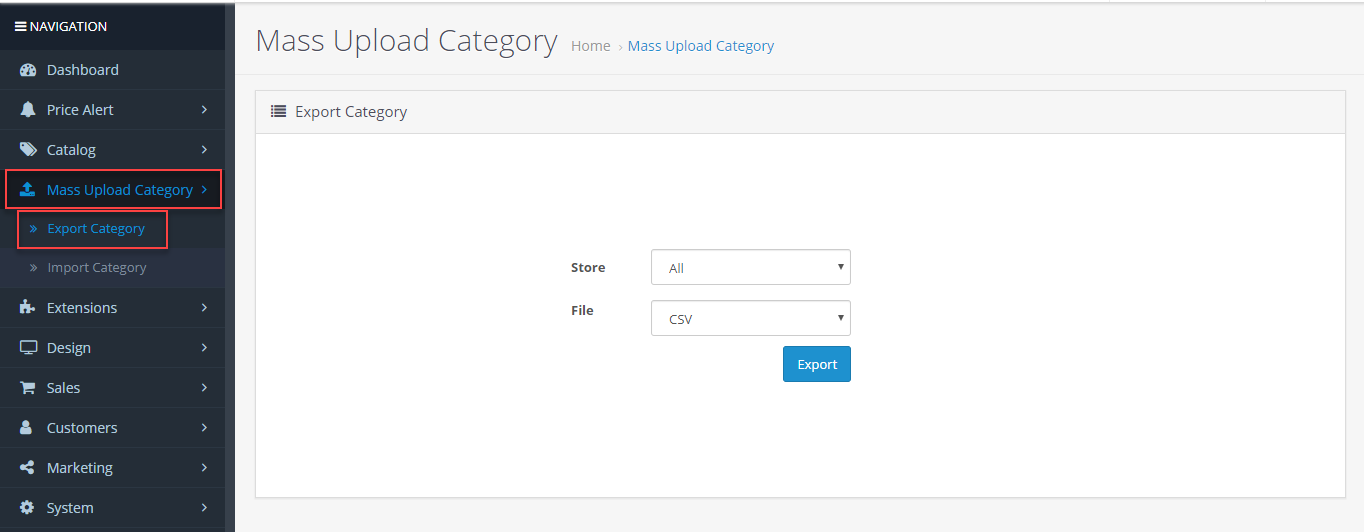
Export Category: Here, the admin can download the existing categories from the store easily -
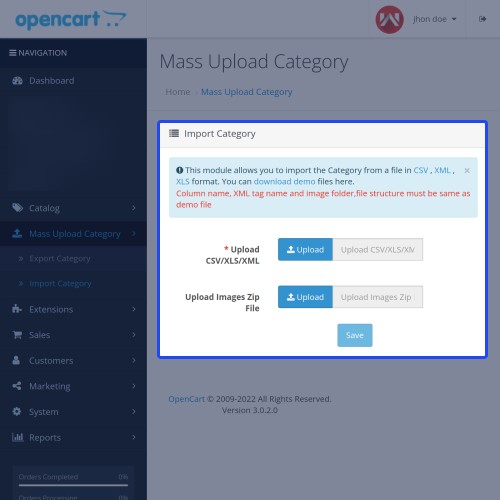
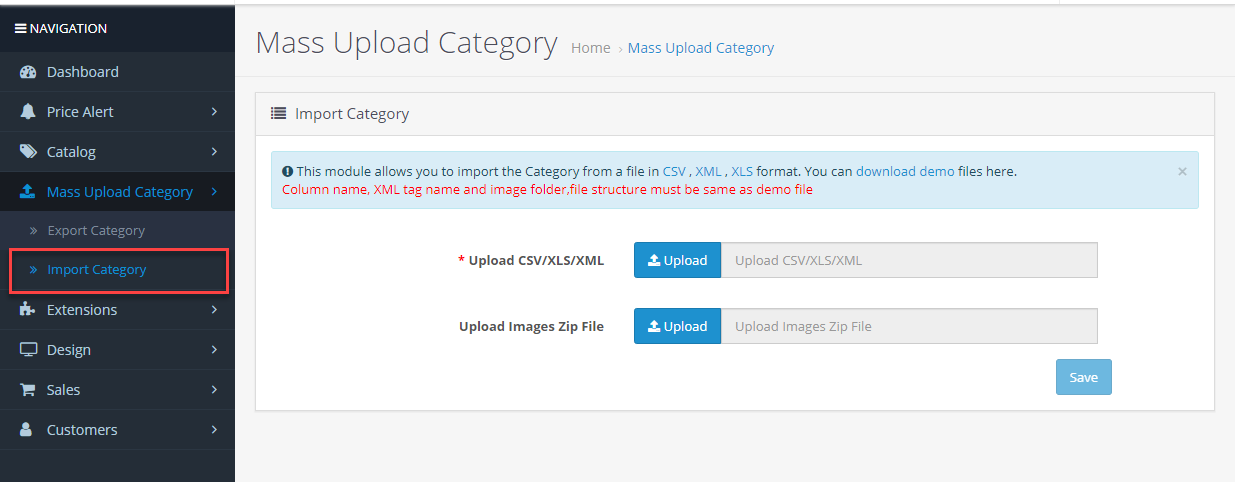
Import Category: Here, the admin can upload the bulk categories to the store easily -





Some Moments Of Appreciation



Support Policy
Sample files are also available in CSV, XLS, or fXML formats to import categories with respective assigned bulk products to each category on the store. The imported file can be of a single language for a single store view or can be uploaded with multiple languages for multiple store views.
Use Case:
In the default Opencart, managing the store categories is quite a tedious task. Because you need to create the store categories one by one. This infuses a lot of time if you want to add or update the big number of categories.
If you want to add a bulk number of categories at a time, then there is no option available to manage the categories in bulk in the default Opencart.
But with the help of the Opencart Bulk Category Upload module, the admin can easily add a big number of categories on the store using CSV, XLS, or XML files. The module makes it easy and convenient for the admin to manage bulk categories.
The admin can even upload a bulk number of products to the store by simply defining the product Ids in CSV, XLS, or XML files.
Features:
- Export mass categories store-wise.
- Upload mass categories & products on the store at a time.
- Import mass categories with and without images.
- Sample files available in CSV, XML & XLS format.
- Import and export categories through CSV, XML & XLS file types.
- Upload multiple languages files respective to different store views.
- Add products & categories by adding respective IDs in the CSV, XML or an XLS file type.
Work-Flow:
After the module installation, the admin will enable the module.
Now, the admin will have Mass Category Upload menu option with two sub-menu options to manage the bulk category management.
Export Category: Here, the admin can download the existing categories from the store easily -
- Select the store view from which the admin wants to download the categories.
- Select the file format to download the categories in bulk - CSV, XLS, and XML.
Import Category: Here, the admin can upload the bulk categories to the store easily -
- Download the sample files, edit it and then, import it.
- Import the bulk categories in the file formats - CSV, XML, or XLS.
- Import categories with or without the category image.
Some Moments Of Appreciation
Support Policy
Price
$119.00
- Developed by OpenCart Partner
- 3 Months Free Support
- Documentation Included
Rating
Compatibility
3.0.0.0, 3.0.1.0, 3.0.1.1, 3.0.1.2, 3.0.1.3, 3.0.2.0, 3.0.3.0, 3.0.3.1, 3.0.3.2, 3.0.3.3, 3.0.3.5, 3.0.3.6, 3.0.3.7, 3.0.3.8
Last Update
17 Jun 2025
Created
26 Apr 2019
2 Sales
1 Comments

Login and write down your comment.
Login my OpenCart Account