Cryptocurrency Payments (BTC, ETH, ZEC etc.) - Payzo.io
Payzo Cryptocurrency Payment Gateway for OpenCart 3!
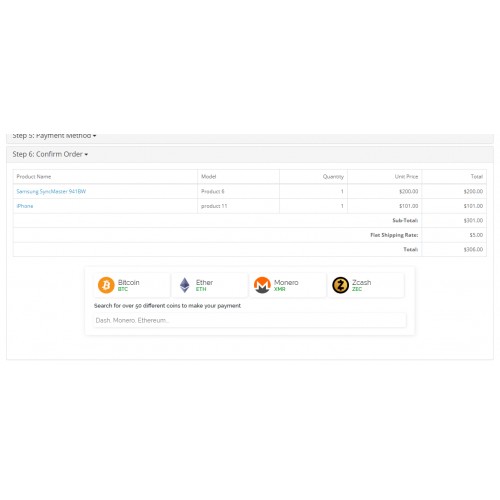
Start accepting over 50 cryptocurrencies on your OpenCart website.
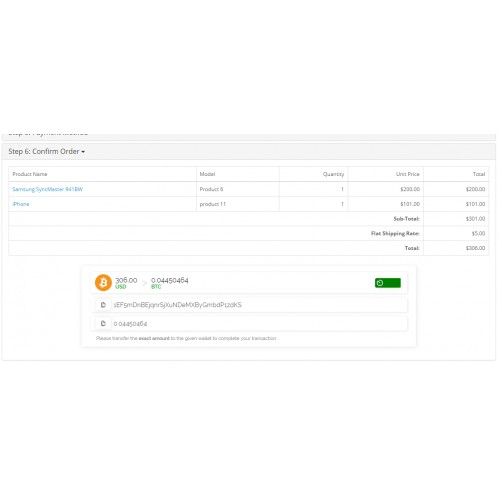
Payzo is an on-page integrated Payment Gateway, so your customers never leave your page when completing their payment.
1. Create your FREE Payzo wallet
- You can Create your Payzo Wallet on Payzo.io.
Your Payzo wallet will be the place where all crypto funds are collected!
Payzo automatically converts any received payments to Bitcoin and stores them in your wallet.
View the full list of supported coins.
2. Download and Install the OpenCart Extension
- Download the extension zip file
- Upload the contents of the upload folder to your OpenCart store (no files will be replaced)
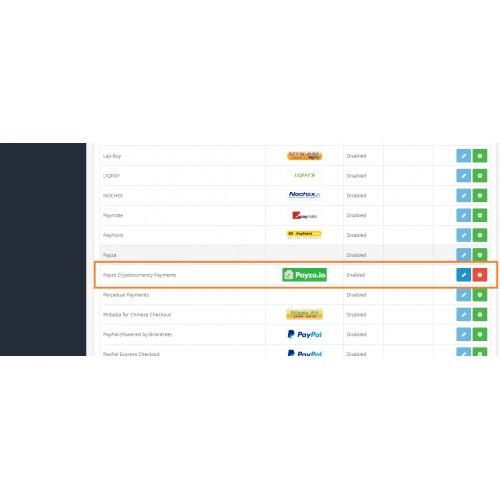
- Visit your store Administration Panel and go to Extensions -> Extensions -> Payments
- Click the install button (Green Plus Icon) on the right of "Payzo Cryptocurrency Payments"
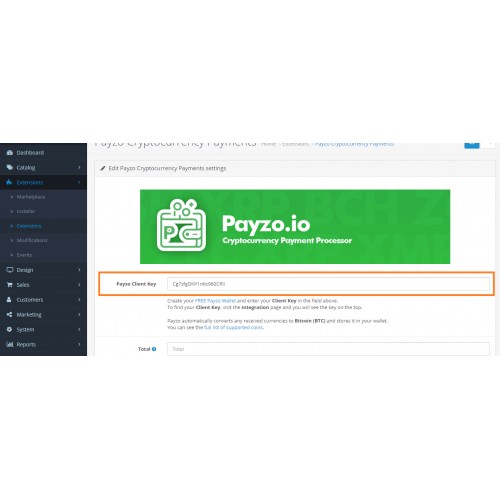
- Edit the extension settings and enter your Payzo Client Key
3. You can now receive 50+ cryptocurrencies, directly in your OpenCart Store!
If you have any questions, you can contact Payzo directly:
Payzo Contact Form
Email Payzo:
info@payzo.io
Check out our Facebook Page

Start accepting over 50 cryptocurrencies on your OpenCart website.
Payzo is an on-page integrated Payment Gateway, so your customers never leave your page when completing their payment.
1. Create your FREE Payzo wallet
- You can Create your Payzo Wallet on Payzo.io.
Your Payzo wallet will be the place where all crypto funds are collected!
Payzo automatically converts any received payments to Bitcoin and stores them in your wallet.
View the full list of supported coins.
2. Download and Install the OpenCart Extension
- Download the extension zip file
- Upload the contents of the upload folder to your OpenCart store (no files will be replaced)
- Visit your store Administration Panel and go to Extensions -> Extensions -> Payments
- Click the install button (Green Plus Icon) on the right of "Payzo Cryptocurrency Payments"
- Edit the extension settings and enter your Payzo Client Key
3. You can now receive 50+ cryptocurrencies, directly in your OpenCart Store!
If you have any questions, you can contact Payzo directly:
Payzo Contact Form
Email Payzo:
info@payzo.io
Check out our Facebook Page
What customers say about Cryptocurrency Payments (BTC, ETH, ZEC etc.) - Payzo.io

Thank you for this! We have many customers that ask for Bitcoin payments and this is like an all-in-one package, where we get all the possible crypots :)
~CalistoShops
~CalistoShops
Download
- Developed by OpenCart Community
- Documentation Included
Rating
Compatibility
3.0.3.0, 3.0.3.1, 3.0.3.2
Last Update
23 May 2019
Created
13 May 2019
114 Downloads
4 Comments

Login and write down your comment.
Login my OpenCart Account